
Introduction
This manual provides essential information for the safe and efficient use of your POVISON Mid Century Modern Sintered Stone TV Stand. Please read these instructions carefully before setup and operation, and retain them for future reference.

Image: The POVISON Mid Century Modern Sintered Stone TV Stand, 70.87" in Walnut, featuring slatted doors and metal legs, positioned beneath a wall-mounted television.
Safety Information
To ensure safe use of your TV stand, please observe the following guidelines:
- Avoid placing heavy objects on top of the TV stand to prevent tip-over.
- Always secure the TV stand to the wall using the provided hardware to prevent accidental tipping.
- Be cautious of sharp edges when assembling and using the product.
- Keep the product away from children and pets to prevent injury or damage.
Package Contents
Your POVISON TV Stand package includes the following items:
- 1 x Fully-assembled TV Stand main unit
- 4 x Metal Legs
- 1 x Hardware pack (screws, Allen wrenches for leg attachment)

Image: An illustration showing the TV stand arriving in one box, with a separate diagram indicating the simple attachment of the four legs.
Setup and Assembly
The POVISON Mid Century Modern Sintered Stone TV Stand is designed for minimal assembly. The main cabinet structure arrives fully assembled. Only the legs require attachment.
- Carefully unbox the TV stand, ensuring all components are present and undamaged.
- With assistance, gently lay the main TV stand unit upside down on a soft, clean surface to protect the finish.
- Attach each of the four metal legs to the designated mounting points on the underside of the TV stand using the provided screws and Allen wrench. Ensure all screws are tightened securely.
- With assistance, carefully turn the TV stand upright and place it in its desired location.
- For added stability and safety, it is recommended to secure the TV stand to a wall using appropriate anti-tip hardware (not always included, but highly recommended for safety).

Image: A detailed diagram illustrating the dimensions of the TV stand and highlighting that only the legs require fitting.
Features
Your POVISON TV Stand offers a range of features designed for functionality and aesthetic appeal:
- Premium Natural Wood Grain: The surface is adorned with real wood veneer, featuring an irregular grain pattern.
- Spacious and Versatile Storage: Accommodates flat screen TVs up to 85"W with a maximum weight of 120 lbs. The 4 doors open to reveal 4 cabinets, offering 8 storage compartments.
- Stylish & Functional Design: Features slatted doors and black-plated tall cast metal legs. The slatted doors allow for easy remote control signal access and efficient heat dissipation for electronics.
- Organized Cord Management: Includes cord management cutouts for routing cables from Wi-Fi routers, TV connections, and other media devices.
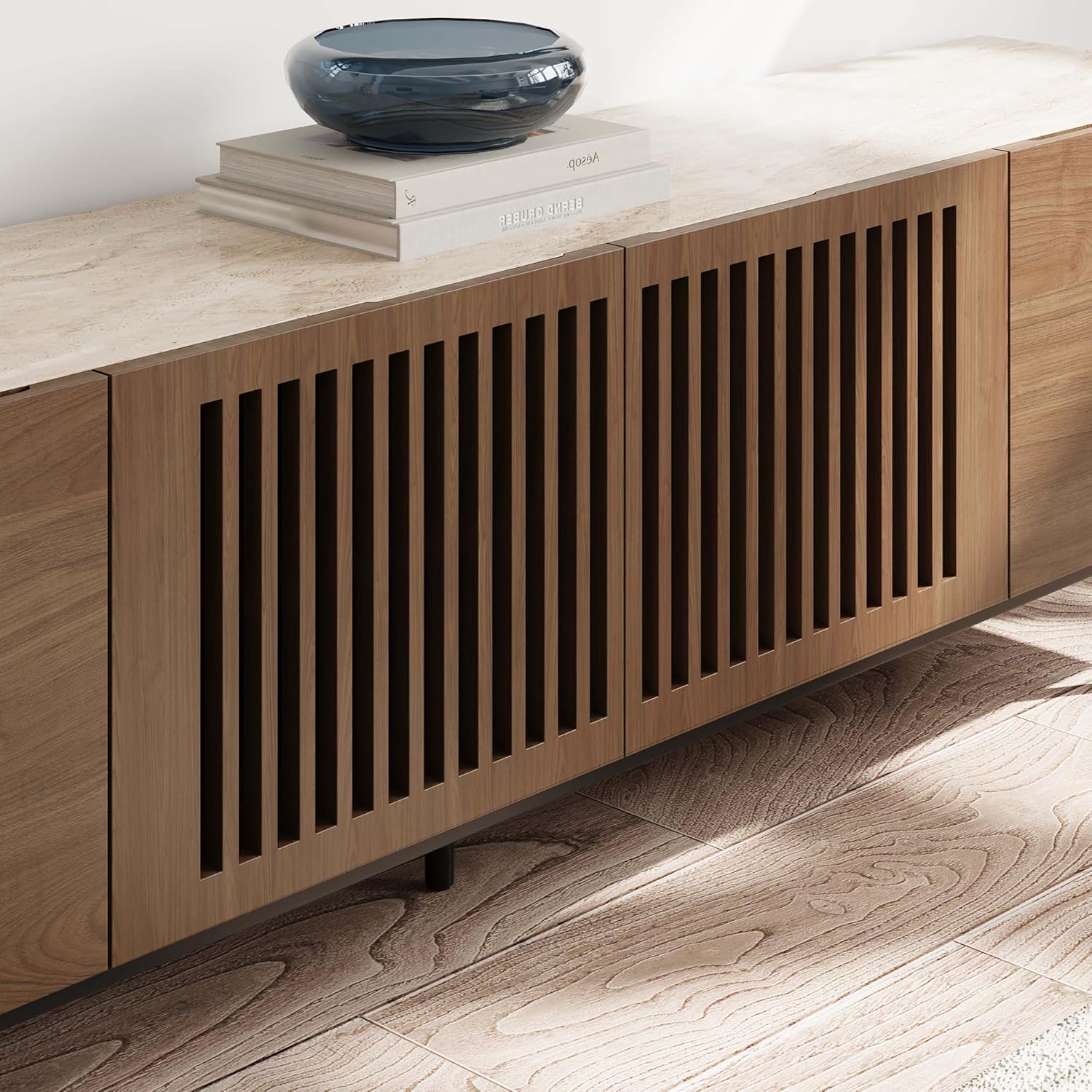
Image: A close-up view of the slatted doors on the TV stand, highlighting their design and texture.
Video: A demonstration of the TV stand's soft-close doors and internal storage compartments, showcasing the quality hardware and design.
Operation
Using your POVISON TV Stand is straightforward:
- Accessing Storage: The four doors provide access to eight internal compartments. Gently pull the doors open to access your media devices, accessories, or other items.
- Remote Control Functionality: The slatted design of the central doors allows infrared signals from remote controls to pass through, enabling you to operate devices stored inside without opening the doors.
- Cable Management: Utilize the pre-drilled holes in the back panel of the compartments to route and organize power cords and signal cables, keeping them tidy and out of sight.
- Heat Dissipation: The slatted doors also aid in air circulation, helping to dissipate heat generated by electronic devices stored within the cabinet.
Video: A detailed look at the internal compartments of the TV stand, demonstrating how various media consoles and accessories can be stored and organized, including the cable management holes.
Maintenance
To maintain the appearance and longevity of your TV stand:
- Cleaning: Wipe surfaces with a soft, damp cloth. Avoid harsh chemicals or abrasive cleaners, which can damage the wood veneer and sintered stone.
- Spills: Immediately wipe up any spills to prevent staining, especially on the sintered stone top.
- Sunlight Exposure: Avoid prolonged direct sunlight exposure to prevent fading or discoloration of the wood.
- Heat: Do not place hot items directly on the surface without protective coasters.
Troubleshooting
If you encounter any issues with your TV stand, consider the following:
- Wobbly Stand: Ensure all legs are securely tightened. Check if the floor is even; use furniture levelers if necessary.
- Misaligned Doors: The hinges are adjustable. Use a screwdriver to fine-tune the hinge screws to align the doors properly.
- Remote Control Issues: Ensure devices are correctly positioned within the cabinet and that there are no obstructions blocking the remote signal through the slatted doors.
Specifications
| Feature | Detail |
|---|---|
| Brand | POVISON |
| Model | Mid Century Modern Sintered Stone TV Stand 70.87" |
| Material | Walnut Wood, Sintered Stone |
| Color | Walnut With Sintered Stone |
| Product Dimensions | 70.87 x 15.75 x 21.65 inches |
| Item Weight | 137.6 pounds |
| Max TV Size Supported | Up to 85"W |
| Max Weight Capacity | 120 lbs |
| Assembly Required | Partial (Legs to be fitted) |

Image: A diagram illustrating the precise measurements of the TV stand, including width, depth, and height, to assist with placement and compatibility.
Warranty and Support
For warranty information or technical support, please refer to the documentation included with your purchase or contact POVISON customer service directly. Keep your purchase receipt for warranty claims.

