
Product Overview
The Artero Exo Hair Dryer is a versatile, hands-free grooming tool designed for efficient and precise drying of pet hair. It features advanced ionic technology to reduce frizz and accelerate drying, a laser pointer for targeted airflow, and an energy-efficient 1300W motor. Its adjustable collar and removable dryer unit offer flexibility for both hands-free and manual use.
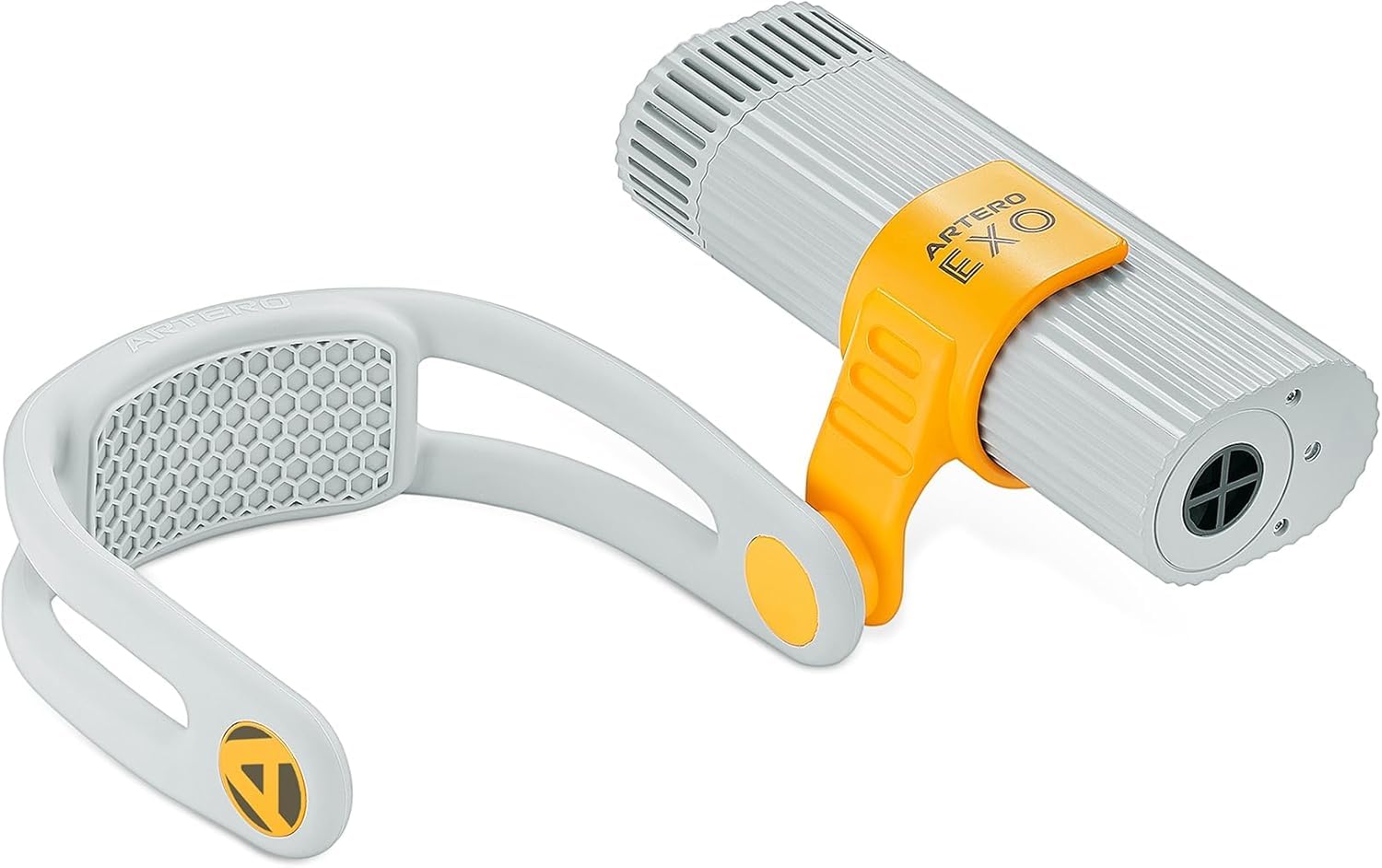
Image: The Artero Exo Hair Dryer components, including the main dryer unit and the adjustable neck collar.

Image: The Artero Exo Hands-Free Hair Dryer, showcasing its design and the 'Artero Exo' branding.
Setup Instructions
- Unpack Components: Carefully remove all items from the packaging. Ensure all parts, including the main dryer unit, adjustable collar, and any nozzles, are present.
- Check Filter: Verify that the magnetic filter is securely in place at the rear of the dryer unit.
- Attach Collar (Optional): If using the hands-free function, attach the dryer unit to the adjustable collar. Ensure it clicks into place firmly.
- Power Connection: Plug the power cord securely into a standard electrical outlet.

Image: The Artero Exo Hair Dryer unit connected to its adjustable collar, ready for hands-free use.
Operating Instructions
- Power On/Off: Locate the power button on the device. Slide the button to turn the dryer on. To turn off, slide the button back to the 'off' position.
- Speed Adjustment: The dryer features two speed settings. Move the speed control button to select the desired airflow intensity.
- Temperature Control: Choose from three temperature levels (cool, medium, or maximum) using the temperature control button.
- Hands-Free Use: Secure the adjustable collar around your neck. Position the dryer unit to direct airflow towards the desired area. The articulated and inclinable attachment allows for precise aiming.
- Laser Pointer: Activate the laser pointer to visualize and target the exact area of concentrated airflow for precise drying.
- Manual Use: The dryer unit can be detached from the collar for handheld operation, providing flexibility for different grooming needs.

Image: A visual representation of the Artero Exo Hair Dryer's features, including its brushless motor, speed/heat levels, laser pointer, and dual-mode functionality.
Maintenance
- Filter Cleaning: The magnetic filter should be cleaned after each use to prevent hair and debris buildup, which can affect performance and airflow. To clean, gently remove the magnetic filter, clear any accumulated material, and reattach it securely.
- Exterior Cleaning: Wipe the exterior of the dryer with a soft, damp cloth. Do not use abrasive cleaners or immerse the device in water.
- Storage: Store the Artero Exo Hair Dryer in a clean, dry place, away from direct sunlight and extreme temperatures, when not in use.
Troubleshooting
- Device Not Turning On:
- Ensure the power cord is securely plugged into a functional electrical outlet.
- Check for any visible damage to the power cord or plug.
- Reduced Airflow:
- Clean the magnetic filter. Hair and debris buildup can significantly restrict airflow.
- Overheating:
- If the device overheats, it may automatically shut off as a safety measure. Allow it to cool down completely before attempting to use it again.
- Ensure the air intake and outlet are not blocked during operation to allow for proper ventilation.
Specifications
| Manufacturer | Artero |
| Model Number | S566A3 |
| Brand | ARTERO |
| Color | Grey |
| Material | Plastic |
| Power | 1300W |
| Power Source | Electric Cable |
| Special Features | Adjustable, Ionic Technology, Laser Pointer, Two Speeds, Three Temperature Levels, Lightweight, Ergonomic, Adjustable Collar, Removable Hair Dryer |
| Included Components | Interchangeable Nozzles |
| Number of Speeds | 2 |
| Number of Settings | 5 |
| Hair Type | Coarse |
Warranty and Support
For detailed warranty information, please refer to the documentation provided with your purchase. If you require technical assistance, have questions about product operation, or need to report an issue, please contact ARTERO customer service directly. Contact details can typically be found on the product packaging or the official ARTERO website.
