
joyroom FN2
Contents
Joyroom FN2 FunPods User Manual
Model: FN2
Introduction
This manual provides comprehensive instructions for the Joyroom FN2 FunPods Wireless Headphone Set. It covers setup, operation, maintenance, and troubleshooting to ensure optimal performance and longevity of your device. Please read this manual thoroughly before using the product.
The Joyroom FN2 FunPods are designed for high-quality audio, featuring Bluetooth 5.4 for stable connectivity, 4-microphone ENC noise cancellation for clear calls, and 30dB ANC AI noise reduction for immersive sound. They offer dual EQ modes (bass boost and classic) and are IP54 rated for sweat and light rain resistance.
Package Contents
Upon opening the package, verify that all components are present:
- Joyroom FN2 FunPods Earbuds (Left and Right)
- Charging Case
- USB Type-C Charging Cable
- Multiple sizes of Ear Tips
- User Manual

Image: All items included in the Joyroom FN2 FunPods retail package, laid out for clear viewing.
Setup
1. Initial Charging
Before first use, fully charge the Joyroom FN2 FunPods and their charging case. Insert the USB Type-C cable into the charging port on the case and connect the other end to a 5V 1A power source. The indicator light on the case will show charging status.

Image: The bottom of the Joyroom FN2 FunPods charging case, highlighting the Type-C charging port.
- Charging time for case and earbuds: Approximately 0.5 hours.
- Ensure the charging contacts on the earbuds and inside the case are clean and dry.
2. Pairing with a Device
- Power On: Open the charging case. The earbuds will automatically power on and enter pairing mode. The indicator light on the earbuds will flash.
- Activate Bluetooth: On your smartphone or audio device, enable Bluetooth.
- Select Device: Search for "Joyroom FN2" or "JR-FN2" in the list of available Bluetooth devices and select it to connect.
- Confirmation: Once connected, the earbud indicator lights will stop flashing, and you may hear an audible confirmation.
The earbuds will automatically reconnect to the last paired device when taken out of the case, if Bluetooth is enabled on the device.
Operating Instructions
Wearing the Earbuds
Select the ear tips that provide the most comfortable and secure fit for optimal sound quality and noise cancellation. Gently insert the earbuds into your ear canals and twist slightly to secure them.
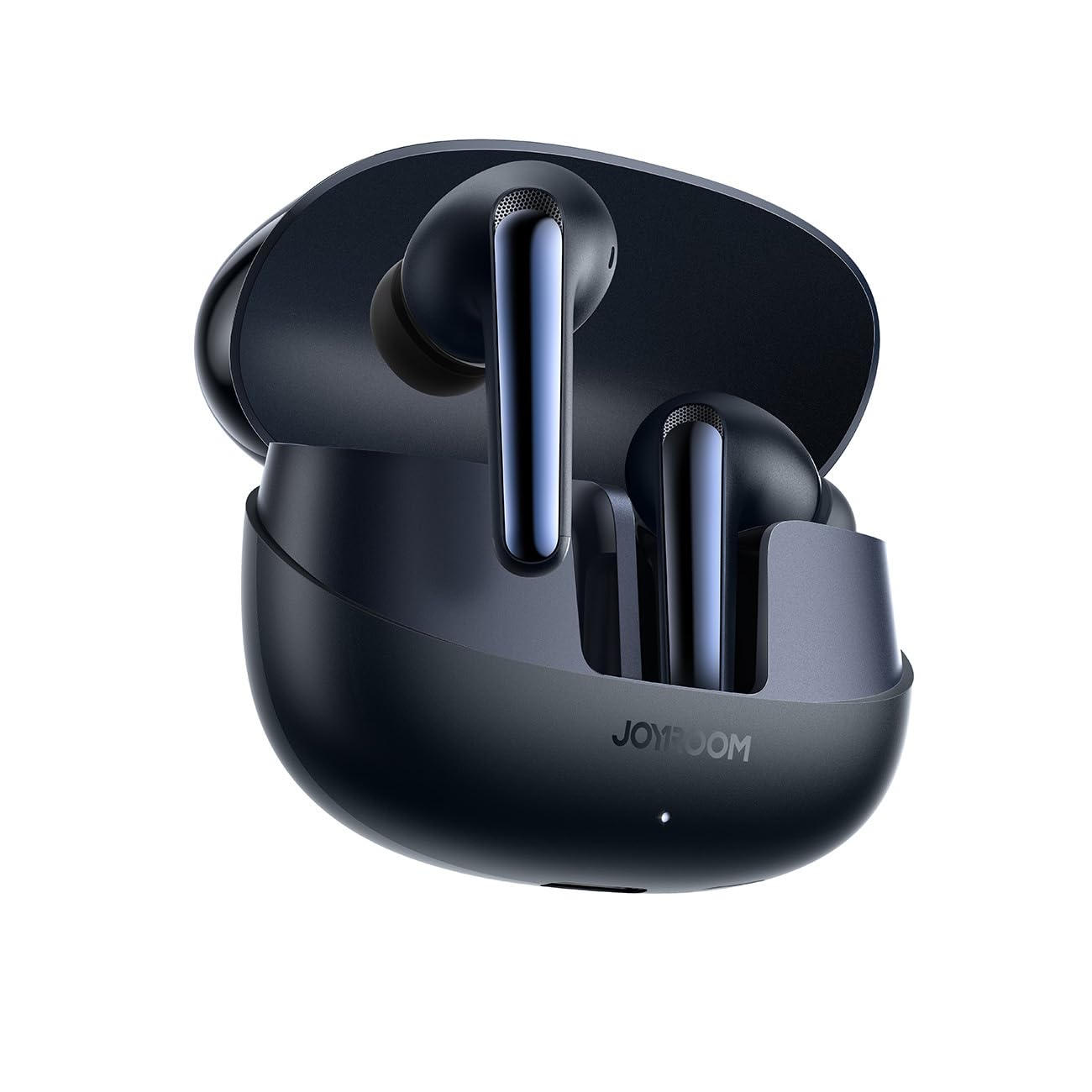
Image: The Joyroom FN2 FunPods earbuds resting in their open charging case, showcasing their design.

Image: The Joyroom FN2 FunPods earbuds resting in their open charging case, showcasing their design.
Touch Controls
The Joyroom FN2 FunPods feature intuitive touch controls on each earbud. The specific functions may vary slightly based on the device and application.
| Action | Function |
|---|---|
| Single Tap (Left/Right) | Play/Pause Music, Answer/End Call |
| Double Tap (Right) | Next Track |
| Double Tap (Left) | Previous Track |
| Triple Tap (Left/Right) | Activate Voice Assistant |
| Long Press (2 seconds) | Reject Call |
| Long Press (Left/Right, 3 seconds) | Toggle ANC/Transparency Mode (if applicable) |
| Long Press (Left/Right, 5 seconds) | Toggle EQ Mode (Bass Boost/Classic) |
ANC and EQ Modes
The Joyroom FN2 FunPods feature Active Noise Cancellation (ANC) and dual EQ modes for customized listening.
- ANC Mode: Reduces ambient noise for an immersive audio experience.
- Transparency Mode: Allows you to hear your surroundings while listening to audio.
- Bass Boost EQ: Enhances low frequencies for a richer bass sound.
- Classic EQ: Provides a balanced audio profile.
Refer to the "Touch Controls" table for instructions on how to switch between these modes.
Maintenance
Proper maintenance ensures the longevity and performance of your Joyroom FN2 FunPods.
- Cleaning: Regularly clean the earbuds, ear tips, and charging contacts with a soft, dry, lint-free cloth. Do not use abrasive cleaners or solvents.
- Water Resistance: The earbuds are IP54 rated, meaning they are resistant to sweat and light splashes of water. Do not submerge them in water or expose them to heavy rain. Ensure they are dry before placing them back in the charging case.
- Storage: When not in use, store the earbuds in their charging case to protect them and keep them charged. Store in a cool, dry place away from extreme temperatures.
- Battery Care: To preserve battery life, avoid fully discharging the earbuds and charging case frequently. Charge them regularly, even if not in constant use.
Troubleshooting
If you encounter issues with your Joyroom FN2 FunPods, try the following solutions:
- Earbuds not pairing:
- Ensure both earbuds are charged.
- Place earbuds back in the case, close the lid, wait a few seconds, then open again to re-enter pairing mode.
- On your device, forget "Joyroom FN2" from the Bluetooth settings and attempt to pair again.
- No sound from one earbud:
- Check battery level of both earbuds.
- Ensure both earbuds are properly seated in the charging case to make contact with charging pins.
- Try resetting the earbuds (refer to manufacturer's specific reset procedure if available, otherwise, place in case, close, open, and re-pair).
- Charging issues:
- Verify the USB Type-C cable is securely connected to both the case and the power source.
- Try a different charging cable and power adapter.
- Clean the charging port on the case and the charging contacts on the earbuds.
- Poor call quality:
- Ensure the microphones are not obstructed.
- Move closer to your connected device to improve Bluetooth signal strength.
- Check for excessive background noise; ANC is for listening, ENC is for call clarity.
Specifications
| Feature | Detail |
|---|---|
| Model Name | FN2 |
| Bluetooth Version | 5.4 |
| Microphones | 4-Mic ENC (Environmental Noise Cancellation) |
| Noise Cancellation | 30dB ANC AI Noise Reduction |
| EQ Modes | Dual EQ (Bass Boost, Classic) |
| Music Playback Time | Approx. 7 hours (at 70% volume) |
| Call Time | Approx. 5 hours (at 70% volume) |
| Earbud Battery Capacity | 35mAh (each) |
| Charging Case Battery Capacity | 500mAh |
| Charging Time | Approx. 0.5 hours |
| Charging Interface | Type-C |
| Charging Input | 5V 1A |
| Water Resistance Rating | IP54 (Sweatproof, resistant to light rain) |
| Earbud Weight | 3g (each) |
| Total Item Weight | 30 Grams |
| Product Dimensions | 18.1 x 10.3 x 3.7 cm |
Warranty and Support
For warranty information and customer support, please refer to the documentation included with your purchase or visit the official Joyroom website. Keep your proof of purchase for any warranty claims.
Documents and downloads
Ask a question about this manual
Ask about setup, troubleshooting, compatibility, parts, safety, or missing instructions. Manuals+ will review the question and use this page’s manual context to help answer it.