
1. Introduction
This manual provides comprehensive instructions for the safe and efficient operation, maintenance, and troubleshooting of your WACACO PIXAPRESSO portable electric coffee machine. Please read this manual thoroughly before first use and retain it for future reference.

Image 1.1: WACACO PIXAPRESSO with coffee grounds and capsule.
2. Safety Information
Observe the following safety precautions to prevent injury or damage to the device:
- Do not immerse the main unit in water or other liquids.
- Keep out of reach of children.
- Use only the provided USB-C cable for charging. Ensure the charger output is >10W.
- Do not operate the machine if it is damaged or malfunctioning.
- Exercise caution when handling hot water and coffee.
- Ensure all components are correctly assembled before operation.
3. Package Contents
Verify that all items are present in the package:
- WACACO PIXAPRESSO Main Unit
- Ground Coffee Module
- NS Capsule Module
- Coffee Cup (280ml capacity)
- Espresso Cup (80ml capacity)
- Scoop/Tamper
- Cleaning Brush
- Funnel
- Carrying Pouch
- USB-C Cable
- Multi-language Instruction Book
- Warranty Card
- Sticker
4. Product Overview
The WACACO PIXAPRESSO is a compact and portable electric espresso maker designed for both ground coffee and NS capsules. It features a self-heating function, a powerful battery, and customizable brew settings.

Image 4.1: PIXAPRESSO compactness comparison.

Image 4.2: PIXAPRESSO touchscreen interface.
5. Setup
5.1 Initial Charging
Before first use, fully charge the PIXAPRESSO. Connect the provided USB-C cable to the charging port on the device and to a USB charger with an output of greater than 10W. A full charge takes approximately 2 hours and 30 minutes. The battery indicator on the display will show charging progress.
5.2 Preparing for First Use
- Disassemble all removable parts and wash them with warm soapy water. Rinse thoroughly.
- Ensure all parts are completely dry before reassembly.
- Perform a test run with only hot water (no coffee) to flush the system.
6. Operation
6.1 General Operation
The PIXAPRESSO features a one-button operation and a touchscreen interface for customizing settings.
- Power On/Off: Press and hold the power button.
- Default Brew: When powered on, the default setting heats 55ml of water to 92℃ and extracts 40ml of espresso.
- Customizing Settings: Touch the screen logo to access and adjust brew settings.

Image 6.1: Brewing espresso with the PIXAPRESSO.
6.2 Using Ground Coffee
- Attach the Ground Coffee Module.
- Use the provided scoop to add 8-16g of finely ground coffee into the basket.
- Use the tamper to gently press the coffee grounds.
- Fill the water tank (max 120ml) with fresh water.
- Select desired brew settings (temperature, pre-infusion, brew type) via the touchscreen.
- Place the espresso cup beneath the dispenser and initiate brewing.

Image 6.2: Adjustable coffee basket for 8-16 grams.
6.3 Using NS Capsules
- Attach the NS Capsule Module.
- Insert a compatible NS capsule into the module.
- Fill the water tank (max 120ml) with fresh water.
- Select desired brew settings (temperature, pre-infusion, brew type) via the touchscreen.
- Place the espresso cup beneath the dispenser and initiate brewing.
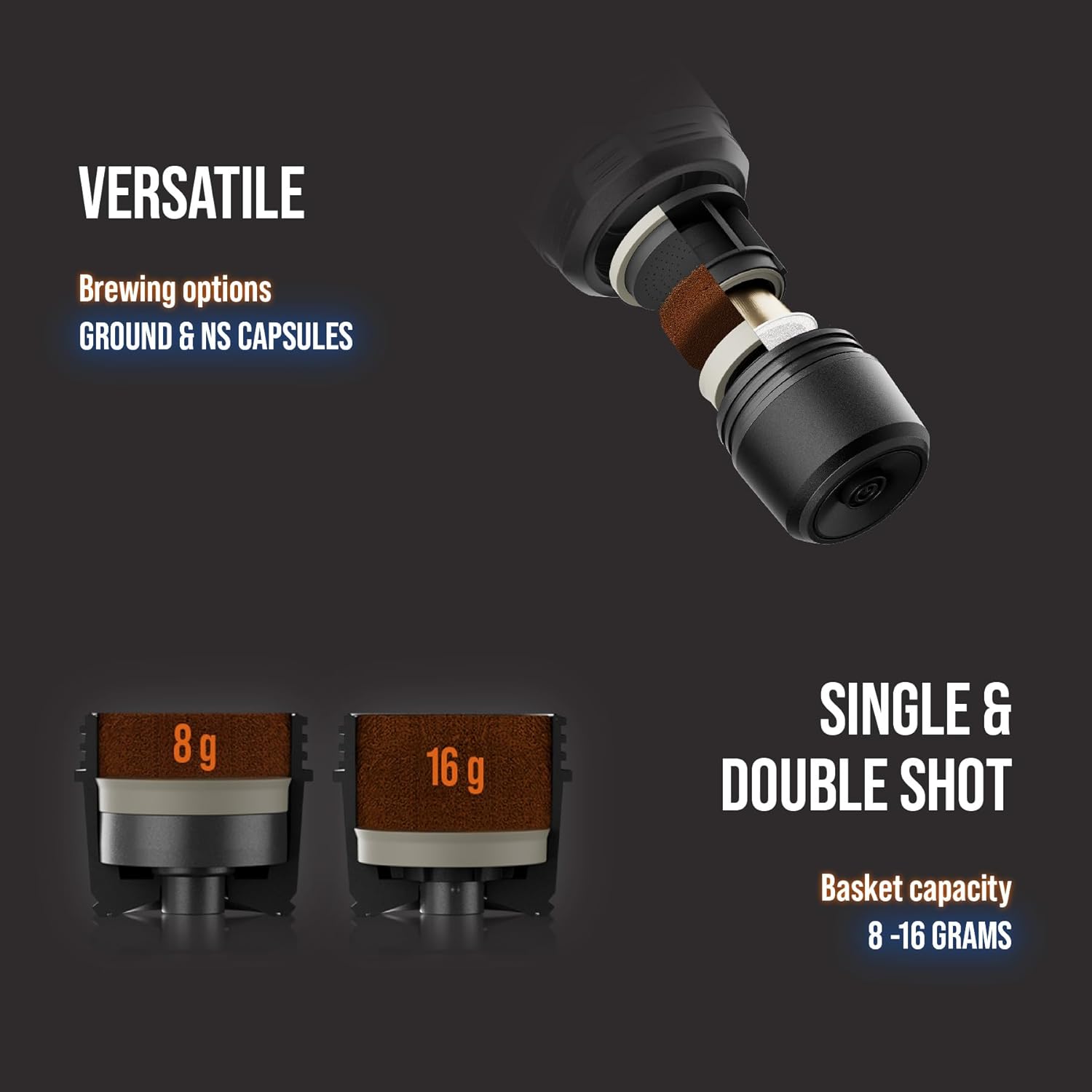
Image 6.3: Versatile brewing with ground coffee and NS capsules.
6.4 Temperature Control and Brew Types
The PIXAPRESSO offers preset temperature options and various brew types:
- Preset Temperatures: 190-198-205 ℉ (88-92-96 ℃). You can switch the display between Fahrenheit and Celsius.
- Brew Types: Ristretto, Espresso, Double Espresso, Lungo.
- Pre-Infusion: A 5-second pre-infusion option is available for a more balanced extraction.

Image 6.4: Self-heating and temperature control.
7. Cleaning and Maintenance
7.1 Daily Cleaning
- After each use, disassemble the brewing head, coffee basket/capsule module, and water tank.
- Rinse all removable parts under running water. Use the provided brush to remove any coffee grounds.
- Wipe the exterior of the main unit with a damp cloth. Do not immerse the main unit.
- Ensure all parts are dry before reassembling or storing.
7.2 Removing the Shower Head and Coffee Puck
To remove the upper shower head, use the handle of the scoop in one of the designated slots to gently pry it out. For removing the coffee puck, use the back of the brush to push the lower filter and puck out into the smaller cup.
7.3 Storage
Store the PIXAPRESSO in its carrying pouch in a clean, dry place when not in use for extended periods.
8. Troubleshooting
Refer to the table below for common issues and their solutions:
| Issue | Possible Cause | Solution |
|---|---|---|
| Machine does not turn on. | Low battery. | Charge the device fully using a >10W USB charger. |
| Weak or watery espresso. | Coffee grind too coarse, insufficient coffee, or improper tamping. | Use a finer grind, ensure 8-16g of coffee, and tamp evenly. |
| No extraction or slow extraction. | Coffee grind too fine, too much coffee, or clogged filter. | Use a slightly coarser grind, reduce coffee quantity, or clean the filter thoroughly. |
| USB-C port cover does not close properly. | Misaligned USB-C connector. | Contact customer support if the connector is visibly crooked. |
| Unit does not heat water. | Insufficient battery charge for heating function. | Ensure the battery is sufficiently charged. Heating consumes significant power. |
9. Specifications
| Feature | Detail |
|---|---|
| Brand | WACACO |
| Model Name | Pixapresso |
| Product Dimensions | 2.9"D x 2.9"W x 7.1"H (181 mm height) |
| Item Weight | 0.84 Kilograms (1.85 pounds) |
| Battery | 3 x 3000 mAh Lithium Metal (included) |
| Charging | USB-C (>10W charger recommended), approx. 2.5 hours for full charge |
| Pressure | 20 Bar / 290 PSI |
| Water Tank Capacity | 120 ml (max) |
| Coffee Input Type | Ground Coffee, NS Capsule |
| Coffee Basket Capacity | 8-16 grams |
| Pre-set Temperatures | 190-198-205 ℉ / 88-92-96 ℃ |
| Heat-up Time | Approx. 180 seconds (for 55ml water to 92℃) |
| Included Cups | 80ml espresso cup, 280ml coffee cup |
10. Warranty and Support
Your WACACO PIXAPRESSO comes with a warranty. Please refer to the included warranty card for specific terms and conditions. For technical support, replacement parts, or further assistance, please visit the official WACACO website or contact their customer service department. You can find more information at the WACACO Store on Amazon.


