
Introduction
Welcome to your NineLeaf Patio Sliding Door Pool Alarm. This device is designed to enhance the security of your home, particularly for patio sliding doors, windows, and pool gates. It features a loud 108dB alarm, remote control operation, and multiple modes for versatile use. Please read this manual carefully before installation and operation to ensure proper function and safety.
Package Contents
Verify that all items are present in your package:
- Alarm Unit (Main Unit)
- Magnet Stripe
- Remote Control
- Zip Ties (for installation)
- Double-sided Tape (3 pieces for installation)
- User Manual (this document)

Image: Contents of the NineLeaf Patio Sliding Door Pool Alarm package, including the alarm unit, magnet, remote control, zip ties, double-sided tape, and user manual.
Specifications
| Feature | Detail |
|---|---|
| Alarm Sound Level | 108dB |
| Waterproof Rating | IP66 |
| Main Unit Battery | 2*AA alkaline batteries (included), standby 2-3 years, daily use 1-2 years |
| Remote Control Battery | 1*CR2032 (included), 3-5 years (assuming 5 clicks/day) |
| Remote Control Range | 100-200 ft (30-60 meters) |
| Operating Temperature | -40°C to +70°C (-40°F to 158°F) |
| Storage Temperature | -40°C to +70°C (-40°F to 158°F) |
| Humidity | <95% RH |
| Product Dimensions | 4.61 x 4.41 x 1.38 inches (Main Unit) |
| Model Number | KS-SF06R-DM |
Image: Detailed dimensions of the alarm unit, magnet, and remote control, showing measurements in centimeters.
Setup and Installation
Activating the Main Unit
Before first use, press and hold the main unit's multi-function button for approximately 3 seconds to activate it.
Choosing an Installation Location
The alarm is suitable for various locations including patio sliding doors, windows, pool gates, and cabinets. Ensure the surface is clean and dry before installation.

Image: Examples of where the NineLeaf alarm can be installed, including patio doors, standard doors, cabinets, and swimming pool gates.
Installation Methods
There are two primary installation methods:
- Adhesive Installation: Use the provided double-sided tape. Attach one piece to the back of the main alarm unit and another to the back of the magnet stripe. Press firmly onto the desired surface.
- Zip Tie Installation: For surfaces where adhesive may not be suitable, such as fences, use the provided zip ties to secure the alarm unit and magnet.

Image: Illustration of the two installation methods: using double-sided adhesive tape and using zip ties.
Aligning the Alarm Unit and Magnet
Proper alignment of the main alarm unit and the magnet stripe is crucial for accurate detection and to prevent false alarms.
- The magnetic sensor is located at the arrow on the right side of the main unit.
- Align the magnet stripe with this arrow on the right side of the alarm unit.
- Ensure the distance between the main unit and the magnet does not exceed 2-3 cm (0.78-1.18 inches) when the door/window is closed.
Image: Close-up view demonstrating the correct alignment of the alarm unit and magnet, highlighting the recommended gap of 2-3 cm.
Operating Instructions
Remote Control Functions
The remote control allows for convenient operation of the alarm system from a distance of up to 200 feet (60 meters).
- Arm Button: Activates the alarm mode.
- Disarm Button: Deactivates the alarm mode.
- Bell Button: Cycles through doorbell tones or activates doorbell mode.
- Emergency Button: Triggers a 30-second alarm sound immediately in any mode.

Image: A hand holding the NineLeaf remote control with an arrow indicating a long-distance range of 0-66 feet (20 meters) towards a gate.
Modes of Operation
The NineLeaf alarm offers three distinct operational modes:
1. Alarm Mode
When the system is armed, if a door or window protected by the alarm is opened by approximately 4 cm (1.57 inches), the alarm will sound for 30 seconds.
2. Doorbell Mode
In doorbell mode, when the protected door or window is opened, the unit will play a "Ding-Dong" sound instead of an alarm. Press and hold the bell button on the remote to cycle through 4 different doorbell tones.
3. Emergency Function
In any operational mode (armed, disarmed, or doorbell), pressing the emergency button on the remote control will immediately trigger a 30-second alarm sound.

Image: Visual representation of the Emergency Function, Alarm Mode, and Doorbell Mode, showing how each is activated and its corresponding action.
Adjusting Tones and Volume
The alarm unit features 4 cyclic alarm tones, 4 doorbell chimes, and 4 adjustable volume levels. Refer to the remote control's bell button for cycling through doorbell tones. Specific instructions for adjusting alarm tones and volume levels are typically found by pressing the multi-function button on the main unit or through the remote control.

Image: Graphic indicating 108dB alarm, 4 cyclic alarm tones, 4 doorbell sounds, and 4 volume levels.
Pairing Remote Controls
One alarm unit can be paired with up to 8 remote controls. The pairing process typically involves putting the main unit into a pairing mode and then activating the remote control. Refer to the specific instructions provided with your device for detailed pairing steps.

Image: Illustration showing one alarm unit paired with up to 8 remote controls, labeled "DIY Pairing".
Maintenance and Battery Information
Battery Replacement
The main unit uses 2 AA alkaline batteries, which typically last 2-3 years in standby or 1-2 years with daily use. The remote control uses 1 CR2032 battery, lasting 3-5 years (based on 5 clicks per day).
Low Battery Warning
When the main unit's power is low, it will emit a "chirp" sound, and the indicator light will flash slowly (once per second). Replace batteries promptly to ensure continuous security.
Image: Graphic depicting a low battery warning with an alarm unit showing a red indicator light and a "10%" battery icon.
Cleaning
The PC material shell is IP66 waterproof and dustproof. Clean the unit with a soft, damp cloth. Do not use abrasive cleaners or solvents.
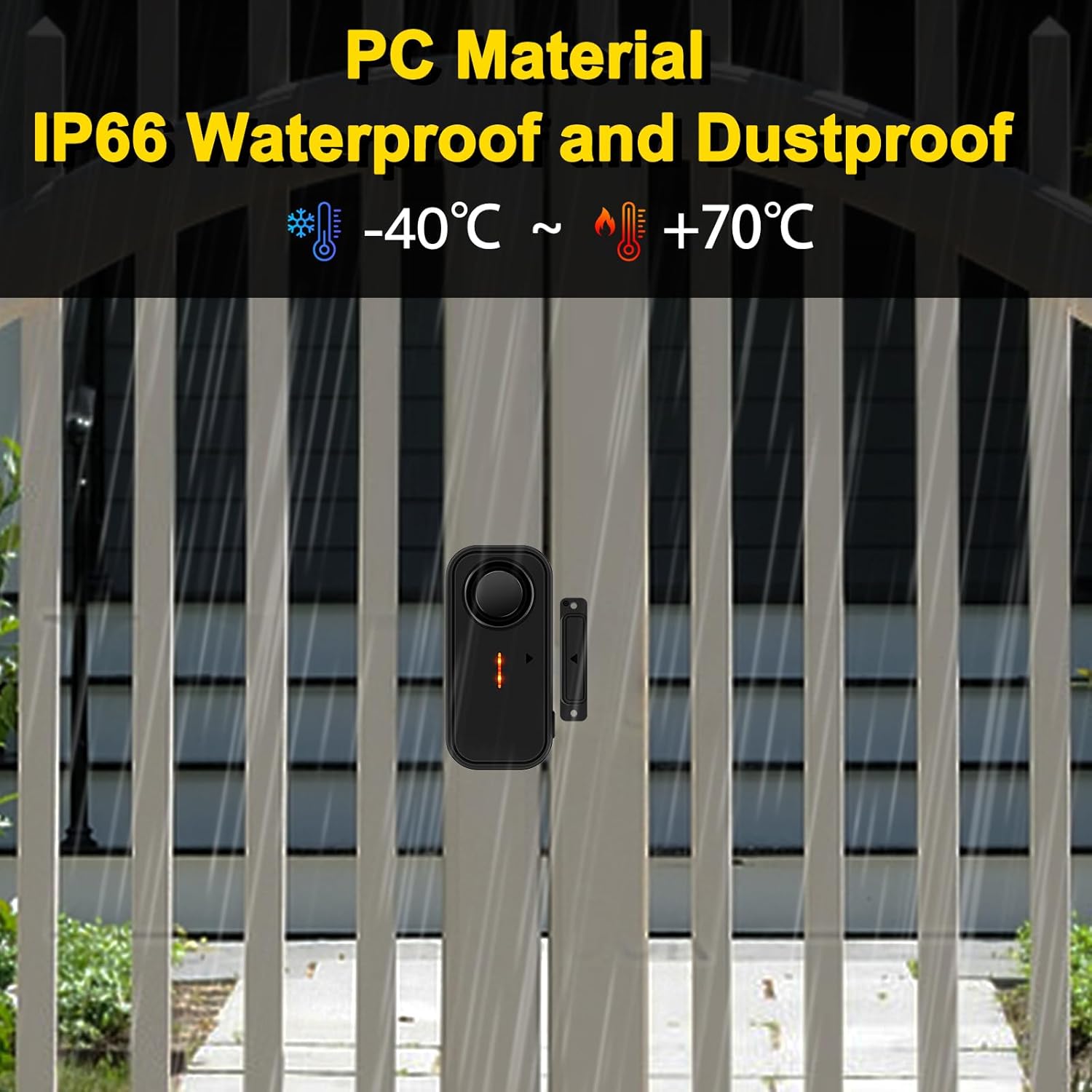
Image: Displaying the alarm unit with text "PC Material IP66 Waterproof and Dustproof" and temperature range -40°C to +70°C.
Troubleshooting
- Alarm not sounding:
- Ensure the main unit is activated (press and hold multi-function button for 3 seconds).
- Check battery levels in both the main unit and remote control.
- Verify the alarm is in "Alarm Mode" and not "Doorbell Mode".
- Confirm proper alignment of the alarm unit and magnet, ensuring the gap is within 2-3 cm.
- False alarms:
- Re-check the alignment and gap between the alarm unit and magnet. Excessive gap or movement can cause false triggers.
- Ensure the installation surface is stable and not subject to vibrations.
- Remote control not working:
- Replace the CR2032 battery in the remote control.
- Ensure the remote is within the operational range (100-200 ft).
- Re-pair the remote control with the main unit if necessary.
- Low volume or unclear sound:
- Check battery levels.
- Adjust the volume level using the remote control or main unit buttons.
Warranty and Support
NineLeaf products are designed for reliability and performance. For warranty information, technical support, or further assistance, please refer to the contact information provided on the product packaging or visit the official NineLeaf website. Keep your purchase receipt for warranty claims.


