
Introduction
The bixdo A30 Pro PE Portable Water Flosser is designed for effective oral hygiene, offering a compact and convenient solution for daily use and travel. This manual provides essential information for the safe and efficient operation and maintenance of your device.
What's Included
- 1 × bixdo A30 Pro PE Water Flosser
- 1 × Standard Nozzle
- 1 × Orthodontic Nozzle
- 1 × Soft Clean Nozzle
- 1 × Type-C Cable
- 1 × User Manual

Image: The package contents, including the water flosser unit, three different nozzles, a Type-C charging cable, and the user manual.
Safety Information
Avoid getting water in the electronic components. Do not submerge the device in water. Charge the device fully before first use. Ensure the rubber lid of the charging port is closed tightly before use to maintain IPX7 waterproof integrity.
Setup
- Charge the Device: Before initial use, fully charge the water flosser using the provided Type-C cable. A single 3-hour charge provides up to 30 days of use. Ensure the charging port cover is securely closed after charging.
- Attach Nozzle: Choose the desired nozzle (Standard, Orthodontic, or Soft Clean) and insert it firmly into the irrigator tip opening until it clicks into place.
- Fill Water Tank: The water tank is telescopic and detachable. Pull the tank down to its locked position. Open the water filler port on top of the device. Fill the detachable tank with lukewarm water up to the marked line. Close the water filler port securely.
Video: Demonstration of how to detach and reattach the water tank for filling and cleaning.

Image: Visual guide illustrating the steps for inserting the nozzle, filling the water tank, selecting a pressure level, and beginning the flossing process.
Operating Instructions
- Select Pressure Mode: The device features 3 adjustable pressure modes (40-80 PSI) and 1,400 pulses per minute. Press the mode button to cycle through Soft, Standard, and Pulse modes. The Soft mode is suitable for sensitive teeth and beginners, Standard for daily cleaning, and Pulse for deep cleaning and braces.
- Position the Nozzle: Lean over a sink. Place the nozzle tip into your mouth, aiming it at your teeth and gumline at a 90-degree angle.
- Start Flossing: Press the power button to turn on the device. Move the nozzle along your gumline, pausing briefly between each tooth. Allow the water to flow into the sink.
- Complete Cleaning: Continue until all areas of your mouth are cleaned. The 360° rotating nozzles help reach all areas, including molars, braces, and tight gaps.
- Turn Off: Press the power button again to turn off the device.
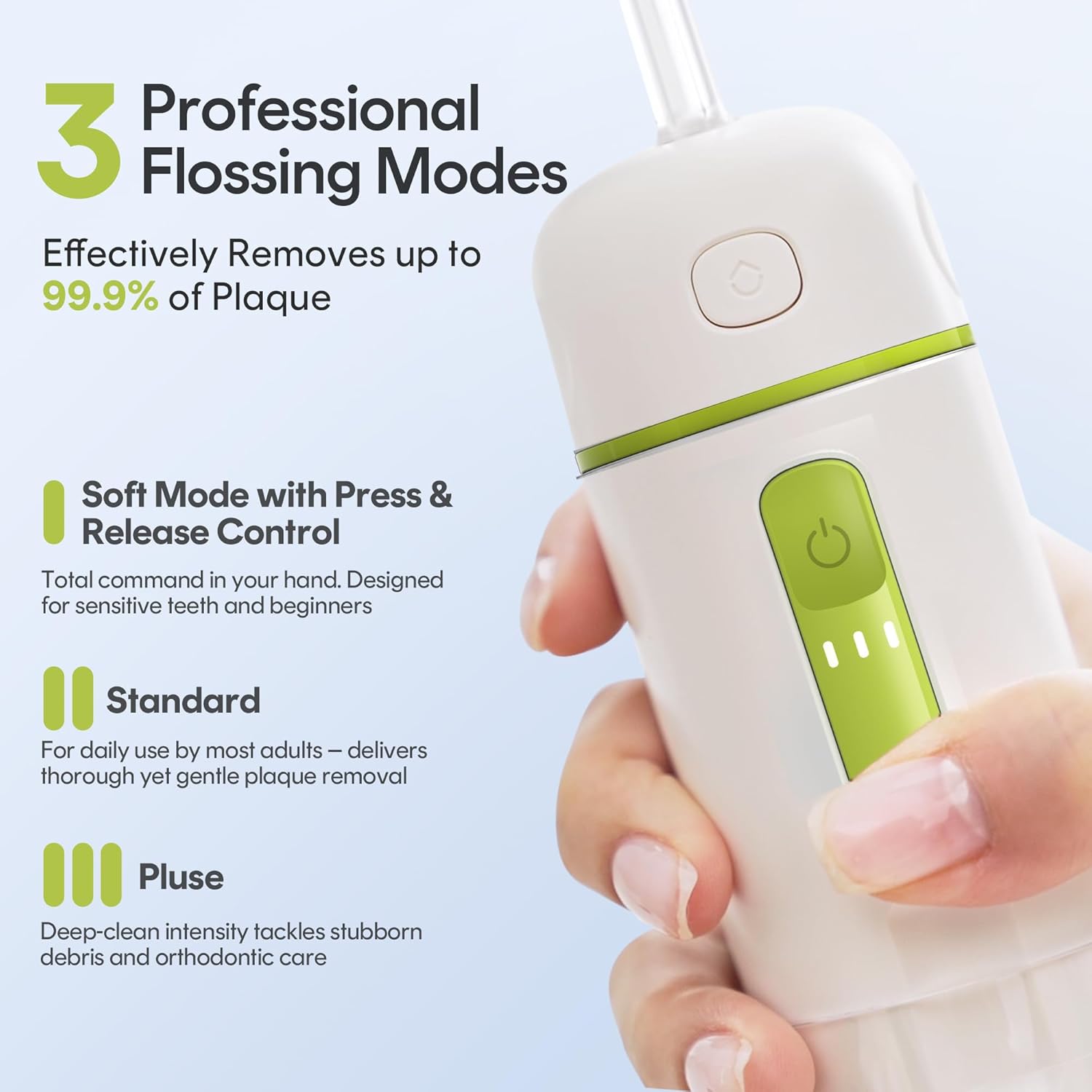
Image: Illustration of the three flossing modes: Soft (with press & release control for sensitive teeth), Standard (for daily use), and Pulse (for deep cleaning and orthodontic care).

Image: Visual representation of the three water pressure settings (Soft, Standard, Pulse) and their recommended uses for different oral care needs.
Modes and Nozzles
Pressure Modes:
- Soft Mode: Gentle pressure, ideal for sensitive gums and first-time users. Features press-and-release control.
- Standard Mode: Regular pressure for daily thorough cleaning and plaque removal.
- Pulse Mode: Stronger, pulsating pressure for tackling stubborn debris and effective cleaning around braces.
Interchangeable Nozzles:
- Standard Nozzle: For general daily cleaning.
- Orthodontic Nozzle: Designed for effective cleaning around braces and other orthodontic appliances.
- Soft Clean Nozzle: Features dual 0.3mm spiral water jets for a vortex pulsation, gently penetrating below gumlines to remove plaque, suitable for delicate gum care.

Image: Display of the three interchangeable nozzles: Dual Stream Flossing (for wider stream and bleeding gums), Alternative Dental Floss (for precise cleaning), and Orthodontic Nozzle (for braces).
Maintenance
- Empty and Rinse Tank: After each use, drain any remaining water from the tank. The wide-mouth detachable tank can be easily removed for thorough rinsing and to prevent residue buildup.
- Air Dry: Allow the tank and nozzle to air dry completely before reassembling or storing.
- Storage: Collapse the telescopic tank to its compact size for storage. The nozzles can be stored within the device for convenience. Store the device in a dry place.

Image: The 165ml quick-release water tank is shown being detached and reassembled, highlighting its ease of refilling and cleaning.
Specifications
- Model Number: A30 Pro PE
- Product Dimensions: 2.25 x 1.87 x 4.9 inches
- Weight: 7.2 ounces (approx. 200g)
- Battery: 1 A battery (included)
- Power Source: Battery Powered (Type-C rechargeable)
- Water Pressure Modes: 3 adjustable modes (40-80 PSI)
- Pulses Per Minute: 1,400
- Water Tank Capacity: 165ml
- Waterproof Rating: IPX7
- Charging Time: 3 hours for up to 30 days of use
