
Introduction
The Itomoro Dual Baby Car Camera System provides a clear and comprehensive view of your children in the backseat while driving. Featuring a 5-inch IPS display and two HD 1080P cameras with infrared night vision, this system allows for simultaneous monitoring of two children with a split-screen view. The durable design and easy installation ensure a reliable and convenient solution for parents.
Setup and Installation
Package Contents
- Monitor x1
- Camera x2
- Camera Bracket x1
- Carabiner Straps x1 (set of straps for cameras)
- Cigarette Lighter Adapter x1
- Power Cable x1

Image: All components included in the Itomoro Dual Baby Car Camera System package.
Installation Steps
- Mount the Cameras: Securely strap each camera to the headrest of the seat where your child is located. Ensure the camera lens is facing the child and can be adjusted for optimal viewing. The cameras feature 360° rotation for flexible positioning.
- Mount the Monitor: Attach the monitor bracket to a suitable location on your dashboard or windshield using the double suction cups. Adjust the bracket's two adjustable knobs to achieve a maximum adjustment angle of 270° for your preferred viewing angle.
- Connect the Cameras to the Monitor: Plug the camera cables into the designated ports on the monitor.
- Power Connection: Connect the monitor's power cable to the cigarette lighter adapter, then plug the adapter into your car's cigarette lighter socket.
- Adjust and Test: Once powered on, adjust the camera angles and monitor position to ensure a clear view of your children.
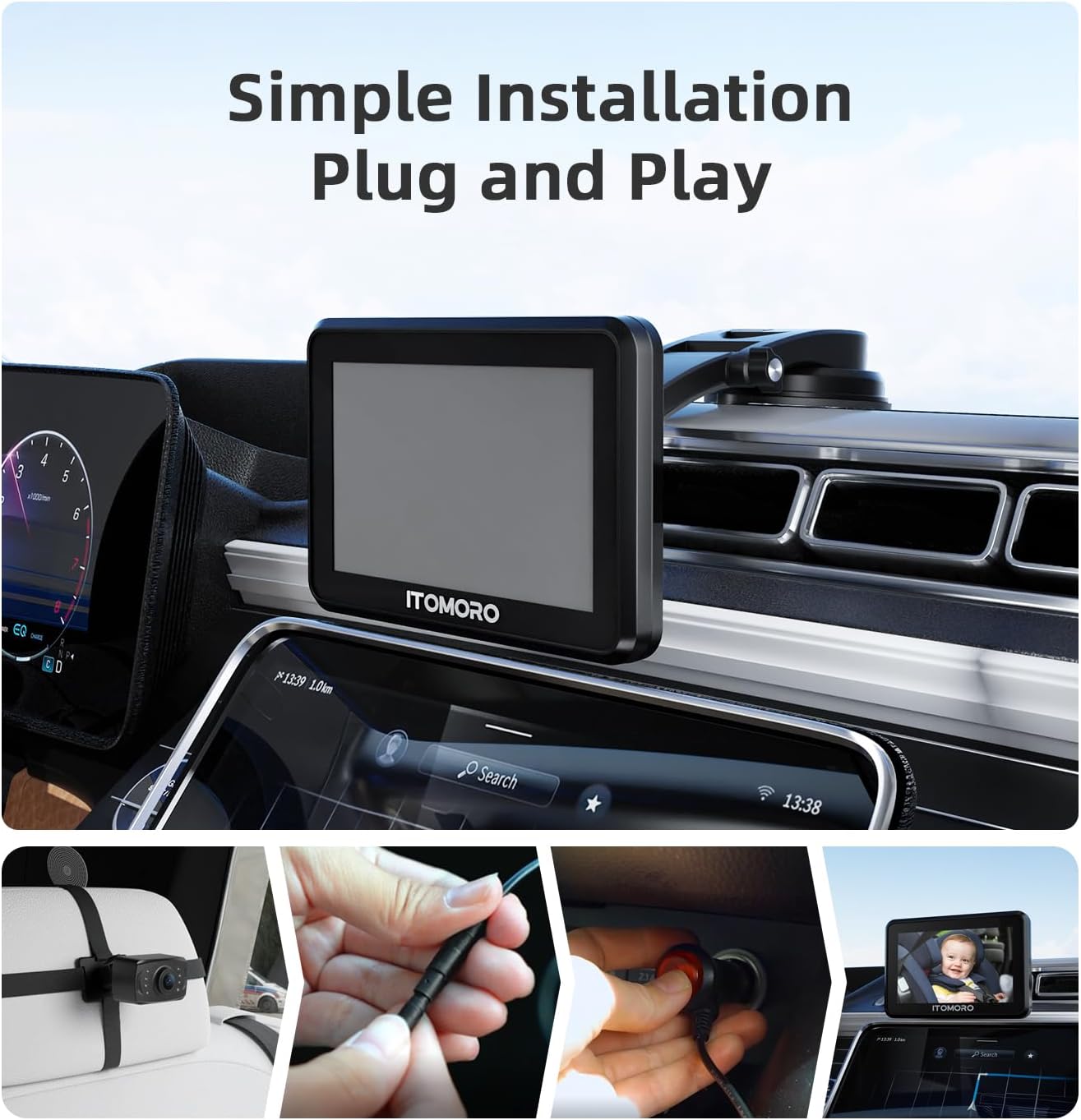
Image: Visual guide demonstrating the simple plug-and-play installation process.

Image: Diagram illustrating the connections between the monitor, two cameras, and the cigarette lighter adapter.

Image: Examples of various mounting positions for the monitor within a vehicle.
Operating Instructions
Powering On/Off
The system powers on automatically when your vehicle's ignition is turned on (if connected to a switched cigarette lighter socket) and powers off when the ignition is turned off.
Display Modes
The 5-inch IPS display supports a split-screen view, allowing you to see both camera feeds simultaneously. You can also switch between individual camera views if desired. Refer to the monitor's on-screen menu for specific controls to change display modes.

Image: The 5-inch IPS display showing a clear, high-quality split-screen view of two children.
Night Vision
The cameras are equipped with 940nm infrared (IR) night vision, which activates automatically in low-light conditions. This provides a clear view of your children without emitting visible light that could disturb them.

Image: Illustrates the effectiveness of 940nm IR night vision, showing a clear image of a sleeping child without visible red lights.
Camera Adjustment
Each camera features a 120° wide viewing angle and 360° rotation. This allows you to adjust the camera's position to ensure your child is always in view, regardless of their seating position.

Image: A camera mounted on a headrest, demonstrating its 360° rotation capability to cover the backseat area.
Brightness Control
The monitor's brightness can be adjusted to adapt to various ambient light conditions, ensuring optimal visibility day or night. Consult the monitor's menu for brightness settings.

Image: A visual representation of the monitor's adjustable brightness feature.
Maintenance
Cleaning
- Wipe the monitor screen and camera lenses with a soft, dry, lint-free cloth.
- For stubborn smudges, lightly dampen the cloth with water or a screen-safe cleaning solution. Avoid harsh chemicals or abrasive materials.
- Ensure all components are dry before use.
Storage
- Store the system in a cool, dry place away from direct sunlight and extreme temperatures when not in use for extended periods.
- Keep cables neatly coiled to prevent damage.
Troubleshooting
| Problem | Possible Cause | Solution |
|---|---|---|
| No power to monitor | Cigarette lighter adapter not fully inserted or car socket is off. | Ensure the adapter is firmly plugged in. Check if the car's ignition is on. Test the cigarette lighter socket with another device. |
| No image on screen / Blue screen | Camera cable loose or disconnected. Camera malfunction. | Check all camera cable connections to the monitor. Ensure cameras are powered. If problem persists, contact support. |
| Image is blurry or unclear | Camera lens is dirty. Camera is not focused correctly. | Clean the camera lens with a soft cloth. Adjust the camera's position and angle. |
| Camera moves or becomes unstable over bumps | Camera strap not tight enough or mounting point is loose. | Ensure camera straps are securely fastened to the headrest. Verify the monitor mount's suction cups are clean and firmly attached to a smooth surface. |
| Night vision not working | Insufficient darkness for automatic activation. Camera malfunction. | Ensure the environment is dark enough for night vision to activate. If issues persist, contact support. |
Specifications
- Brand: Itomoro
- Model Number: ACZ433
- Screen Size: 5 inches
- Display Type: IPS
- Video Capture Resolution: 1080p
- Optical Sensor Technology: CMOS
- Optical Sensor Size: 1/3 inch
- Real Angle of View: 120 degrees
- Field Of View: 120 degrees
- Night Vision: 940nm Infrared (IR)
- Connector Type: Cigarette Lighter Plug
- Compatible Devices: Car, Truck, RV, SUV
- Number of Items: 1 (system)
Warranty Information
For detailed warranty information, please refer to the official Itomoro website or the warranty card included with your product. Keep your purchase receipt as proof of purchase for any warranty claims.
Customer Support
If you encounter any issues or have questions regarding your Itomoro Dual Baby Car Camera System, please visit the official Itomoro website for support resources, FAQs, and contact information. You may also refer to the contact details provided in your product packaging.