
Introduction
The MOMO Motorsport Pro SIM Racing Wheel 290mm is a professional-grade accessory designed to enhance your racing simulator experience. Crafted with authentic motorsport materials and Italian design, this wheel provides precise control and an ergonomic feel for virtual racing.
Key Features:
- Professional Racing Experience: Features a 290mm (11.4-inch) premium microfiber grip for precise control.
- Italian Craftsmanship: Meticulously handcrafted in Italy using premium materials.
- Engineered for Perfection: Developed in collaboration with Logitech for seamless integration with the RS Hub system.
- Broad Compatibility: Requires Logitech G RS Wheel Hub (sold separately). Compatible with Xbox Series X/S, PlayStation 4/5, and PC gaming platforms.
- Legacy of Excellence: Combines 60+ years of motorsport heritage with cutting-edge technology.

Image: The MOMO Motorsport Pro SIM Racing Wheel, highlighting its authentic racing materials and premium design.

Image: An overview of the MOMO Motorsport Pro SIM Racing Wheel, showcasing its design and Logitech G integration.
Setup
This section outlines the general steps for setting up your MOMO Motorsport Pro SIM Racing Wheel. Please note that this wheel requires a Logitech G RS Wheel Hub, which is sold separately. Refer to the Logitech G RS Wheel Hub manual for specific instructions on hub installation and software configuration.
1. Unboxing and Inspection
Carefully remove the racing wheel from its packaging. Inspect the wheel for any signs of damage during transit. Ensure all components are present.

Image: The packaging box for the MOMO SIM GT-RACER 290, indicating its Italian origin and Logitech collaboration.
2. Attaching to Logitech G RS Wheel Hub
- Ensure your Logitech G RS Wheel Hub is securely mounted to your racing rig or desk.
- Align the mounting points on the MOMO Pro SIM Racing Wheel with the corresponding attachment mechanism on the Logitech G RS Wheel Hub.
- Secure the wheel to the hub using the provided fasteners. Ensure a tight and stable connection to prevent movement during use.
- Connect any necessary cables from the wheel to the hub, if applicable, following the hub's instructions.
3. System Compatibility and Software
The MOMO Motorsport Pro SIM Racing Wheel, when used with the Logitech G RS Wheel Hub, is compatible with Xbox Series X/S, PlayStation 4/5, and PC gaming platforms. For PC users, ensure you have the latest Logitech G HUB software installed and updated to configure the wheel and hub settings. Console users should ensure their system software is up to date.

Image: The MOMO Motorsport Pro SIM Racing Wheel mounted on a racing simulator rig, ready for use.

Image: Illustration showing the MOMO Racing Wheels' compatibility with various gaming platforms including Xbox, PlayStation, and PC.
Operating Instructions
Once the MOMO Motorsport Pro SIM Racing Wheel is securely attached to your Logitech G RS Wheel Hub and configured, you are ready to begin your racing experience.
1. Grip and Control
The wheel features a 290mm premium microfiber grip designed for optimal comfort and control. Hold the wheel firmly but comfortably, allowing for smooth and precise steering inputs. The ergonomic design mirrors professional racing cockpits, providing an authentic feel.
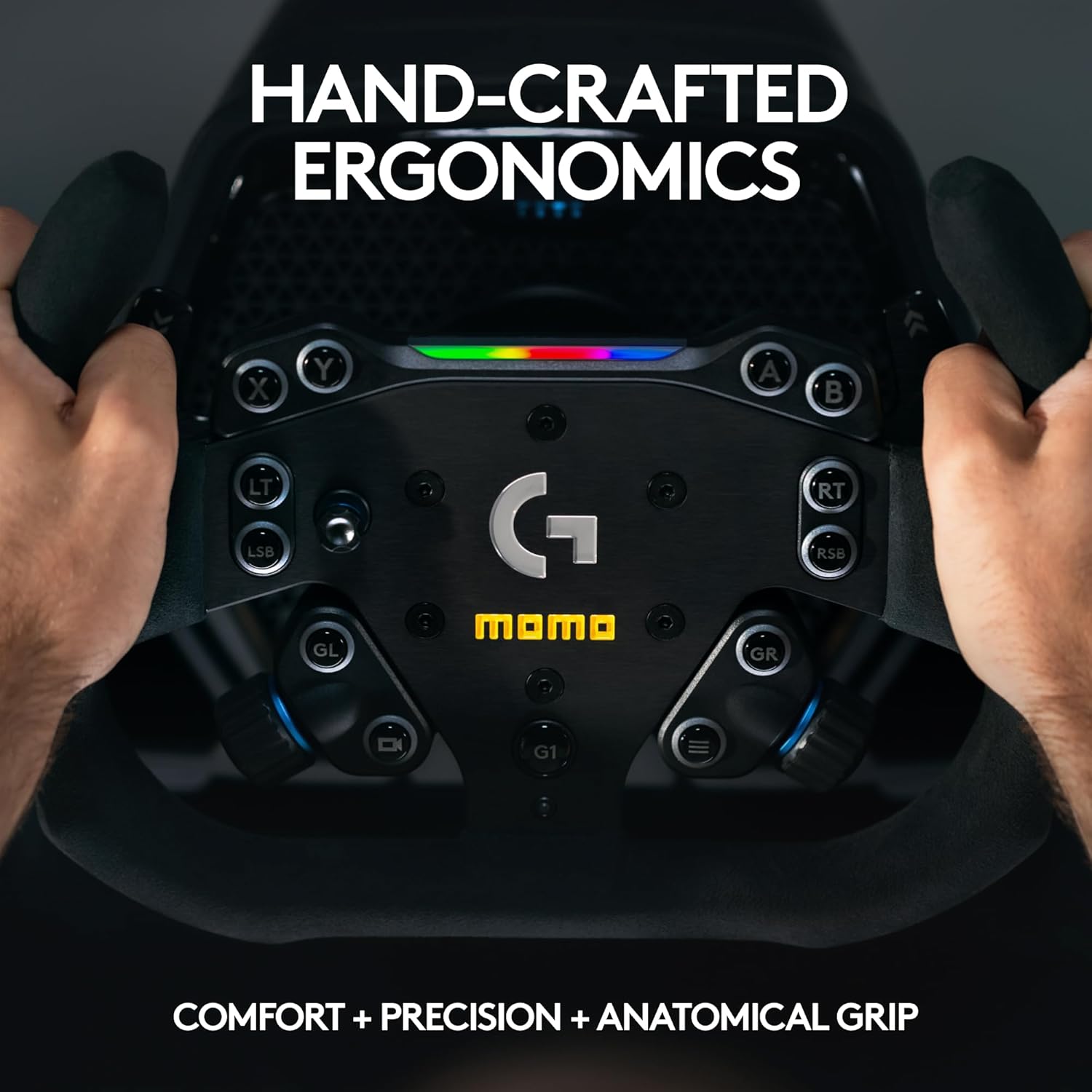
Image: A close-up of hands gripping the MOMO Motorsport Pro SIM Racing Wheel, emphasizing its hand-crafted ergonomics for comfort and precision.
2. Button Functions
The buttons and controls on the MOMO Pro SIM Racing Wheel are designed to integrate with the Logitech G RS Hub. Their specific functions will typically be mapped within your game or simulator software. Familiarize yourself with the button layout and customize assignments as needed for your preferred racing titles.
3. Force Feedback
The force feedback capabilities are managed by the Logitech G RS Wheel Hub. Ensure the hub's software settings are configured to your preference for realistic road feel, impacts, and traction loss simulation.
Maintenance
Proper maintenance will ensure the longevity and performance of your MOMO Motorsport Pro SIM Racing Wheel.
1. Cleaning the Microfiber Grip
- For light cleaning, use a soft, dry cloth to wipe away dust and loose debris.
- For deeper cleaning, lightly dampen a microfiber cloth with water (or a mild, non-abrasive cleaner specifically designed for microfiber) and gently wipe the grip. Avoid saturating the material.
- Allow the grip to air dry completely before use. Do not use harsh chemicals, solvents, or abrasive materials, as these can damage the microfiber.
2. Cleaning the Anodized Aluminum
- Wipe the anodized aluminum surfaces with a soft, dry, or slightly damp cloth.
- Avoid abrasive cleaners or pads that could scratch the finish.
3. Storage
When not in use, store the racing wheel in a clean, dry environment away from direct sunlight and extreme temperatures. If possible, keep it covered to prevent dust accumulation.
Troubleshooting
If you encounter issues with your MOMO Motorsport Pro SIM Racing Wheel, consider the following troubleshooting steps:
1. Wheel Not Responding
- Check Connections: Ensure the racing wheel is securely attached to the Logitech G RS Wheel Hub and all cables are properly connected.
- Power Cycle: Turn off your gaming system and the Logitech G RS Wheel Hub, then restart them.
- Software/Firmware: For PC, ensure Logitech G HUB software is updated to the latest version. Check for any firmware updates for the Logitech G RS Wheel Hub.
- Game Settings: Verify that the racing wheel is selected as the primary controller within your game's settings.
2. Inaccurate Steering or Force Feedback Issues
- Calibration: Recalibrate the wheel through the Logitech G HUB software (PC) or your console's accessory settings.
- Force Feedback Settings: Adjust force feedback strength and effects within the Logitech G HUB software or game settings. Excessive settings can sometimes lead to unexpected behavior.
- Game Compatibility: Ensure the game you are playing fully supports the Logitech G RS Wheel Hub and its connected accessories.
3. Buttons Not Working
- Check Mappings: Confirm button assignments within your game or Logitech G HUB software.
- Test Other Games: Try the wheel with a different game to determine if the issue is game-specific.
For issues specific to the Logitech G RS Wheel Hub, please consult the hub's dedicated user manual or Logitech's support resources.
Specifications
| Model Name | MOMO Motorsport Pro SIM Racing Wheel 290mm |
| Grip Diameter | 290mm (11.4 inches) |
| Grip Material | Premium Microfiber |
| Wheel Plate Material | Anodized Aluminum |
| Craftsmanship | Handcrafted in Italy |
| Compatibility (Requires Hub) | Logitech G RS Wheel Hub (sold separately) |
| Platform Compatibility | Xbox Series X/S, PlayStation 4/5, PC |
| Package Dimensions | 12.44 x 8.82 x 1.81 inches |
| Item Weight | 1.21 Pounds |
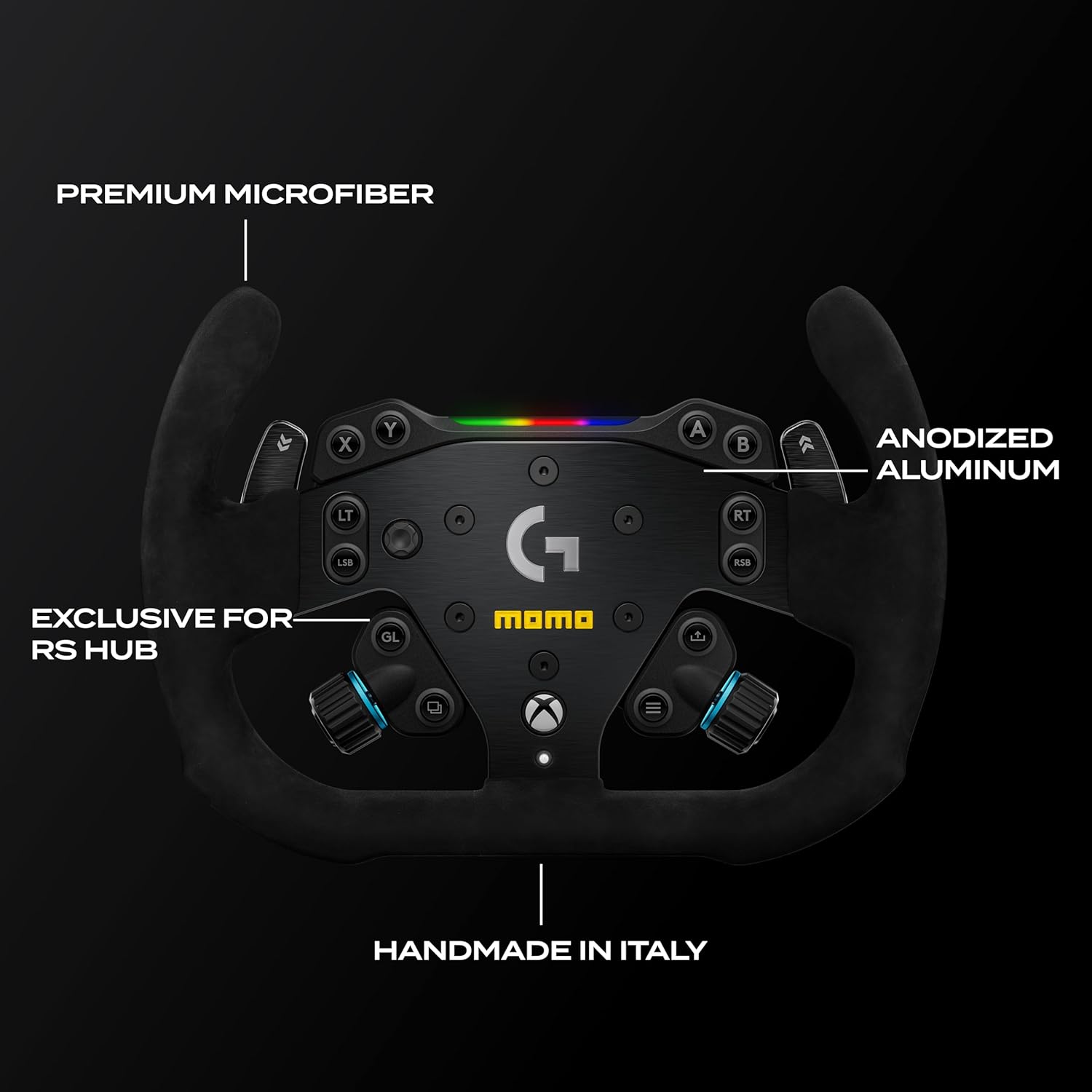
Image: A detailed view of the MOMO Motorsport Pro SIM Racing Wheel, pointing out premium microfiber, anodized aluminum, and its exclusive design for the RS Hub, handcrafted in Italy.
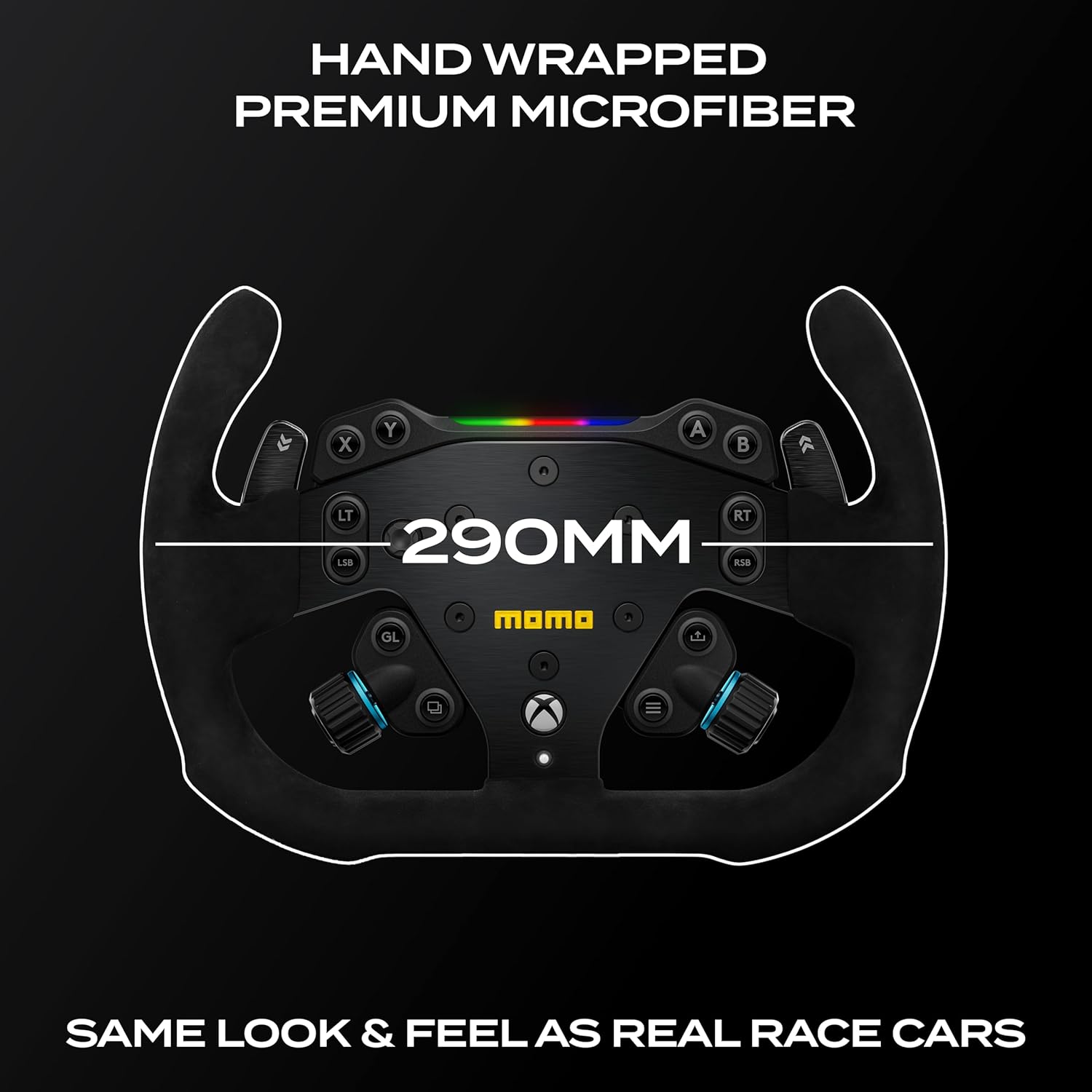
Image: The MOMO Motorsport Pro SIM Racing Wheel with a visual indication of its 290mm diameter, emphasizing its authentic racing feel.
Warranty & Support
Warranty Information
The MOMO Motorsport Pro SIM Racing Wheel is backed by a comprehensive 1-year manufacturer warranty. This warranty covers defects in materials and workmanship under normal use. Please retain your proof of purchase for warranty claims.
Customer Support
For technical assistance, troubleshooting beyond this manual, or warranty inquiries, please contact MOMO customer support through their official website. For issues related to the Logitech G RS Wheel Hub or its software, please refer to Logitech's official support channels.
You can typically find support contact information on the official MOMO Motorsport or Logitech G websites.