
1. Introduction
This manual provides detailed instructions for the setup, operation, and maintenance of your Memorex MX-CR160 Bluetooth Clock Radio. Please read this manual thoroughly before using the device to ensure proper functionality and to maximize your user experience.
The Memorex MX-CR160 is a versatile bedside device featuring a digital clock, FM PLL radio with presets, dual alarms, Bluetooth wireless audio streaming, a USB charging port, and battery backup for power outages.
Included in the Box:
- Memorex MX-CR160 Bluetooth Clock Radio
- AC/DC Adapter (100–240V 50/60Hz, DC5V 1.8A)
- User Manual (this document)
2. Safety Information
- Power Source: Use only the provided AC/DC adapter. Ensure the voltage matches your local power supply.
- Water and Moisture: Do not expose the unit to rain, moisture, or dripping/splashing liquids. Do not place objects filled with liquids, such as vases, on the unit.
- Ventilation: Ensure adequate ventilation. Do not block ventilation openings.
- Heat: Keep the unit away from heat sources such as radiators, heat registers, stoves, or other apparatus (including amplifiers) that produce heat.
- Cleaning: Unplug the unit from the power outlet before cleaning. Use a soft, dry cloth only.
- Servicing: Do not attempt to service this product yourself. Refer all servicing to qualified service personnel.
- Batteries: Dispose of used batteries according to local regulations. Do not expose batteries to excessive heat.
3. Product Overview and Controls
Familiarize yourself with the main components and controls of your Memorex MX-CR160.
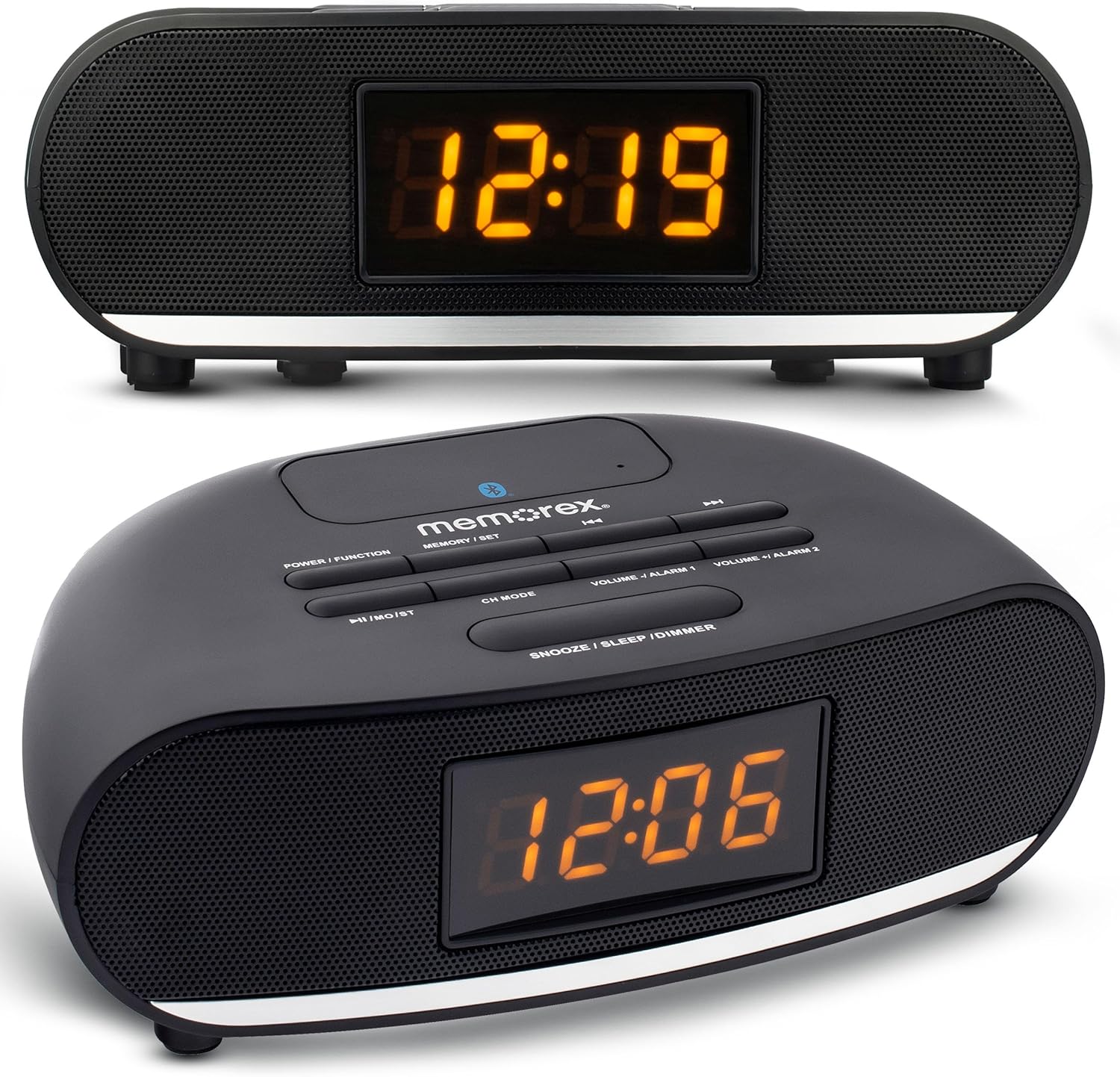
Figure 1: Front and top view of the Memorex MX-CR160 Bluetooth Clock Radio, showing the LED display and control buttons.
Top Panel Controls:

Figure 2: Detailed top view of the Memorex MX-CR160 control buttons.
- POWER / FUNCTION: Press to turn the unit ON/OFF. Press repeatedly to cycle through modes (FM Radio, Bluetooth).
- MEMORY / SET: Used to save FM radio presets and to set time/alarm.
- ◄◄ / ►►: In FM mode, short press to tune frequency, long press for auto-scan. In Bluetooth mode, short press for previous/next track.
- ►►I / MO/ST: In FM mode, short press to play/pause. In Bluetooth mode, short press for play/pause.
- CH MODE: In FM mode, press to cycle through saved presets.
- VOLUME - / ALARM 1: Press to decrease volume. Long press to set Alarm 1.
- VOLUME + / ALARM 2: Press to increase volume. Long press to set Alarm 2.
- SNOOZE / SLEEP / DIMMER: Press for snooze. Long press to set sleep timer. Press repeatedly to adjust display brightness.
Front Display:

Figure 3: Close-up view of the Memorex MX-CR160's amber LED display.
The 0.9-inch amber LED display shows the current time, radio frequency, and alarm indicators. It features 2-step dimmer control for adjustable brightness.
4. Setup
4.1 Power Connection
- Plug the AC/DC adapter into the DC 5V input jack on the back of the unit.
- Plug the other end of the adapter into a standard wall outlet (AC 100-240V, 50/60Hz).
- The unit will power on, and the display will show a flashing time (e.g., 12:00 AM).
4.2 Battery Backup Installation
The battery backup feature ensures that your time and alarm settings are retained during a power outage. Batteries are not included.
- Locate the battery compartment on the bottom of the unit.
- Open the battery compartment cover.
- Insert two (2) AAA batteries, observing the correct polarity (+ and -) as indicated inside the compartment.
- Close the battery compartment cover securely.
Note: The battery backup only maintains time and alarm settings; it does not power the display or audio functions during a power outage.
5. Operating Instructions
5.1 Setting the Time
- Ensure the unit is powered ON.
- Press and hold the MEMORY / SET button until the hour digits begin to flash.
- Use the ◄◄ or ►► buttons to adjust the hour. Pay attention to the AM/PM indicator (a small dot on the display).
- Press the MEMORY / SET button again. The minute digits will flash.
- Use the ◄◄ or ►► buttons to adjust the minutes.
- Press the MEMORY / SET button one more time to confirm and exit time setting mode.
5.2 Setting Alarms (Alarm 1 and Alarm 2)
The unit features two independent alarms. The alarm indicator (a small dot) will appear on the display when an alarm is active.
- To Set Alarm 1: Press and hold the VOLUME - / ALARM 1 button until the alarm hour digits flash.
- Use the ◄◄ or ►► buttons to adjust the alarm hour. Observe the AM/PM indicator.
- Press VOLUME - / ALARM 1 again. The alarm minute digits will flash.
- Use the ◄◄ or ►► buttons to adjust the alarm minutes.
- Press VOLUME - / ALARM 1 again to select the alarm source: FM radio or Buzzer. The display will show 'FM' or 'BUZ'.
- Press VOLUME - / ALARM 1 one more time to confirm and activate Alarm 1. A small dot will appear on the display indicating Alarm 1 is set.
- To Set Alarm 2: Follow the same steps as Alarm 1, but use the VOLUME + / ALARM 2 button. A separate small dot will appear for Alarm 2.
5.3 Disabling/Enabling Alarms
To disable an active alarm, press the corresponding ALARM 1 or ALARM 2 button once. The alarm indicator dot will disappear. To re-enable, press the button again.
5.4 Snooze Function

Figure 4: Demonstrating the snooze function by pressing the large button on top.
When an alarm sounds, press the large SNOOZE / SLEEP / DIMMER button to temporarily silence the alarm for approximately 9 minutes. The alarm will sound again after the snooze period. To cancel the alarm completely, press the corresponding ALARM 1 or ALARM 2 button.
5.5 Sleep Timer
The sleep timer allows you to fall asleep to the radio, which will automatically turn off after a set period.
- While the radio is playing, press and hold the SNOOZE / SLEEP / DIMMER button. The display will show the sleep timer duration (e.g., '90').
- Press the SNOOZE / SLEEP / DIMMER button repeatedly to cycle through available sleep times (90, 80, 70, ..., 10 minutes, OFF).
- Release the button when your desired sleep time is displayed. The radio will play for the selected duration and then automatically turn off.
5.6 FM Radio Operation
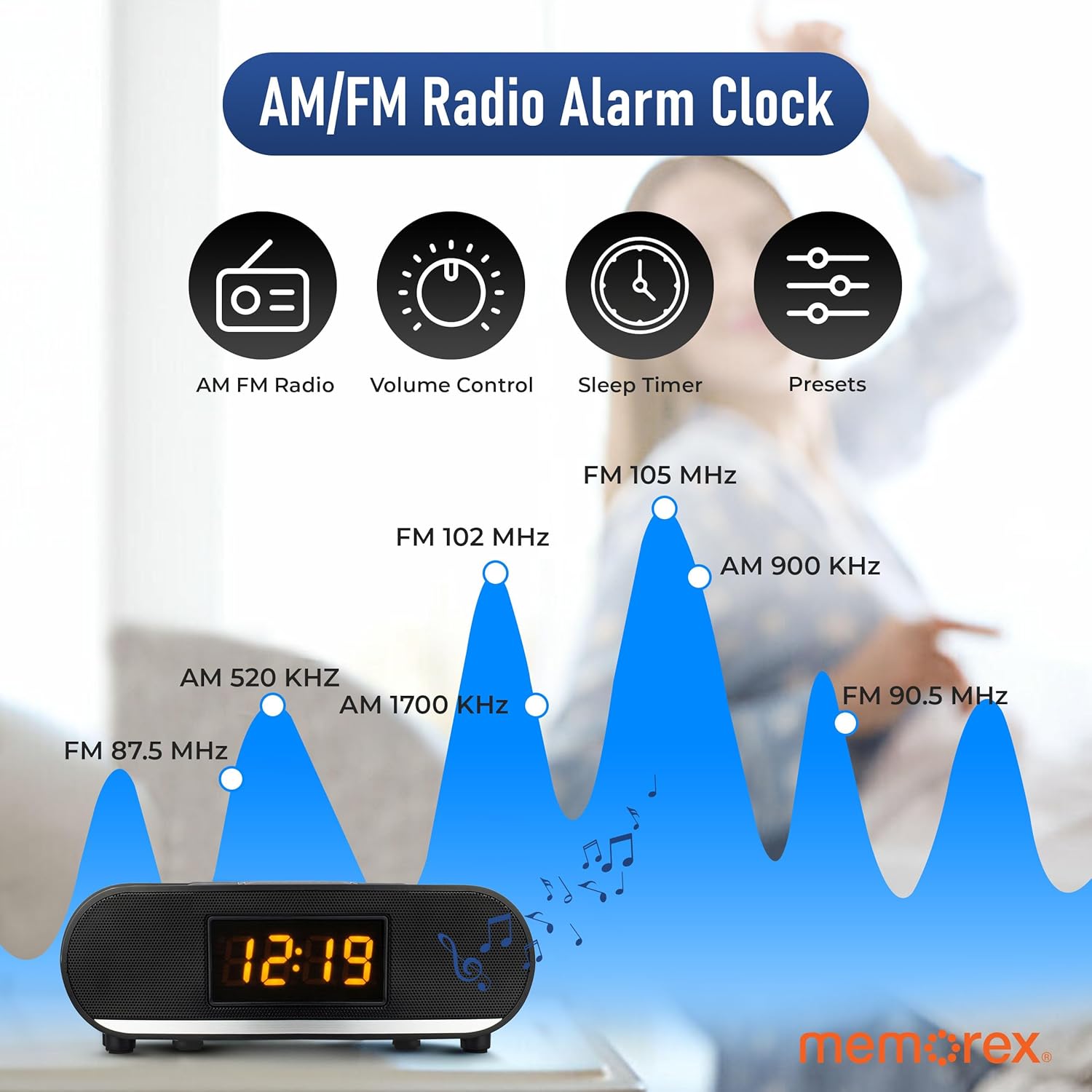
Figure 5: Visual representation of FM radio tuning capabilities.
- Turn On Radio: Press the POWER / FUNCTION button repeatedly until 'FM' appears on the display.
- Manual Tuning: Short press the ◄◄ or ►► buttons to tune the frequency step-by-step.
- Auto Scan: Long press the ◄◄ or ►► buttons to automatically scan for the next available station.
- Adjust Volume: Use the VOLUME - or VOLUME + buttons.
Saving FM Presets:
You can save up to 20 FM radio stations.
- Tune to your desired FM station.
- Press and hold the MEMORY / SET button. A preset number (e.g., 'P01') will flash on the display.
- Use the ◄◄ or ►► buttons to select the desired preset number.
- Press the MEMORY / SET button again to confirm and save the station.
Recalling FM Presets:
While in FM mode, press the CH MODE button repeatedly to cycle through your saved preset stations.
5.7 Bluetooth Operation

Figure 6: The Memorex MX-CR160 highlighting its Bluetooth connectivity.
- Enter Bluetooth Mode: Press the POWER / FUNCTION button repeatedly until 'BT' appears on the display and the Bluetooth indicator flashes, indicating pairing mode.
- Pairing: On your Bluetooth-enabled device (smartphone, tablet, etc.), enable Bluetooth and search for new devices. Select 'MX-CR160' from the list.
- Connection: Once paired, the Bluetooth indicator on the clock radio will stop flashing and remain solid. You can now stream audio from your device.
- Playback Control: Use the ►►I / MO/ST button to play/pause. Use the ◄◄ or ►► buttons to skip tracks. Adjust volume using the VOLUME - or VOLUME + buttons on the unit or your connected device.
Note: The effective operating range between the unit and a paired Bluetooth device is approximately 10 meters (33 feet).
5.8 USB Charging Function
The built-in USB port allows you to charge compatible devices.
- Connect your smartphone, smartwatch, or other USB-powered device to the USB charging port (5V/1A) on the back of the Memorex MX-CR160 using your device's USB charging cable.
- The device will begin charging automatically.
Note: This port is for charging only and does not support data transfer or audio playback.
5.9 Display Dimmer
To adjust the brightness of the LED display:
- Press the SNOOZE / SLEEP / DIMMER button repeatedly.
- The display will cycle between two brightness levels (High and Low). Select the desired brightness.
6. Maintenance
6.1 Cleaning
To clean the unit, first unplug it from the power outlet. Use a soft, dry cloth to wipe the surfaces. Do not use abrasive cleaners, waxes, or solvents as these may damage the finish.
6.2 Battery Replacement
If the unit is unplugged and the time/alarm settings are no longer retained, the AAA backup batteries may need replacement. Refer to Section 4.2 for battery installation instructions.
7. Troubleshooting
| Problem | Possible Cause | Solution |
|---|---|---|
| No power / Display off | Power adapter not connected or faulty. | Ensure the AC/DC adapter is securely plugged into the unit and a working wall outlet. |
| Time/Alarm settings lost after power outage | Backup batteries are dead or not installed. | Install two fresh AAA batteries or replace existing ones. Ensure correct polarity. |
| Alarm does not sound | Alarm not set or disabled. Volume too low. | Verify alarm settings (time, AM/PM, source). Ensure alarm is enabled (dot visible). Increase volume if alarm source is FM. |
| Poor FM radio reception / Static | Weak signal. Unit placed near interference sources. | Adjust the position of the unit. Move away from other electronic devices that may cause interference. Try manual tuning. |
| Bluetooth device cannot pair | Unit not in pairing mode. Device too far. Bluetooth disabled on device. | Ensure the unit is in Bluetooth pairing mode (flashing 'BT'). Move device closer. Enable Bluetooth on your device and search again. |
| USB charging not working | Cable faulty. Device incompatible. | Try a different USB cable. Ensure your device is compatible with 5V/1A charging. |
| Display is too bright | Brightness setting is on High. | Press the SNOOZE / SLEEP / DIMMER button to cycle to the lower brightness setting. |
8. Specifications
| Feature | Specification |
|---|---|
| Model | MX-CR160 |
| Power Source | AC 100-240V ~ 50/60Hz, DC 5V 1.8A (Adapter) |
| Battery Backup | 2 x AAA batteries (not included) |
| Display Type | 0.9-inch Amber LED |
| FM Radio | PLL Tuning, 20 Presets |
| Bluetooth Version | Not specified (Wireless Streaming) |
| USB Charging Output | 5V / 1A |
| Product Dimensions | 9.43" W x 2.67" H (approximate) |
| Weight | 14.9 ounces (approximate) |
9. Warranty and Support
Memorex products are designed for reliability and performance. For warranty information or technical support, please refer to the warranty card included with your purchase or visit the official Memorex website. Keep your purchase receipt as proof of purchase for warranty claims.