1. Introduction
Thank you for choosing the CCGIRU Portable Rechargeable Fan, Model A-30. This manual provides essential information for the safe and efficient use of your new fan. Please read these instructions carefully before operation and retain them for future reference.
This portable fan is designed for versatile use, offering cooling in various indoor and outdoor settings such as camping, picnics, RV travel, and home use. Its rechargeable battery ensures cordless operation, providing convenience and flexibility.
2. Important Safety Instructions
- Read all instructions before using this appliance.
- Do not insert fingers or any objects into the fan grille when the fan is operating.
- Keep hair, clothing, and jewelry away from the fan blades during operation.
- Do not use the fan near water or in excessively humid environments.
- Ensure the fan is placed on a stable, level surface to prevent tipping.
- Do not attempt to disassemble or repair the fan yourself. Contact customer support for assistance.
- Use only the charging cable provided or a certified USB charger with compatible voltage (5V).
- Keep the fan away from heat sources, open flames, and flammable materials.
- This appliance is not intended for use by persons (including children) with reduced physical, sensory or mental capabilities, or lack of experience and knowledge, unless they have been given supervision or instruction concerning use of the appliance by a person responsible for their safety.
3. Package Contents
- CCGIRU Portable Rechargeable Fan (Model A-30)
- USB Charging Cable
- User Manual
4. Product Overview and Features
The CCGIRU Portable Rechargeable Fan is designed for convenience and performance, featuring a compact design, long-lasting battery, and multiple functionalities.

Front view of the CCGIRU Portable Rechargeable Fan, Model A-30, showing the fan head, protective grille, and adjustable tripod stand.
Key Features:
- Rechargeable Battery: Integrated high-capacity battery for cordless operation.
- Adjustable Speed: Stepless dial control for precise airflow adjustment.
- Oscillation Function: Wide-angle oscillation for broader coverage.
- Integrated LED Light: Multiple brightness levels for ambient lighting.
- Portable Design: Foldable tripod stand and lightweight construction for easy transport.
- USB Output: Can function as a power bank to charge other devices.

Collage showing the portable fan being used in various outdoor settings: camping, picnic, and RV travel, highlighting its versatility.
5. Setup and Assembly
The CCGIRU Portable Rechargeable Fan comes largely pre-assembled. Follow these steps to prepare it for use:
- Unpack: Carefully remove the fan and all accessories from the packaging.
- Extend Tripod: Unfold the tripod legs from the base of the fan. Ensure they are fully extended and locked into position for stability.
- Adjust Angle: The fan head can be manually tilted up or down to direct airflow. Adjust to your desired angle.
- Initial Charge: For optimal performance, fully charge the fan before its first use. Refer to the 'Charging the Fan' section for detailed instructions.
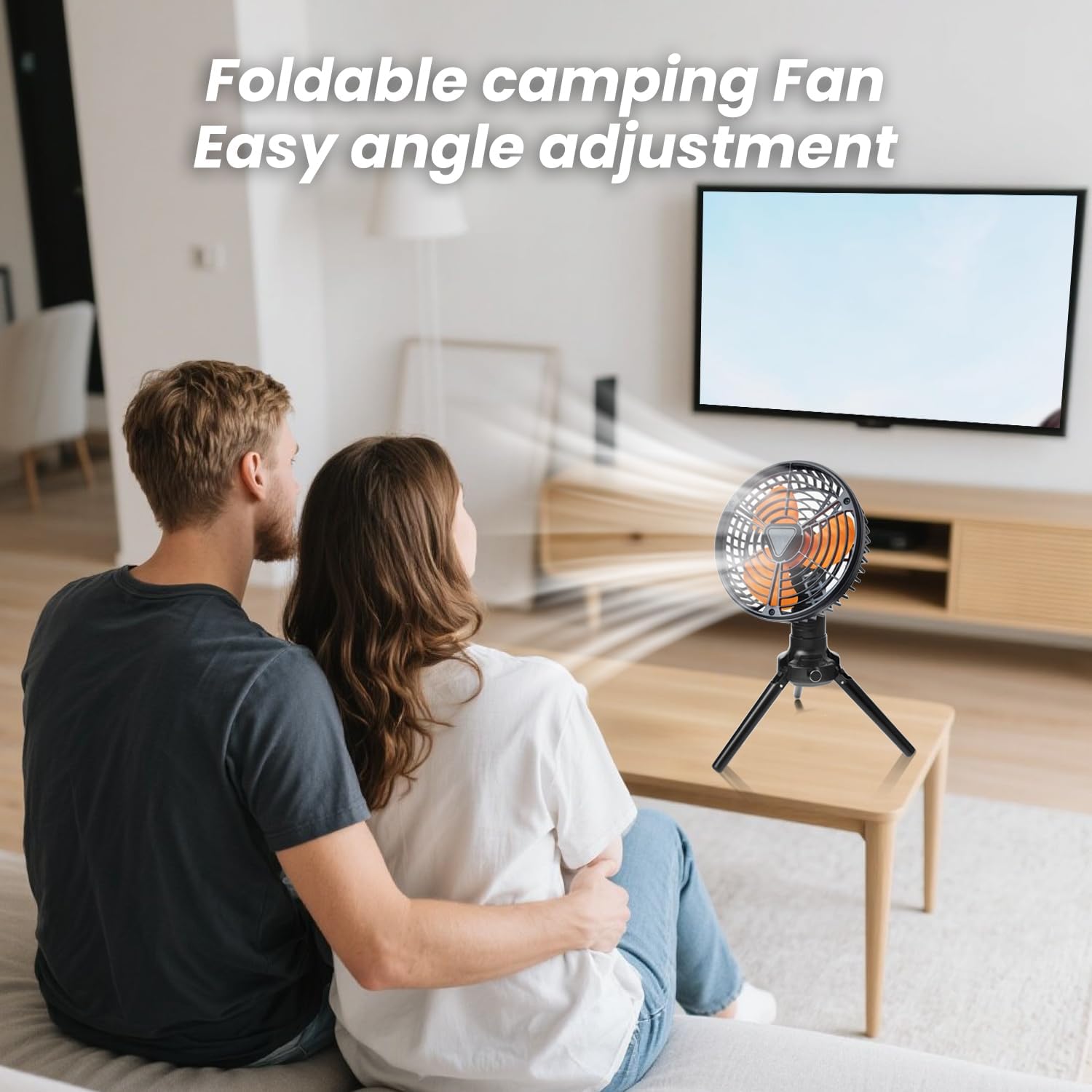
The CCGIRU Portable Rechargeable Fan, Model A-30, positioned on a table with its tripod legs extended, demonstrating its adjustable angle for directed airflow.
6. Operating Instructions
Familiarize yourself with the controls located on the fan's base:
- Power/Speed Dial: Rotate the dial to turn the fan ON and adjust the fan speed. Turn clockwise to increase speed, counter-clockwise to decrease speed and turn OFF. The fan features a stepless speed adjustment for precise control.
- Oscillation Button: Press this button to activate or deactivate the oscillation function. The fan head will move from side to side to cover a wider area.
- LED Light Button: Press this button to cycle through the different brightness levels of the integrated LED light (e.g., Low, Medium, High, Off).
- Battery Indicator: LEDs on the base display the current battery charge level, typically in 25% increments.

The CCGIRU Portable Rechargeable Fan, Model A-30, operating quietly on a bedside table, illustrating its suitability for use in quiet environments.
7. Charging the Fan
The fan is equipped with a rechargeable battery. To charge:
- Locate the USB-C input port on the fan.
- Connect the provided USB charging cable to the fan's USB-C port.
- Connect the other end of the USB cable to a compatible USB power source (e.g., wall adapter, computer USB port, power bank).
- The battery indicator LEDs will illuminate to show charging progress. They will typically stop blinking or turn solid when fully charged.
- Disconnect the charging cable once fully charged.
Power Bank Function: The fan also features a USB-A output port. You can use this port to charge other small electronic devices (e.g., smartphones) using the fan's internal battery.
8. Maintenance and Care
Proper maintenance ensures the longevity and performance of your fan.
- Cleaning: Ensure the fan is turned off and unplugged before cleaning. Use a soft, dry cloth to wipe down the exterior surfaces. For dust accumulation on the grille or blades, use a soft brush or compressed air. Do not use abrasive cleaners or allow water to enter the motor housing.
- Storage: When not in use for extended periods, store the fan in a cool, dry place, away from direct sunlight and extreme temperatures. It is recommended to charge the battery every 3-6 months to maintain its health.
- Transportation: When transporting, ensure the tripod legs are folded and the fan is securely packed to prevent damage.
9. Troubleshooting Guide
If you encounter issues with your fan, refer to the following common problems and solutions:
| Problem | Possible Cause | Solution |
|---|---|---|
| Fan does not turn on. | Battery is depleted. | Charge the fan using the provided USB cable. |
| Fan speed is weak. | Low battery charge. | Recharge the fan. |
| Oscillation not working. | Oscillation function is off. | Press the oscillation button to activate. |
| LED light not working. | Light function is off or battery is low. | Press the LED light button to cycle through modes. Charge the fan if battery is low. |
| Fan makes unusual noise. | Obstruction in fan blades or internal issue. | Turn off and unplug the fan. Check for any obstructions and carefully remove them. If noise persists, contact customer support. |
If the problem persists after attempting these solutions, please contact CCGIRU customer support for further assistance.
10. Technical Specifications
| Specification | Detail |
|---|---|
| Brand | CCGIRU |
| Model Name | A-30 |
| Color | Black |
| Power Source | Battery Powered |
| Wattage | 5 watts |
| Voltage | 5 Volts |
| Control Method | Dial (Speed), Push Button (Oscillation, Light) |
| Indoor/Outdoor Usage | Outdoor |
| Item Weight | 1.87 pounds |
| ASIN | B0DTK7YM9J |
11. Warranty and Customer Support
CCGIRU products are manufactured to high-quality standards. For information regarding warranty coverage, please refer to the warranty card included with your purchase or visit the official CCGIRU website.
If you have any questions, require technical support, or need assistance with your CCGIRU Portable Rechargeable Fan, Model A-30, please contact our customer support team. Contact details can typically be found on our official website or on the product packaging.


