
XTUGA KX-721
XTUGA Wireless Saxophone Microphone KX-721 User Manual
Model: KX-721 | Brand: XTUGA
Introduction
This manual provides comprehensive instructions for the XTUGA Wireless Saxophone Microphone System, Model KX-721. It covers product features, setup, operation, maintenance, and troubleshooting to ensure optimal performance and longevity of your device. Please read this manual thoroughly before using the product.
The XTUGA KX-721 is a 2.4G wireless system designed for various brass instruments, offering stable transmission, nuanced sound quality with noise reduction, and an 8-hour battery life. Its clip-on design ensures secure attachment and universal compatibility.
Product Overview
The XTUGA KX-721 system consists of a clip-on microphone transmitter and a receiver unit. Key components include:
- Microphone Transmitter: Features a damping spring condenser mic with 360-degree sound pickup and HD active noise reduction. Equipped with an adjustable retaining clip for secure instrument attachment.
- Receiver Unit: Compact unit for wireless signal reception.
- Adapters: Includes 3.5mm/6.35mm adapters for broad compatibility with audio devices.
- Charging Cables: USB cables for recharging the units.

Image: Overview of the XTUGA Wireless Saxophone Microphone System, showing the clip-on microphone and the receiver unit with a 6.35mm adapter.
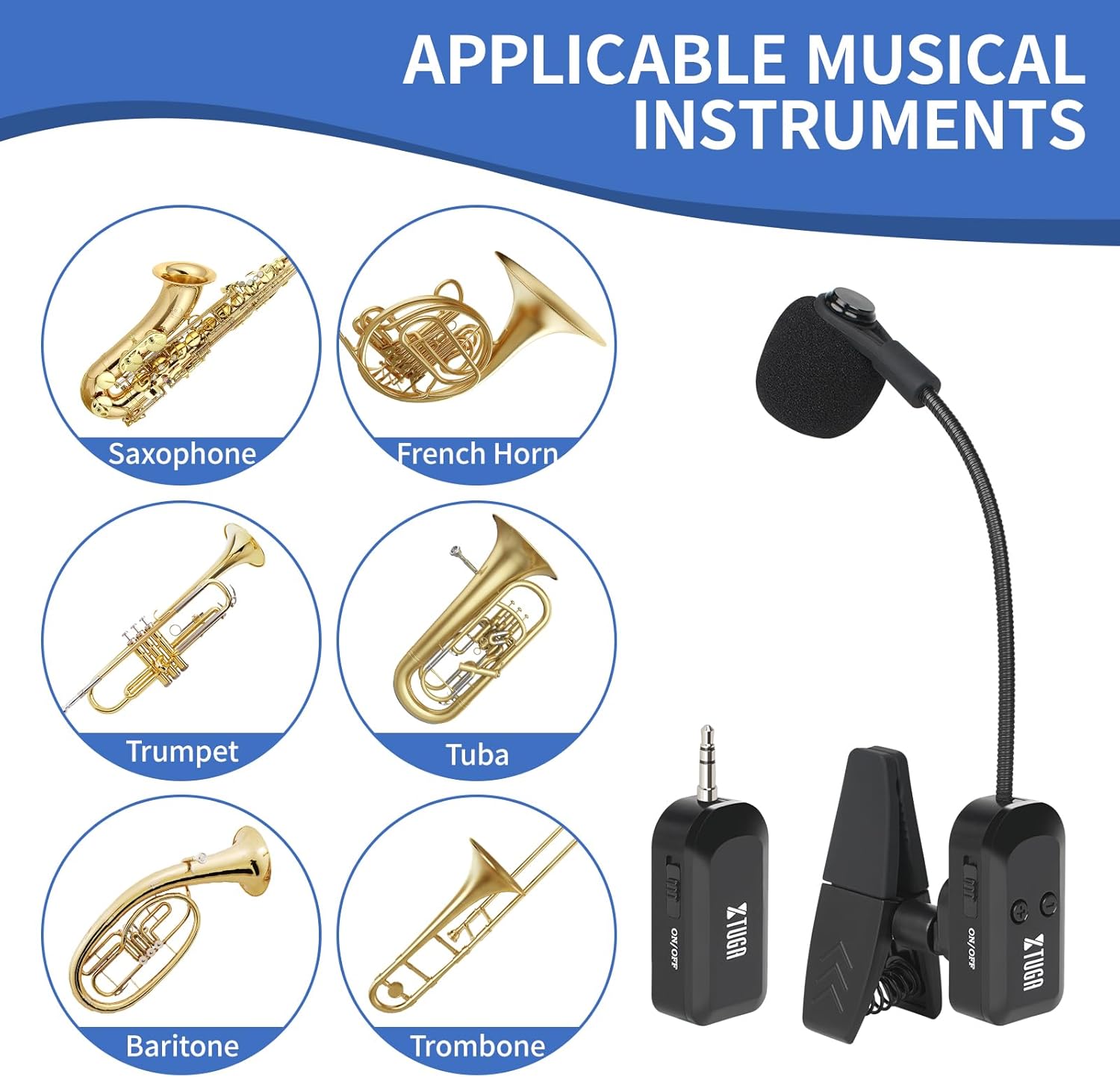
Image: Detailed view highlighting the damping spring condenser mic for accurate sound pickup and the adjustable retaining clip designed to protect the instrument.

Image: Visual representation of various musical instruments compatible with the microphone, including saxophone, French horn, trumpet, tuba, baritone, and trombone.
Setup Instructions
Follow these steps to set up your XTUGA Wireless Saxophone Microphone System:
- Charge the Units: Before first use, fully charge both the microphone transmitter and the receiver unit using the provided USB charging cables. A full charge typically takes 1-2 hours and provides 6-8 hours of use time.

Image: Illustration showing the charging port and indicating 6-8 hours of use time after 1-2 hours of charging.
- Attach the Microphone: Securely clip the microphone transmitter onto your instrument (saxophone, trumpet, trombone, etc.). Ensure the microphone head is positioned to capture sound effectively without obstructing your playing. The adjustable clip is designed to fit most instruments.

Image: The clip-on microphone attached to the bell of a saxophone, demonstrating proper placement.
- Connect the Receiver: Plug the receiver unit into your audio device. Use the appropriate 3.5mm or 6.35mm adapter if needed. Compatible devices include loudspeakers, audio systems, mixers, amplifiers, PA systems, smartphones, and PCs.
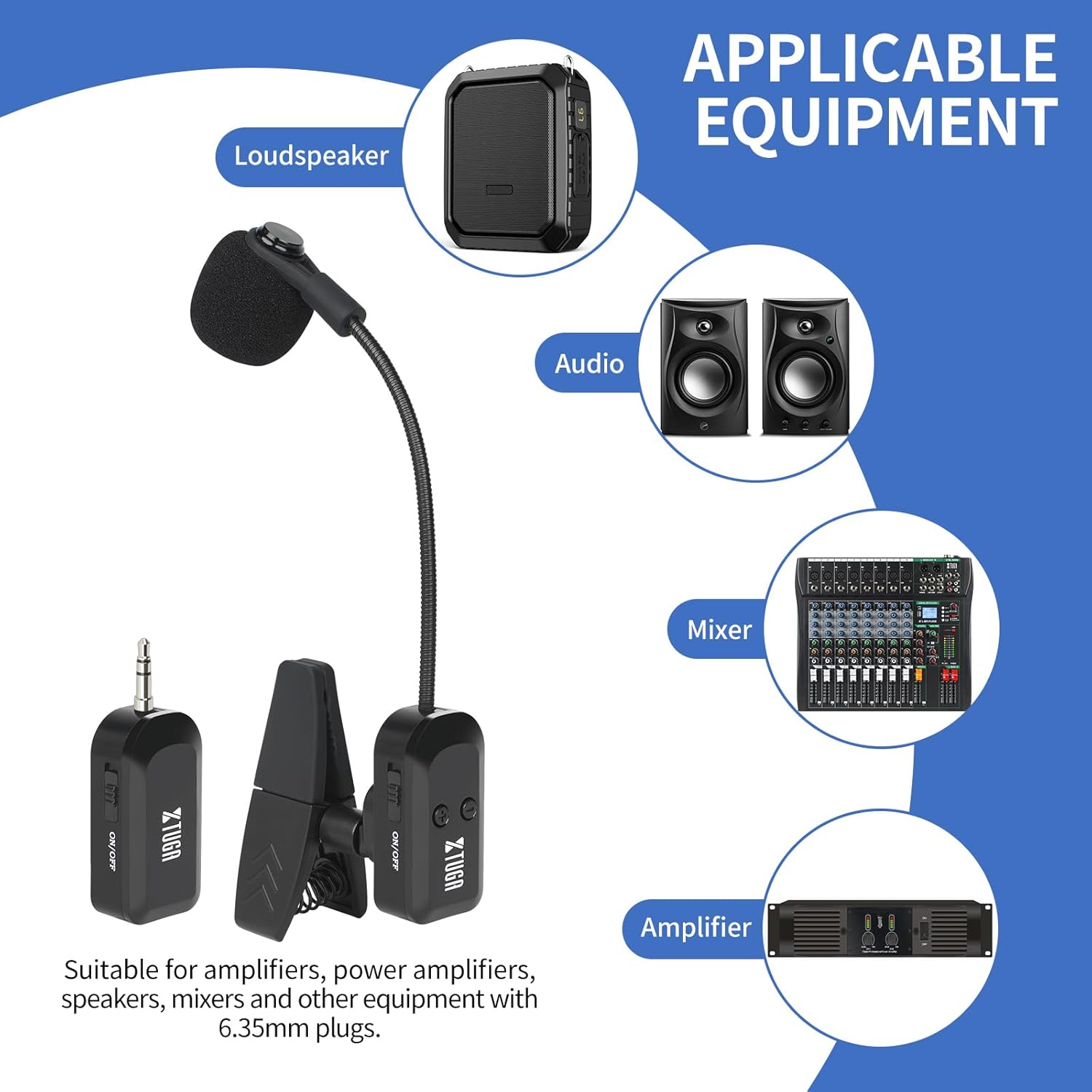
Image: Diagram showing the receiver unit connecting to different types of audio equipment such as loudspeakers, audio speakers, mixers, and amplifiers.
- Power On and Pair: Turn on both the microphone transmitter and the receiver unit. The system features automatic frequency pairing for quick and easy setup. They should connect automatically within seconds.
Operating Instructions
Once set up, operating the XTUGA KX-721 is straightforward:
- Power On/Off: Use the ON/OFF switch on both the transmitter and receiver to power them on or off.
- Volume Control: Adjust the volume on your connected audio device (speaker, mixer, amplifier) to control the microphone's output level. The microphone itself does not have a volume control.
- Wireless Range: The system provides a stable 2.4G wireless signal with a long reception distance of up to 20 meters (approximately 65 feet). Ensure the transmitter and receiver are within this range for optimal performance.

Image: Illustration demonstrating the 20-meter wireless signal range between the transmitter and receiver in an open environment.
- Sound Quality: The microphone features HD active noise reduction and 360-degree accurate sound pickup, ensuring clear and natural sound.
The XTUGA KX-721 is suitable for various applications, including conferences, lectures, concerts, and video recording.
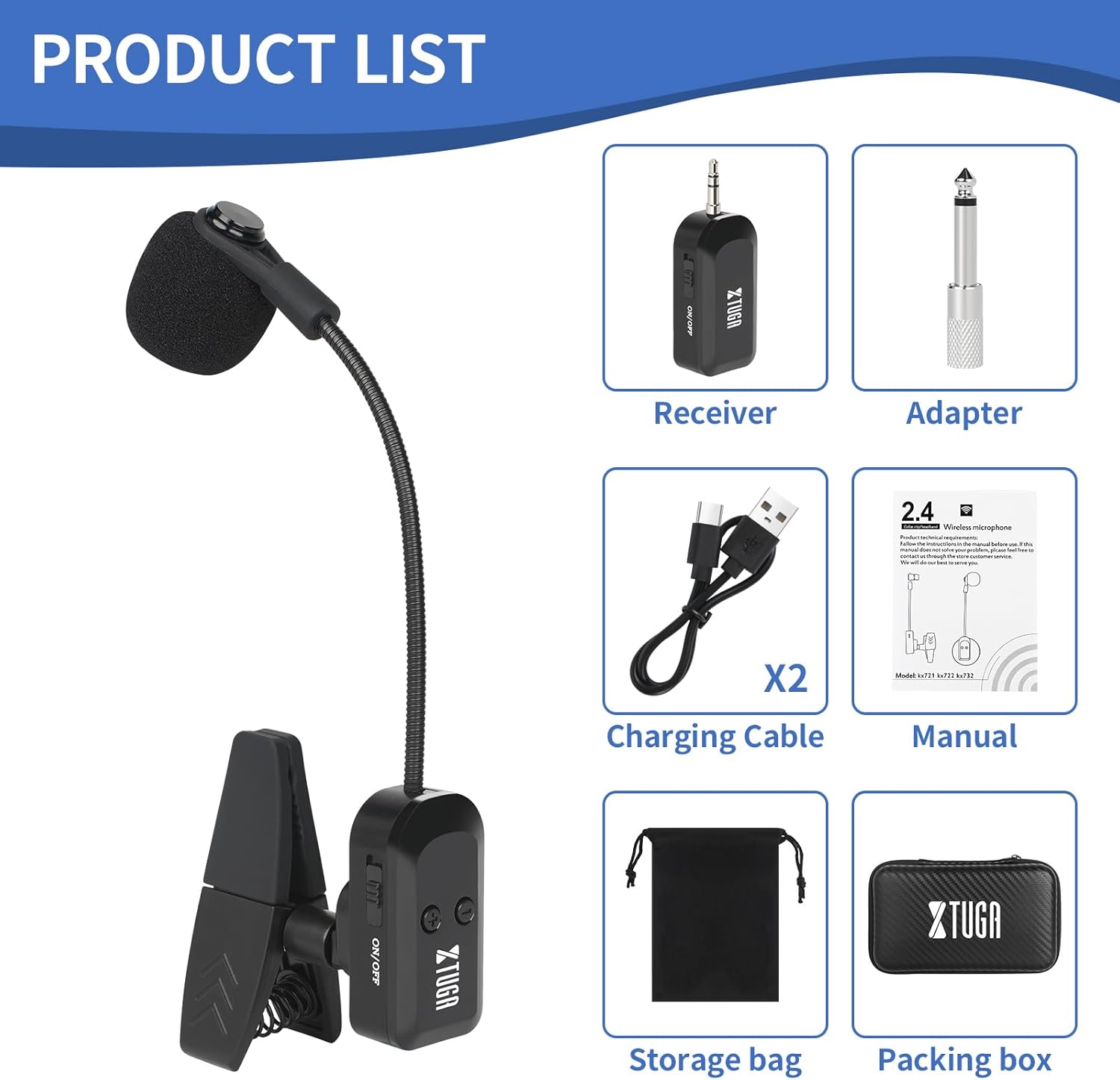
Image: Four panels illustrating different application scenarios: conference, lecture, concert, and video recording, where the microphone can be used.
Maintenance
Proper maintenance will extend the life of your XTUGA Wireless Saxophone Microphone System:
- Cleaning: Use a soft, dry cloth to wipe down the microphone and receiver units. Do not use liquid cleaners or abrasive materials.
- Storage: When not in use, store the system in a cool, dry place, away from direct sunlight and extreme temperatures. The product comes with a storage bag for protection.
- Battery Care: Recharge the units regularly, even if not in frequent use, to maintain battery health. Avoid completely draining the battery before recharging.
- Handling: Handle the microphone and receiver with care. Avoid dropping them or subjecting them to strong impacts.

Image: Display of the product contents, including the storage bag and packing box, emphasizing proper storage and what is included in the package.
Troubleshooting
If you encounter issues with your XTUGA Wireless Saxophone Microphone System, refer to the following common problems and solutions:
| Problem | Possible Cause | Solution |
|---|---|---|
| No Sound Output |
|
|
| Interference/Poor Sound Quality |
|
|
| Short Battery Life |
|
|
If the problem persists, please contact XTUGA customer support for further assistance.
Specifications
| Feature | Detail |
|---|---|
| Model Name | KX-721 |
| Brand | XTUGA |
| Connectivity Technology | 2.4G Wireless |
| Wireless Range | Up to 20 meters (65+ feet) |
| Battery Life | 6-8 hours (continuous use) |
| Charging Time | 1-2 hours |
| Microphone Type | Damping Spring Condenser Mic |
| Sound Pickup | 360-degree accurate sound pickup with HD active noise reduction |
| Compatible Instruments | Saxophone, Trumpet, Trombone, French Horn, Tuba, Baritone, Flute, and other brass instruments |
| Compatible Devices | Amplifier, Audio Interface, PA System, Smartphone, Speaker, Mixer |
| Item Weight | 5.3 ounces |
| Package Dimensions | 7.56 x 6.5 x 1.85 inches |
Warranty and Support
XTUGA products are designed for reliability and performance. For warranty information and technical support, please refer to the official XTUGA website or contact their customer service directly.
For common inquiries, you may also refer to the XTUGA Store on Amazon.
Please retain your proof of purchase for any warranty claims.
Ask a question about this manual
Ask about setup, troubleshooting, compatibility, parts, safety, or missing instructions. Manuals+ will review the question and use this page’s manual context to help answer it.