
Introduction
Thank you for purchasing the RHYTHM LED Lantern Alarm Clock 9YYA45RH08. This versatile device combines the functionality of a digital alarm clock with a powerful LED lantern and flashlight, designed for both daily convenience and emergency preparedness. Its robust features, including dust and water resistance, make it an essential item for any household.
This manual provides detailed instructions on how to set up, operate, and maintain your device to ensure optimal performance and longevity. Please read it thoroughly before use.

Image: The RHYTHM LED Lantern Alarm Clock displaying time and its lantern function.
Package Contents
- RHYTHM LED Lantern Alarm Clock (Model 9YYA45RH08)
- USB Type-C to Type-A Charging Cable (approx. 1m)
- Strap
- User Manual
Setup
1. Charging the Device
Before initial use, fully charge the device. Connect the included USB Type-C cable to the device's charging port and the other end to a USB power adapter (not included) or a computer USB port. The device uses a 2000mAh Lithium-ion battery.

Image: The alarm clock connected via USB cable for charging.
2. Attaching the Strap
Thread the included strap through the designated loop on the device. This strap enhances portability and allows for easy carrying or hanging.

Image: A hand holding the compact alarm clock with the strap attached.
Operating Instructions
The device features intuitive convex buttons for easy operation, even in low light conditions.

Image: Detail of the convex buttons for easy tactile identification.
1. Clock Function
- Time Setting: Use the designated buttons (refer to the button layout diagram in the full manual) to set the current time. The clock is a quartz movement and may require periodic adjustment for accuracy.
- 12/24H Display: Toggle between 12-hour (AM/PM) and 24-hour display formats using the appropriate button.
2. Alarm Function
- Setting Alarm: Press the alarm button and use the time setting buttons to set your desired alarm time.
- Activating/Deactivating Alarm: Use the alarm toggle button to turn the alarm on or off.
- Snooze Function: When the alarm sounds, press any button to activate the snooze function.
3. Lantern Function
The device features a warm LED lantern suitable for ambient lighting.
- Turning On/Off: Press the lantern button to activate the lantern. Press again to cycle through brightness levels or turn off.
- Brightness Levels: The lantern has three brightness settings: Strong (16lm), Medium (8lm), and Weak (2lm).
- Continuous Use Time (on full charge):
- Strong: Approximately 15 hours
- Medium: Approximately 24 hours
- Weak: Approximately 72 hours

Image: Brightness levels and battery life for lantern and flashlight.
4. Flashlight Function
The device includes a focused flashlight for directional lighting.
- Turning On/Off: Press the flashlight button to activate the flashlight. Press again to cycle through brightness levels or turn off.
- Brightness Levels: The flashlight has three brightness settings: Strong (50lm), Medium (25lm), and Weak (5lm).
- Continuous Use Time (on full charge):
- Strong: Approximately 9 hours
- Medium: Approximately 15 hours
- Weak: Approximately 48 hours
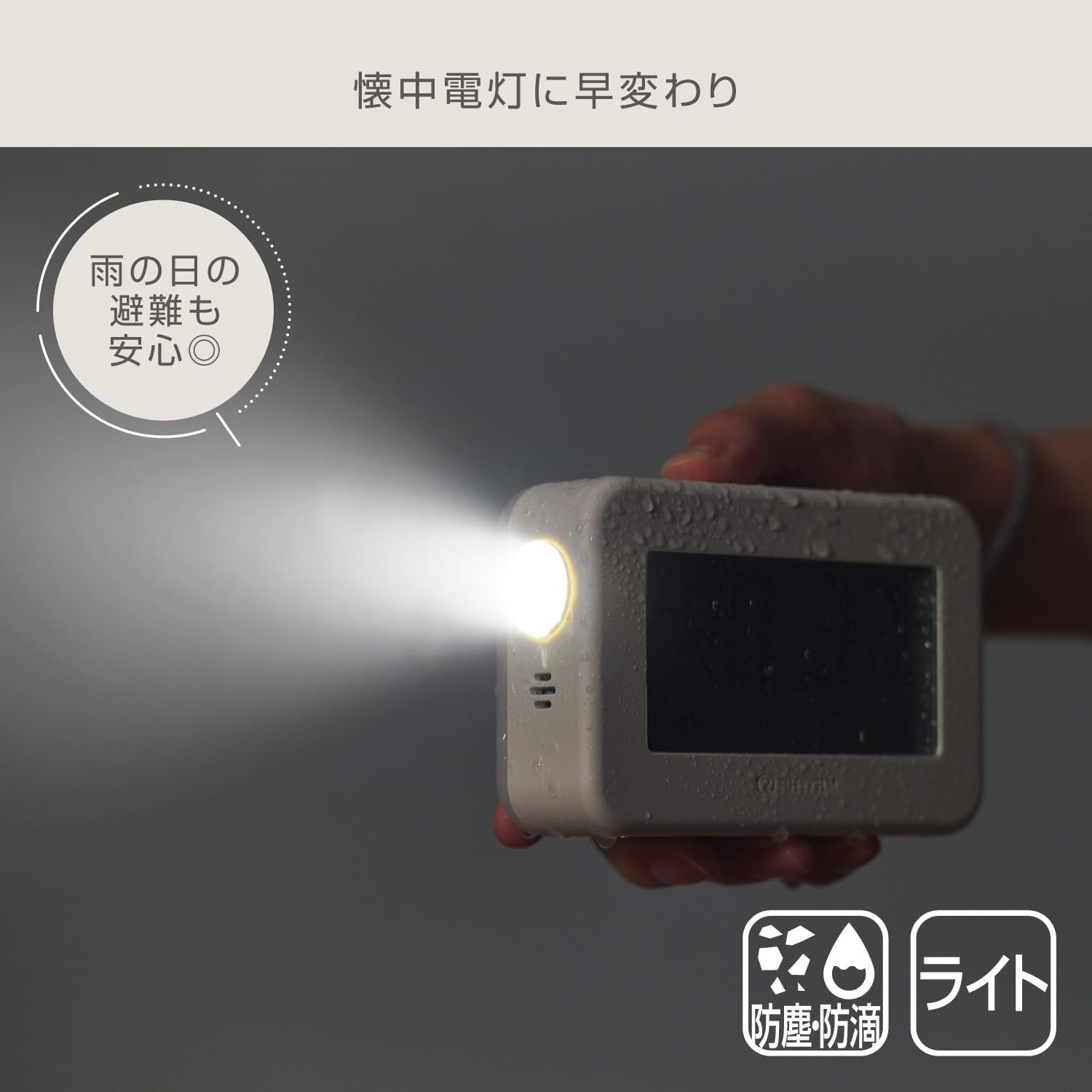
Image: Using the flashlight function in wet conditions.
5. LCD Backlight
The LCD display features a backlight for visibility in the dark.
- Always-On Feature: When not connected to USB power, the LCD backlight can be set to remain constantly lit.
- Brightness Levels: The backlight has three brightness settings.
- Continuous Use Time (on full charge):
- Strong: Approximately 48 hours
- Medium: Approximately 360 hours
- Weak: Approximately 720 hours

Image: The alarm clock on a bedside table with its backlight on.
6. Power Outage Automatic Lighting
This feature provides immediate illumination during power failures.
- Activation: When the device is connected to a USB power source and the power supply is interrupted (e.g., during a power outage), the lantern will automatically turn on.
- Duration: The lantern will remain lit for approximately 10 minutes in this mode, providing sufficient time to assess the situation or find alternative light sources.

Image: The lantern automatically turning on during a power outage.
Features
- Dustproof and Waterproof (IP44 Equivalent): The device is designed to withstand splashes of water and dust ingress, making it suitable for various environments, including outdoor use or during emergencies in wet conditions.
- Compact and Portable: Its palm-sized design and included strap make it easy to carry and transport.
- Versatile Lighting: Functions as a digital clock, ambient lantern, and focused flashlight.

Image: Various applications of the RHYTHM LED Lantern Alarm Clock.
Maintenance
- Cleaning: Wipe the device with a soft, dry cloth. Do not use abrasive cleaners or solvents.
- Battery Care: The built-in Lithium-ion battery has a lifespan of approximately 300 charge cycles. To prolong battery life, avoid fully discharging the battery frequently and store the device in a cool, dry place when not in use for extended periods.
- Storage: Store the device away from direct sunlight, high temperatures, and high humidity.
Troubleshooting
Time Drift
This device uses a quartz clock mechanism. While generally accurate, quartz clocks may experience minor time drift over extended periods. It is recommended to periodically check and adjust the time to ensure precision, especially if used for critical timing.
Device Not Turning On/Charging
- Ensure the USB cable is securely connected to both the device and the power source.
- Try using a different USB power adapter or port.
- Confirm the charging cable is not damaged.
Lantern/Flashlight Not Working
- Check the battery level. Recharge the device if the battery is low.
- Ensure the correct button for the desired light function is being pressed.
Specifications
| Model Number | 9YYA45RH08 |
| Dimensions (L x W x H) | 12 cm x 4 cm x 7.9 cm |
| Weight | 260 g |
| Power Source | Lithium-ion Battery 2000mAh |
| Input Terminal | DC5V/500mA (USB Type-C) |
| Light Source Type | LED |
| Lantern Brightness (Lumen) | Strong: 16lm, Medium: 8lm, Weak: 2lm |
| Flashlight Brightness (Lumen) | Strong: 50lm, Medium: 25lm, Weak: 5lm |
| Water Resistance | IP44 Equivalent |
| Material | Plastic |
| Included Accessories | Strap, USB Type-C to Type-A Cable (approx. 1m) |
Warranty and Support
For warranty information, please refer to the documentation included with your purchase or visit the official RHYTHM website. If you encounter any issues or require technical assistance, please contact RHYTHM customer support.
RHYTHM Customer Support: Please refer to the contact information provided on the product packaging or the official RHYTHM website for your region.
