
1. Introduction and Overview
The NEWORK FreeChat 202 is a versatile Bluetooth conference speakerphone designed to provide crystal-clear audio for remote meetings, business conferences, and online classes. Featuring a 4-microphone array with 360° omnidirectional voice pickup and AI noise reduction, it ensures every participant is heard clearly. Its flexible connectivity options (Bluetooth, USB-C, and USB dongle) and long-lasting battery make it an ideal solution for various professional environments.
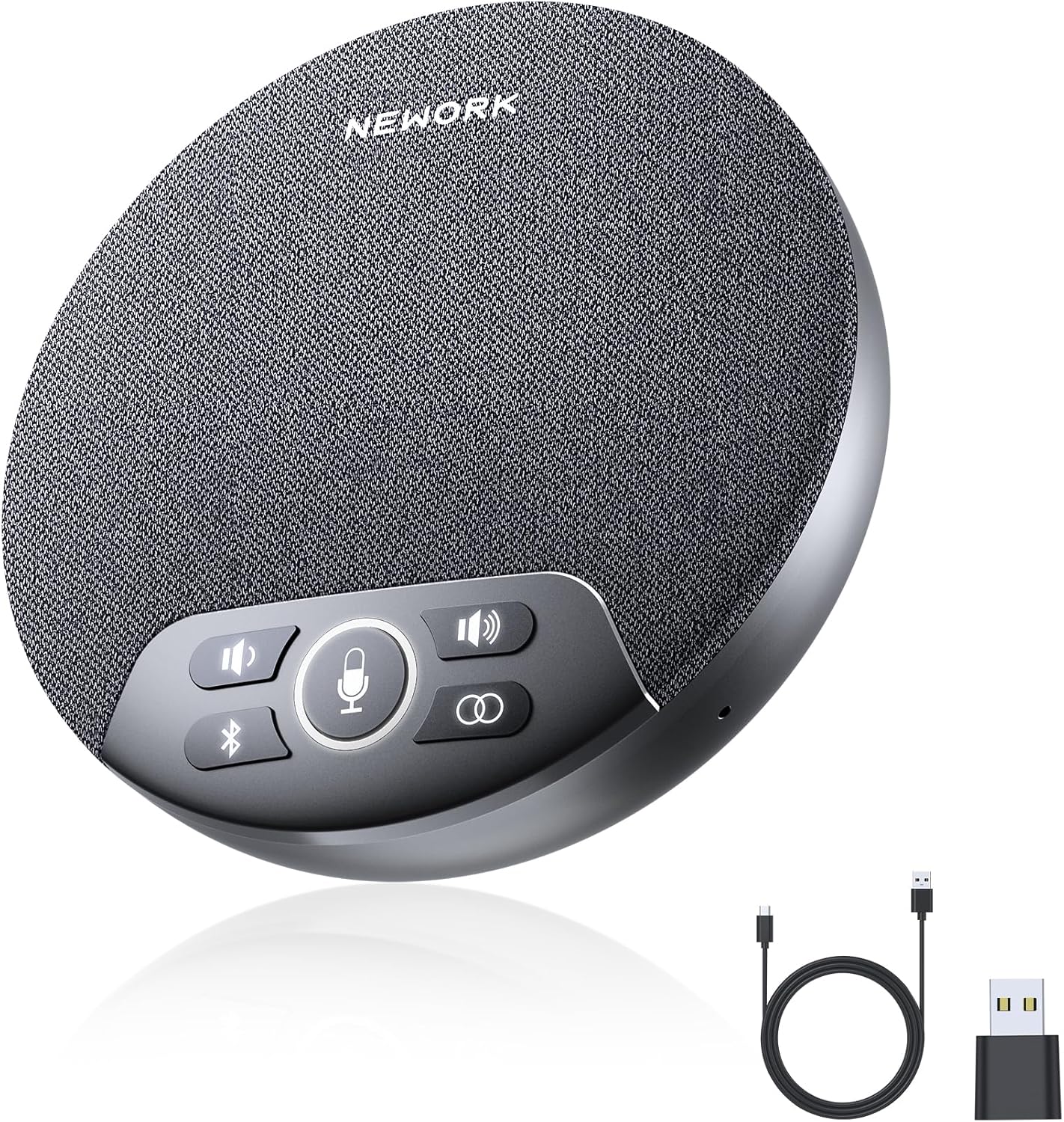
Image: The NEWORK FreeChat 202 speakerphone with its USB-C cable and USB dongle.
2. Package Contents
Please check the package contents to ensure all items are present:
- FreeChat 202 Speakerphone x 1
- USB-C Cable x 1
- USB Dongle x 1
- User Manual x 1 (This document)
3. Product Features
360° Voice Pickup with 4 Microphones
The speakerphone features a 4-microphone array designed for 360° omnidirectional voice capture, effectively picking up voices from up to 3 meters away. This ensures clear audio for all participants in a meeting, regardless of their position around the device.
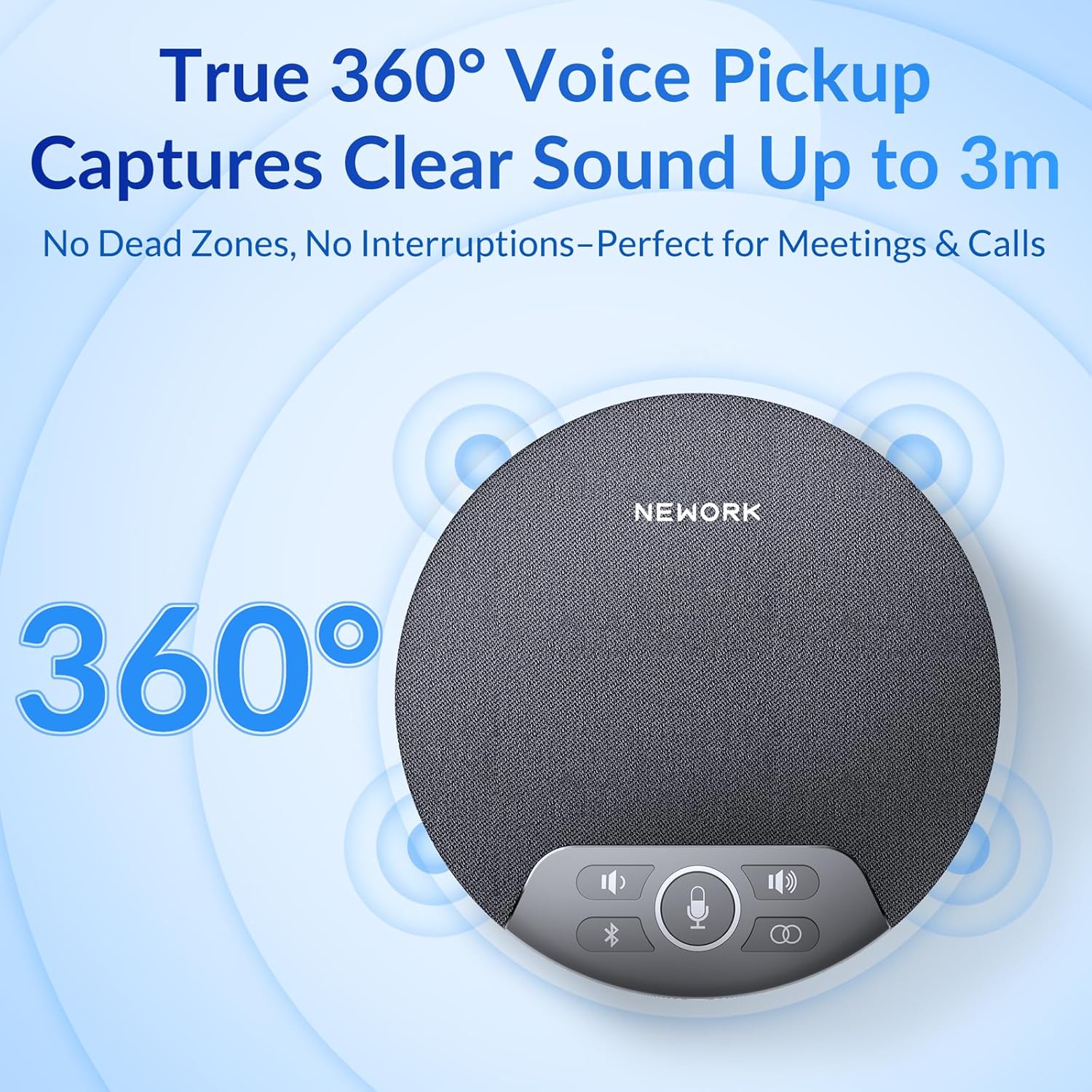
Image: Diagram illustrating the 360-degree voice pickup range of the speakerphone.
AI Noise Reduction for Crystal-Clear Calls
Equipped with AI noise reduction technology, the FreeChat 202 minimizes background distractions, ensuring that voices are transmitted with optimal clarity. This feature is crucial for professional communication in varied environments.
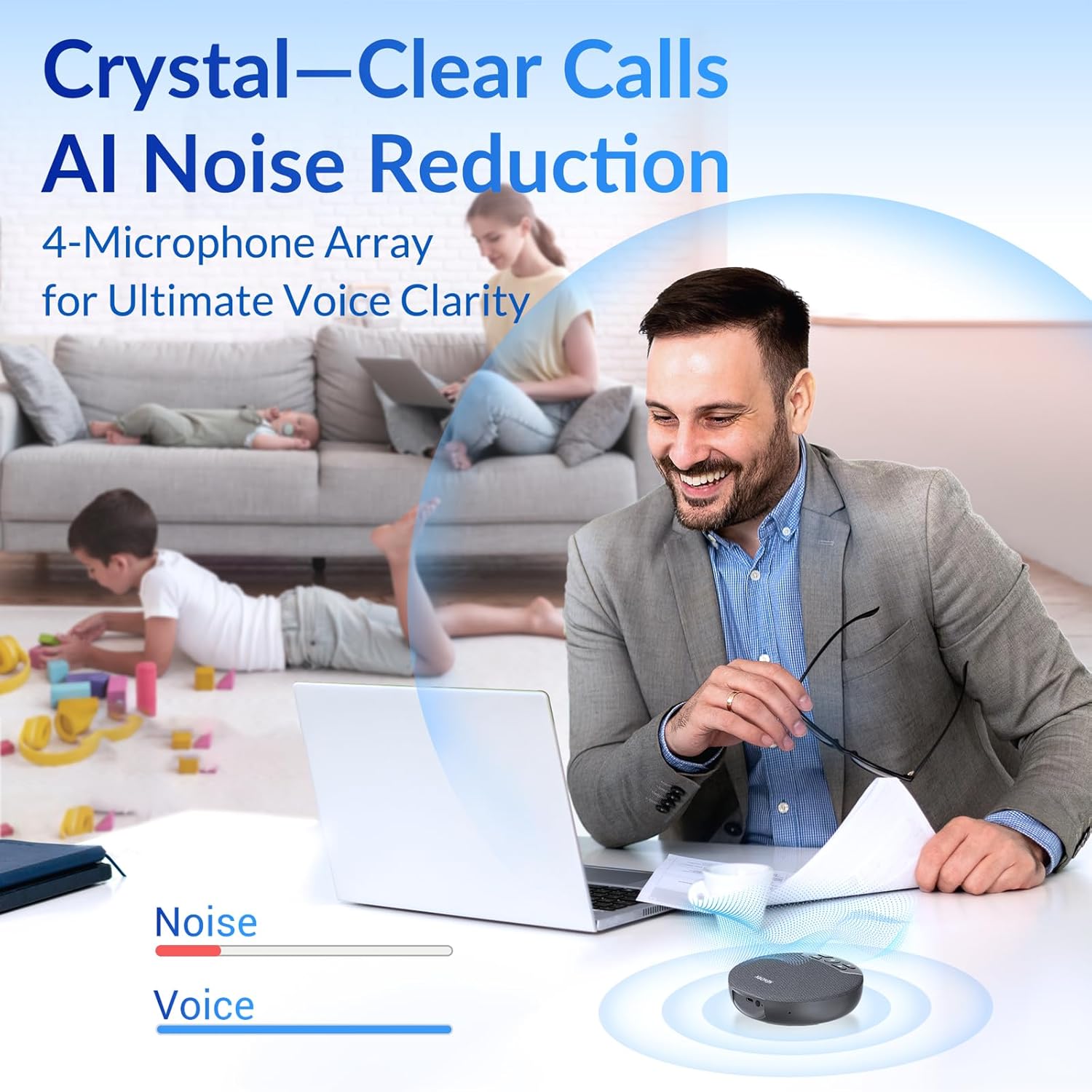
Image: A visual representation of AI noise reduction, showing how background noise is filtered out to enhance voice clarity.
Flexible 3-Way Connectivity
The speakerphone offers three convenient connection methods: Bluetooth, USB-C cable, and a dedicated USB dongle. This flexibility allows for quick and easy setup without requiring driver installations, supporting a plug-and-play experience.

Image: Illustrations showing the three connection methods: USB dongle, Bluetooth, and USB-C cable.
Daisy Chain Functionality for Large Rooms
For larger meeting spaces, two FreeChat 202 speakerphones can be easily connected via a single button to extend audio coverage. This daisy chain feature allows for synchronized audio across both units, providing seamless communication in expanded environments.

Image: A diagram showing two speakerphones connected in a daisy chain configuration to cover a large conference table.
Long-Lasting 2600mAh Battery
The built-in 2600mAh battery provides up to 6 hours of continuous Bluetooth conferencing on a single charge. It fully recharges in approximately 3 hours, ensuring readiness for extended meeting schedules.
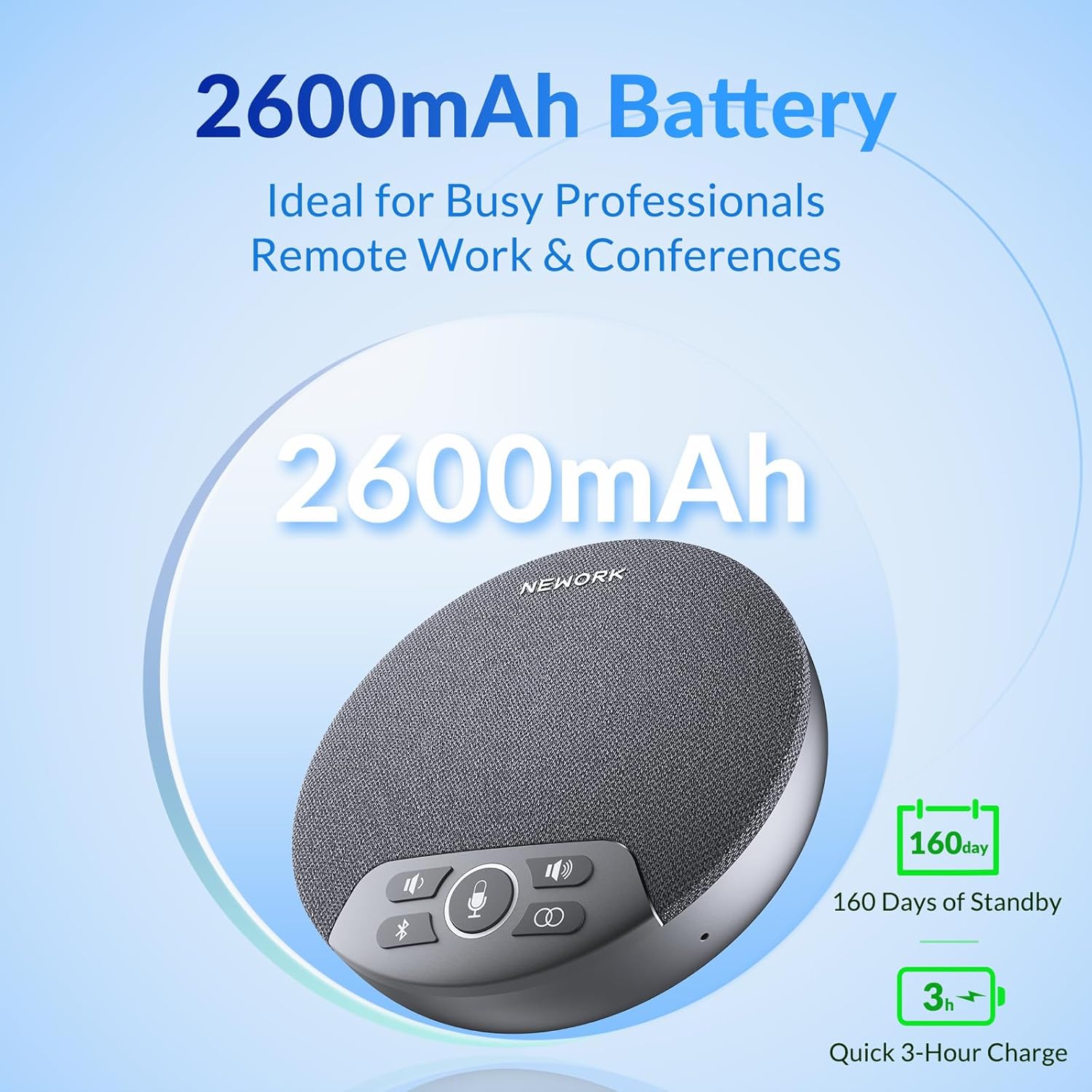
Image: A graphic highlighting the 2600mAh battery capacity and its associated usage and charging times.
Compact and Portable Design
With its compact dimensions (4.72 x 4.72 x 1.5 inches) and light weight (10.6 ounces), the FreeChat 202 is highly portable, making it easy to carry for meetings on the go or for use in various locations.

Image: A person placing the compact speakerphone into a bag, demonstrating its portability.
4. Setup Instructions
The FreeChat 202 offers multiple ways to connect to your devices. Choose the method that best suits your needs.
4.1. Connecting via Bluetooth
- Power on the FreeChat 202 by pressing and holding the power button until the indicator lights illuminate.
- Press the Bluetooth button (✱) on the speakerphone. The Bluetooth indicator light will flash, indicating it's in pairing mode.
- On your device (smartphone, tablet, laptop), navigate to the Bluetooth settings.
- Select "FreeChat 202" from the list of available devices to pair.
- Once connected, the Bluetooth indicator light on the speakerphone will turn solid blue.
4.2. Connecting via USB-C Cable
- Connect one end of the provided USB-C cable to the USB-C port on the FreeChat 202.
- Connect the other end of the USB-C cable to an available USB-C port on your computer or device.
- The speakerphone will be automatically recognized as an audio input and output device. No drivers are typically required.
4.3. Connecting via USB Dongle
- Insert the provided USB dongle into an available USB-A port on your computer or device.
- Power on the FreeChat 202. The speakerphone will automatically connect to the dongle.
- The connection indicator light on the speakerphone will turn solid, indicating a successful connection.
Video: This video demonstrates the unboxing, physical features, and various connection methods (Bluetooth, USB-C, and USB dongle) of the NEWORK FreeChat 202 speakerphone, including how to power it on and pair it with a mobile device.
5. Operating Instructions
- Power On/Off: Press and hold the power button on the side of the speakerphone for approximately 2 seconds.
- Volume Control: Use the '-' and '+' buttons on the speakerphone to adjust the speaker volume.
- Microphone Mute/Unmute: Press the microphone icon button (🎤) to mute or unmute the microphone. The indicator light around the microphone button will change to red when muted.
- Daisy Chain Function: To connect two FreeChat 202 units, ensure both are powered on. Press and hold the daisy chain button (two interlocking circles) on one unit until the indicator flashes, then repeat on the second unit. They will automatically pair.
- Battery Status: The LED indicator light will show the battery status. A solid green light typically indicates a full charge, while a flashing light may indicate low battery. Refer to the quick start guide for detailed LED indications.
6. Compatibility
The NEWORK FreeChat 202 is designed for broad compatibility with various operating systems and popular conferencing applications:
- Operating Systems: Windows, macOS, Android, iOS, Linux.
- Conferencing Applications: Fully compatible with Zoom, Microsoft Teams, Skype, Google Meet, and other major communication platforms.

Image: Icons representing various operating systems (Windows, Mac, Android, iOS, Linux) and communication applications (Zoom, Teams, Skype, Google Meet) with which the speakerphone is compatible.
7. Maintenance
- Cleaning: Use a soft, dry cloth to clean the exterior of the speakerphone. Do not use liquid cleaners or aerosols directly on the device.
- Storage: Store the device in a cool, dry place away from direct sunlight and extreme temperatures when not in use for extended periods.
- Battery Care: To prolong battery life, avoid fully discharging the battery frequently. Charge the device regularly, even if not in constant use.
8. Troubleshooting
- No Sound/Microphone Not Working:
- Ensure the speakerphone is powered on and properly connected (Bluetooth, USB-C, or Dongle).
- Check the volume levels on both the speakerphone and your connected device.
- Verify that the microphone is not muted (microphone button light should not be red).
- Confirm that the FreeChat 202 is selected as the default audio input/output device in your computer's sound settings or conferencing application settings.
- Bluetooth Connection Issues:
- Ensure the speakerphone is in pairing mode (Bluetooth light flashing).
- Turn off and on Bluetooth on your device.
- Forget "FreeChat 202" from your device's Bluetooth list and attempt to re-pair.
- Ensure the speakerphone is within the 10-meter Bluetooth range.
- Daisy Chain Not Connecting:
- Ensure both units are FreeChat 202 models and are powered on.
- Press and hold the daisy chain button on both units simultaneously until they pair.
- Ensure there are no significant obstructions between the two units.
9. Specifications
| Model Number | FreeChat 202 |
| Dimensions | 4.72 x 4.72 x 1.5 inches |
| Item Weight | 10.6 ounces (300 Grams) |
| Connectivity Technology | Bluetooth, USB, Wireless |
| Number of Microphones | 4 |
| Bluetooth Range | 10 Meters |
| Battery Capacity | 2600mAh Lithium Polymer |
| Continuous Talk Time | Up to 6 hours (Bluetooth) |
| Charging Time | Approximately 3 hours |
| Compatible Devices | Desktop, Laptop, Smartphone, Tablet |
| Control Method | Touch Buttons |
10. Warranty and Customer Support
The NEWORK FreeChat 202 comes with a limited warranty. For detailed information regarding warranty coverage, terms, and conditions, please refer to the warranty card included in your product packaging or visit the official NEWORK website.
If you encounter any issues or have questions about your FreeChat 202 speakerphone, please contact NEWORK Customer Support. Our team is available to assist you with troubleshooting, technical support, and general inquiries.
Contact Information: Please refer to the product packaging or the official NEWORK website for the most up-to-date customer support contact details.