
POENVFPO POENVFPO9sp2ygmr4t
POENVFPO Stereo EQ Equalizer (Model: POENVFPO9sp2ygmr4t) Instruction Manual
Introduction
This manual provides detailed instructions for the setup, operation, and maintenance of your POENVFPO Stereo EQ Equalizer. This device is designed to enhance your audio experience by offering precise control over sound frequencies and balance.
Key Features
- Hi-fidelity Sound: Features TI NE5532 induction level operational amplifier for high fidelity and low noise audio.
- Versatile Use: Supports inputs for various electronics including turntables and guitars, with outputs suitable for speakers, headphones, AV receivers, and more.
- Balance Adjustments: Offers 3-band equalization with left and right channel balance, volume control, and high, medium, low three-segment balance adjustment.
- Isolated Power Supply: Equipped with an isolated booster power supply for signal purity and dynamic range, suitable for on-board use without common ground interference.
- Mini Preattenuation: NE5532 circuit provides pre-attenuation compensation (-15dB when power is off and 0dB gain when on), reducing noise interference for a pleasing sound.
Package Contents
- 1 x POENVFPO Stereo EQ Equalizer
- 1 x Data Cable
Specifications
| Item Type | Stereo EQ Equalizer |
| Power Supply | DC5V |
| Power Consumption | 0.5W |
| Input Output Interface | Jack |
| Frequency Response | 20HZ-20KHZ |
| Gain | 12db |
| Equalization Range | +15db |
| Input Impedance | 50KΩ |
| Output Impedance | 600Ω |
| Material | Metal |
| Item Weight | 12.4 ounces |
| Package Dimensions | 7.09 x 4.72 x 2.36 inches |
| Model Number | POENVFPO9sp2ygmr4t |
| ASIN | B0DTJT2PPL |
Setup Instructions
Follow these steps to correctly set up your Stereo EQ Equalizer:
- Power Connection: Connect the provided data cable to the DC5V power input on the rear of the equalizer. Ensure the power source is compatible.
- Audio Input: Connect your audio source (e.g., electronics, turntables, guitars) to the "IN" jacks on the rear panel. Use appropriate RCA cables for left (L) and right (R) channels.
- Audio Output: Connect your audio output device (e.g., speakers, headphones, AV receivers) to the "OUT" jacks on the rear panel. Use appropriate RCA cables for left (L) and right (R) channels.
- Power On: Press the red "POWER ON/OFF" switch on the front panel to turn on the equalizer. A red indicator light will illuminate.
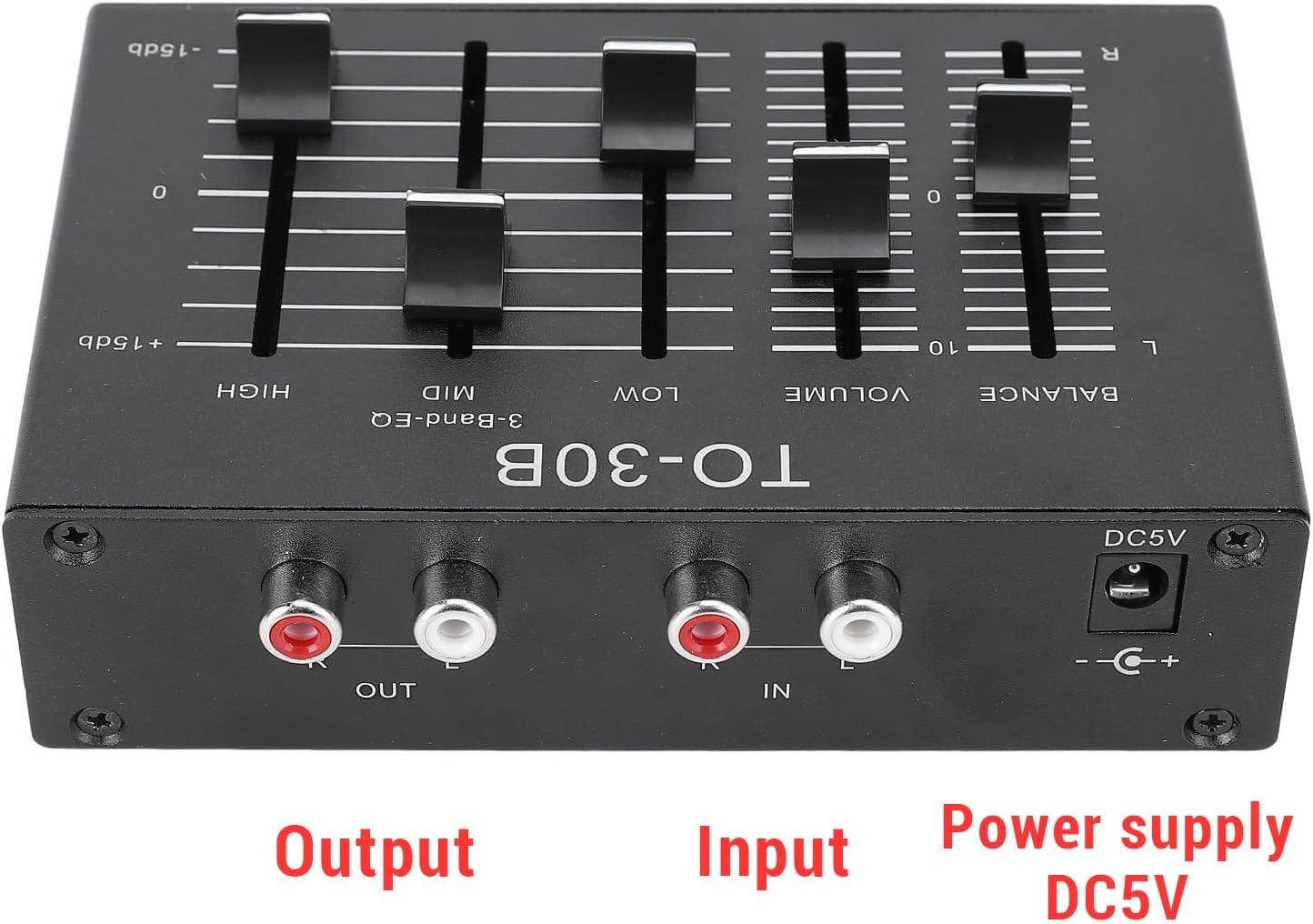
Figure 1: Rear panel connections for Input, Output, and DC5V Power Supply.

Figure 2: The equalizer unit shown with its included data cable for power.
Operating Instructions
Once connected, you can adjust the sound using the controls on the front panel:

Figure 3: Front panel controls including Balance, Volume, Low, Mid, High, and Power switch.
- Balance Control: Use the "BALANCE" slider to adjust the audio level between the left (L) and right (R) channels. This allows you to compensate for imbalances in your audio setup or listening environment.
- Volume Control: The "VOLUME" slider adjusts the overall output volume of the equalizer.
- 3-Band EQ (Low, Mid, High):
- LOW: Adjusts the bass frequencies. Move the slider up to boost bass, or down to cut bass.
- MID: Adjusts the mid-range frequencies, affecting vocals and many instruments. Move the slider up to boost mids, or down to cut mids.
- HIGH: Adjusts the treble frequencies, affecting clarity and brightness. Move the slider up to boost treble, or down to cut treble.
- Power On/Off: The red button labeled "POWER ON/OFF" controls the main power to the unit.
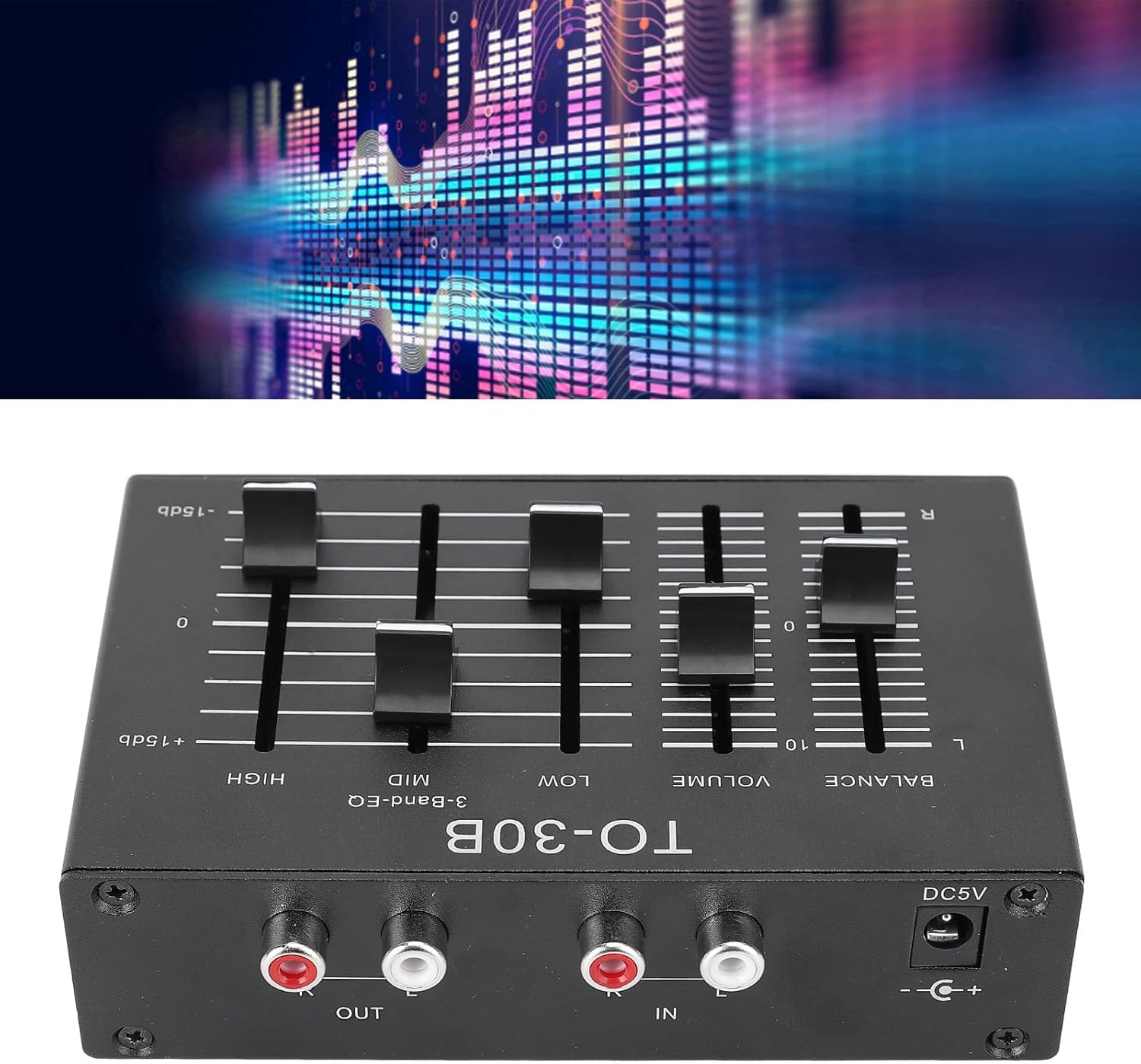
Figure 4: The equalizer integrated into a home audio system, connected to a laptop and speakers.
Maintenance
- Keep the unit clean by wiping it with a soft, dry cloth.
- Avoid using liquid cleaners or aerosols, as they may damage the finish or internal components.
- Ensure proper ventilation around the unit to prevent overheating.
- Store the equalizer in a cool, dry place when not in use for extended periods.
Troubleshooting
- No Power:
- Check if the power cable is securely connected to both the equalizer and the power source.
- Ensure the power outlet is functional.
- Verify the "POWER ON/OFF" switch is in the "ON" position.
- No Sound:
- Confirm all audio input and output cables are correctly and securely connected.
- Check the volume levels on the equalizer and your connected audio devices.
- Ensure the audio source is playing and its volume is adequate.
- Distorted Sound:
- Reduce the volume on the equalizer or your audio source.
- Adjust the EQ sliders (Low, Mid, High) to ensure no single frequency band is excessively boosted, which can cause distortion.
- Check for loose or damaged audio cables.
Warranty and Support
For warranty information or technical support, please refer to the product packaging or contact the manufacturer directly. Keep your purchase receipt as proof of purchase.
Ask a question about this manual
Ask about setup, troubleshooting, compatibility, parts, safety, or missing instructions. Manuals+ will review the question and use this page’s manual context to help answer it.