
1. Introduction
The Amazon Basics Aero Tag is a compact and lightweight item finder designed to help you locate your personal belongings using Apple's Find My network. It connects via Bluetooth 5.3, allowing you to track items such as keys, wallets, and bags directly from your iOS device. The device features an 80dB alert for easy location and an anti-lost mode to notify you if you leave an item behind.
This manual provides detailed instructions for setting up, operating, and maintaining your Aero Tag, along with troubleshooting tips and product specifications.
2. Setup Instructions
Follow these steps to connect your Amazon Basics Aero Tag to your iOS device using the Find My app:
- Enable Find My and Bluetooth: On your iOS device, ensure that the "Find My" app is installed and Bluetooth is enabled.
- Open Find My App: Launch the "Find My" application on your iPhone or iPad.
- Add Item: Tap on the "Items" tab at the bottom of the screen, then select "Add Item." Choose "Other Supported Item" from the options.
- Enter Search Status: Your device will begin searching for nearby compatible items.
- Connect: Once the "Amazon Basics Aero Tag" appears on your screen, tap "Connect" to pair it with your device. Follow any on-screen prompts to complete the pairing process.

Image: Visual guide for linking your Aero Tag to the Find My app.
3. Operating Instructions
3.1 Locating Your Item
To find an item attached to your Aero Tag:
- Open the "Find My" app on your iOS device.
- Navigate to the "Items" tab.
- Select your Amazon Basics Aero Tag from the list.
- Tap "Play Sound" to make the Aero Tag emit a loud 80dB alert, helping you pinpoint its location.
- If the item is further away, you can view its last known location on the map and get directions.

Image: Aero Tag working with the iOS Find My app to show item location.

Image: Demonstrating the 80dB alert sound from the Aero Tag.
3.2 Anti-Lost Mode and Notifications
The Aero Tag offers features to prevent loss and aid recovery:
- Instant Notification: Receive immediate alerts on your iOS device if you accidentally leave an item with an Aero Tag behind.
- Anti-Lost Mode: Activate "Lost Mode" within the Find My app for your Aero Tag. This allows you to receive notifications when your item's location is updated and can display a contact message and phone number to anyone who finds it.
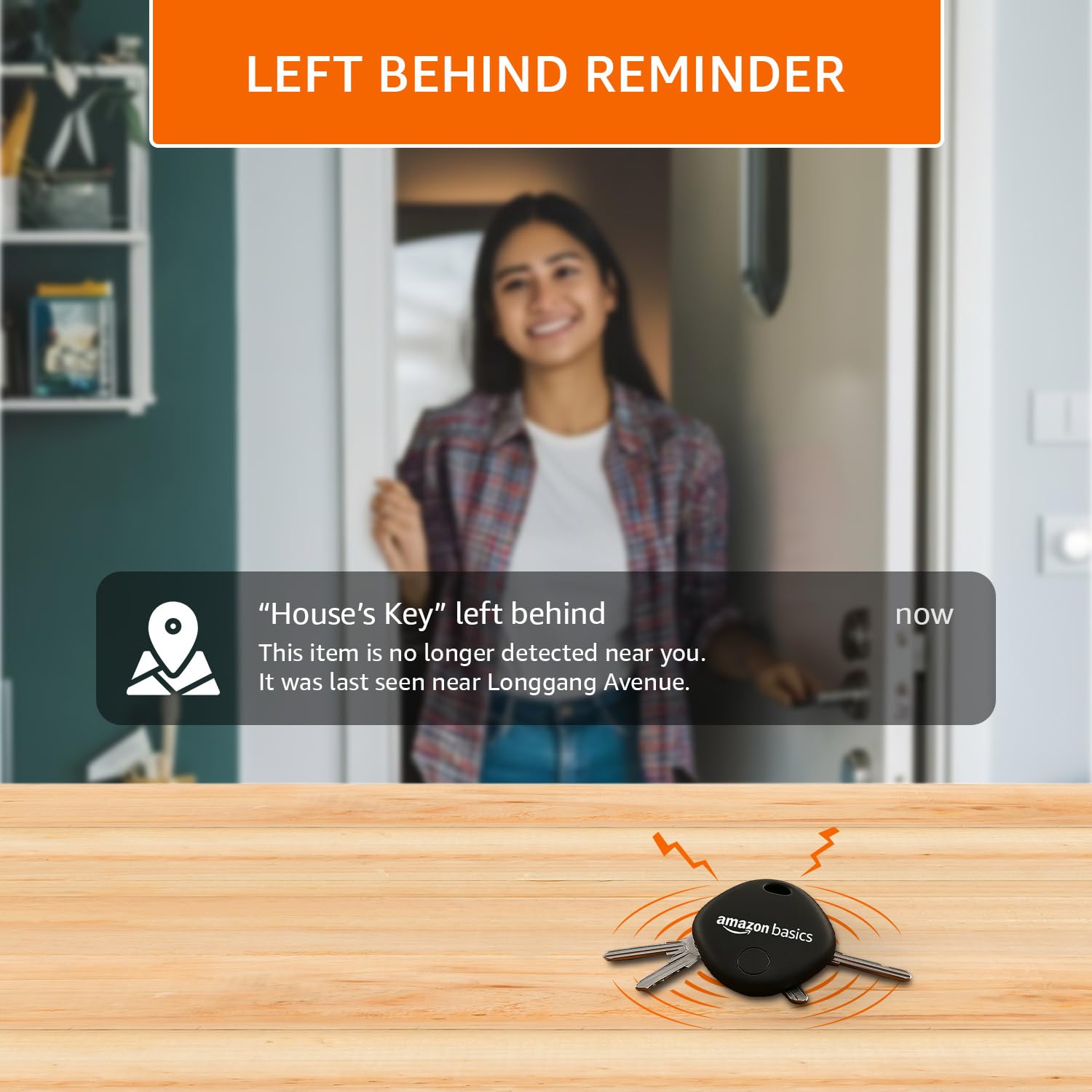
Image: Example of a "Left Behind Reminder" notification.

Image: Activating Anti-Lost Mode for your Aero Tag.
3.3 Privacy and Security
The Amazon Basics Aero Tag is designed with your privacy in mind. Your location data remains secure and is accessible only to you through the Apple Find My network, which uses end-to-end encryption.
4. Maintenance
4.1 Battery Replacement
The Amazon Basics Aero Tag uses a replaceable coin cell battery designed to last for approximately one year. When the battery level is low, you will receive a notification on your iOS device. To replace the battery:
- Locate the battery compartment on the Aero Tag.
- Carefully open the compartment using a small tool or by twisting the cover (refer to the diagram if available on packaging).
- Remove the old battery.
- Insert a new CR2032 coin cell battery with the positive (+) side facing up.
- Close the battery compartment securely.

Image: The Aero Tag features a replaceable battery with a 1-year lifespan.
4.2 Cleaning
To clean your Aero Tag, wipe it with a soft, dry, or slightly damp cloth. Avoid using harsh chemicals or abrasive materials, as these can damage the device.
5. Troubleshooting
| Problem | Possible Cause | Solution |
|---|---|---|
| Aero Tag not appearing in Find My app. | Bluetooth is off, tag is out of range, or battery is dead. | Ensure Bluetooth is enabled on your iOS device. Bring the tag closer to your device. Check and replace the battery if necessary. Repeat the setup process. |
| Cannot hear the 80dB alert. | Tag is too far away, obstructed, or battery is low. | Move closer to the tag. Ensure there are no heavy obstructions. Replace the battery. |
| Location updates are inaccurate or delayed. | Limited Apple device coverage in the area, or temporary network issue. | The Find My network relies on nearby Apple devices. Accuracy may vary in areas with fewer devices. Ensure your iOS device has a stable internet connection. |
| "Left Behind" notifications not working. | Notifications are disabled, or the feature is not configured correctly. | Check notification settings for the Find My app on your iOS device. Ensure "Notify When Left Behind" is enabled for your Aero Tag in the Find My app. |
6. Specifications
| Feature | Detail |
|---|---|
| Brand | Amazon Basics |
| Model | Aero Tag |
| Connectivity Technology | Bluetooth 5.3 |
| Supported Application | Apple Find My (iOS only) |
| Special Features | Alert Notification, Anti-Lost Mode, 80dB Loud Alert |
| Battery Life | Up to 1 year (replaceable CR2032 coin cell) |
| Material | High-quality plastic |
| Item Weight | 30 g |
| Package Dimensions | 9.9 x 5.8 x 2.2 cm |

Image: Physical dimensions and key features of the Aero Tag.
7. Warranty and Support
7.1 Warranty Information
The Amazon Basics Aero Tag comes with a standard manufacturer's warranty. For specific details regarding the warranty period and coverage, please refer to the warranty card included with your product or visit the official Amazon Basics support page.
7.2 Customer Support
If you encounter any issues or have questions about your Amazon Basics Aero Tag that are not covered in this manual, please contact Amazon Basics customer support. You can typically find contact information on the Amazon website under the "Help" or "Customer Service" sections, or through your order details.
For online support, visit: Amazon Customer Service