
Introduction
This manual provides detailed instructions for the setup, operation, and maintenance of your VISLONE Wireless Digital Pool Thermometer, Model 8007A. This device allows for remote monitoring of water temperature in various environments such as swimming pools, fish tanks, and bathtubs. Please read this manual thoroughly before use to ensure proper functionality and longevity of the product.
Product Overview
Components
The package includes the main display unit, a wireless water temperature sensor, a multi-language user manual, and a tether for the sensor.

Image: Contents of the product packaging, showing the main display unit, the floating sensor, user manual, and a tether.
Main Unit and Sensor Diagram

Image: Detailed diagram labeling key parts of the main display unit and the water temperature sensor. Labels include Water Temperature, Indoor Temperature, Time, Water Temperature Level, Set Button, Sensor Channel, Low Battery Indicator, LCD Display, Wireless Antenna, Tether Hole, Lock Indication, and Underwater Sensors.
Key Features
- Wireless Monitoring: Remote water temperature readings without wired connections.
- Multi-Sensor Support: The system supports up to 3 wireless sensors (one sensor is included).
- Flexible Time Format: Easily switch between 12-hour and 24-hour time displays.
- Switchable Temperature Units: Display temperatures in Celsius (°C) or Fahrenheit (°F).
- Wide Temperature Detection Range:
- Indoor Host Temperature: 0°C to 50°C (32°F to 122°F)
- Outdoor Water Temperature: -40°C to 70°C (-40°F to 158°F)
- High-Frequency Data Updates: Temperature data is updated every 30 seconds for near real-time monitoring.
- MAX/MIN Record: Records the highest and lowest outdoor temperatures.
- Broad Application: Suitable for swimming pools, hot tubs, bathtubs, fish tanks, and hot springs.

Image: Visual representation of the thermometer's features, including 12/24 hour time, indoor/outdoor temperature, wireless transmission, comfort level indication, and battery operation.
Setup
Battery Installation
- Main Display Unit: Open the battery compartment on the back of the main unit. Insert two (2) AAA 1.5V alkaline batteries, ensuring correct polarity (+/-). Close the compartment securely.
- Wireless Water Temperature Sensor: Unscrew the top part of the sensor to access the battery compartment. Insert two (2) AA 1.5V alkaline batteries, observing correct polarity. Securely close and tighten the top part to ensure water resistance.
Note: Batteries are not included with the product. Use only new alkaline batteries for optimal performance.
Initial Pairing and Placement
- Place the main display unit in your desired indoor location, ensuring it is within 50 meters (164 feet) of the water sensor.
- Once batteries are installed in both units, they should automatically attempt to pair. The main unit will display the water temperature once a connection is established. This may take a few minutes.
- For the water sensor, attach the provided tether to the tether hole (J in the diagram) if you wish to secure it to the edge of your pool or tank.
- Gently place the water sensor into the water. Ensure it floats freely and the underwater sensor (L in the diagram) is submerged.

Image: Cutaway view of the water sensor, highlighting the internal antennas for stronger signals and the high-precision electronic sensor at the bottom.
Operating Instructions
Setting Time and Temperature Units
- Time Format (12/24 Hour): Use the "SET" button (E in the diagram) on the main display unit to cycle through settings. When the time display is flashing, press the "SET" button again to toggle between 12-hour (AM/PM) and 24-hour formats.
- Temperature Units (°C/°F): On the main display unit, locate the C/F button (often combined with another setting button or a dedicated switch). Press it to switch between Celsius and Fahrenheit display for both indoor and water temperatures.
Monitoring Temperatures
- The main display unit will show the current water temperature (A) and the indoor temperature (B).
- The water temperature level indicator (D) provides a visual representation of the water temperature.
- The display also shows the current time (C).
- The MAX/MIN record feature automatically tracks the highest and lowest outdoor temperatures detected. Consult the manual for specific button presses to view these records.
Multi-Channel Monitoring (if additional sensors are purchased)
If you have purchased additional wireless sensors, the main unit can display readings from up to three different channels. Refer to the detailed manual for instructions on how to assign and switch between channels.
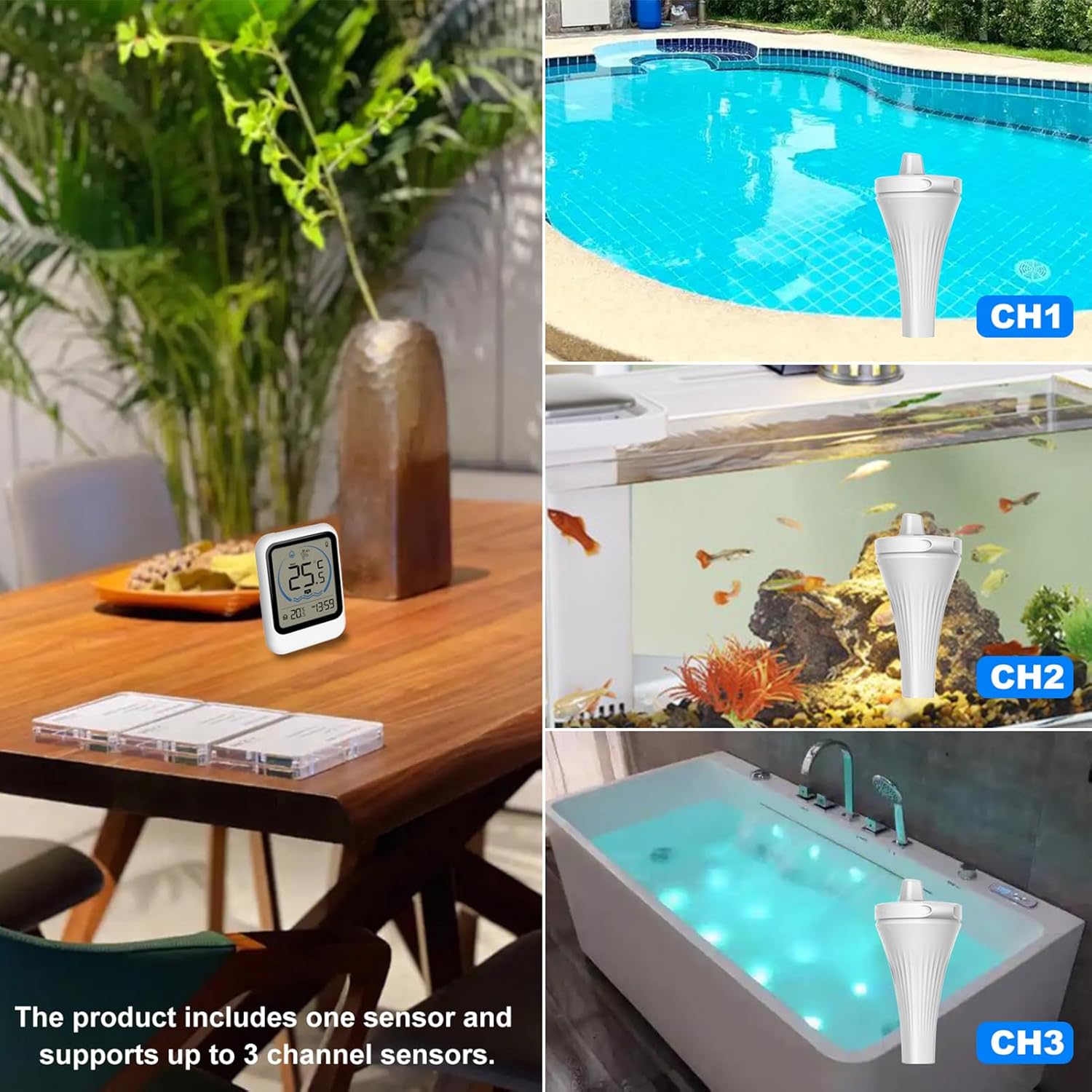
Image: Illustration demonstrating the use of multiple sensors (CH1, CH2, CH3) in different water bodies like a swimming pool, fish tank, and bathtub, all monitored by a single main display unit.
Maintenance
- Cleaning: Wipe both the main unit and the sensor with a soft, damp cloth. Do not use abrasive cleaners or solvents.
- Battery Replacement: Replace batteries in both units when the low battery indicator (G or F in the diagram) appears on the display. Ensure the sensor's battery compartment is sealed tightly after replacement to maintain water resistance.
- Storage: If not in use for an extended period, remove batteries from both units and store them in a cool, dry place away from direct sunlight.
- Water Resistance: The water sensor is designed to be water-resistant. However, ensure the battery compartment is always securely closed to prevent water ingress. The main display unit is for indoor use only and is not water-resistant.
Troubleshooting
| Problem | Possible Cause | Solution |
|---|---|---|
| No temperature reading on main unit. |
|
|
| Inaccurate temperature readings. |
|
|
| Display is dim or blank. |
|
|
| Cannot switch between °C and °F. |
|
|
Specifications
| Feature | Detail |
|---|---|
| Product | Wireless Digital Pool Thermometer |
| Brand | VISLONE |
| Model Number | 8007A / NUC3910791309579TR |
| Material | ABS |
| Main Unit Indoor Temperature Range | 0°C to 50°C (32°F to 122°F) |
| Outdoor Water Temperature Range | -40°C to 70°C (-40°F to 158°F) |
| Temperature Update Frequency | Every 30 seconds |
| Sensor Support | Supports up to 3 sensors (1 included) |
| Power Supply (Main Unit) | 2 x AAA 1.5V Alkaline Batteries (not included) |
| Power Supply (Sensor) | 2 x AA 1.5V Alkaline Batteries (not included) |
| Transmitter Frequency | 433.92 MHz |
| Transmission Distance | Up to 50 meters (164 feet) in open air |
| Main Unit Dimensions | 10 x 7.2 x 2.9 cm (3.94 x 2.83 x 1.14 inches) |
| Sensor Dimensions | 18.7 x 9.4 x 8.7 cm (7.36 x 3.7 x 3.43 inches) |
| Package Weight | 376 grams |
Safety Information
- Do not expose the main display unit to water or excessive humidity. It is designed for indoor use only.
- Ensure the water sensor's battery compartment is always tightly sealed to prevent water damage.
- Keep batteries out of reach of children. If swallowed, seek immediate medical attention.
- Dispose of used batteries according to local regulations.
- Do not attempt to disassemble or repair the device yourself. Contact customer support if issues arise.