
ECONTROLLY RC833 Voice Remote Control Instruction Manual
Compatible with TCL C645, C745, C845, C655 Series Smart OLED TVs
1. Product Overview
The ECONTROLLY RC833 is a replacement voice remote control designed for various TCL Smart OLED TV models. This remote provides convenient control over your television, including voice assistant functionality.
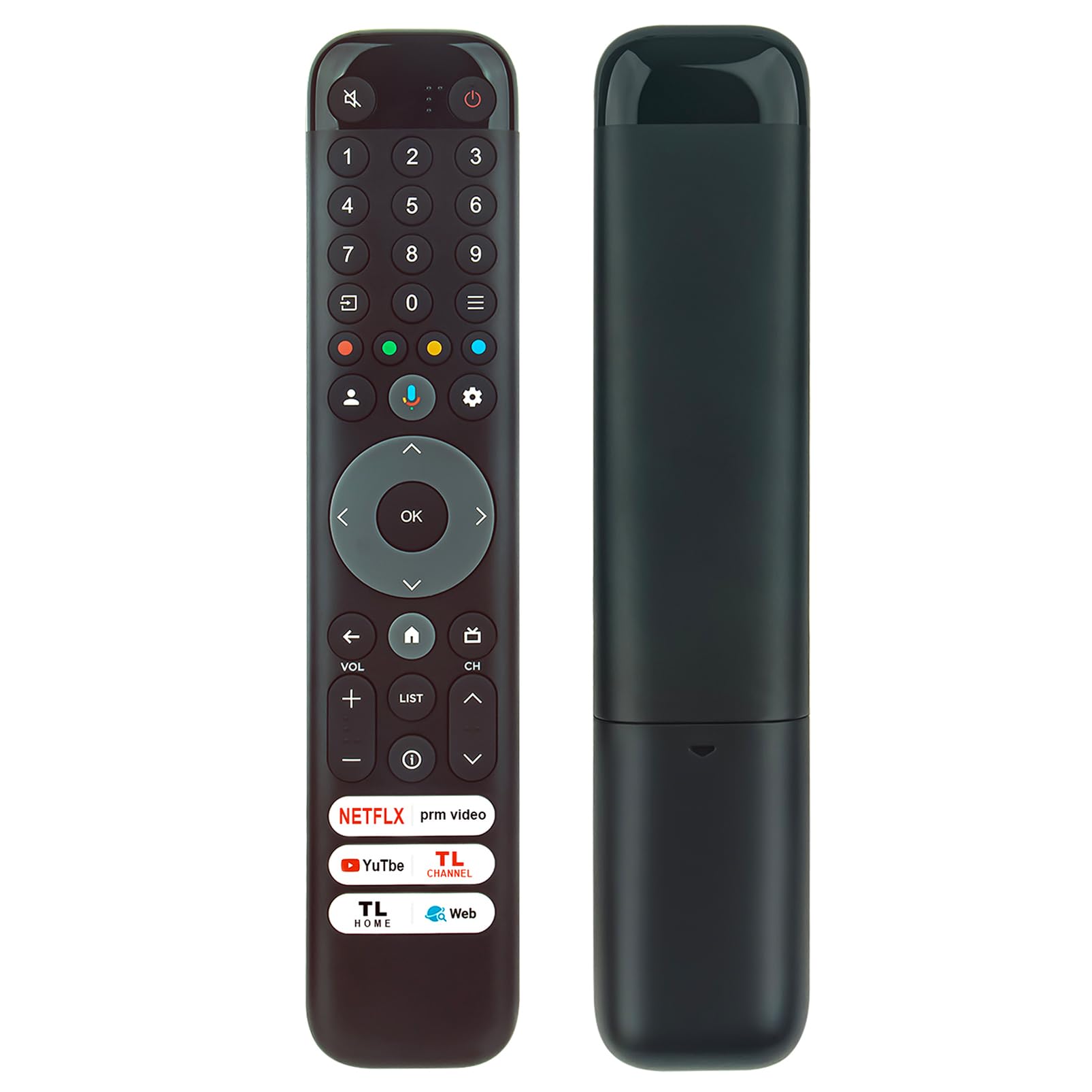
Image 1.1: Front view of the RC833 Voice Remote Control. This image displays the full layout of the remote, highlighting the numerical keypad, navigation buttons, volume controls, and dedicated app buttons for services like Netflix and YouTube, along with the central voice assistant button.
Compatible TV Models:
- TCL C645 Series: 55C645, 85C645, 43C645, 65C645, 43LC645
- TCL C655 Series: 98C655, 85C655, 75C655, 65C655, 55C655, 50C655, 43C655
- TCL C745 Series: 55C745, 75C745
- TCL C845 Series: 65C845, 85C845, 50C845, 55C845, 75C845, 65C845K, 75C845K
- TCL P755 Series: 98P755, 75P755, 65P755, 55P755, 50P755, 43P755
- TCL P655 Series: 85P655, 75P655, 65P655, 58P655, 55P655, 50P655, 43P655
- Other compatible models: 98X955, 98P745, 98C809, 75C809, 65C809, 98C805, 85C805, 75C805, 65C805, 55C805, 50C805, 55C649
2. Setup
2.1 Battery Installation
Before using the remote control, you must install two new 1.5V AAA alkaline batteries.
- Locate the battery compartment cover on the back of the remote control.
- Slide the cover downwards to open the compartment.
- Insert two AAA batteries, ensuring the positive (+) and negative (-) terminals match the diagrams inside the compartment.
- Slide the battery compartment cover back into place until it clicks securely.
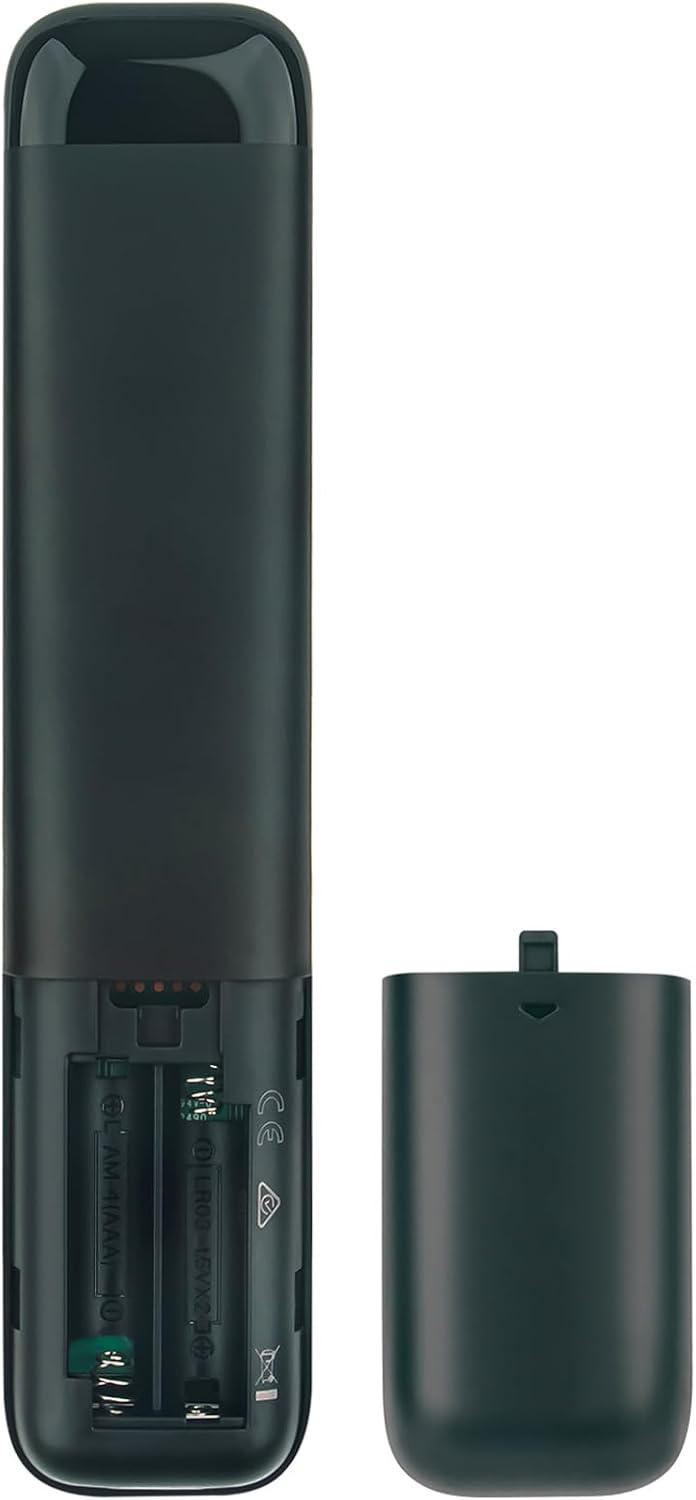
Image 2.1: Battery compartment of the RC833 remote control. This image illustrates the open battery compartment on the back of the remote, indicating where to insert the two AAA batteries according to polarity markings.
2.2 Pairing the Remote Control
The RC833 remote control utilizes voice functionality, which requires pairing with your TCL Smart OLED TV. Follow these steps to pair the remote:
- Ensure your TV is powered on.
- Install fresh batteries into the remote control as described in Section 2.1.
- Point the remote control towards your TV.
- Press the Voice Assistant button (often depicted as a microphone icon) on the remote control for the first time.
- Follow any on-screen instructions that appear on your TV to complete the pairing process. The TV will guide you through the final steps to establish the connection.
- Once paired, the remote control will function fully with your TV, including voice commands.
3. Operating Instructions
This section outlines the basic operation of your ECONTROLLY RC833 Voice Remote Control.
3.1 Basic Navigation
- Power Button: Located at the top right, press to turn the TV on or off.
- Numerical Keypad (0-9): Use to directly input channel numbers or other numerical data.
- Directional Pad (Up, Down, Left, Right) and OK Button: Navigate menus, select items, and confirm choices.
- Volume Up/Down (+/-): Adjust the TV's volume level.
- Channel Up/Down (CH ^/v): Change TV channels.
- Back Button: Return to the previous screen or menu.
- Home Button: Access the TV's main home screen or smart TV interface.
- Mute Button: Mute or unmute the TV's audio.
3.2 Voice Control Functionality
After successful pairing, you can use the voice assistant feature:
- Press and hold the Voice Assistant button (microphone icon).
- Speak your command clearly into the remote control. Examples include:
- "Open Netflix"
- "Search for action movies"
- "Switch to HDMI 1"
- "What's the weather like?"
- Release the button once you have finished speaking. The TV will process your command.
3.3 Dedicated App Buttons
The remote includes dedicated buttons for quick access to popular streaming services and TV functions:
- Netflix: Directly launch the Netflix application.
- YouTube: Directly launch the YouTube application.
- Prime Video: Directly launch the Prime Video application.
- TL Channel / TL Home / Web: These buttons provide quick access to specific TCL features or a web browser, depending on your TV model and software version.

Image 3.1: RC833 remote control in use with a TCL TV. This image shows the remote control in a typical usage scenario, highlighting its compatibility and ergonomic design for controlling a TCL Smart OLED TV.
4. Maintenance
4.1 Cleaning the Remote Control
To maintain the remote control's appearance and functionality:
- Wipe the surface with a soft, dry cloth.
- Do not use abrasive cleaners, waxes, or solvents.
- Avoid spraying cleaning liquids directly onto the remote.
4.2 Battery Care
- Replace batteries when the remote's performance degrades or if the voice function becomes unreliable.
- Always replace both batteries at the same time with new ones of the same type (AAA 1.5V alkaline).
- Do not mix old and new batteries, or different types of batteries.
- Remove batteries if the remote control will not be used for an extended period to prevent leakage.
- Dispose of used batteries according to local regulations.
5. Troubleshooting
5.1 Remote Not Responding
- Check Batteries: Ensure batteries are correctly installed with the correct polarity and are not depleted. Replace with new AAA alkaline batteries if necessary.
- Line of Sight: Ensure there are no obstructions between the remote control and the TV's infrared receiver.
- Re-pair Remote: If the remote was previously working but stopped, try re-pairing it with the TV following the steps in Section 2.2.
- TV Power Cycle: Turn off your TV, unplug it from the power outlet for a few minutes, then plug it back in and turn it on. Try using the remote again.
5.2 Voice Control Not Working
- Pairing Status: Confirm the remote is successfully paired with your TV. Voice functionality requires a Bluetooth connection established during pairing.
- Microphone Obstruction: Ensure the microphone on the remote is not covered.
- Speak Clearly: Speak directly into the remote's microphone in a clear, normal tone.
- TV Internet Connection: Voice commands often require an active internet connection on your TV for processing. Check your TV's network settings.
6. Specifications
| Feature | Detail |
|---|---|
| Model Number | RC833-GUB1-NPYTTW-SENUO |
| Product Dimensions | 5.91 x 1.57 x 0.59 inches (15 x 4 x 1.5 cm) |
| Item Weight | 3.2 ounces (90.7 grams) |
| Power Source | 2 x AAA 1.5V Alkaline Batteries (not included) |
| Compatible Devices | TCL Smart OLED Televisions |
| Special Feature | Voice Control, Ergonomic Design |

Image 6.1: Dimensions of the RC833 remote control. This image provides a visual representation of the remote's physical size, with measurements for length and width.
7. Warranty and Support
Warranty information for the ECONTROLLY RC833 Voice Remote Control is not provided within the product data. Please refer to the retailer or manufacturer's website for specific warranty terms and conditions.
For technical support or further assistance, please contact the seller or refer to the support resources provided by your television manufacturer for remote control pairing and functionality.