Introduction
This manual provides comprehensive instructions for the safe installation, operation, and maintenance of your DWVO 52-inch Tropical Ceiling Fan with Light and Remote. Please read this manual thoroughly before installation and use, and retain it for future reference.

Image: The DWVO 52-inch Tropical Ceiling Fan with Light and Remote, showcasing its design in a bedroom setting.
Important Safety Information
Always follow basic safety precautions when installing and operating electrical appliances. This includes, but is not limited to:
- Ensure power is disconnected at the circuit breaker before installation or servicing.
- All wiring must be in accordance with national and local electrical codes.
- Consult a qualified electrician if you are unsure about wiring procedures.
- Mount the fan to a ceiling joist or a suitable support structure capable of supporting the fan's weight.
- Do not bend the blade holders during installation or cleaning.
- Keep children away from the fan during operation.
Setup and Installation
Follow these steps to assemble and install your ceiling fan. Professional installation is recommended.
1. Blade Assembly
Attach the five leaf-shaped blades to the blade holders using the provided screws. Ensure all screws are tightened securely.
Video: Detailed guide on assembling the fan blades and attaching them to the motor housing.

Image: Close-up view of the fan blades, highlighting their unique leaf design.
2. Downrod and Wiring
Select either the 6-inch or 12-inch downrod based on your ceiling height and desired fan position. Feed the electrical wires through the downrod. Secure the downrod to the motor housing and ensure all connections are firm. Connect the fan's wiring to the receiver unit and then to your household electrical supply, following the color-coded instructions carefully. Ensure the ground wire is properly connected.
Video: Detailed guide on attaching the downrod and making electrical connections for the fan.

Image: Illustration of the fan's dimensions and the two included downrod lengths (6" and 12"), demonstrating suitability for various ceiling types including standard and angled mounts.
3. Light Kit Installation
Attach the LED light kit to the bottom of the fan motor housing. Connect the light kit wires to the corresponding wires from the fan. Secure the white glass shade over the LED light kit.

Image: Close-up view of the integrated LED light kit, showing the array of LED bulbs.
Operating Instructions
Your DWVO ceiling fan is controlled by a multi-functional remote control, offering convenience and customizable comfort.
Remote Control Functions
- Power On/Off: Press the power button to turn the fan and light on or off.
- Fan Speed: Select from 6 adjustable fan speeds (1-6) to control airflow intensity.
- Timer Settings: Utilize the timer options (1/2/4/8 hours) to automatically turn off the fan.
- Reverse Function: Switch between downdraft (summer mode) and updraft (winter mode) for year-round comfort.
- Light Control: Turn the light on/off and adjust the color temperature.

Image: The multi-functional remote control, illustrating its various buttons for fan speed, timer, reverse function, and light adjustments.

Image: Detailed view of the remote control, highlighting its ergonomic design and button layout.
Adjustable Lighting
The integrated LED light offers three color temperatures: Warm (3000K), Natural (4000K), and Cool (6000K). The fan features a memory function that retains the last used color temperature setting.
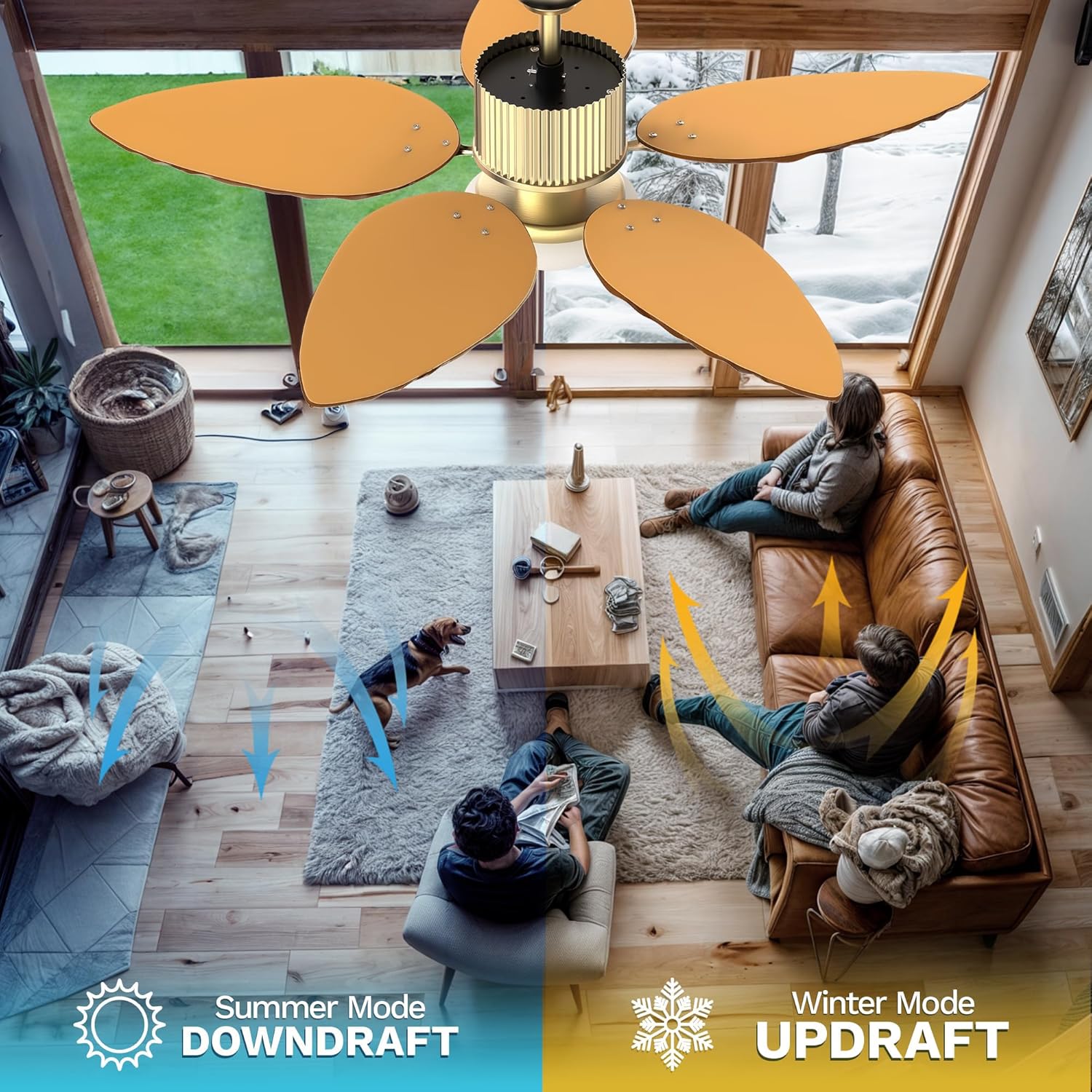
Image: Visual representation of the three adjustable color temperatures (3000K, 4000K, 6000K) provided by the fan's LED light.
Seasonal Operation
Use the reverse function on the remote to optimize airflow for different seasons:
- Summer Mode (Downdraft): Blades rotate counter-clockwise, pushing cool air downwards to create a refreshing breeze.
- Winter Mode (Updraft): Blades rotate clockwise, drawing cool air up towards the ceiling and circulating warm air downwards.
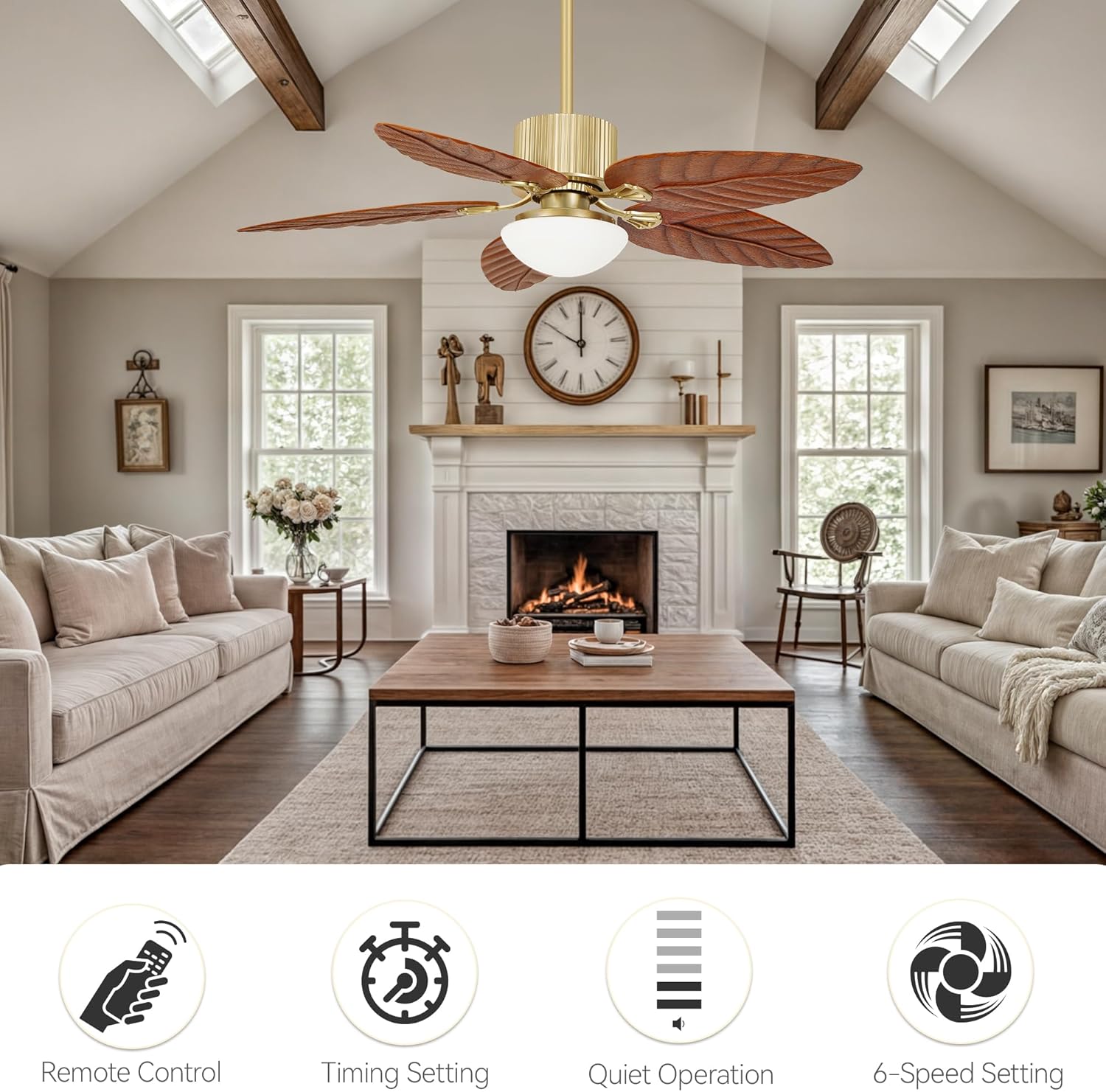
Image: Visual explanation of the fan's reversible function, showing downdraft for summer cooling and updraft for winter heat circulation.
Video: Demonstration of the tropical ceiling fan's light and remote control features, including speed and light adjustments.
Maintenance
Regular maintenance ensures optimal performance and longevity of your ceiling fan.
- Cleaning: Use a soft, damp cloth to clean the fan blades and motor housing. Do not use abrasive cleaners or solvents.
- Blade Inspection: Periodically check that all blade screws are tight. Loose blades can cause wobbling and noise.
- Light Shade: The glass shade can be removed for cleaning. Ensure it is securely reattached before operating the fan.
- Motor: The DC motor is designed for quiet and efficient operation and typically requires no lubrication.
Troubleshooting
| Problem | Possible Cause | Solution |
|---|---|---|
| Fan does not start | No power, loose wiring, remote control issue. | Check circuit breaker. Ensure all wire connections are secure. Verify remote control batteries. |
| Fan wobbles | Loose blades, uneven blade weight, improper mounting. | Tighten all blade screws. Use a balancing kit (not included) if necessary. Ensure mounting bracket is secure. |
| Light does not work | Loose wiring, LED driver issue. | Check light kit wiring connections. Contact customer support if LED driver is suspected. |
| Remote not responding | Low batteries, interference, remote not paired. | Replace remote batteries. Ensure no obstructions. Re-pair remote if necessary (refer to specific pairing instructions if provided separately). |
Specifications
| Feature | Detail |
|---|---|
| Brand | DWVO |
| Model Name | Ceiling Fan (MADWVPnSAJ) |
| Electric Fan Design | Ceiling Fan |
| Size | 52 inches |
| Product Dimensions | 52"D x 52"W x 24.2"H |
| Power Source | DC |
| Motor Type | DC Motor |
| Number of Power Levels | 6 Speeds |
| Wattage | 45 watts |
| Voltage | 120 Volts |
| Control Method | Remote Controlled |
| Included Components | Remote, 6" Downrod, 12" Downrod |
| Indoor/Outdoor Usage | Indoor |
| Light Type | LED (Tri-Color Temperature: 3000K, 4000K, 6000K) |
| Item Weight | 19.84 Pounds |
Warranty Information
This DWVO ceiling fan comes with a Limited Lifetime Warranty. For specific terms and conditions, please refer to the warranty card included with your product or contact DWVO customer support.
Customer Support
If you encounter any issues or have questions regarding your DWVO 52-inch Tropical Ceiling Fan, please contact our customer support team. For the most up-to-date contact information, please visit the official DWVO website or refer to the contact details provided in your product packaging.
Online Resources: Visit the DWVO Store on Amazon