
1. Introduction
Thank you for choosing the X-Sense Smart Water Leak Detector System. This system is designed to provide real-time alerts for water leaks, helping to prevent potential water damage in your home or property. The bundle includes an SBS50 Base Station and SWS51 Smart Water Leak Detectors, working together to offer comprehensive monitoring and notifications via a dedicated mobile application.
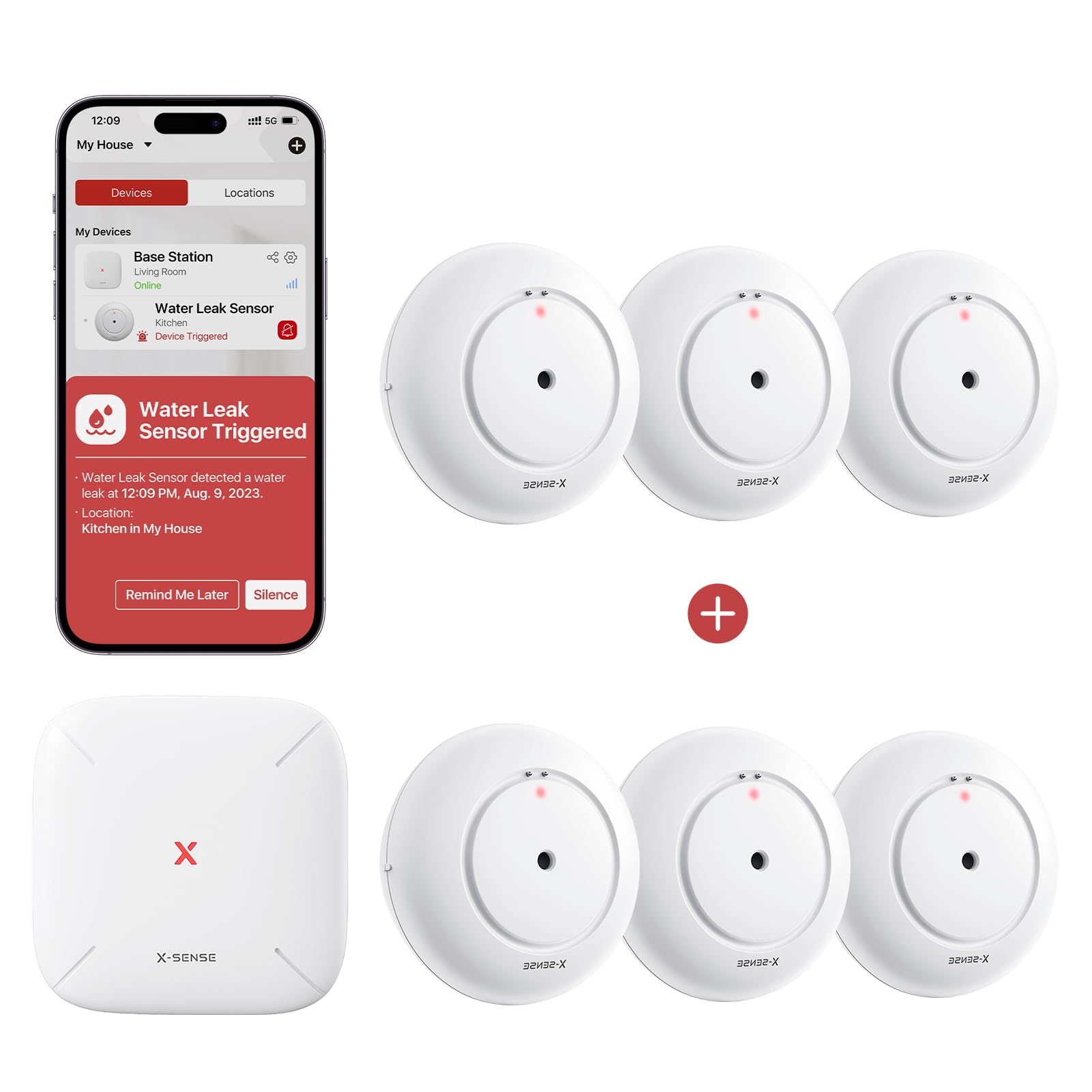
Figure 1: X-Sense Smart Water Leak Detector System components, including the SBS50 Base Station and SWS51 detectors.
2. Package Contents
Please check the package contents to ensure all items are present:
- 1 x SBS50 Base Station
- 6 x SWS51 Smart Water Leak Detectors
- User Manual (this document)
3. Product Overview
3.1 SBS50 Base Station
The SBS50 Base Station acts as the central hub for your water leak detection system. It connects to your home Wi-Fi network and communicates with the SWS51 detectors. When a leak is detected, the base station triggers an audible alarm and sends notifications to your smartphone via the X-Sense Home Security app.
3.2 SWS51 Smart Water Leak Detector
The SWS51 is a compact and ultra-slim water leak detector designed to fit into tight and awkward spaces. It features multiple water probes for sensitive detection:
- Top Sensors: 2 ultra-sensitive water probes on the top for detecting drips from above.
- Bottom Sensors: 4 ultra-sensitive water probes on the bottom for detecting water as shallow as 0.4 mm.
These sensors ensure prompt alerts to any unexpected water presence.
4. Setup
4.1 Download the X-Sense Home Security App
Before setting up your devices, download the X-Sense Home Security app from the App Store (iOS) or Google Play Store (Android). Create an account or log in if you already have one.
4.2 Install the SBS50 Base Station
- Plug the SBS50 Base Station into a standard power outlet in a central location within your home.
- Open the X-Sense Home Security app and follow the on-screen instructions to add the base station to your account. This typically involves connecting the base station to your Wi-Fi network.
4.3 Install SWS51 Smart Water Leak Detectors
- Place the SWS51 detectors in areas prone to water leaks, such as under sinks, near water heaters, washing machines, dishwashers, or in basements.
- Ensure the detectors are placed on a flat surface where water would first accumulate. The ultra-slim design allows placement in tight spaces.
- In the X-Sense Home Security app, follow the instructions to pair each SWS51 detector with your SBS50 Base Station. This usually involves activating the detector and confirming its presence in the app.
5. Operating
5.1 Real-Time Notifications
When an SWS51 detector senses water, the SBS50 Base Station will sound an alarm, and a push notification will be sent to your smartphone via the X-Sense Home Security app. This ensures you are alerted quickly, even when away from home.
5.2 App Features
The X-Sense Home Security app provides extensive control and monitoring capabilities:
- Alarm Volume Adjustment: Adjust the base station's alarm volume directly from the app.
- Mute Alarm: Temporarily mute an active alarm.
- Alarm History: View a log of all past leak detection events.
- Remind Me Later: Tap this option to temporarily silence alerts for specific durations (10 minutes, 30 minutes, 2 hours, 6 hours, or 12 hours).
- Device Testing: Perform a test of the device functionality from the app.
- Low Battery Alerts: Receive notifications when a detector's battery is low.
- Device Sharing: Share access to the device status with family members, allowing them to monitor the system.
6. Maintenance
6.1 Battery Replacement
The SWS51 Smart Water Leak Detectors are battery-powered. When a low battery alert is received via the app, replace the batteries promptly to ensure continuous protection. Refer to the specific SWS51 product documentation for battery type and replacement instructions.
6.2 Cleaning
Periodically clean the exterior of the SBS50 Base Station and SWS51 detectors with a soft, dry cloth. Do not use liquid cleaners or sprays directly on the devices. Ensure the water probes on the SWS51 detectors are free from dust or debris to maintain optimal sensitivity.
7. Troubleshooting
- No Notifications:
- Ensure your SBS50 Base Station is connected to Wi-Fi and has power.
- Check your smartphone's notification settings for the X-Sense Home Security app.
- Verify that the SWS51 detectors are paired and have sufficient battery power.
- Detector Not Responding:
- Check the battery level of the SWS51 detector in the app. Replace batteries if low.
- Ensure the detector is within range of the SBS50 Base Station.
- Try re-pairing the detector with the base station via the app.
- False Alarms:
- Ensure the detector's probes are clean and free from moisture or condensation.
- Relocate the detector if it's in an area prone to splashes or high humidity that could trigger it.
8. Specifications
| Feature | Specification |
|---|---|
| Brand | X-Sense |
| Models Included | SBS50 Base Station, SWS51 Smart Water Leak Detector |
| Material | Plastic |
| Sensing Distance (Water Depth) | 0.4 Millimeters (minimum) |
| Mounting Type | Surface Mount |
| Specific Uses | Water Leak Detection |
9. Warranty and Support
X-Sense products come with a limited warranty. For detailed warranty information, technical support, or customer service, please refer to the official X-Sense website or contact their customer support directly. Keep your purchase receipt for warranty claims.


