
1. Introduction
This manual provides essential information for setting up, operating, and maintaining your FOXIONO H88 Unlocked Android Phone. Please read it carefully to ensure proper usage and to maximize your device's performance.

Image: The FOXIONO H88 Unlocked Android Phone, showcasing its design.
2. Setup
2.1 Package Contents
Before you begin, ensure all items are present:
- FOXIONO H88 Unlocked Android Phone
- USB Cable
- User Manual (this document)
2.2 SIM Card and Storage Card Installation
The FOXIONO H88 supports dual SIM cards or one SIM card and one TF (Micro SD) card for expanded storage up to 128GB. Please note that this phone only supports 3G (WCDMA) network frequency bands: 850MHZ/2100 MHZ. Verify your SIM card's compatibility with your carrier before installation.
- Locate the SIM card tray on the side of the phone.
- Use the provided SIM ejector tool (if included) to open the tray.
- Carefully place your Micro SIM card(s) and/or TF card into the designated slots.
- Gently push the tray back into the phone until it is flush.

Image: Illustration of the dual SIM and dedicated Micro SD card slots.
2.3 Initial Charging and Power On
Before first use, it is recommended to fully charge the phone. Connect the USB cable to the phone's USB Type-C port and the other end to a power adapter (not included) or a computer.
- Connect the USB cable to the phone and a power source.
- Allow the phone to charge until the battery indicator shows full.
- Press and hold the Power button (usually on the right side) until the screen lights up.
- Follow the on-screen prompts to complete the initial setup, including language, Wi-Fi, and Google account.

Image: The phone connected to a charger, indicating battery status.
3. Operating Your Phone
3.1 Basic Navigation
The FOXIONO H88 runs on Android 8.1. Navigate using touch gestures:
- Tap: Select an item or open an app.
- Swipe: Scroll through screens or lists.
- Pinch: Zoom in or out on photos and web pages.

Image: The phone's 6.52-inch screen displaying the Android home interface.
3.2 Making Calls and Sending Messages
Use the Phone app to make calls and the Messages app for SMS/MMS. Ensure your SIM card is properly installed and activated.
3.3 Camera Functions
The phone is equipped with a front camera (5 MP) and a rear camera (2 MP) with a flash. Open the Camera app to capture photos and videos.
- Photo Mode: Tap the shutter button to take a picture.
- Video Mode: Switch to video mode and tap to start/stop recording.
- Flash: Toggle the flash on/off for low-light conditions.
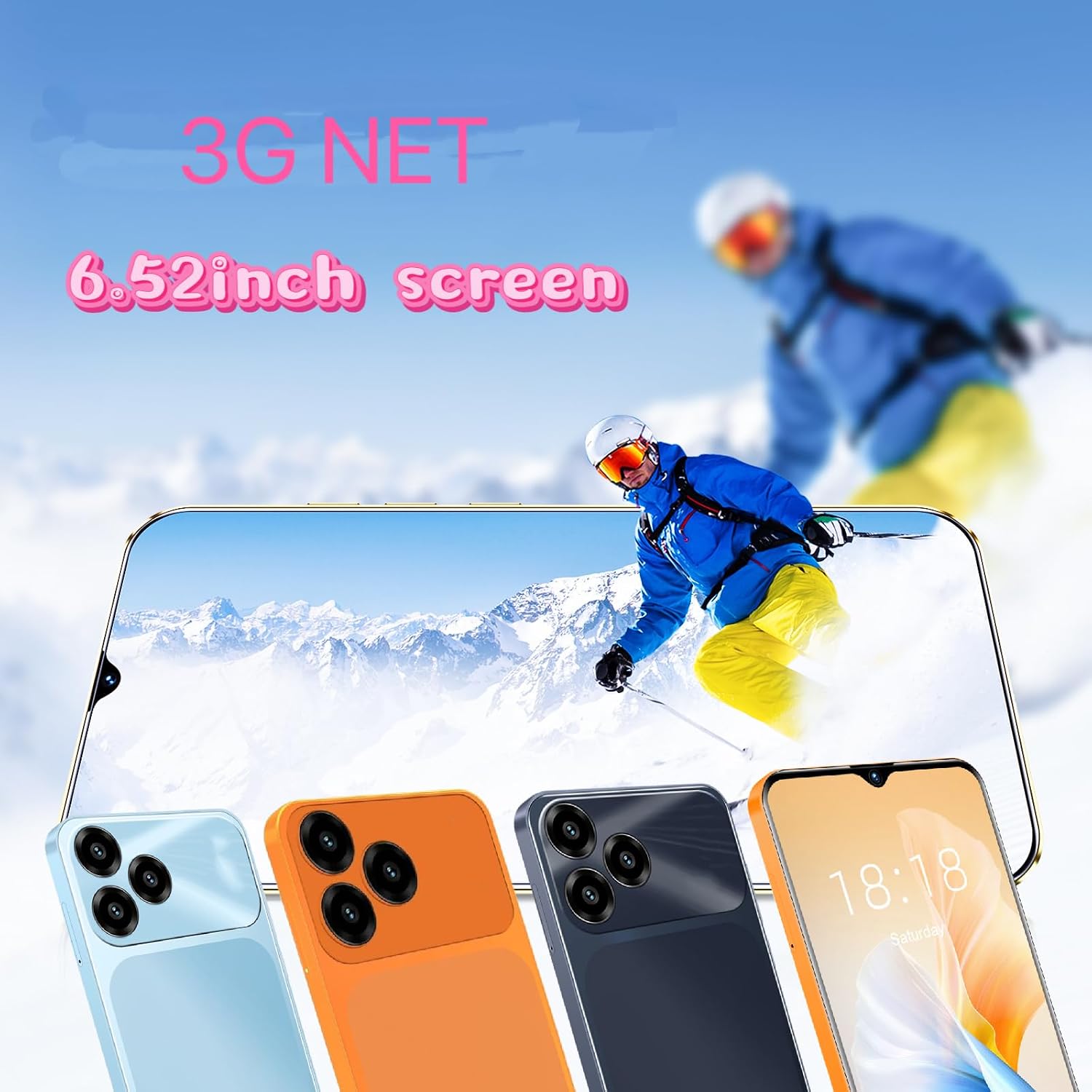
Image: The phone's camera interface, highlighting the front and rear camera capabilities.
3.4 Storage and Performance
The phone comes with 2GB RAM and 32GB internal storage. This configuration is suitable for basic smartphone functions, including music, films, and social media. It is not designed for demanding online games.

Image: Visual representation of the phone's memory capacity.
4. Maintenance
4.1 General Care
- Keep the phone dry. Moisture can damage the device.
- Avoid extreme temperatures.
- Clean the screen and body with a soft, dry cloth.
- Protect the screen with a screen protector and use a case for overall protection.
4.2 Battery Care
The FOXIONO H88 has a built-in 4000mAh battery.
- Avoid completely draining the battery frequently.
- Use the provided USB cable for charging.
- Do not expose the battery to high temperatures or direct sunlight.
5. Troubleshooting
5.1 Network Connectivity Issues
If you experience issues with network connectivity, please check the following:
- SIM Card Compatibility: Ensure your SIM card supports 3G (WCDMA) 850MHZ/2100 MHZ frequency bands. This is a critical requirement for network access.
- SIM Card Installation: Verify the SIM card is correctly inserted into its slot.
- Carrier Service: Contact your mobile carrier to confirm service availability and SIM card activation.

Image: The phone displaying 3G network connectivity.
5.2 Performance Limitations
This phone is designed for basic smartphone usage and is suitable for beginners. It is not optimized for high-performance tasks such as intensive online gaming. If you experience slow performance, try closing background applications or restarting the device.
6. Specifications
| Feature | Specification |
|---|---|
| Brand | FOXIONO |
| Model Name | H88 |
| Operating System | Android 8.1 |
| Screen Size | 6.52 inches |
| Display Resolution | 720 x 1280 pixels |
| RAM Memory | 2 GB |
| Internal Storage | 32 GB |
| Expandable Storage | TF (Micro SD) up to 128 GB |
| CPU Model | Cortex A7 |
| CPU Speed | 1.3 GHz |
| Rear Camera | 2 MP |
| Front Camera | 5 MP |
| Battery Capacity | 4000 mAh |
| SIM Card Slot Count | Dual SIM |
| Connectivity Technology | 3G (WCDMA: 850MHZ/2100 MHZ) |
| Connector Type | USB Type C |
| Color | Black (as per current model) |
| UPC | 797387981748 |
7. Warranty and Support
For warranty information and customer support, please refer to the documentation included with your purchase or contact the seller directly. Keep your proof of purchase for any warranty claims.