
1. Introduction
This manual provides comprehensive instructions for the operation, maintenance, and troubleshooting of your PAKRYS Military Smart Watch, Model KE7. Please read this manual thoroughly before using the device to ensure proper function and longevity.

Image: Front view of the PAKRYS Military Smart Watch, Model KE7, showcasing its rugged design and digital display with a flashlight beam emanating from the side.
2. Safety Information
Observe the following safety precautions to prevent damage to the device or personal injury:
- Do not attempt to disassemble or modify the watch.
- Avoid exposing the watch to extreme temperatures or direct sunlight for prolonged periods.
- Keep the charging contacts clean and dry to prevent corrosion.
- While the watch is 5ATM waterproof, avoid prolonged submersion in hot water or exposure to high-pressure water jets.
- This device is not a medical instrument. Health monitoring data is for reference only and should not be used for medical diagnosis.
3. What's in the Box
Verify that all items are present upon unboxing:
- 1 x PAKRYS Smart Watch
- 1 x Watch Band
- 1 x Charging Cable
- 1 x User Manual (this document)
- 1 x Gift Box

Image: The contents of the product packaging, including the smart watch, an extra watch band, charging cable, user manual, and gift box.
4. Setup Guide
4.1 Charging the Watch
Before first use, fully charge the watch. Connect the magnetic charging cable to the charging contacts on the back of the watch and plug the USB end into a compatible power source (e.g., computer USB port, USB wall adapter).
A full charge provides approximately 5-7 days of daily use and up to 15 days of standby time, thanks to its 400mAh battery.

Image: Illustration showing the smartwatch charging, highlighting its 400mAh large battery and long standby time.
4.2 App Installation and Pairing
To unlock the full functionality of your smart watch, download and install the companion application:
- Turn on Bluetooth: Ensure Bluetooth is enabled on your smartphone.
- Download DaFit App: Search for "DaFit" in the Apple App Store (for iOS 10.0 and above) or Google Play Store (for Android 6.0 and above) and install it.
- Add Device: Open the DaFit app, navigate to the "Add Device" section, and select "KE7" from the list of available devices.
- Pairing Request: A Bluetooth pairing request will appear on your phone. Confirm the pairing.
- Authorize Permissions: Allow the app to access notifications, calls, and other necessary permissions for full functionality.
- Enable Bluetooth on Watch: Ensure Bluetooth is turned on within the watch settings.

Image: A visual guide demonstrating the steps to connect the smartwatch to a smartphone via the DaFit app, including Bluetooth pairing and permission authorization.
5. Operating Instructions
5.1 Display and Navigation
The watch features a 1.8-inch HD barrel-shaped screen with a 320*358 resolution. Navigate through menus and functions using the touchscreen, side buttons, and the rotating dial.

Image: A detailed view of the smartwatch's 1.8-inch HD barrel screen, emphasizing its clarity and high resolution.
5.2 LED Flashlight Function
The watch is equipped with a powerful LED flashlight, offering a lighting range of 6-10 meters. It includes multiple modes for various situations:
- Strong Light Mode: Provides continuous bright illumination.
- Flash Mode: Emits a flashing light for signaling or increased visibility.
- SOS Mode: Transmits an SOS signal in Morse code for emergency situations.

Image: The smartwatch demonstrating its strong LED flashlight feature, showing the effective range and different lighting modes for night exercise.

Image: The smartwatch also features a UV light for detection and anti-counterfeiting purposes.
5.3 Bluetooth Calling and Notifications
Once paired with your smartphone, the watch enables hands-free calling and displays notifications:
- Voice Calls: Make and receive calls directly from the watch.
- Voice Assistant: Utilize the integrated voice assistant for commands like asking questions, playing music, checking weather, or setting alarms.
- Notifications: Receive alerts for incoming calls, text messages, and app notifications.

Image: The smartwatch screen showing an incoming call and various social media app icons, illustrating its Bluetooth calling and notification capabilities.

Image: An illustration of the smartwatch's Bluetooth calling feature, showing how it displays incoming calls and messages from various communication platforms.
5.4 Health and Fitness Tracking
The watch provides comprehensive health and fitness monitoring features:
- Heart Rate Monitoring: 24/7 real-time heart rate tracking.
- Sleep Tracking: Monitors sleep patterns and quality.
- Blood Oxygen Measurement: Real-time blood oxygen levels.
- Stress Monitoring: Continuously monitors stress levels.
- 100+ Sports Modes: Records workout data for various activities, including steps, distance, and calories burned.

Image: The smartwatch displaying health tracking features, including sleep monitor, heart rate, and stress levels, indicating 24/7 health monitoring.
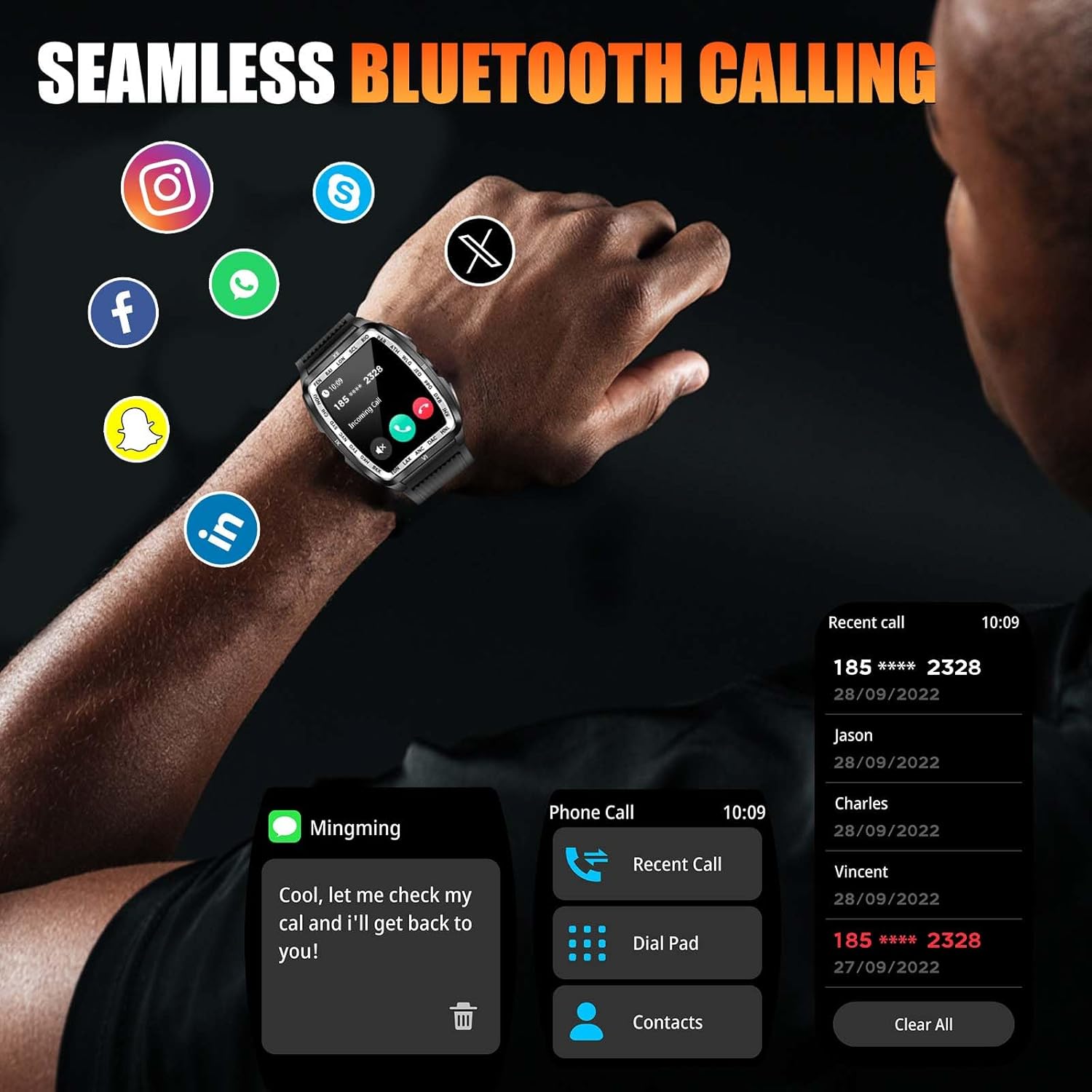
Image: The smartwatch showcasing its 100+ sports modes, with icons for activities like climbing, walking, cycling, swimming, basketball, soccer, badminton, long jump, rope skipping, running, ping pong, and rugby.

Image: A user wearing the smartwatch while exercising, with an overlay showing real-time heart rate tracking and a graph of heart rate data.

Image: A person sleeping, with an overlay showing the smartwatch's sleep monitoring data, including total sleep time, awake periods, light sleep, and deep sleep.
5.5 Music Control
Control music playback on your connected smartphone directly from the watch. This includes playing, pausing, skipping tracks, and adjusting volume.

Image: The smartwatch displaying music control interface and voice assistant interface, highlighting multiple functions available through the DaFit App.
5.6 Customizing Watch Faces
The watch supports multiple dials and customizable watch faces to match your preferences.

Image: A collection of various watch faces available for the smartwatch, demonstrating the range of styles and customization options.
6. Maintenance
6.1 Water Resistance
The PAKRYS Smart Watch is 5ATM waterproof, meaning it can withstand water pressure equivalent to a depth of 50 meters. This makes it suitable for swimming, diving, and showering. However, it is not recommended for high-speed water sports or deep-sea diving.

Image: A person swimming while wearing the smartwatch, with text highlighting its 5ATM waterproof rating and suitability for swimming, diving, and surfing.

Image: A swimmer wearing the smartwatch, emphasizing its 5ATM water resistance, equivalent to 50 meters of water pressure.
6.2 Cleaning and Care
Regularly clean your watch to maintain its appearance and functionality:
- Wipe the screen and body with a soft, damp cloth.
- For the silicone strap, wash with mild soap and water, then rinse thoroughly and dry.
- Avoid using harsh chemicals or abrasive materials.
7. Troubleshooting
If you encounter issues with your watch, refer to the following common solutions:
| Problem | Solution |
|---|---|
| Watch not turning on/charging | Ensure the charging cable is securely connected to both the watch and the power source. Check if the power source is active. Clean the charging contacts. |
| Cannot pair with phone | Ensure Bluetooth is enabled on both devices. Restart both the watch and the phone. Make sure the watch is within Bluetooth range. Forget the device in your phone's Bluetooth settings and try pairing again. |
| Notifications not appearing | Check app permissions in your phone's settings to ensure the DaFit app has access to notifications. Verify notification settings within the DaFit app. |
| Inaccurate health data | Ensure the watch is worn snugly on your wrist. Clean the sensor on the back of the watch. Remember, this is not a professional medical device. |
8. Specifications
| Feature | Detail |
|---|---|
| Model Number | KE7 |
| Screen Size | 1.8 inches HD Barrel Screen |
| Resolution | 320*358 IPS Display |
| Water Resistance | 5ATM (up to 50 meters) |
| Battery Capacity | 400mAh Lithium Polymer |
| Battery Life | 5-7 days (daily use), 15 days (standby) |
| Connectivity | Bluetooth |
| Compatibility | iOS 10.0+ / Android 6.0+ |
| Special Features | LED Flashlight (Strong, Flash, SOS), Bluetooth Calling, Voice Assistant, 100+ Sports Modes, Heart Rate Monitor, Sleep Tracker, Blood Oxygen, Stress Monitor, Music Control, Customizable Dials |
| Dimensions | Approx. 1.97" (50mm) x 1.69" (43mm) x 0.55" (14mm) |
| Weight | 3.77 ounces (107 grams) |

Image: Diagram showing the precise dimensions of the smartwatch, including watch face, thickness, and strap length.
9. Warranty and Support
PAKRYS provides a 1-year replacement service for this product. If you encounter any issues or have questions regarding your smart watch, please contact PAKRYS customer support with your order ID and a detailed description of your inquiry. We aim to provide a solution within 24 hours.
For support, please refer to the contact information provided with your purchase or visit the official PAKRYS store on Amazon: PAKRYS Amazon Store.
10. Product Video
Watch this official product video for a visual overview of the PAKRYS Military Smart Watch features and functionality:
Video: An official product video showcasing the features of the PAKRYS Military Smart Watch, including its rugged design, flashlight, waterproof capabilities, and various smart functions.