1. Introduction
Thank you for choosing the Flashfish BP030B Portable Power Station. This device is designed to provide reliable power for various applications, including camping, home backup, emergencies, and off-grid use. Featuring a durable 230.4Wh LiFePO4 battery and 300W AC output, it offers versatile charging solutions for your electronic devices.

Image 1.1: The Flashfish BP030B Portable Power Station, showcasing its compact design and various ports.
Key Features:
- 230.4Wh LiFePO4 Battery: Equipped with an A-grade LiFePO4 battery pack, offering over 3500 charge and discharge cycles for extended lifespan.
- 300W Powerful AC Outputs: Provides up to 300W (600W peak) for various devices like laptops, cameras, drones, mini-fridges, and CPAP machines.
- 7 Output Ports: Includes 1x AC (120V/60Hz/300W modified sine wave), 1x USB-C (5V/3A), 3x USB-A (5V/2.4A), and 2x DC12V/10A ports.
- Pass-through Charging: Allows simultaneous charging of the power station and connected devices. Features UPS function for uninterrupted power during outages.
- Fast Recharging: Can be fully recharged in approximately 3 hours using simultaneous 50W AC input and 40W DC input.
2. Safety Instructions
Please read and understand all safety instructions before operating the Flashfish BP030B Portable Power Station. Failure to follow these instructions may result in electric shock, fire, or serious injury.
- Do not disassemble, repair, or modify the unit.
- Do not expose the unit to fire or extreme temperatures (above 40°C/104°F).
- Do not use or store the unit in bathrooms or areas exposed to water or moisture.
- Keep the unit away from children and pets.
- Ensure proper ventilation during use and charging. Do not cover the unit.
- Use only approved accessories and charging cables.
- If the unit emits smoke, odor, or unusual noise, discontinue use immediately and contact customer support.
- Dispose of the unit according to local regulations. Do not dispose of it with household waste.
3. Package Contents
Verify that all items are included in your package. If any items are missing or damaged, please contact Flashfish customer service.
- 1x Flashfish BP030B Portable Power Station
- 1x AC Adapter (AC Charging Cable)
- 1x User Guide

Image 3.1: Contents of the Flashfish BP030B package, including the power station, AC charging cable, and user manual.
4. Product Diagram
Familiarize yourself with the ports and controls of your Flashfish BP030B Power Station.
Image 4.1: Front and side view of the Flashfish BP030B, highlighting the input and output ports.
Port Descriptions:
- AC Output: Standard 120V/60Hz AC outlets for household appliances.
- DC Output: 12V/10A DC ports for compatible devices.
- USB-A Outputs: Three 5V/2.4A USB-A ports for charging smartphones, tablets, and other USB-powered devices.
- USB-C Output: One 5V/3A USB-C port for faster charging of compatible devices.
- DC Input: For charging the power station via solar panel or car charger (accessories not included).
- AC Input: For charging the power station via the included AC adapter.
- LED Light: Integrated light for illumination in dark environments.
5. Setup and Initial Use
Before first use, it is recommended to fully charge your Flashfish BP030B Power Station.
Charging the Power Station:
- AC Charging: Connect the included AC charging cable to the AC Input port on the power station and then to a standard wall outlet. The display will indicate charging status.
- Solar Charging: Connect a compatible solar panel (e.g., Flashfish 100W solar panel, not included) to the DC Input port. Ensure the solar panel is placed in direct sunlight for optimal charging.
- Car Charging: Use a compatible car charger (not included) to connect the power station to your vehicle's 12V/24V cigarette lighter socket via the DC Input port.
- Dual Charging (AC + DC): For the fastest recharge (approx. 3 hours), connect both the AC adapter and a DC input source (like a solar panel) simultaneously.

Image 5.1: Illustration of the multiple charging methods supported by the Flashfish BP030B, including AC wall charging, car charging, and solar panel charging.
6. Operating Instructions
Powering On/Off:
- To turn on the unit, press and hold the main power button until the display illuminates.
- To turn off the unit, press and hold the main power button until the display turns off.
Using Output Ports:
Each output section (AC, DC, USB) has its own power button. Press the respective button to activate or deactivate the outputs.
- AC Output: Press the 'AC ON/OFF' button to enable AC power. Connect your devices to the AC outlets.
- DC Output: Press the 'DC/LIGHT ON/OFF' button to enable DC power. Connect your 12V devices to the DC ports.
- USB Outputs (USB-A, USB-C): These ports are typically active when the unit is on. Connect your USB devices for charging.
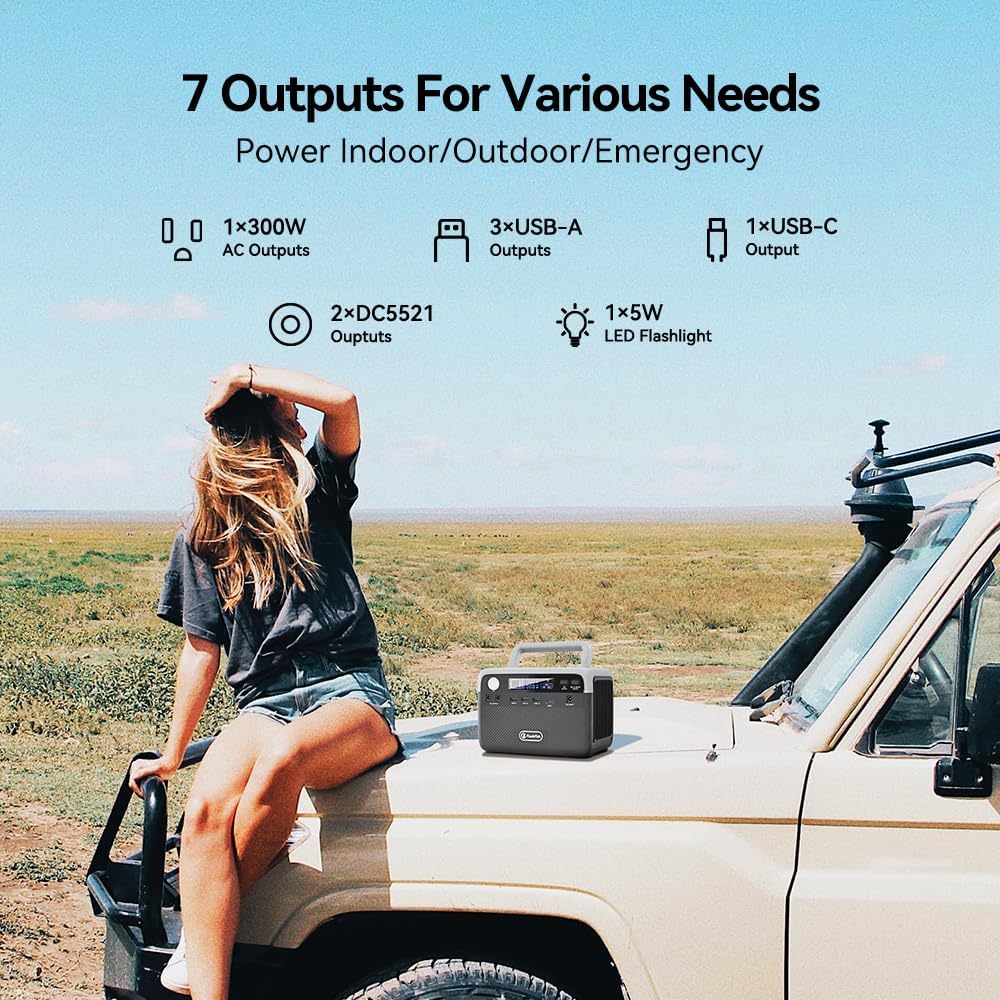
Image 6.1: The Flashfish BP030B demonstrating its seven output ports, suitable for various indoor, outdoor, and emergency power needs.
LED Light Function:
Press the 'DC/LIGHT ON/OFF' button once to turn on the LED light. Press again to cycle through different brightness modes or SOS mode (if available). Press and hold to turn off.

Image 6.2: The Flashfish BP030B with its integrated LED lamp illuminated, providing light in a dark outdoor setting.
Pass-Through Charging (UPS Function):
The BP030B supports pass-through charging, meaning you can charge the power station while simultaneously powering devices connected to its outputs. In the event of a power outage while connected to a wall outlet, the power supply will automatically switch to the BP030B battery, providing uninterrupted power to connected devices.
7. Maintenance
Proper maintenance ensures the longevity and optimal performance of your power station.
- Storage: Store the unit in a cool, dry place away from direct sunlight and extreme temperatures. For long-term storage, charge the unit to 50-80% every 3-6 months to maintain battery health.
- Cleaning: Use a soft, dry cloth to clean the exterior of the unit. Do not use abrasive cleaners or immerse the unit in water.
- Battery Care: The LiFePO4 battery is designed for many cycles. Avoid fully discharging the battery frequently to extend its lifespan.
8. Troubleshooting
If you encounter issues with your Flashfish BP030B, refer to the following common troubleshooting steps:
- Unit Not Turning On: Ensure the battery is charged. If completely depleted, connect to an AC outlet for a few minutes before attempting to power on.
- No Output from Ports: Verify that the specific output (AC, DC, USB) is enabled by pressing its respective power button. Check if the connected device is working correctly and within the power station's wattage limits.
- Slow Charging: Ensure all charging cables are securely connected. For solar charging, confirm the solar panel is in direct sunlight and free from obstructions. Consider dual charging (AC + DC) for faster rates.
- Overload Protection: If the unit shuts down unexpectedly, it may be due to an overload. Disconnect some devices and restart the power station. Ensure total wattage of connected devices does not exceed 300W (or 600W surge).
If problems persist, please contact Flashfish customer service for further assistance.
9. Specifications
| Model Name | BP030B |
| Battery Type | LiFePO4 |
| Battery Capacity | 230.4Wh |
| AC Output | 120V/60Hz, 300W (600W Peak), Modified Sine Wave |
| DC Output | 2x 12V/10A |
| USB-A Output | 3x 5V/2.4A |
| USB-C Output | 1x 5V/3A |
| AC Input | 50W Max |
| DC Input (Solar/Car) | 12-28V, 40W Max |
| Dimensions (L x W x H) | 8.5" x 5.16" x 5.79" (217mm x 131mm x 147mm) |
| Weight | 7.05 lbs (3.2 kg) |
| Operating Temperature | 0°C to 40°C (32°F to 104°F) |
10. Warranty and Support
The Flashfish BP030B Portable Power Station comes with a 24-month warranty from the date of purchase. This warranty covers manufacturing defects and ensures reliable operation under normal use.
For technical support, warranty claims, or any questions regarding your product, please contact Flashfish customer service. Our friendly customer service team is available to assist you.
You can find more information and contact details on the official Flashfish store: Visit the FF FLASHFISH Store