
Introduction
Welcome to the xiskt R36MAX Handheld Game Console. This device combines classic gaming with modern technology, offering a portable entertainment experience. This manual provides essential information for setting up, operating, and maintaining your console.
Product Overview
The R36MAX is a compact handheld gaming device running on an open-source Linux system. It features a 4.0-inch IPS screen and is powered by an RK3326 processor, designed for smooth gameplay across various retro platforms.
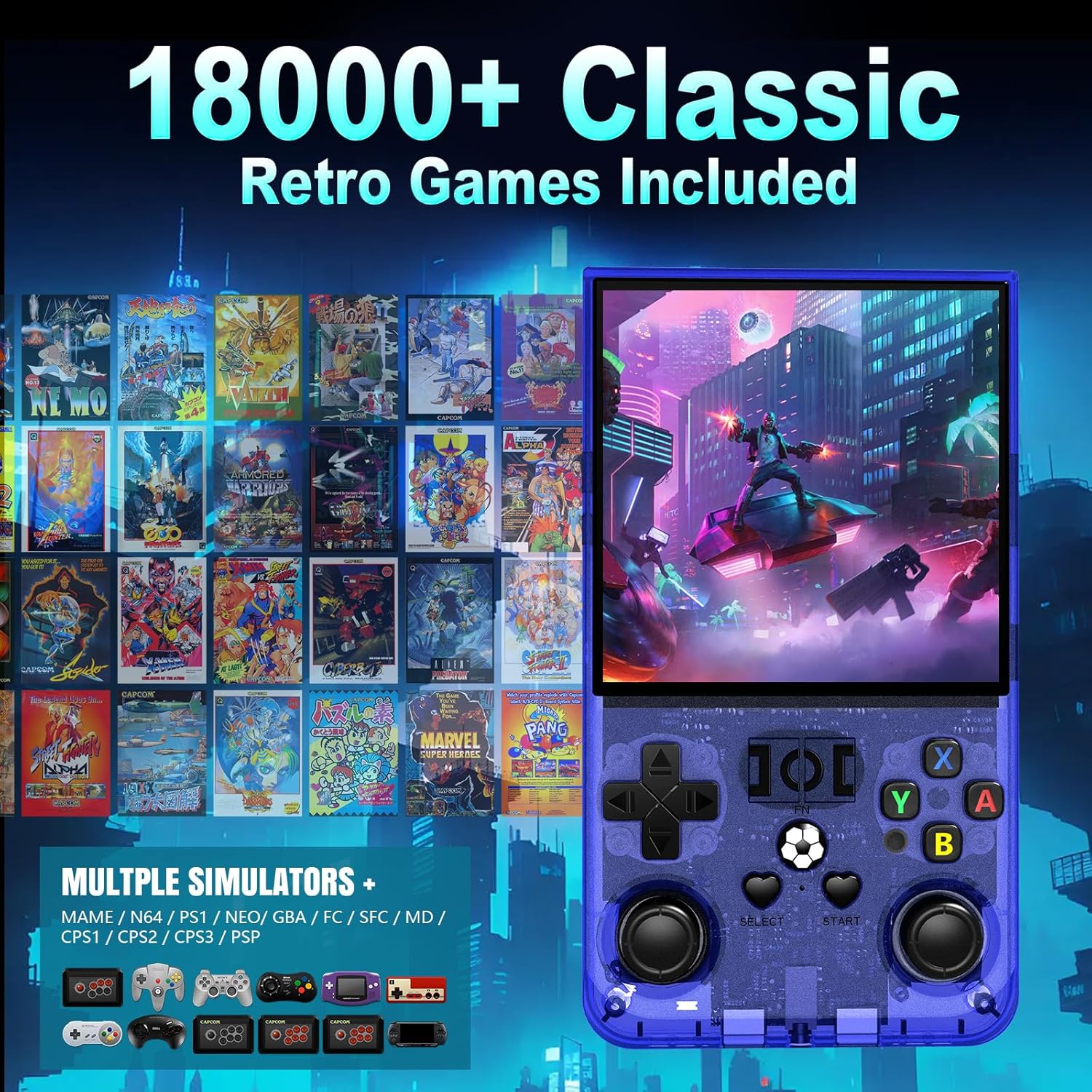
Image: The R36MAX console showcasing its extensive library of pre-installed classic retro games from multiple emulators.
Key Features:
- Display: 4.0-inch IPS HD Screen with 720x720 pixel resolution, offering full viewing angles and OCA full lamination.
- Processor: RK3326 ARM 64bit quad-core Cortex-A35 CPU, ensuring efficient performance for 2D and some 3D games.
- Memory: Equipped with 1GB RAM, 8GB internal storage, and includes a 64GB TF card for games.
- Battery: Integrated 4000mAh rechargeable battery for extended playtime.
- Operating System: Open Source Linux System.
- Emulators: Supports a wide range of emulators including MAME, N64, PS1, NEO, GBA, FC, SFC, MD, CPS1, CPS2, CPS3, and PSP.
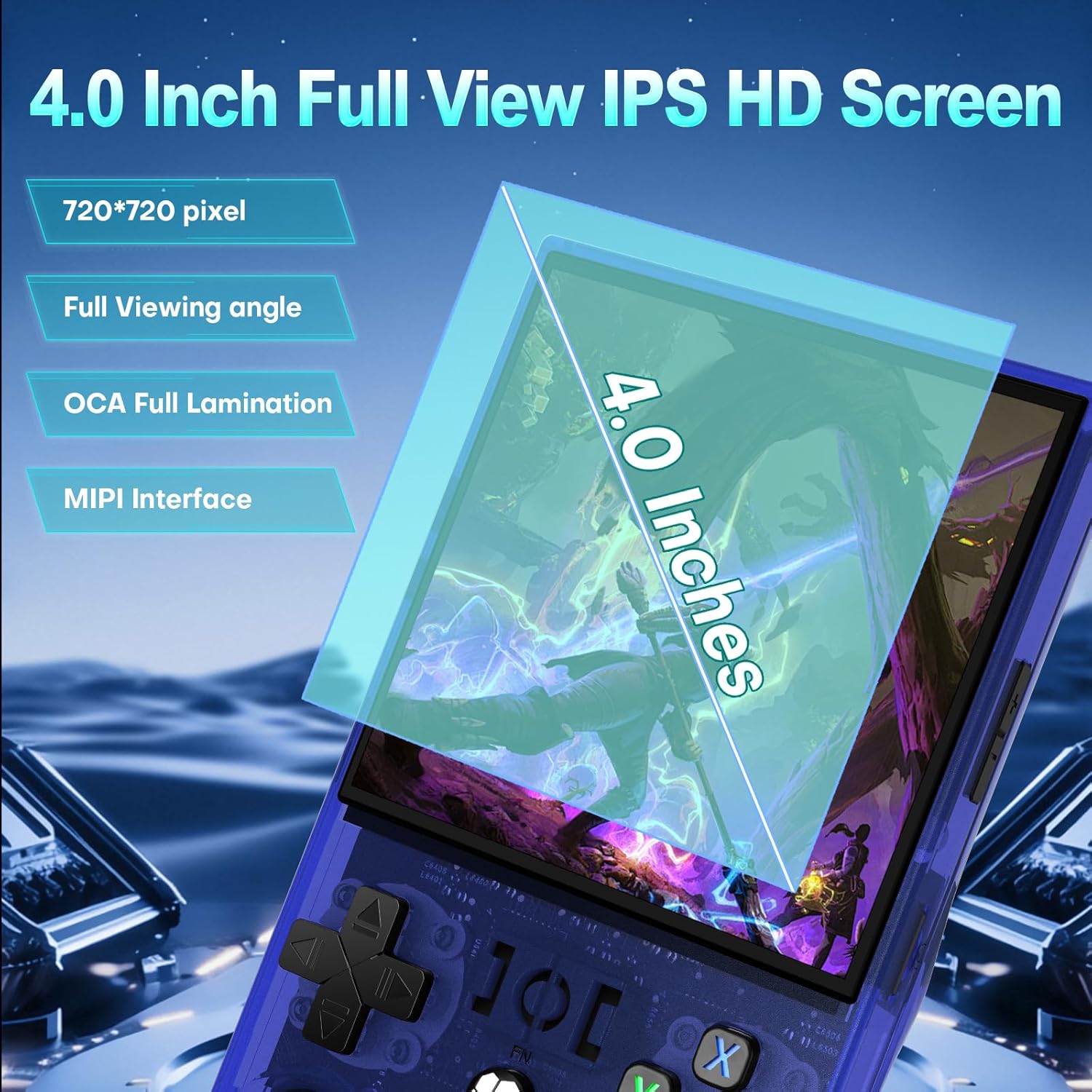
Image: Detailed view of the console's 4.0-inch IPS HD screen, emphasizing its technical specifications.
Console Components:

Image: An annotated diagram illustrating the various function keys and ports on the R36MAX console.
- Front Controls: D-pad, Dual 3D Hall Joysticks, A/B/X/Y buttons, SELECT, START, Function (FN) button.
- Top Ports/Buttons: Charging port (Type-C), Headset (3.5mm), OTC (On-The-Go) port, R1/R2/L1/L2 shoulder buttons.
- Side Controls: Power button, Reset button, TF-game card slot, TF1-OS card slot.

Image: The console's dual 3D Hall joysticks and the 4000mAh long-lasting battery are highlighted.
Setup
Initial Charging:
Before first use, fully charge the R36MAX console using the provided Type-C charging cable. Connect the cable to the console's charging port and a compatible USB power adapter (not included). The charging indicator light will show the charging status.
TF Card Installation:
The console uses two TF (microSD) card slots:
- TF1-OS: This slot is for the operating system card. Ensure the OS card is properly inserted before powering on.
- TF-game: This slot is for the game storage card. The console typically comes with a 64GB TF card pre-loaded with games.
Gently insert the TF cards into their respective slots until they click into place. To remove, push the card in slightly until it springs out.
Powering On/Off:
- Power On: Press and hold the Power button for a few seconds until the screen illuminates.
- Power Off: To safely power off, navigate to the system menu and select the shutdown option. Alternatively, press and hold the Power button until the device shuts down.
Operating Instructions
Navigating the Interface:
Use the D-pad or the left joystick to navigate through the main menu and game lists. The A button typically confirms selections, while the B button usually acts as a back or cancel function.
Launching Games:
- From the main menu, select the desired emulator or game category.
- Browse the list of games using the D-pad or joystick.
- Press the A button to launch the selected game.
In-Game Functions:
- Pause Game: Press SELECT + A simultaneously.
- Exit Game: Press SELECT + START simultaneously.
- Access RA Menu: Press SELECT + X to bring up the submenu, then press the B button to enter the Quick Menu.
- Volume Control: Use the Volume keys (+) and (-) located on the top of the console.
Screen Orientation Adjustment:
The R36MAX allows for screen orientation adjustments. Follow these steps:

Image: Visual instructions for changing the screen display rotation.
- In the game interface, press SELECT + X to bring up the submenu.
- Press the B button to enter the Quick Menu.
- Navigate to Core Options > Display Rotation.
- Choose your desired orientation: Manual, Landscape, or Portrait Display mode.
- Press the A button to confirm your selection. The screen orientation will be displayed according to the last saved setting upon re-entering the game.
Maintenance
Cleaning:
Wipe the console with a soft, dry cloth. Avoid using liquid cleaners or abrasive materials, as these can damage the screen or casing.
Battery Care:
To prolong battery life, avoid fully discharging the console frequently. Charge the device regularly, even if not in use for extended periods. Store the console in a cool, dry place.
Software Updates:
Periodically check for official software updates for the Linux system to ensure optimal performance and compatibility. Refer to the manufacturer's website or community forums for update instructions.
Troubleshooting
Console Does Not Power On:
- Ensure the console is fully charged. Connect it to a power source and allow it to charge for at least 30 minutes before attempting to power on again.
- Verify that the OS TF card is correctly inserted into the TF1-OS slot.
- If the blue power light is on but the screen remains black, try pressing the Reset button with a small pin.
Games Not Loading or Crashing:
- Check if the game TF card (TF-game) is properly inserted.
- Ensure the game file is compatible with the emulator.
- Some larger or more demanding games (especially certain 3D titles) may experience performance issues.
"Reboot Test Error" or System Instability:
If you encounter system errors or frequent reboots, try the following:
- Perform a factory data reset: Press L3 + Y3 (Left Joystick click + Y button click) simultaneously. Note: This will erase user data and settings.
- Re-flash the OS onto the TF1-OS card using official firmware, if available.
Buttons Not Responding:
Ensure no debris is lodged around the buttons. If buttons feel sticky or misaligned, contact customer support.
Specifications
Below are the detailed technical specifications for the xiskt R36MAX Handheld Game Console:

Image: The packing list and a comprehensive table of the console's technical specifications.
| Feature | Detail |
|---|---|
| Model Number | R36MAX |
| Screen Size | 4.0 Inches |
| Display Type | IPS |
| Resolution | 720x720 pixels |
| Platform | Linux (Open Source) |
| CPU | RK3326 ARM 64bit Quad-core Cortex-A35 |
| RAM | 1GB |
| Internal Storage | 8GB (eMMC) |
| Memory Card Included | 64GB TF Card |
| Battery Capacity | 4000mAh |
| Battery Type | NiMH |
| Power Source | Battery Powered (Type-C charging) |
| Controller Type | Button Control (Dual 3D Hall Joysticks, D-pad, etc.) |
| Item Dimensions | 5.7 x 3.2 x 1.18 inches |
| Audio Output | Built-in 8W Cavity Horn, Standard 3.5mm Earphone Jack |
Warranty and Support
For warranty information, technical support, or customer service inquiries, please refer to the documentation included with your product or visit the official xiskt website. Keep your purchase receipt for warranty claims.