1. Introduction
The Philips Multigroom 5000 Series MG5917/15 is an all-in-one grooming tool designed for versatile use on facial hair, head hair, and body hair. It features 10 tools and 11 length settings, ranging from 0.5 mm to 16 mm, to help you achieve various styling needs. This manual provides essential information on the product's features, safe operation, maintenance, and troubleshooting.

Image: The Philips Multigroom 5000 Series trimmer, its packaging, and the full set of 10 accessories including various combs and the nose/ear trimmer.
2. Safety Information
Please read all instructions carefully before using the appliance. Failure to follow these instructions may result in electric shock, fire, or serious injury.
- This appliance is 100% showerproof. It can be used in the shower and cleaned under running water. However, do not immerse the appliance completely in water for extended periods.
- Keep the appliance and its charging cable away from heated surfaces.
- Do not use the appliance if it is damaged in any way, including the charging cable or the appliance itself.
- This appliance is not intended for use by persons (including children) with reduced physical, sensory or mental capabilities, or lack of experience and knowledge, unless they have been given supervision or instruction concerning use of the appliance by a person responsible for their safety.
- Children should be supervised to ensure that they do not play with the appliance.
- Only use the original USB-A charging cable provided with the appliance. A wall adapter is not included; use a certified USB power adapter (e.g., from a smartphone or tablet).
- Do not use abrasive cleaning agents or harsh chemicals on the appliance.
3. What's in the Box
Your Philips Multigroom 5000 Series MG5917/15 package includes the following components:
- 1x Multigroom Trimmer Handle
- 1x Precision Trimmer Head (integrated)
- 1x Nose and Ear Trimmer Attachment
- Multiple Beard and Hair Combs (various lengths, providing 11 length settings from 0.5mm to 16mm)
- Multiple Body Combs
- 1x USB-A Charging Cable (wall adapter not included)

Image: The Philips Multigroom trimmer with its USB-A charging cable, indicating that a wall adapter is not included.
4. Product Overview
The Philips Multigroom 5000 Series features self-sharpening stainless steel blades designed for long-lasting sharpness and consistent performance without the need for oiling. The integrated BeardSense technology automatically adjusts motor power based on hair density, ensuring efficient trimming even through thick beards.

Image: A close-up diagram illustrating the self-sharpening mechanism of the stainless steel blades.
5. Charging
The trimmer is powered by a powerful Lithium-ion battery, providing up to 120 minutes of cordless runtime on a full charge. A 5-minute quick charge option is available for a single trim.
- Ensure the trimmer is dry before charging.
- Connect the USB-A charging cable to the trimmer's charging port.
- Plug the other end of the USB-A cable into a compatible USB power adapter (not included) or a USB port on a computer.
- The battery indicator light will show the charging status (low, charging, full).

Image: Hand holding the trimmer, highlighting its long-lasting battery.

Image: The trimmer connected to a charging cable, with the battery indicator visible.
6. Setup
Before use, select the appropriate attachment for your grooming needs.
Attaching and Detaching Combs:
- To attach a comb, align the comb with the trimmer head and push it down until it clicks into place.
- To detach a comb, gently pull it upwards from the trimmer head.
Attaching and Detaching the Nose and Ear Trimmer:
- Ensure the main trimmer head is removed.
- Align the nose and ear trimmer attachment with the main unit and twist it clockwise until it locks securely.
- To detach, twist counter-clockwise and pull it off.
7. Operating Instructions
The Philips Multigroom 5000 Series is designed for precise and comfortable grooming across various body areas.

Image: Demonstrations of the trimmer's versatility for face, hair, and body grooming.
General Use:
- Turn on the appliance by pressing the power button.
- Move the trimmer against the direction of hair growth for optimal results.
- For best performance, ensure the blades are clean before each use.
Facial Hair Trimming (Beard, Stubble, Goatee):
- Select the desired beard comb for your preferred length (e.g., 0.5mm for stubble, longer combs for beards).
- For precise lines and edges, remove the comb and use the precision trimmer directly.
Hair Cutting:
- Attach the appropriate hair comb.
- Start with a longer comb setting if you are unsure of the desired length.
- Move the trimmer slowly and evenly through the hair.
Body Grooming:
- Use the dedicated body combs for comfortable and safe trimming of body hair.
- The showerproof design allows for convenient use in the shower.
Nose and Ear Hair Trimming:
- Attach the nose and ear trimmer head.
- Gently insert the trimmer into the nostril or ear canal.
- Move the trimmer in a circular motion to remove unwanted hair.
8. Maintenance and Cleaning
The Philips Multigroom 5000 Series is designed for easy cleaning.
- After each use, turn off the appliance and detach any combs or trimmer heads.
- Rinse the trimmer head and combs under running tap water. The appliance is 100% showerproof, allowing for thorough rinsing.
- Shake off excess water and allow all parts to air dry completely before reattaching or storing.
- The self-sharpening blades do not require oiling.
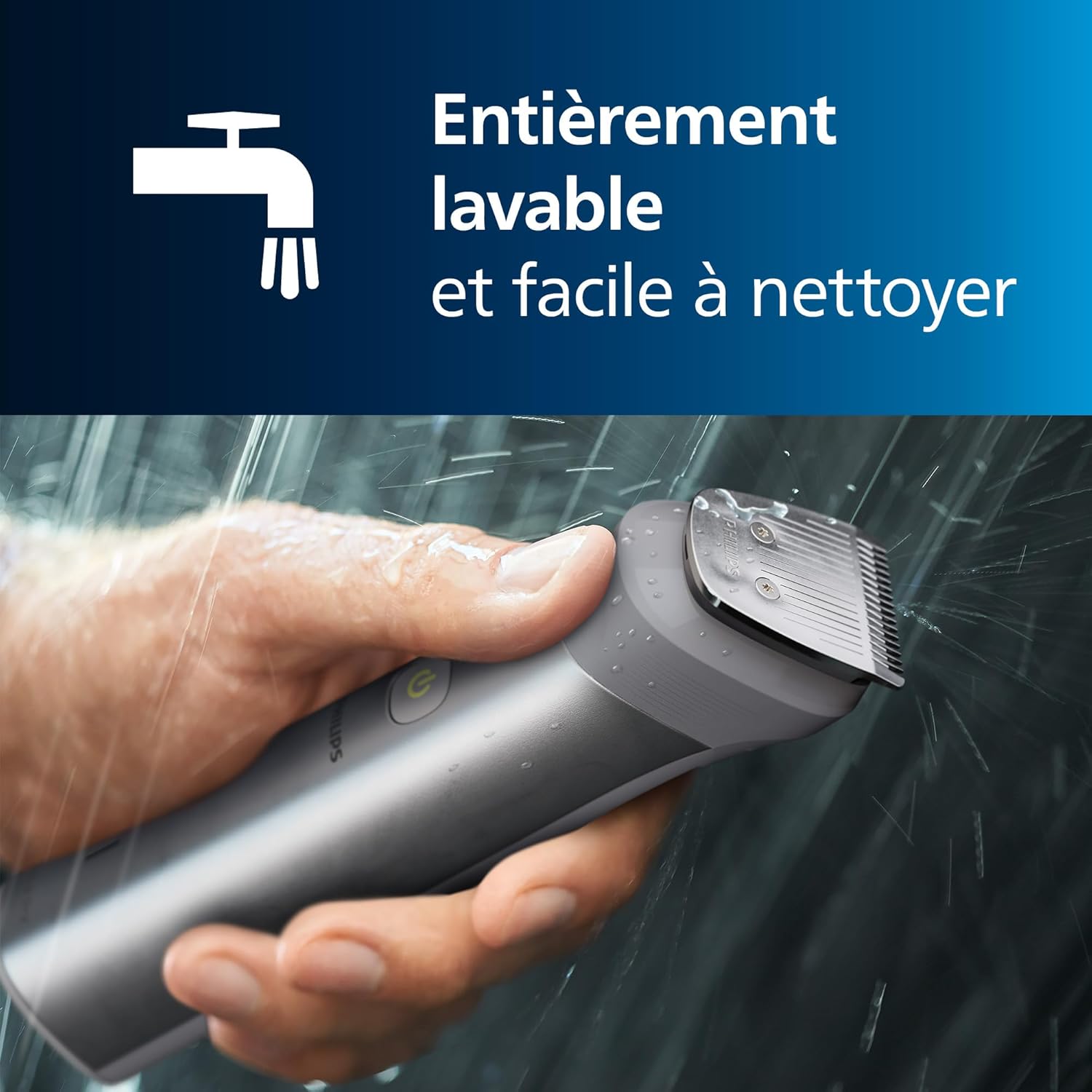
Image: The trimmer being rinsed under a tap, emphasizing its fully washable design.
9. Troubleshooting
| Problem | Possible Cause | Solution |
|---|---|---|
| Appliance does not turn on. | Battery is empty. | Charge the appliance for at least 5 minutes for a quick trim, or fully for 120 minutes runtime. |
| Trimmer performance is poor. | Blades are clogged with hair. | Clean the trimmer head and combs thoroughly under running water. |
| Trimmer pulls hair. | Battery is low; blades are dull (unlikely due to self-sharpening). | Charge the appliance. Ensure blades are clean. Move the trimmer slower. |
| Appliance does not charge. | Charging cable or USB adapter is faulty; poor connection. | Check cable connection. Try a different USB port or adapter. Ensure the charging port is clean and dry. |
10. Specifications
- Model Number: MG5917/15
- Brand: Philips
- Power Source: Rechargeable Lithium-ion Battery
- Blade Material: Stainless Steel (Self-sharpening)
- Run Time: Up to 120 minutes (cordless)
- Quick Charge: 5 minutes (for one trim)
- Waterproof: 100% Showerproof
- Length Settings: 11 (0.5 mm to 16 mm)
- Country of Origin: Indonesia
- Dimensions: 22.8 x 16.1 x 7 cm; 356 grams (Package dimensions)
11. Warranty and Support
Your Philips Multigroom 5000 Series trimmer comes with a standard 2-year global warranty. You can extend this warranty by an additional 3 years (total of 5 years) by registering your device within 90 days of purchase.
- Warranty Registration: Register your product at Philips.com or through the GroomTribe app.
- Customer Support: For further assistance, troubleshooting, or warranty claims, please visit the official Philips website or contact their customer support services in your region.