
1. Introduction
Thank you for choosing the Olimpia Splendid Peler Tower 10 Evaporative Cooler. This appliance is designed to provide cooling, ventilation, and air purification for your indoor spaces. Please read this instruction manual carefully before operating the unit to ensure safe and efficient use. Keep this manual for future reference.
2. Safety Information
- Always ensure the unit is placed on a stable, level surface.
- Do not immerse the appliance, cord, or plug in water or other liquids.
- Unplug the unit from the power outlet before cleaning, maintenance, or when not in use.
- Keep children and pets away from the appliance during operation.
- Do not block the air inlets or outlets.
- Use only clean water in the tank. Do not add any chemicals or additives.
- If the power cord is damaged, it must be replaced by the manufacturer, its service agent, or similarly qualified persons to avoid a hazard.
- Do not operate the unit if it has been dropped or damaged in any way.
3. Product Overview
The Olimpia Splendid Peler Tower 10 is a vertical evaporative cooler featuring a dual fan system for effective air circulation. It also functions as an air purifier with a dust filter and honeycomb evaporative panel.
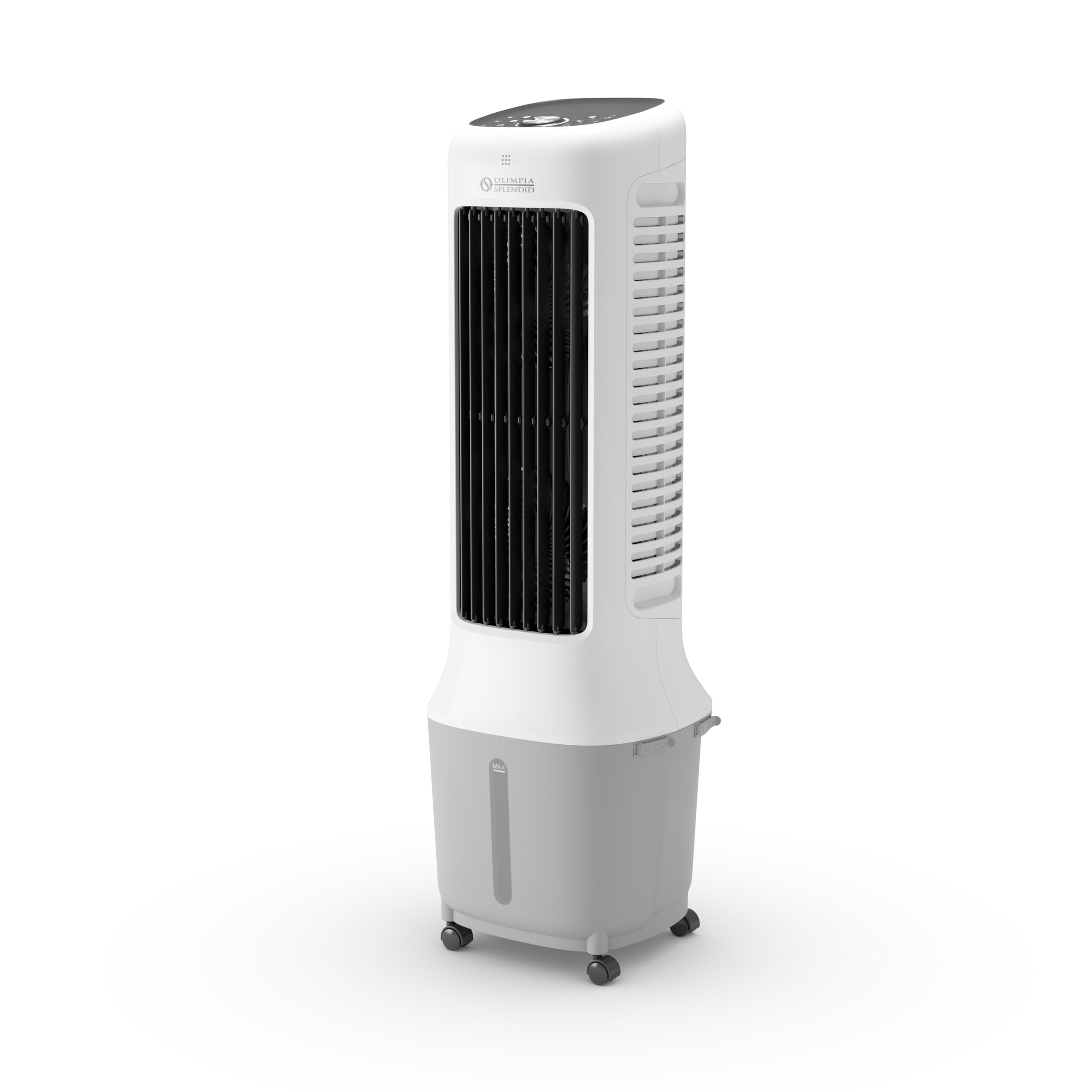
Figure 1: Front view of the Olimpia Splendid Peler Tower 10 Evaporative Cooler, showing the air outlet and control panel.
Key Features:
- Evaporative Cooling: Utilizes water evaporation to cool the air.
- Air Purification: Equipped with a dust filter and honeycomb evaporative panel to capture impurities.
- Dual Fan System: Enhances air circulation and cooling efficiency.
- 10-Liter Water Tank: Large capacity for extended operation, with convenient top or bottom filling.
- Drying Function: Reduces humidity in the evaporative panel to prevent mold and bacteria.
- Touch Screen Control Panel: Intuitive interface for managing all functions.
- Automatic Oscillation: Horizontal air flow oscillation for wider coverage.
- Portability: Integrated wheels for easy movement between rooms.
- Remote Control: For convenient operation from a distance.
4. Setup
4.1 Unpacking
Carefully remove the evaporative cooler from its packaging. Retain the packaging for future storage or transport. Check for any visible damage. If the unit is damaged, do not operate it and contact customer support.
4.2 Placement
Place the unit on a firm, level surface. Ensure there is adequate space around the unit (at least 20 cm) for proper air circulation. The integrated wheels allow for easy repositioning.
4.3 Filling the Water Tank
- Ensure the unit is unplugged from the power outlet.
- The 10-liter water tank can be filled from the top or by removing the tank from the bottom.
- Fill the tank with clean, cool water. Do not exceed the maximum fill line indicated on the tank.
- For enhanced cooling, you may add ice packs or ice cubes to the water tank.
- Securely close the tank cover or reinsert the tank if removed.
4.4 Power Connection
Plug the power cord into a suitable electrical outlet (220-240V, 50Hz). The unit is now ready for operation.
5. Operating Instructions
The Peler Tower 10 features a touch screen control panel and comes with a remote control for convenient operation.
5.1 Power On/Off
Press the Power button on the control panel or remote control to turn the unit on or off.
5.2 Mode Selection
Press the Mode button to cycle through available operating modes:
- Cooling Mode: Activates the evaporative cooling function. Ensure the water tank is filled.
- Fan Mode: Operates as a standard fan without water evaporation.
- Air Purification Mode: The unit continuously filters the air.
5.3 Fan Speed Adjustment
Use the Speed buttons (usually '+' and '-') to adjust the fan speed to your preference. Multiple speed settings are available.
5.4 Oscillation Function
Press the Oscillation button to activate or deactivate the automatic horizontal air flow oscillation, distributing air more widely.
5.5 Timer Function
The timer function allows you to set the unit to turn off automatically after a specified period. Refer to the control panel icons for setting the timer duration.
5.6 Drying Function
After using the cooling mode, it is recommended to activate the Drying Function. This runs the fan without water to dry the evaporative panel, preventing the growth of mold, condensation, and bacteria. Consult the manual for specific instructions on activating this function.
6. Maintenance
Regular maintenance ensures the longevity and efficiency of your evaporative cooler.
6.1 Cleaning the Exterior
Wipe the exterior of the unit with a soft, damp cloth. Do not use abrasive cleaners or solvents.
6.2 Cleaning the Water Tank
The water tank should be cleaned regularly, especially if the unit is used frequently. Unplug the unit, drain the water using the designated drainage plug, and clean the tank with a mild detergent and water. Rinse thoroughly.
6.3 Cleaning the Dust Filter and Evaporative Panel
The dust filter and honeycomb evaporative panel should be cleaned periodically to maintain air purification and cooling efficiency. Refer to the product diagram for the location of these components. Gently remove them and rinse under running water. Allow them to dry completely before reinserting.
6.4 Storage
Before storing the unit for an extended period, ensure the water tank is empty and clean, and the evaporative panel is dry (use the drying function). Store the unit in a cool, dry place, preferably in its original packaging.
7. Troubleshooting
If you encounter issues with your Peler Tower 10, please refer to the following common problems and solutions:
- Unit does not power on: Check if the power cord is securely plugged into a working outlet. Ensure the power button has been pressed.
- No cooling effect: Verify that the water tank is filled and the cooling mode is selected. Ensure the evaporative panel is clean and wet. Add ice for enhanced cooling.
- Weak airflow: Check if the air inlets/outlets are blocked. Clean the dust filter. Adjust the fan speed to a higher setting.
- Unpleasant odor: This may indicate stagnant water or a dirty evaporative panel. Clean the water tank and evaporative panel thoroughly. Use the drying function after each use of cooling mode.
- Water leakage: Ensure the water tank is correctly installed and not overfilled. Check for any cracks or damage to the tank.
If the problem persists after attempting these solutions, please contact Olimpia Splendid customer support.
8. Specifications
| Feature | Specification |
|---|---|
| Model Name | Peler Tower 10 |
| Brand | Olimpia Splendid |
| Product Dimensions (L x W x H) | 27.9 x 30.9 x 93.8 cm |
| Item Weight | 6.1 Kilograms |
| Water Tank Capacity | 10 Liters |
| Control Type | Touch |
| Material | Plastic |
| Special Feature | Automatic horizontal air flow oscillation |
| Recommended Uses | Residential cooling in dry climates |
| Power | 38W |
| Voltage | 38V (Note: This value seems unusual for typical household appliances. Please refer to the product label for exact voltage requirements.) |
9. Warranty and Support
Warranty information and customer support details are typically provided with your purchase documentation or can be found on the official Olimpia Splendid website. Please retain your proof of purchase for warranty claims.
For technical assistance, spare parts, or service, please contact the authorized service center or the retailer from whom you purchased the product.
10. Official Product Videos
No official product videos from the seller are available for embedding at this time.


