
ODK SPCB01010801029USDF-1
ODK 55-Inch Computer Desk User Manual
Model: SPCB01010801029USDF-1
Introduction
This manual provides comprehensive instructions for the assembly, operation, maintenance, and troubleshooting of your ODK 55-Inch Computer Desk. Designed for home offices, student studies, and general workstations, this desk features integrated power outlets, USB charging ports, a removable storage bag, and a headphone hook for enhanced functionality and organization.
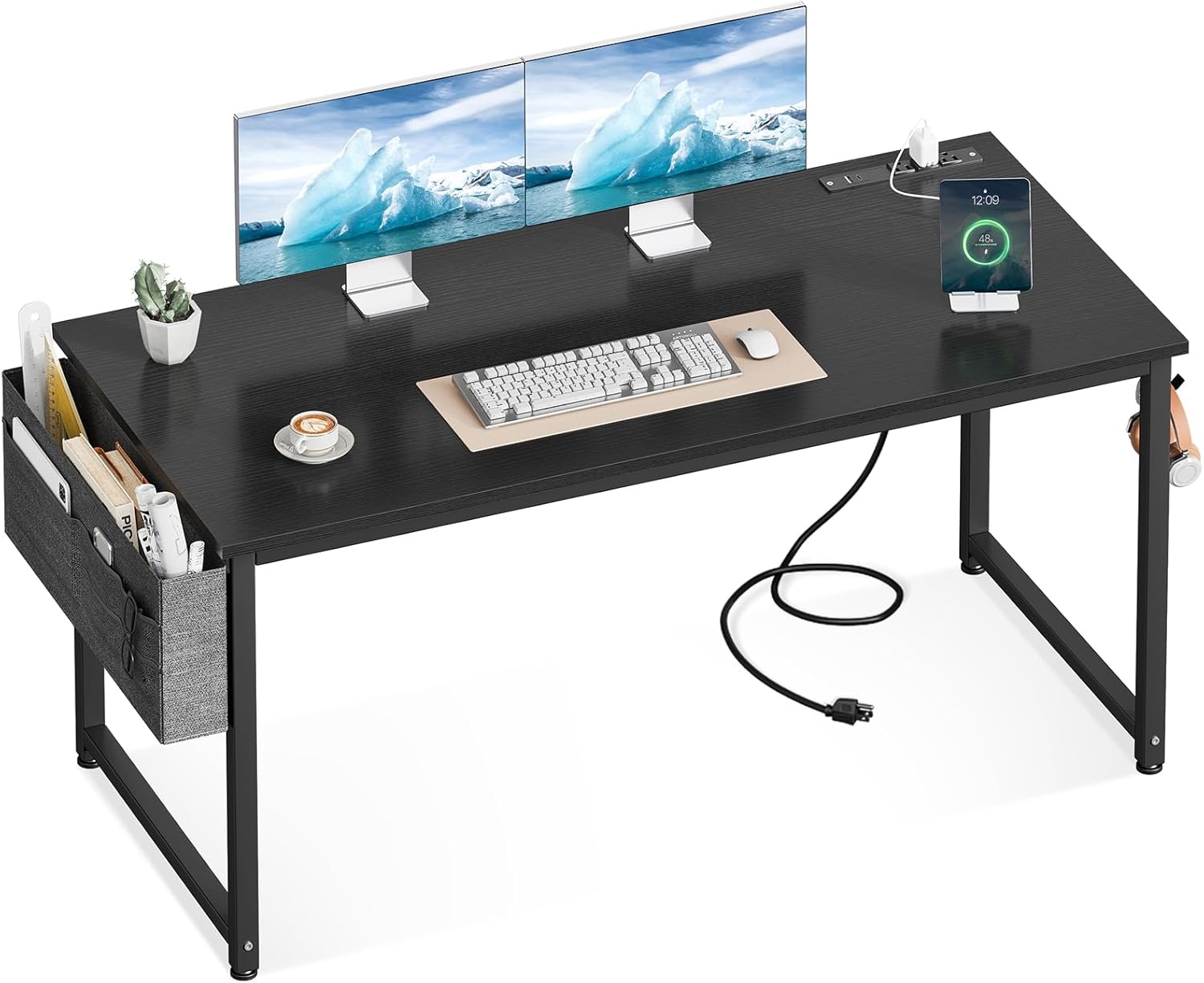
Figure 1: The ODK 55-Inch Computer Desk, showcasing its spacious desktop and integrated features.
Setup
Assembly Instructions
The ODK Computer Desk is designed for quick and easy assembly. All necessary tools and step-by-step instructions are included. Assembly typically takes approximately 30 minutes.
- Unpack all components and verify against the parts list provided in the included manual.
- Follow the step-by-step diagrams to connect the metal frame components. Ensure all screws are securely tightened.
- Attach the desktop to the assembled frame.
- Install the removable storage bag and headphone hook as desired.

Figure 2: Visual guide for desk assembly, illustrating the main steps from frame setup to final attachment.
Adjustable Leg Pads
The desk is equipped with adjustable leg pads to ensure stability on uneven floors. To adjust, simply rotate the bottom of each leg pad clockwise or counter-clockwise until the desk is level and stable.
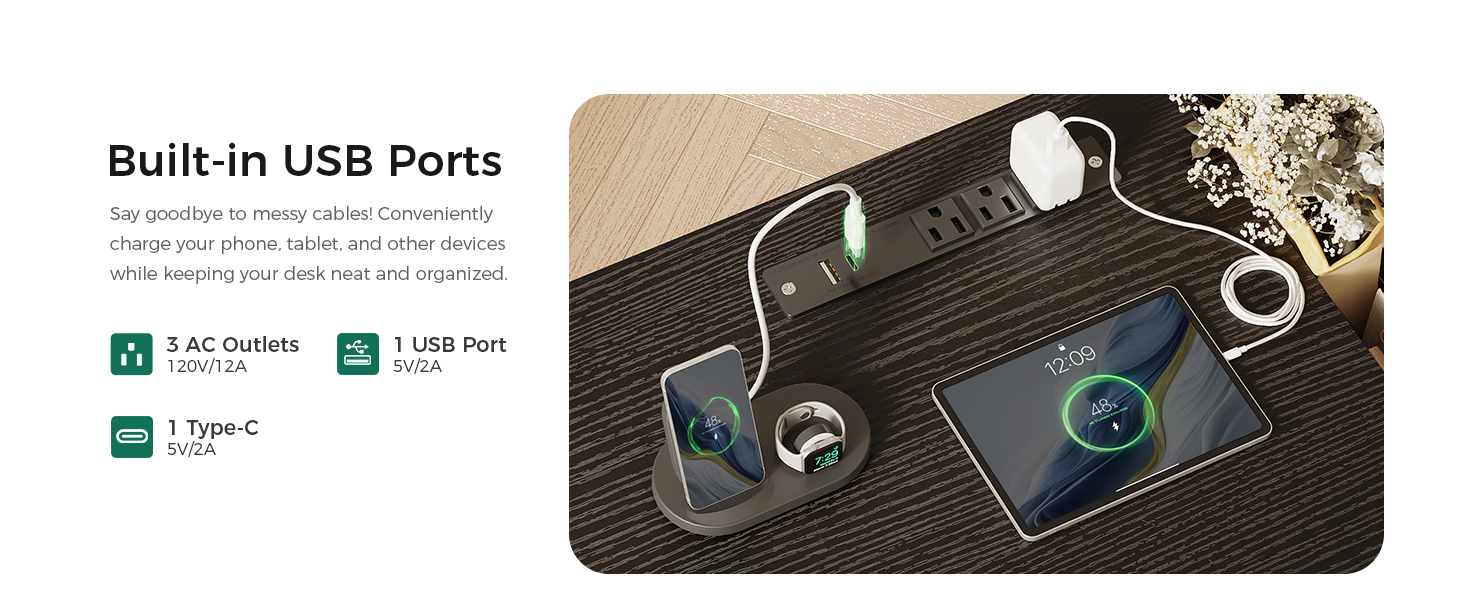
Figure 3: Detail of an adjustable leg pad, designed to stabilize the desk on various floor surfaces.
Operating Instructions
Built-in Power Outlets and USB Charging Ports
The ODK Computer Desk features a recessed power strip with 3 standard AC outlets (120V/12A), 1 USB-A charging port (5V/2A), and 1 Type-C charging port (5V/2A). This allows for convenient charging of electronic devices directly from your desk, reducing cable clutter.
- Connect the desk's power cord to a wall outlet.
- Plug in your devices to the available AC outlets or USB ports.
- Ensure devices are compatible with the provided voltage and amperage.

Figure 4: The integrated power strip, providing convenient access to power and charging for multiple devices.
Smart Storage Solutions
The desk includes a removable fabric storage bag and a sturdy headphone hook to help keep your workspace organized.
- Fabric Storage Bag: Ideal for storing books, documents, notebooks, and other office supplies. It can be attached to either side of the desk frame.
- Headphone Hook: Provides a convenient place to hang headphones, backpacks, or charging cables, freeing up desktop space. It can be installed on either side of the desk.

Figure 5: The removable fabric storage bag, offering accessible storage for various items.
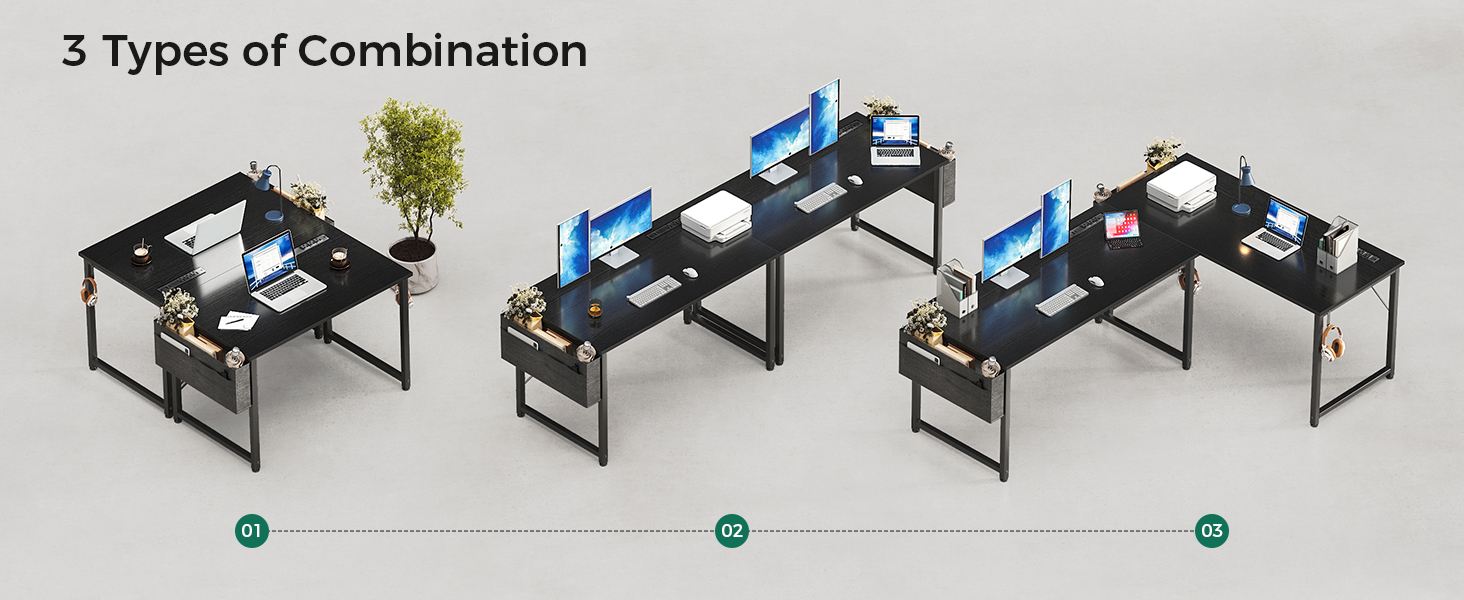
Figure 6: The versatile headphone hook, providing a dedicated spot for your headset or other hangable items.
Maintenance
To ensure the longevity and appearance of your ODK Computer Desk, follow these simple maintenance guidelines:
- Cleaning the Desktop: The desktop surface is scratch-resistant and waterproof. Wipe clean with a damp cloth and mild detergent if necessary. Avoid abrasive cleaners or harsh chemicals that could damage the finish.
- Frame Care: The metal frame can be wiped down with a dry or slightly damp cloth to remove dust.
- Tightening Fasteners: Periodically check all screws and fasteners to ensure they remain tight. Retighten as needed to maintain stability.
- Fabric Storage Bag: The fabric bag can be removed and spot cleaned as needed. Allow to air dry completely before reattaching.
Troubleshooting
If you encounter any issues with your ODK Computer Desk, please refer to the following common solutions:
| Problem | Possible Cause | Solution |
|---|---|---|
| Desk is wobbly or unstable. | Uneven floor surface; loose fasteners. | Adjust the leg pads until the desk is stable. Check and tighten all assembly screws. |
| Power outlets/USB ports not working. | Desk power cord not plugged in; circuit overload; faulty device. | Ensure the desk's power cord is securely plugged into a functioning wall outlet. Unplug some devices if overloaded. Test with a different device. If the issue persists, contact customer support. |
| Storage bag or hook detaches easily. | Improper installation; excessive weight. | Ensure the storage bag and hook are correctly attached according to the assembly instructions. Do not overload with excessive weight. |
Specifications
| Feature | Detail |
|---|---|
| Brand | ODK |
| Model Number | SPCB01010801029USDF-1 |
| Product Dimensions | 19.69"D x 53.94"W x 28.94"H |
| Color | Black |
| Style | Modern |
| Base Material | Metal |
| Top Material Type | Engineered Wood |
| Item Weight | 22.49 Pounds |
| Power Outlets | 3 AC Outlets (120V/12A) |
| USB Ports | 1 USB-A (5V/2A), 1 Type-C (5V/2A) |
| Special Features | Removable Storage Bag, Headphone Hook, Adjustable Leg Pads |
| Assembly Required | Yes |

Figure 7: Dimensional overview of the ODK 55-inch computer desk.
Warranty and Support
Warranty Information
Specific warranty details for the ODK Computer Desk are typically provided at the point of purchase or within the product packaging. Please refer to your purchase documentation or contact the seller directly for information regarding warranty coverage and terms.
Customer Support
For further assistance, technical support, or inquiries regarding your ODK Computer Desk, please contact ODK customer service through the official ODK Store on Amazon or via the contact information provided with your product.
You can visit the ODK Store at: ODK Store on Amazon
Related documentsSPCB01010801029USDF-1


Ask a question about this manual
Ask about setup, troubleshooting, compatibility, parts, safety, or missing instructions. Manuals+ will review the question and use this page’s manual context to help answer it.