
1. Introduction
Thank you for choosing the KNKA APH3000 Air Purifier. This device is designed to improve the air quality in your home or office by effectively removing airborne pollutants. Please read this manual thoroughly before operating the appliance and keep it for future reference.

Image: The KNKA APH3000 Air Purifier effectively purifies large spaces, providing clean air for your family.
2. Important Safety Instructions
To reduce the risk of fire, electric shock, or injury, please observe the following safety precautions:
- Always unplug the air purifier before moving, cleaning, or performing any maintenance.
- Do not operate the appliance if the power cord or plug is damaged.
- Keep the air purifier away from water or other liquids. Do not immerse it in water.
- Do not block air inlets or outlets. Ensure at least 15 cm (6 inches) clearance from walls and furniture.
- This appliance is for indoor use only.
- Do not allow children to operate the air purifier without supervision.
- Use only genuine KNKA replacement filters.
3. Product Features
The KNKA APH3000 Air Purifier incorporates advanced technology for superior air purification:
- Wide Coverage Area: Efficiently purifies spaces up to 2325 sq. ft. (based on 1 air change per hour), suitable for large rooms.
- Advanced Triple Filtration System:
- Washable Pre-filter: Captures larger particles like hair, dust, and lint, extending the lifespan of the HEPA filter.
- H13 True HEPA Filter: Removes 99.9% of airborne particles as small as 0.3 microns, including pollen, pet dander, and dust mites.
- Activated Carbon Filter: Effectively absorbs odors, smoke, fumes, and volatile organic compounds (VOCs).
- Real-Time Air Quality Monitoring: A built-in sensor detects PM2.5 levels and displays air quality via an LED indicator.
- Auto Mode: Automatically adjusts fan speed based on detected air quality for optimal performance and energy efficiency.
- Ultra-Quiet Sleep Mode: Operates at a low noise level of 24dB, ensuring a peaceful environment for sleep. Includes a flexible light button to adjust or turn off display lights.
- Turbo Mode: Increases purification speed by over one-third for rapid air purification.
- Child Lock: Prevents accidental changes to settings.
- Aroma Sponge: Allows for the addition of essential oils for a pleasant ambiance.

Image: The advanced 3-stage filtration system captures various airborne pollutants.
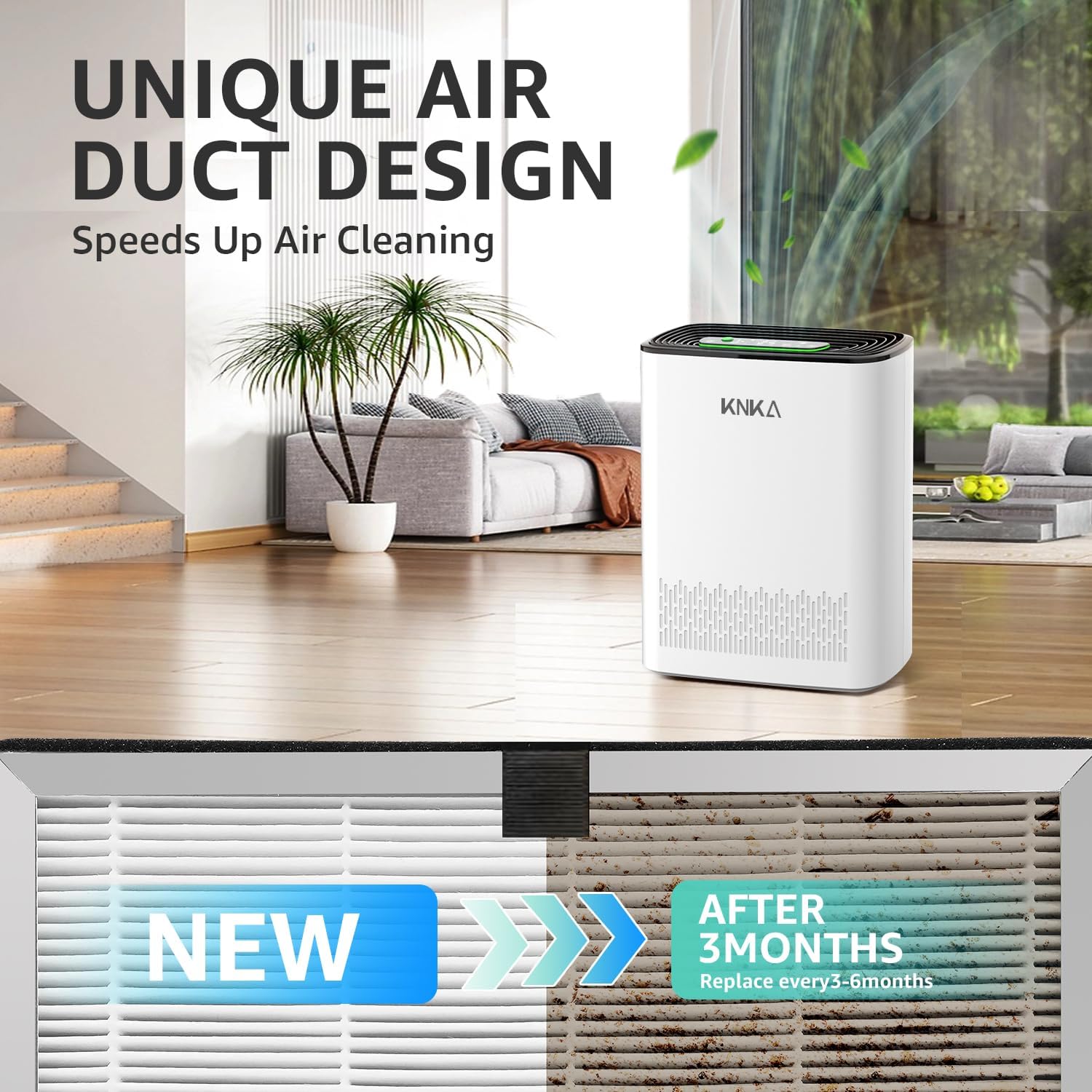
Image: Detailed view of the True HEPA and Activated Carbon filter layers.
4. Package Contents
Please check the package for the following items:
- KNKA APH3000 Air Purifier
- H13 True HEPA Filter (pre-installed or separate)
- User Manual
5. Setup and Initial Use
5.1 Filter Installation
Before first use, ensure the filter is properly installed and any protective packaging is removed.
- Turn off the device and unplug the power cord from the right side of the device.
- Open the purifier cover by pressing the notches on both sides and remove the filter.
- Install the new filter. Ensure any protective plastic bag is removed from the filter. The side with "FRONT" printed on the filter element should face outward, and the carbon layer should face inward.
- Replace the purifier cover securely.

Image: Step-by-step guide for fast and easy filter replacement.
5.2 Powering On
Place the air purifier on a flat, stable surface. Plug the power cord into a suitable electrical outlet. The unit will enter standby mode.
6. Operating Instructions
The control panel allows you to manage various functions of your air purifier.

Image: Easy operation with intelligent touch controls.
6.1 Power On/Off
Press the Power Button to turn the air purifier on or off.
6.2 Mode Selection
Press the Mode Button to cycle through available modes:
- Auto Mode: The purifier automatically adjusts fan speed based on real-time air quality.
- Sleep Mode: Operates at the lowest fan speed and dims/turns off display lights for quiet operation.
- Turbo Mode: Activates the highest fan speed for rapid air purification.
- Manual Fan Speed: Adjust fan speed manually (if applicable, typically indicated by fan icon).
6.3 Air Quality Indicator
The LED indicator and digital display provide real-time PM2.5 levels and air quality status:
- Excellent: 0-12 µg/m³ (Green light)
- Moderate: 13-35 µg/m³ (Blue light)
- Poor: 16-55 µg/m³ (Yellow light)
- Unhealthy: 56+ µg/m³ (Red light)
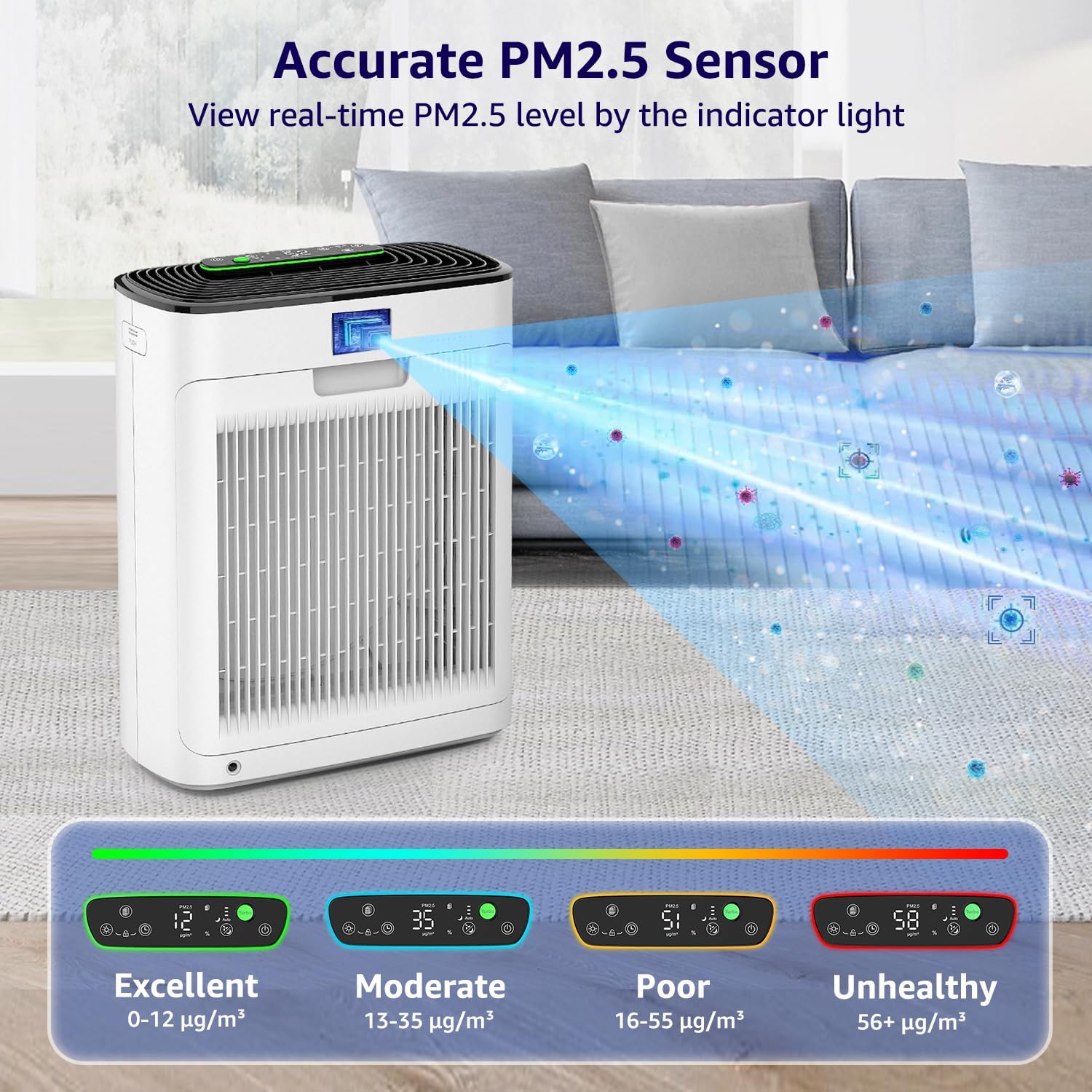
Image: Real-time PM2.5 sensor provides accurate air quality readings.
6.4 Child Lock
Press and hold the Child Lock Button for a few seconds to activate or deactivate the child lock function. This prevents accidental changes to settings.
6.5 Light Control
Press the Light Button to adjust the brightness of the display lights or turn them off completely, especially useful in Sleep Mode.
6.6 Aroma Sponge
Locate the aroma sponge compartment (refer to product diagram if available). Add a few drops of essential oil to the sponge to diffuse fragrance into the air. Do not apply essential oils directly to the filter.
7. Maintenance
Regular maintenance ensures optimal performance and extends the lifespan of your air purifier.
7.1 Filter Replacement
The filter indicator light will illuminate when it's time to replace the filter (typically every 3-6 months, depending on usage and air quality). Follow these steps:
- Turn off the device and unplug the power cord.
- Open the purifier cover and remove the old filter.
- Install a new, genuine KNKA APH3000 replacement filter. Ensure the protective plastic bag is removed.
- Replace the purifier cover.
- Press and hold the Filter Button (often combined with another function, refer to control panel diagram) for 5 seconds until you hear 3 beeps to reset the filter indicator.

Image: Filters should be replaced every 3-6 months for optimal performance.

Image: Use genuine KNKA filters for best performance and longevity.
7.2 Cleaning the Air Purifier
- Always unplug the device before cleaning.
- Wipe the exterior of the air purifier with a soft, dry cloth.
- The pre-filter can be vacuumed or gently washed with water. Ensure it is completely dry before re-installing.
- Do not use abrasive cleaners or solvents.
8. Troubleshooting
If you encounter issues with your air purifier, refer to the following table:
| Problem | Possible Cause | Solution |
|---|---|---|
| Unit does not turn on. | Not plugged in; power outage; damaged cord. | Ensure power cord is securely plugged in; check power outlet; contact support if cord is damaged. |
| Poor air purification performance. | Filter is dirty or expired; air inlets/outlets blocked. | Replace the filter; ensure no obstructions around the unit. |
| Unusual noise. | Filter not installed correctly; foreign object inside. | Reinstall filter correctly; check for and remove any foreign objects (after unplugging). |
| Filter indicator light remains on after replacement. | Filter reset not performed. | Press and hold the Filter Button for 5 seconds to reset. |
9. Specifications
| Feature | Detail |
|---|---|
| Model | APH3000 |
| Brand | KNKA |
| Filtration System | 3-Stage (Pre-filter, H13 True HEPA, Activated Carbon) |
| Coverage Area | Up to 2325 sq. ft. (1 air change per hour) |
| Noise Level (Sleep Mode) | 24dB |
| Special Features | Real-Time Air Quality Monitor, Auto Mode, Sleep Mode, Turbo Mode, Child Lock, Aroma Sponge |
10. Warranty and Support
KNKA products are manufactured to the highest quality standards. For warranty information or technical support, please refer to the warranty card included with your purchase or visit the official KNKA website. Do not attempt to repair the device yourself.