Introduction
Thank you for choosing SIXTHGU V8 Open-Ear Headphones. These wireless earbuds are designed for comfort and high-quality audio, allowing you to stay aware of your surroundings while enjoying your music or calls. Featuring an adjustable ear hook design, Bluetooth 5.4 connectivity, and IP55 water resistance, the V8 headphones are suitable for various activities including running, workouts, and daily communication.
What's in the Box
- SIXTHGU V8 Open-Ear Headphones (Left and Right)
- Charging Case
- Ear Cushions
- USB-C Charging Cable (not explicitly listed but standard for charging cases)
- User Manual (this document)
Setup
1. Charging the Headphones and Case
Before first use, fully charge your SIXTHGU V8 headphones and their charging case. Connect the charging case to a power source using the provided USB-C cable. The indicator light on the case will show charging status. The earbuds will charge automatically when placed inside the case.
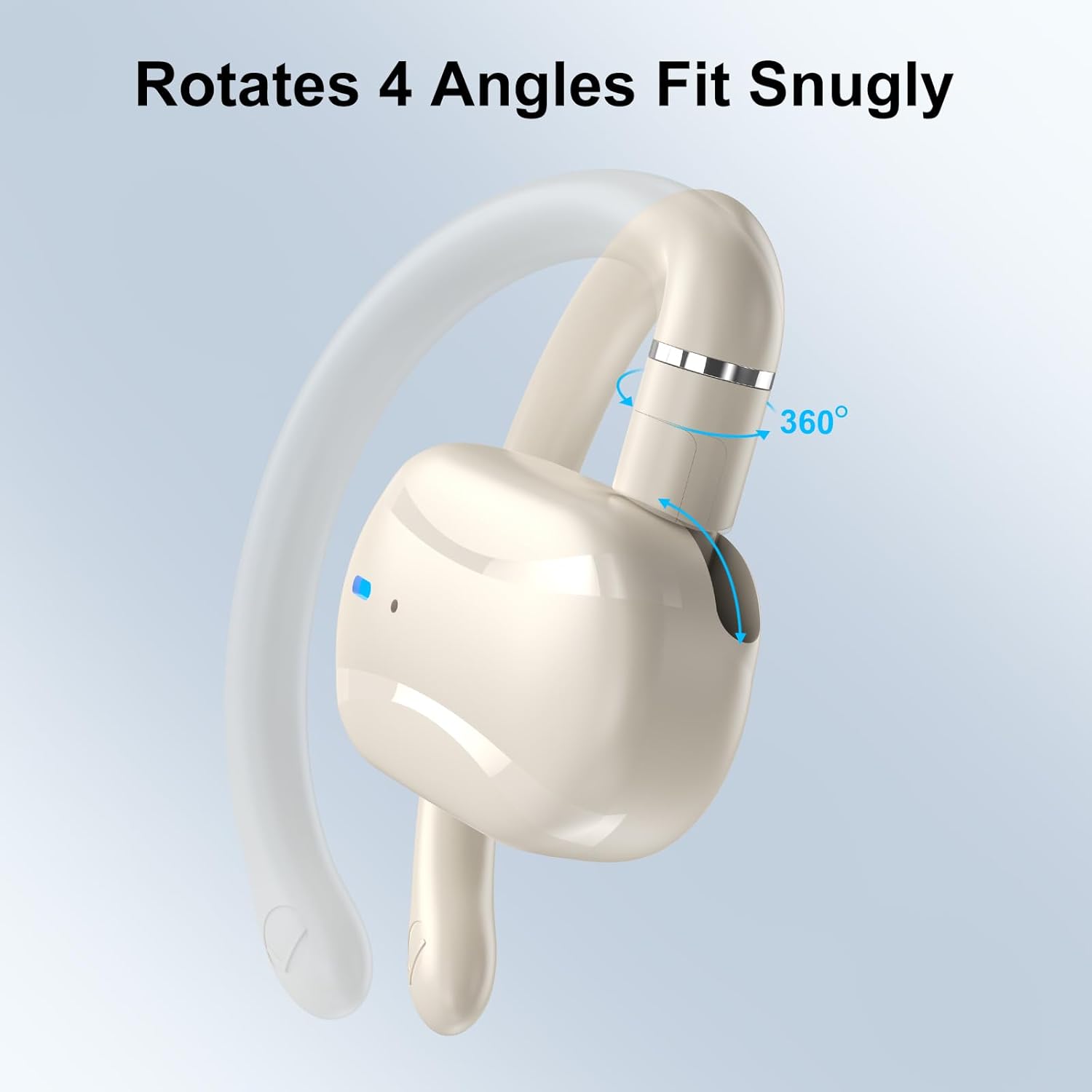
Image: SIXTHGU V8 Open-Ear Headphones inside their charging case, indicating charging status.
2. Powering On and Pairing
- Open the charging case. The earbuds will automatically power on and enter pairing mode.
- On your device (smartphone, tablet, laptop), enable Bluetooth.
- Search for new Bluetooth devices and select "V8" from the list.
- Once connected, you will hear an audio prompt, and the indicator lights on the earbuds will change.
3. Adjusting the Fit
The V8 headphones feature adjustable ear hooks to ensure a secure and comfortable fit. Gently adjust the ear hooks to conform to the shape of your ear. The ear hooks can rotate up to 60 degrees for optimal positioning.
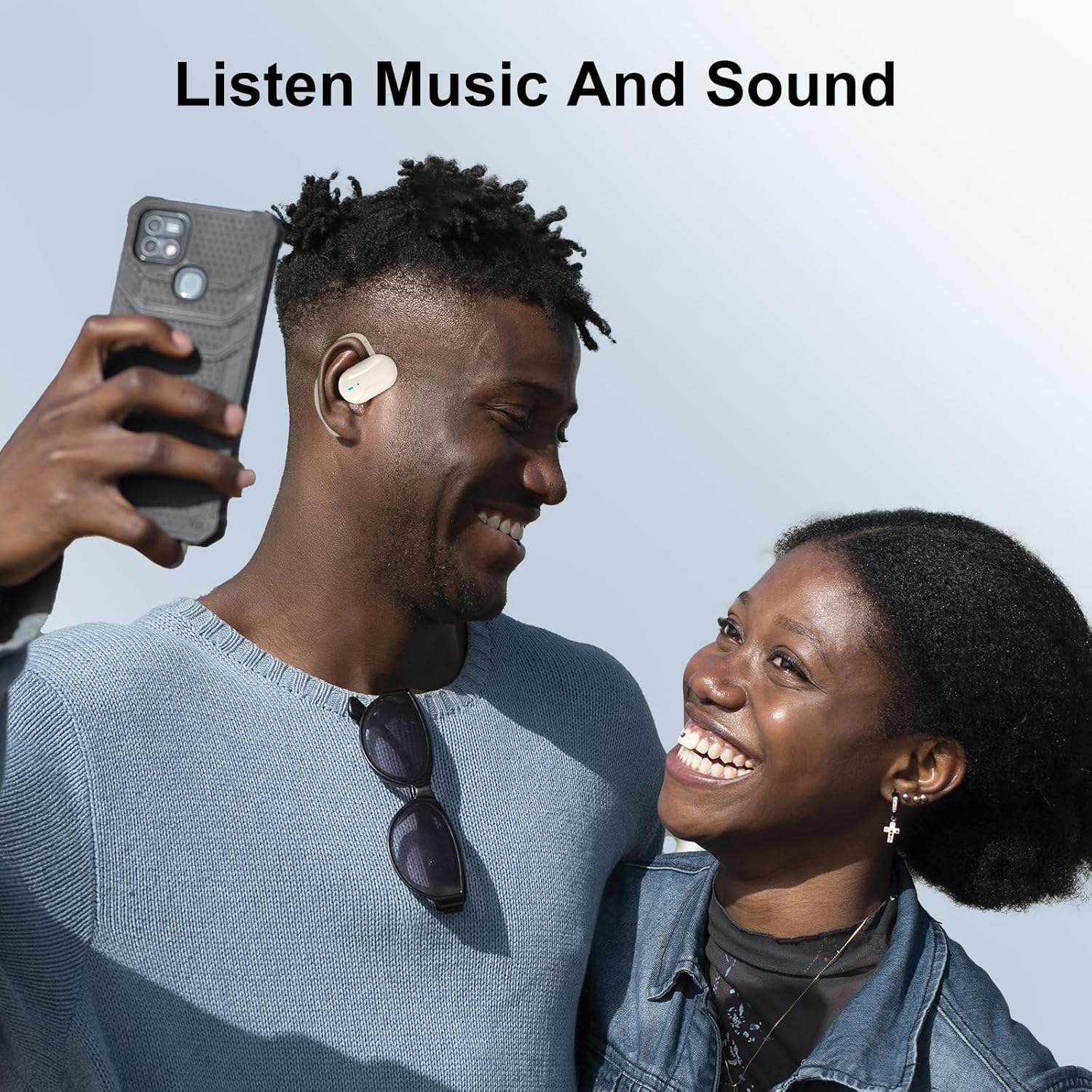
Image: A person wearing the SIXTHGU V8 Open-Ear Headphones, demonstrating the secure and comfortable fit around the ear.
Operating Instructions
Basic Controls
- Power On/Off: The earbuds power on automatically when removed from the case and power off when returned to the case.
- Play/Pause: Tap either earbud once.
- Next Track: Double-tap the right earbud.
- Previous Track: Double-tap the left earbud.
- Answer/End Call: Tap either earbud once during an incoming call or active call.
- Reject Call: Press and hold either earbud for 2 seconds during an incoming call.
- Activate Voice Assistant: Triple-tap either earbud.
Sound Quality and Calls
The V8 headphones are equipped with 16.2mm drivers and BassUp technology for powerful sound. Clear-tech microphones and an AI algorithm enhance call clarity, reducing background noise for clear conversations.
Battery Life
Enjoy up to 36 hours of playtime with the charging case. Individual earbud battery life varies based on usage and volume levels.
Maintenance
Cleaning
Regularly clean your headphones and charging case to ensure optimal performance and hygiene. Use a soft, dry, lint-free cloth to wipe the surfaces. Avoid using abrasive materials, alcohol, or chemical cleaners.
Water Resistance
The SIXTHGU V8 headphones are rated IP55 for water resistance, meaning they are protected against dust and low-pressure water jets. This makes them suitable for workouts and light rain. Do not submerge the headphones in water or expose them to high-pressure water.
Storage
When not in use, store the headphones in their charging case to protect them and keep them charged. Store in a cool, dry place away from extreme temperatures.
Troubleshooting
Headphones not pairing or connecting
- Ensure the headphones are charged and out of the charging case.
- Turn off Bluetooth on your device and turn it back on.
- Forget the "V8" device from your device's Bluetooth list and attempt to pair again.
- Try pairing with a different device to rule out device-specific issues.
No sound or low volume
- Check the volume levels on both your connected device and the headphones.
- Ensure the headphones are properly seated on your ears.
- Confirm that the headphones are connected to the correct audio output on your device.
Charging issues
- Verify that the charging cable is securely connected to both the case and the power source.
- Ensure the charging contacts on the earbuds and inside the case are clean and free of debris.
- Try using a different USB-C cable and power adapter.
Resetting the Headphones
If you experience persistent issues, a factory reset may resolve them. Refer to the specific reset procedure in the included quick start guide or contact customer support for detailed instructions.
Specifications
| Model Name | V8 |
| Brand | SIXTHGU |
| Connectivity Technology | Wireless (Bluetooth 5.4) |
| Ear Placement | Open Ear |
| Water Resistance Level | IP55 |
| Battery Life (with case) | Up to 36 Hours |
| Audio Driver Type | Dynamic Driver (16.2mm) |
| Noise Control | Active Noise Cancellation (as per product spec, though open-ear design inherently allows ambient sound) |
| Material | Plastic |
| Item Weight | 2.4 ounces |
| Product Dimensions | 3.55 x 2.45 x 1 inches |
| UPC | 850053348488 |
Warranty and Support
Warranty Information
SIXTHGU products are covered by a limited warranty from the date of purchase. This warranty covers manufacturing defects and workmanship. Please retain your proof of purchase for warranty claims. The warranty does not cover damage caused by misuse, accidents, unauthorized modifications, or normal wear and tear.
Customer Support
For technical assistance, warranty claims, or general inquiries, please contact SIXTHGU customer support. You can find contact information and additional resources by visiting the official SIXTHGU store on Amazon: SIXTHGU Amazon Store.


