
LAUNCH X431 CRP919 Electric Vehicle Scanner
LAUNCH X431 CRP919 EV Diagnostic Scan Tool User Manual
Model: X431 CRP919 Electric Vehicle Scanner | Brand: LAUNCH
1. Introduction
The LAUNCH X431 CRP919 EV is a state-of-the-art bidirectional OBD2 scan tool designed for comprehensive diagnostics of electric and new energy vehicles. This device offers advanced features such as ECU coding, adaptation, calibration, initialization, and over 43 reset functions. It supports CANFD and DoIP protocols, as well as FCA SGW AutoAuth, ensuring broad vehicle compatibility. With its intuitive Android 10.0 interface and robust hardware, the CRP919 EV provides efficient and accurate vehicle analysis for both professional technicians and advanced DIY users.
2. Setup
2.1. Unboxing and Initial Power-On
Upon receiving your LAUNCH X431 CRP919 EV, carefully unbox the device and its accessories. The package includes the main unit, main cable, charging cable, US/EU/UK adapters, user manual, and quick start guide, all housed in a durable carrying case.
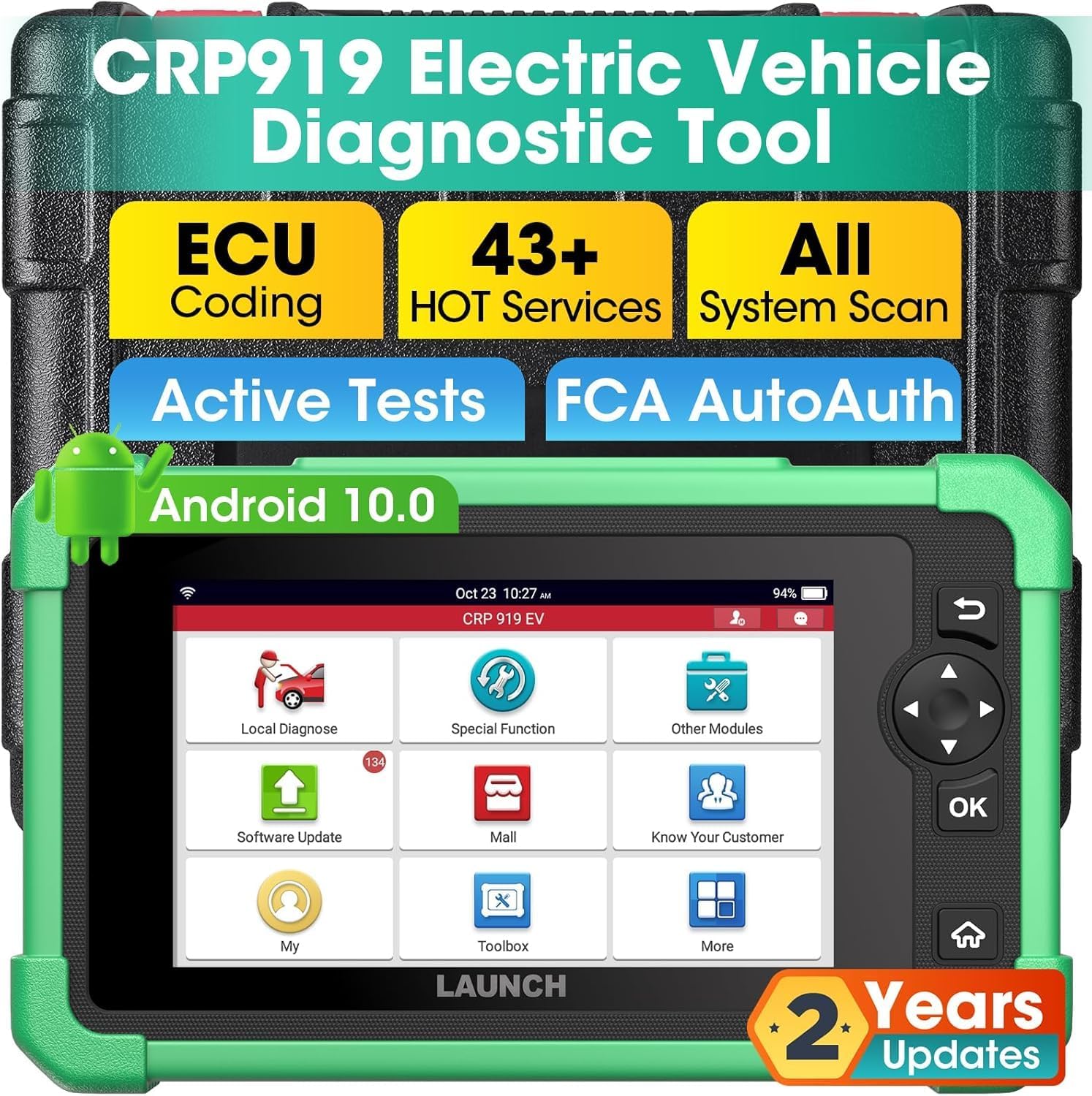
Figure 2.1: LAUNCH X431 CRP919 EV main unit and carrying case.
To power on the device, press and hold the power button located on the top. The device comes pre-charged, allowing for immediate use. The initial boot-up will display the LAUNCH logo and proceed to the main interface.
2.2. Hardware Overview
The CRP919 EV features a 7-inch 1024x600 display, Android 10.0 operating system, 2.0GHz CPU, 4GB RAM, and 64GB ROM. It includes an OBD II/Type-C port for vehicle connection and charging.

Figure 2.2: Key hardware specifications of the CRP919 EV.
2.3. Software Setup and Updates
Connect the device to a Wi-Fi network to ensure access to the latest software updates. Navigate to the 'Upgrade' icon on the main screen to download and install available updates. Regular updates ensure compatibility with new vehicle models and enhanced diagnostic functions.
3. Operating Instructions
3.1. User Interface Navigation
The CRP919 EV features an intuitive touchscreen interface. You can navigate through menus by tapping icons or using the physical navigation buttons (up, down, left, right, OK) on the right side of the device. The main screen provides quick access to key functions such as Local Diagnose, Service Function, Upgrade, and More.

Figure 3.1: User interface displaying active tests and navigation options.
3.2. OE-Level All System Diagnostics
Select 'Local Diagnose' to perform a full system scan. This function allows you to read and clear Diagnostic Trouble Codes (DTCs), monitor real-time data streams (PIDs), and record/playback data for in-depth analysis across all vehicle systems, including ABS, SRS, Engine, AT, PCM, ECM, EPS, PDM, TPM, BCM, and EV-specific systems like BMS, ECS, CS, ERS, PCS, DCS, TMS, VCS, and HVES.

Figure 3.2: Overview of OE All System Diagnostics for electric vehicles.
3.3. Advanced ECU Coding
The ECU Coding function allows for customization of vehicle settings, refreshing ECUs, uncovering hidden functions, and performing component matching. This includes tasks like flashing headlights for alarms, changing dashboard brightness, and pairing new ECUs.

Figure 3.3: Advanced ECU Coding capabilities for vehicle customization.
3.4. Bi-directional Control and Active Tests
Perform over 3000 active tests to send commands directly to vehicle actuators. This allows for quick identification of faulty components by testing functions such as fans, lights, horn, pumps, windows, mirrors, throttle, and clutch.
3.5. 43+ Hot Services
Access a wide range of maintenance and reset functions, including Oil Reset, Throttle Adaptation, SAS Reset, EPB Reset, TPMS Reset, ABS Bleeding, BMS Reset, Injector Coding, Coolant Change (EV), and HV Disconnection (EV). These services cover a majority of vehicle models.

Figure 3.4: Overview of 43+ Special Functions for quick and effective repairs.
3.6. Connectivity and Compatibility
The CRP919 EV supports CANFD and DoIP protocols for modern vehicles (with optional adapter). It also provides diagnostic access to 2018+ FCA SGW-equipped vehicles via registered AutoAuth service. The device features dual Bluetooth and USB connectivity for stable data transfer and supports Wi-Fi for seamless software updates and online functions.
4. Maintenance
4.1. Software Updates
The device comes with 2 years of free software updates. Regularly check for and install updates via Wi-Fi to ensure optimal performance and access to the latest vehicle data and functions.
4.2. Data Management
Utilize the data record and playback features for in-depth analysis of diagnostic data. Diagnostic reports can be saved directly within the software, exported to CSV files, and shared with a PC for printing or further review.

Figure 4.1: More practical features including data record and share.
4.3. Cleaning and Storage
Keep the device clean by wiping it with a soft, dry cloth. Avoid using abrasive cleaners or solvents. Store the CRP919 EV in its provided hard-shell carrying case when not in use to protect it from dust, moisture, and physical damage.
5. Troubleshooting
5.1. Common Issues and Solutions
- Device not powering on: Ensure the device is fully charged. Connect it to the power adapter and allow it to charge for at least 30 minutes before attempting to power on again.
- Connection issues with vehicle: Verify that the OBD2 cable is securely connected to both the CRP919 EV and the vehicle's OBD2 port. Ensure the vehicle's ignition is in the ON position.
- Software errors or freezing: Restart the device. If the issue persists, check for available software updates and install them.
- Inaccurate diagnostic readings: Ensure the vehicle's VIN is correctly identified. Perform a system scan to confirm all modules are communicating properly.
5.2. Contacting Support
If you encounter issues that cannot be resolved using the troubleshooting steps above, please refer to the detailed user manual included in the box or contact LAUNCH customer support for assistance. Provide your device's serial number and a detailed description of the problem for faster resolution.
6. Specifications
| Feature | Specification |
|---|---|
| Brand | LAUNCH |
| Model | X431 CRP919 Electric Vehicle Scanner |
| Product Dimensions | 9.52"L x 5.2"W x 1.57"H |
| Operating System | Android 10.0 |
| Language | English |
| Display Resolution | 1024x600 |
| Item Weight | 6.37 pounds |
| UPC | 850051166787 |
7. Warranty and Support
7.1. Free Updates
The LAUNCH X431 CRP919 EV includes 2 years of free software updates from the date of activation. These updates provide access to new vehicle models, diagnostic functions, and performance enhancements.
7.2. What's in the Box
- 1pc x LAUNCH CRP919 EV main unit
- 1pc x main cable
- 1pc x charging cable
- 1pc x US adapter
- 1pc x EU adapter
- 1pc x UK adapter
- 1pc x manual
- 1pc x quick start

Figure 7.1: Contents of the LAUNCH X431 CRP919 EV package.
7.3. Customer Support
For technical support, product inquiries, or warranty claims, please refer to the contact information provided in your user manual or visit the official LAUNCH website. Ensure you have your product's serial number ready when contacting support.
Related documentsX431 CRP919 Electric Vehicle Scanner


Ask a question about this manual
Ask about setup, troubleshooting, compatibility, parts, safety, or missing instructions. Manuals+ will review the question and use this page’s manual context to help answer it.