1. Introduction
This user manual provides essential information for setting up, operating, maintaining, and troubleshooting your HP 17.3-inch Laptop PC, Model 7430U. Please read this manual thoroughly to ensure proper use and to maximize the performance and longevity of your device.
2. Product Overview
The HP 17.3-inch Laptop PC is designed for both personal and professional use, offering a blend of performance and comfort. It features a large display, a powerful processor, and ample storage capacity.

Figure 2.1: Front view of the HP 17.3-inch Laptop PC, showcasing its large display and full-size keyboard.
Key Features:
- Display: 17.3-inch Full HD (1920 x 1080) IPS anti-glare display with narrow bezels.
- Processor: AMD Ryzen 5 6-Core processor (up to 4.3GHz).
- Memory: 64GB DDR4 RAM.
- Storage: 2TB PCIe NVMe M.2 SSD.
- Operating System: Windows 11 Pro 64-bit.
- Graphics: AMD Radeon Graphics.
- Camera: HP True Vision 720p HD camera with dual array digital microphones.
- Audio: Dual B&O-tuned stereo speakers.
- Connectivity: Realtek Wi-Fi 5, Bluetooth 5.0, SuperSpeed USB-C, 2x USB-A, HDMI.
- Keyboard: Full-size keyboard with 10-key numeric keypad and lift-hinge design.
Included Accessories:
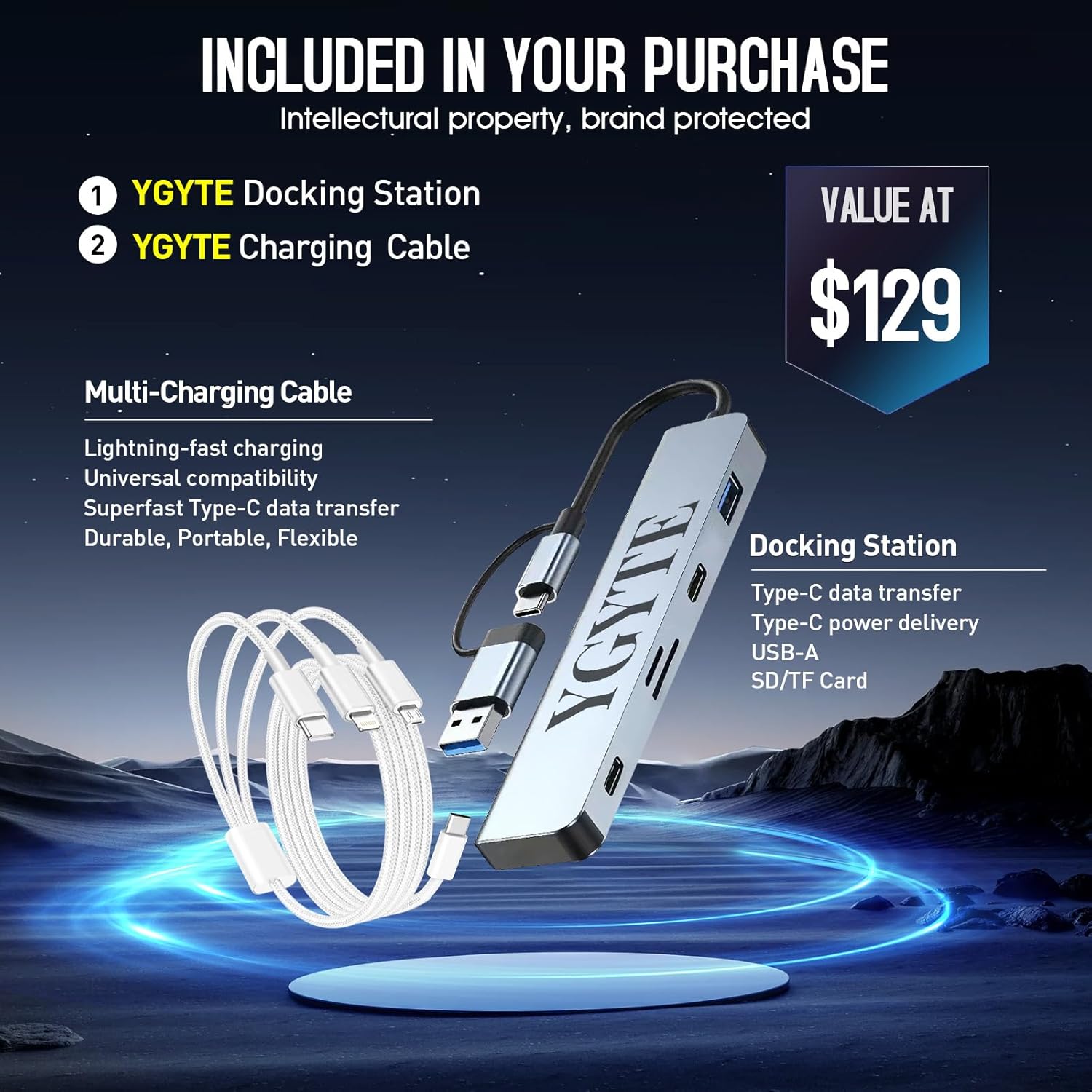
Figure 2.2: The laptop comes with a YGYTE Docking Station and a Multi-Charging Cable, enhancing connectivity and charging options.
- YGYTE Docking Station: Features Type-C data transfer, Type-C power delivery, USB-A, and SD/TF Card slots.
- YGYTE Multi-Charging Cable: Supports lightning-fast charging, universal compatibility, and Superfast Type-C data transfer.
3. Setup
3.1 Initial Power-On
- Unpack the laptop and all accessories from the box.
- Connect the power adapter to the laptop's AC Smart Pin port and then to a power outlet.
- Open the laptop lid. The laptop may power on automatically, or you may need to press the power button located on the keyboard.
- Follow the on-screen instructions to complete the Windows 11 Pro setup, including language, region, network connection, and user account creation.
3.2 Connecting Peripherals
Utilize the available ports for connecting external devices:

Figure 3.1: Side view of the HP laptop showing various ports including AC Smart Pin, USB Type-A, HDMI, USB Type-C, and headphone/microphone combo jack.
- USB-A Ports: Connect USB devices such as mice, keyboards, or external hard drives.
- USB-C Port: For SuperSpeed data transfer and power delivery (with compatible devices).
- HDMI Port: Connect to an external monitor or TV for extended display.
- Headphone/Microphone Combo Jack: For audio input/output.
- Wi-Fi & Bluetooth: Connect to wireless networks and Bluetooth devices through Windows settings.
4. Operating Instructions
4.1 Display Usage
The 17.3-inch FHD IPS anti-glare display provides clear and vibrant visuals, reducing reflections for comfortable viewing in various lighting conditions.

Figure 4.1: The laptop's 17.3-inch Full HD IPS anti-glare display offers a wide viewing experience with clear visuals.
- Adjust brightness using the function keys (Fn + F2/F3).
- Utilize Windows display settings to customize resolution, orientation, and multiple display setups.
4.2 Keyboard and Touchpad
The full-size keyboard includes a 10-key numeric keypad for efficient data entry. The lift-hinge design provides an ergonomic typing angle.
- The touchpad supports multi-touch gestures for navigation and control. Refer to Windows settings for gesture customization.
4.3 Camera and Audio
The HP True Vision 720p HD camera and dual array digital microphones ensure clear video calls and audio recordings. Dual B&O-tuned stereo speakers provide immersive sound.

Figure 4.2: The laptop's integrated HP True Vision 720p HD camera and dual array digital microphones are ideal for video conferencing.
- Adjust speaker volume and microphone sensitivity through Windows sound settings.
5. Maintenance
5.1 Battery Care
The laptop features a long-lasting battery with HP Fast Charge technology, allowing 50% charge in approximately 45 minutes.
- To prolong battery life, avoid extreme temperatures and fully discharging the battery frequently.
- Store the laptop with a partial charge (around 50%) if not used for extended periods.
5.2 Cleaning
- Use a soft, lint-free cloth dampened with water or a screen cleaner to clean the display.
- Wipe the keyboard and chassis with a soft, dry cloth. Avoid harsh chemicals.
5.3 Software Updates
- Regularly check for and install Windows updates to ensure optimal performance and security.
- Update drivers for components like graphics and network adapters through HP Support Assistant or the device manufacturer's website.
6. Troubleshooting
This section addresses common issues you might encounter with your HP laptop.
6.1 Power Issues
- Laptop does not turn on: Ensure the power adapter is securely connected and the outlet is functional. Check the battery charge level.
- Battery not charging: Verify the power adapter and cable are not damaged. Try a different power outlet.
6.2 Display Problems
- Blank screen: Connect an external monitor to check if the issue is with the laptop's display. Adjust brightness settings.
- Poor image quality: Ensure display drivers are updated. Check display resolution settings.
6.3 Connectivity Issues
- Wi-Fi not connecting: Restart the router and laptop. Check Wi-Fi settings and ensure the correct network is selected.
- Bluetooth device not pairing: Ensure the device is in pairing mode and within range. Check Bluetooth settings on the laptop.
- USB/HDMI ports not working: Try connecting a different device to confirm port functionality. Ensure drivers are updated.
7. Specifications
Detailed technical specifications for the HP 17.3-inch Laptop PC (Model 7430U).
| Feature | Detail |
|---|---|
| Standing screen display size | 17.3 Inches |
| Screen Resolution | 1920 x 1080 pixels |
| Max Screen Resolution | 1920x1080 Pixels |
| Processor | 4.3 GHz ryzen_5 (AMD Ryzen 5 6-Core) |
| RAM | 64 GB DDR4 |
| Hard Drive | 2 TB SSD (PCIe x 16) |
| Graphics Coprocessor | AMD Radeon Graphics |
| Wireless Type | 802.11ac (Wi-Fi 5) |
| Average Battery Life | 8.5 Hours |
| Operating System | Windows 11 Pro |
| Item Weight | 4.58 pounds |
| Product Dimensions | 15.78 x 10.15 x 0.78 inches |
| Color | Silver |
| Special Feature | Numeric Keypad |
8. Warranty and Support
Your HP 17.3-inch Laptop PC is covered by a manufacturer's warranty. For detailed information regarding warranty terms, conditions, and duration, please refer to the documentation included with your product or visit the official HP support website.
For technical assistance, driver downloads, and further support, please visit the HP Support Website. You may also consider purchasing extended protection plans for additional coverage, such as the 2-Year or 4-Year Protection Plans available.