
Introduction
This manual provides comprehensive instructions for the ATUVOS Rechargeable Wallet Tracker Card, Model AT2304T. It covers setup, operation, maintenance, troubleshooting, and specifications to ensure optimal performance and user experience. This device is designed to help you locate your personal items using Apple's Find My network.
Product Overview
The ATUVOS Rechargeable Wallet Tracker Card is an ultra-slim, MFi Certified item locator designed to fit seamlessly into your wallet. It leverages the Apple Find My network for both nearby and long-distance tracking. Key features include wireless charging, IP67 waterproof rating, and a built-in speaker for audible alerts.

Image: The ATUVOS Wallet Tracker Card shown alongside a wallet and an iPhone displaying the Apple Find My application, illustrating its primary function as an item locator.
Safety Information
Please read all safety warnings before using the device. Failure to follow these instructions may result in fire, electric shock, injury, or damage to the device or other property.
- Do not attempt to disassemble, repair, or modify the device.
- Keep the device away from extreme temperatures and direct sunlight.
- Avoid exposing the device to excessive moisture beyond its IP67 rating.
- Use only approved wireless charging methods.
Setup
Pairing with Apple Find My
The ATUVOS Wallet Tracker Card works exclusively with Apple iOS devices and the Apple Find My app. It does not support Android devices.
- Enable Find My and Bluetooth: On your iOS device, ensure that the "Find My" app is enabled and Bluetooth is turned on.
- Add New Item: Open the "Find My" app. Navigate to the "Items" tab at the bottom of the screen. Tap the "+" icon, then select "Add New Item," and finally "Other Supported Item."
- Pairing: Press and hold the button on your ATUVOS Tracker Card for approximately 10 seconds until it enters pairing mode. Your iOS device will detect the tracker. Tap "Connect" when prompted.
- Name and Icon: Follow the on-screen instructions to name your ATUVOS Tracker Card and assign an icon for easy identification within the Find My app.
- Subsequent Pairing: For subsequent pairing with other items or after a reset, tap the "+" icon and then "Add Other Item" in the Find My app.

Image: A visual guide demonstrating the four steps to pair the ATUVOS Tracker Card with the Apple Find My app, from enabling settings to connecting the device.
Operating Instructions
Finding Items Nearby
If your item is within Bluetooth range (up to 200 feet/60 meters), you can use the Find My app to locate it.
- Open the "Find My" app on your iOS device.
- Select the ATUVOS Tracker Card from your list of items.
- Tap "Play Sound" to make the tracker emit a loud ring (80-100dB). Follow the sound to locate your item.
- Alternatively, you can ask Siri, "Hey Siri, find my [item name, e.g., Wallet]."

Image: An iPhone screen showing the Find My app with the option to "Play Sound" to locate the ATUVOS tracker, indicating its use for finding nearby items.
Finding Items Far Away
When your item is outside Bluetooth range, the Apple Find My network can help you locate it. This network consists of hundreds of millions of Apple devices worldwide.
- Open the "Find My" app.
- The app will display the last known location of your ATUVOS Tracker Card on a map.
- You can activate navigation within the app to guide you to the item's last known location.
- The Find My network is encrypted and anonymous, ensuring your privacy. Location data and history are not stored on the tracker card itself.

Image: An iPhone screen showing the Apple Find My map interface, pinpointing the location of the ATUVOS tracker, useful for locating items over long distances.
Left Behind Reminders
The Find My app can notify you if you leave your item behind.
- If your ATUVOS Tracker Card disconnects from your iOS device's Bluetooth, you will receive an instant notification on your device.
- This feature helps prevent accidental loss of your tracked items.

Image: An iPhone screen showing a "wallet left behind" notification, demonstrating the device's ability to alert users when they move out of range of their tracked item.
Sharing Items (iOS 17 and above)
With iOS 17 or newer, you can share your ATUVOS Tracker Card's location with up to 5 other individuals.
- Ensure your iOS device is updated to iOS 17 or a later version.
- Within the Find My app, select your ATUVOS Tracker Card.
- Look for the "Share This Item" option and follow the prompts to add borrowers.
- Borrowers will be able to see the item's location on a map without receiving tracking notifications as the item moves with them.

Image: An iPhone screen showing the "Share This Item" feature within the Find My app, highlighting the capability to share the tracker's location with others.
Charging and Battery
The ATUVOS Wallet Tracker Card features convenient wireless charging.
- Charging: Place the tracker card on a compatible wireless charger. A blinking green LED light indicates that the device is charging.
- Full Charge: A full charge typically takes approximately 1 hour. The LED light will turn solid green when charging is complete.
- Battery Life: A single full charge can last up to 6 months, depending on usage.

Image: The ATUVOS Wallet Tracker Card positioned on a wireless charging pad next to an iPhone, illustrating the wireless charging process.
Maintenance
- Cleaning: Wipe the device with a soft, dry cloth. Do not use abrasive cleaners or solvents.
- Water Resistance: The device has an IP67 waterproof rating, meaning it can withstand immersion in up to 1 meter of water for up to 30 minutes. However, it is not designed for prolonged submersion or high-pressure water jets.
- Storage: Store the device in a cool, dry place when not in use for extended periods.

Image: The ATUVOS Wallet Tracker Card being splashed with water, visually representing its IP67 waterproof capability.
Troubleshooting
| Problem | Possible Cause | Solution |
|---|---|---|
| Device not pairing. | Bluetooth is off; device is out of range; device needs reset; not an iOS device. | Ensure Bluetooth is on. Bring device closer. Press and hold button for 10 seconds to reset and re-pair. Confirm you are using an iOS device. |
| Cannot hear the ring. | Device is too far; battery is low; environmental noise. | Move closer to the device. Charge the device. Move to a quieter area. |
| "Left Behind" notification not working. | Feature not enabled; app permissions. | Check Find My app settings to ensure "Notify When Left Behind" is enabled for the item. Verify app permissions in iOS settings. |
| Battery not charging. | Improper placement on charger; faulty charger/cable. | Ensure the card is correctly placed on the wireless charging pad. Try a different wireless charger or cable. |
Specifications
- Model: AT2304T
- Dimensions: 4 x 2.8 x 0.27 inches (101.6 x 71.12 x 6.86 mm)
- Weight: 0.67 ounces (19 grams)
- Connectivity: Bluetooth (Works with Apple Find My network)
- Battery: 1 Lithium Metal battery (included, rechargeable)
- Battery Life: Up to 6 months per full charge
- Charging: Wireless Charging
- Sound Level: 80-100 dB
- Waterproof Rating: IP67
- Compatibility: iOS devices only (Apple Find My app required)
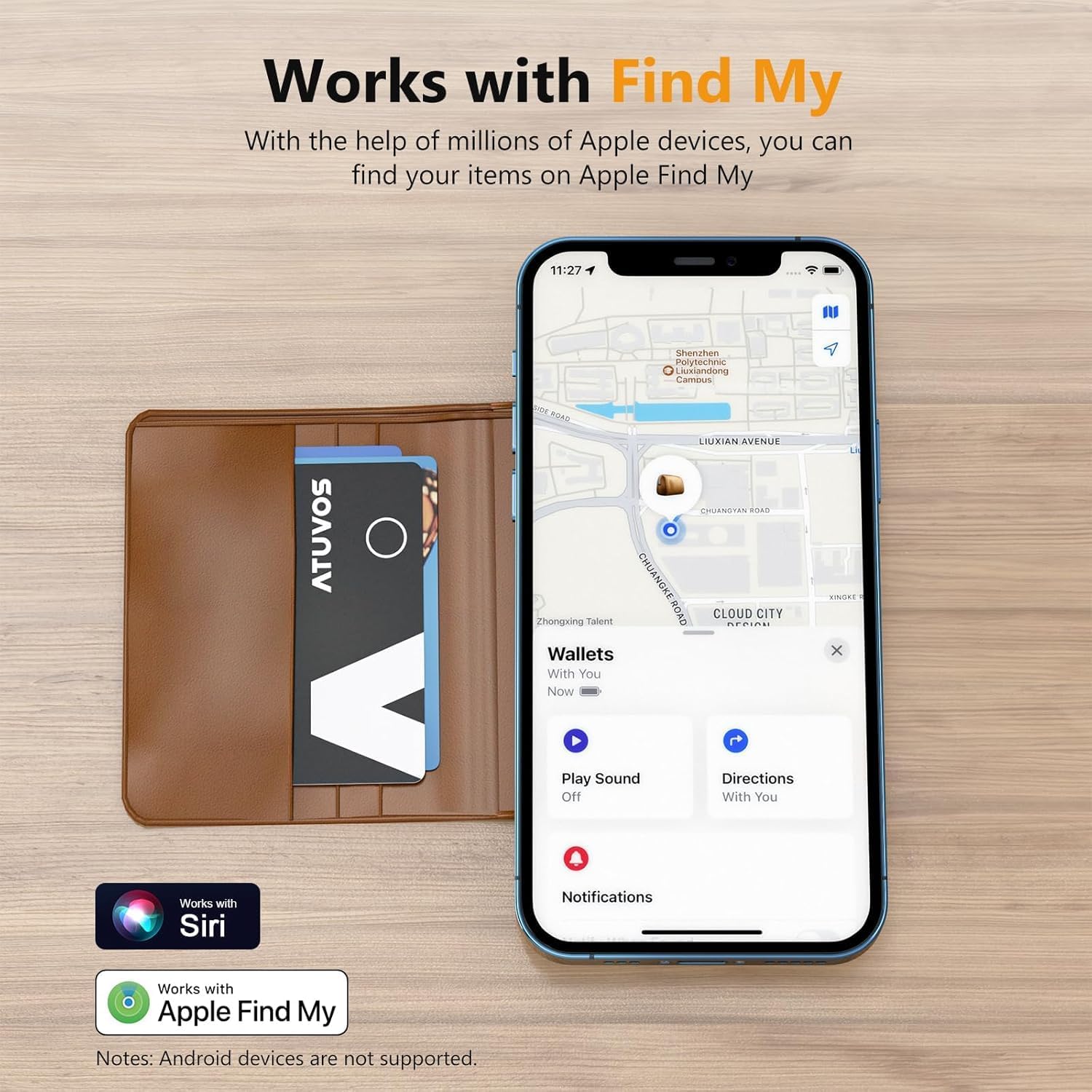
Image: A diagram illustrating the physical dimensions and key specifications of the ATUVOS Wallet Tracker Card, including its thickness, sound level, IP rating, Bluetooth range, and wireless charging capability.
Warranty and Support
ATUVOS provides a 1-Year Warranty for the Rechargeable Wallet Tracker Card, Model AT2304T.
- Warranty Coverage: This warranty covers defects in materials and workmanship under normal use.
- Customer Service: For any questions regarding the use of your ATUVOS Wallet Tracker Card or to claim warranty service, please contact ATUVOS customer service. We offer 24-hour customer support.
- Contact Information: Please refer to the contact details provided on the ATUVOS official website or your purchase documentation.
Additional Uses
The ATUVOS Rechargeable Wallet Tracker Card is versatile and can be used to track various items beyond just wallets:
- Luggage and Suitcases
- Bags and Backpacks
- Car (e.g., in the glove compartment)
- Passports or important documents

Image: A collage showcasing the ATUVOS Wallet Tracker Card being used in different scenarios, including a wallet, a laptop sleeve, a passport holder, and a backpack, highlighting its versatility.
Official Product Video
Video: An official product video demonstrating the features and functionality of the ATUVOS Rechargeable Wallet Tracker Card, including its use with the Apple Find My app, left-behind reminders, and various applications.


