1. Important Safety Information
Please read and understand all instructions and warnings before assembling and using this adjustable bed frame. Failure to follow these instructions may result in injury or product damage.
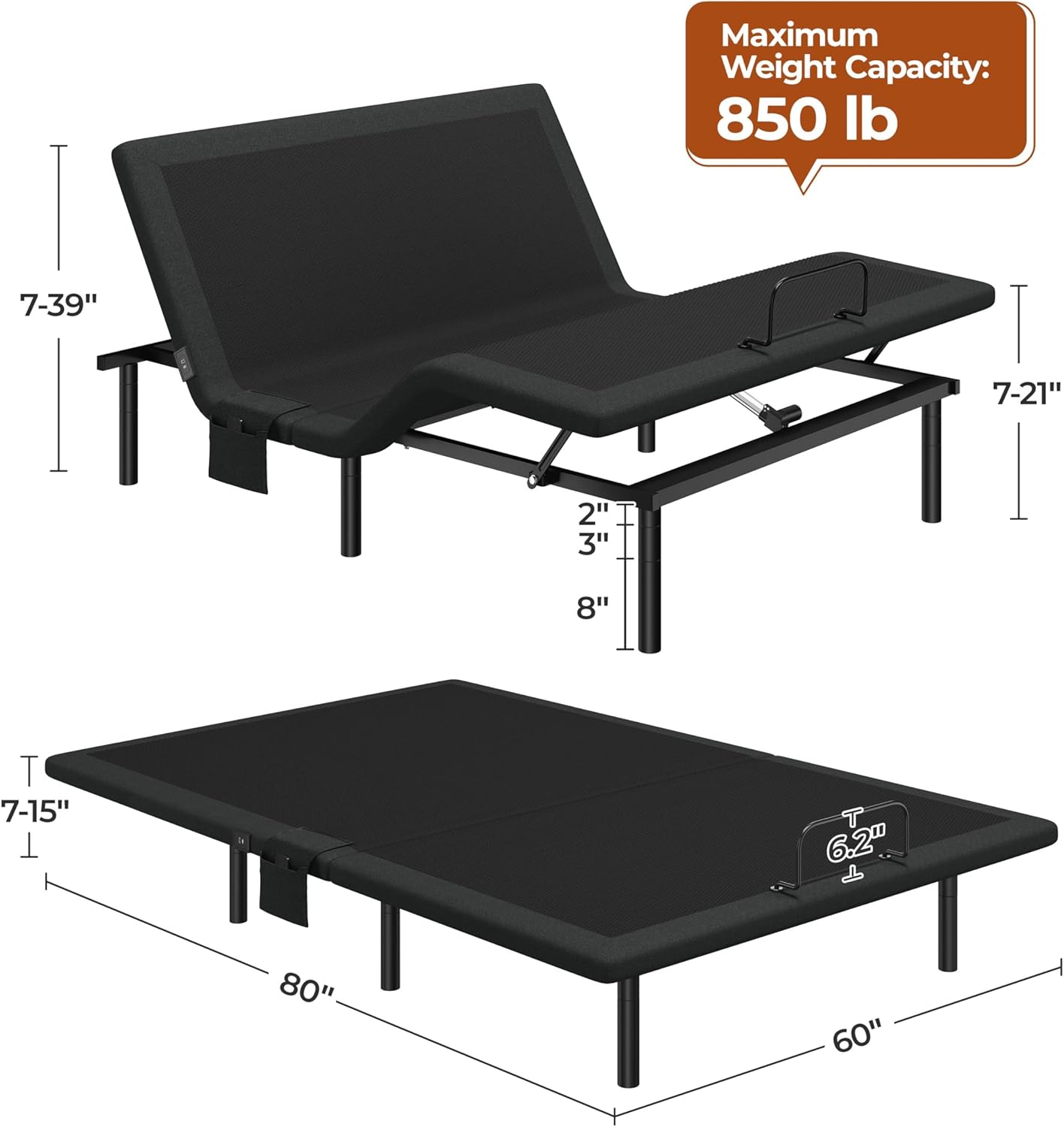
- Do not exceed the maximum weight capacity of 850 lb. This includes the weight of the mattress and occupants.
- Follow assembly instructions carefully to prevent instability. Ensure all connections are secure before use.
- Be cautious when using the remote-controlled flashlight in the dark to avoid tripping or falling.
- Keep children and pets away from moving parts of the bed frame during operation.
- Ensure power cords are not pinched or damaged. Do not operate the bed if the power cord is damaged.
- In case of a power outage, ensure 9V batteries are installed in the emergency lowering system to return the bed to a flat position.
2. Package Contents
Verify that all components are present before beginning assembly. If any parts are missing or damaged, contact Yaheetech customer support.
- Adjustable Bed Frame Base
- Wireless Remote Control
- Adjustable Legs (Quantity: 6)
- Mattress Retainer Bar
- Power Adapter and Cord
- Accessory Kit (screws, tools, etc.)
- Assembly Instructions
3. Setup Instructions
Assembly of the Yaheetech Queen Adjustable Bed Frame is designed to be straightforward. Due to the product's weight, two people are recommended for installation.
- Unpack and Position: Carefully remove all components from the packaging. Place the folded bed frame base in the desired location, ensuring enough space for unfolding.
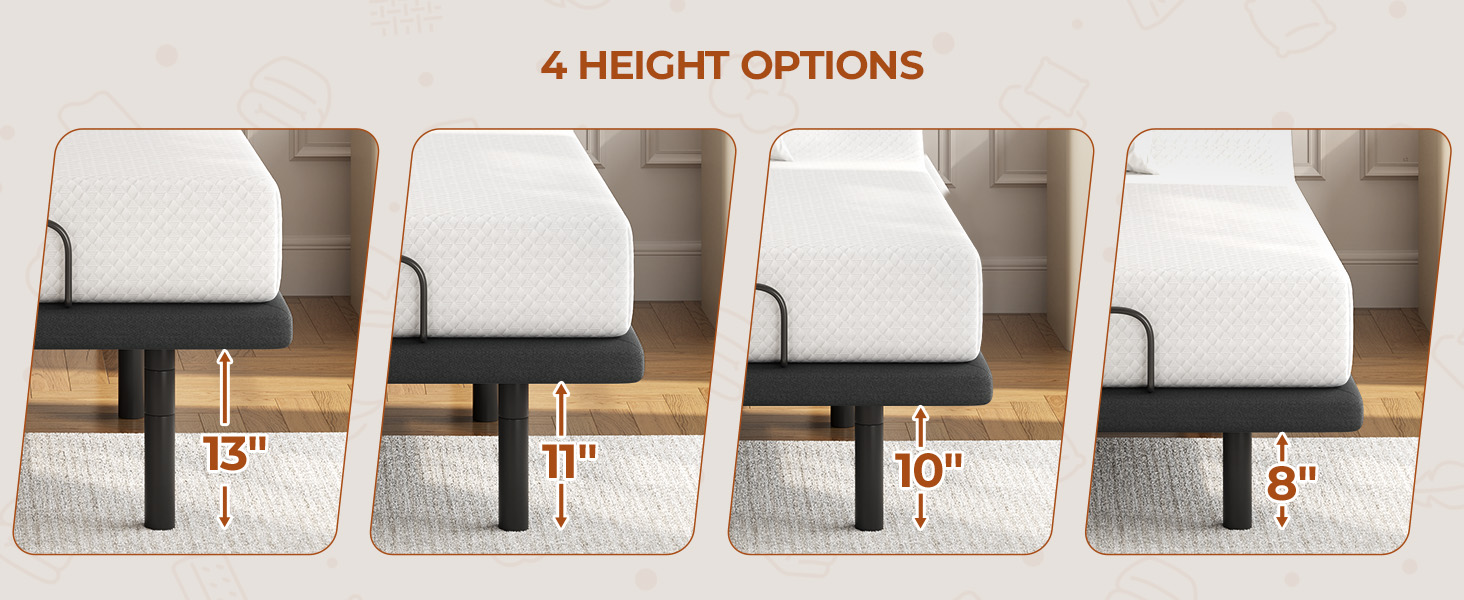
- Attach Adjustable Legs: Screw the six adjustable legs into the designated threaded holes on the underside of the bed frame. You can choose from four height settings: 8", 10", 11", or 13" by adjusting the leg segments. Ensure all legs are tightened securely and are at the same height for stability.
- Install Mattress Retainer Bar: Insert the mattress retainer bar into the slots at the foot of the bed frame. This bar prevents the mattress from sliding when the bed is adjusted.
- Connect Power: Connect the power adapter to the bed frame's control box, then plug the power cord into a grounded electrical outlet.
- Pair Remote Control: Follow the instructions provided with the remote control to pair it with the bed base. Typically, this involves holding a pairing button on the control box and the remote simultaneously.
- Install Emergency Batteries: For emergency lowering during a power outage, install two 9V batteries (not included) into the designated compartment on the control box.
- Place Mattress: Carefully place your Queen-sized mattress onto the adjustable bed frame. This frame is compatible with memory foam, latex, hybrid, and innerspring mattresses under 14" thick.
4. Operating Instructions
The adjustable bed frame is operated using the wireless remote control.
4.1 Remote Control Functions
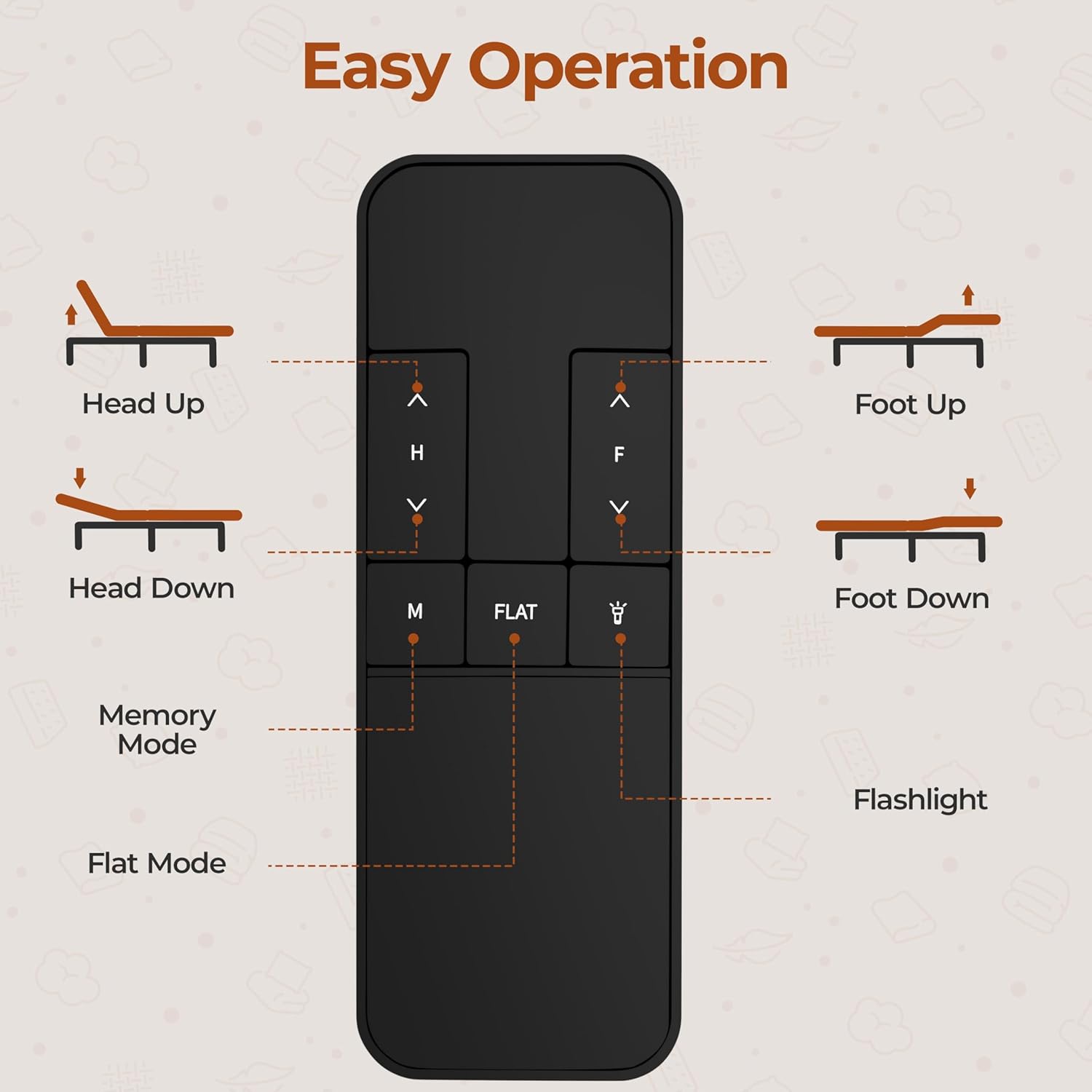
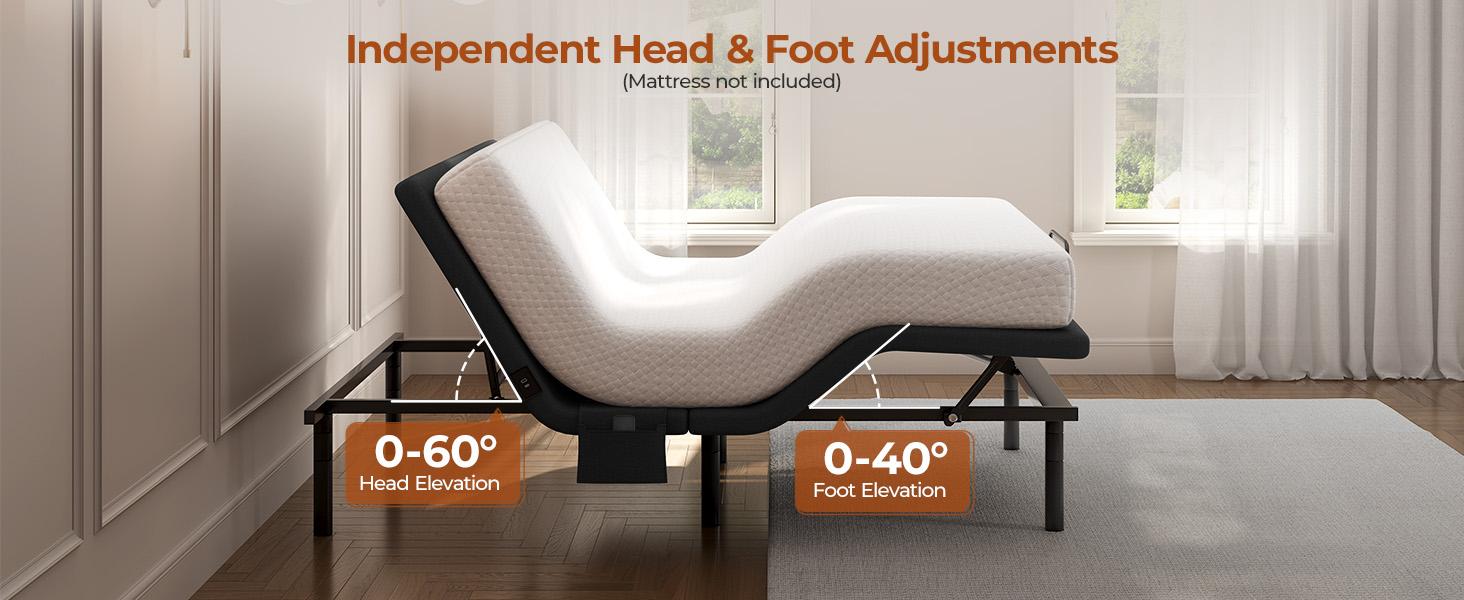
- Head Up/Down: Use the 'H' buttons to raise or lower the head section of the bed. The head section can be adjusted independently up to 60 degrees.
- Foot Up/Down: Use the 'F' buttons to raise or lower the foot section of the bed. The foot section can be adjusted independently up to 40 degrees.
- Memory Mode ('M'): Press this button to save your current preferred head and foot position. To recall a saved position, press the 'M' button again.
- Flat Mode: Press this button to return the bed frame to a completely flat position.
- Flashlight: Press the flashlight button on the remote to activate a small light, useful for navigating in the dark.
4.2 Independent Head & Foot Adjustments
The bed frame allows for independent adjustment of the head and foot sections, providing personalized comfort for various activities such as reading, watching TV, or sleeping.

4.3 USB Charging Ports & Side Pocket
The bed frame is equipped with built-in USB-A and USB-C ports for convenient device charging. A removable side pocket is also included to keep essentials within reach.

4.4 Nightlight
The integrated under-bed nightlight provides subtle illumination, useful for navigating your room during the night without disturbing others.
5. Maintenance
Regular maintenance helps ensure the longevity and optimal performance of your adjustable bed frame.
- Cleaning: Wipe the frame with a soft, damp cloth. Avoid harsh chemicals or abrasive cleaners.
- Check Connections: Periodically inspect all bolts, screws, and electrical connections to ensure they are secure. Tighten any loose fasteners.
- Motor Care: The motors are designed for maintenance-free operation. Avoid obstructing the motor areas.
- Remote Control: Replace AAA batteries in the remote control as needed. Ensure 9V emergency batteries in the control box are fresh.
6. Troubleshooting
If you encounter issues with your adjustable bed frame, refer to the following troubleshooting guide:
| Problem | Possible Cause | Solution |
|---|---|---|
| Bed does not move | No power; Remote not paired; Remote batteries low | Check power cord connection; Re-pair remote; Replace remote batteries. |
| Bed moves slowly or with difficulty | Overload; Obstruction; Low power | Ensure weight is within capacity; Check for obstructions under the bed; Verify power connection. |
| Remote control flashlight not working | Remote batteries low | Replace AAA batteries in the remote. |
| Bed stuck in an elevated position during power outage | No 9V emergency batteries or batteries are dead | Install fresh 9V batteries in the control box for emergency lowering. |
7. Specifications
| Feature | Detail |
|---|---|
| Model Number | M-615165 |
| Size | Queen |
| Product Dimensions (L x W x H) | 79.53" x 58.66" x 6.89" (base height) |
| Adjustable Leg Heights | 8", 10", 11", 13" |
| Item Weight | 115.1 pounds |
| Maximum Weight Capacity | 850 lb |
| Head Elevation | 0-60 degrees |
| Foot Elevation | 0-40 degrees |
| Special Features | Adjustable, Wireless Remote Control, USB-A & USB-C Ports, Nightlight, Side Pocket |
| Compatible Mattress Types | Memory Foam, Latex, Hybrid, Innerspring (under 14" thick) |
| Color | Black |
| Finish Type | Powder Coated |
8. Warranty and Support
For warranty information, product support, or to order replacement parts, please contact Yaheetech customer service. Refer to your purchase documentation for specific warranty terms and contact details.
Yaheetech Customer Service: Please visit the official Yaheetech website or refer to the contact information provided with your purchase.