
1. Introduction
The GE Cync Dynamic Effects Smart Cafe Lights are Wi-Fi enabled, color-changing outdoor string lights designed to enhance your outdoor living space. These lights offer customizable colors, brightness levels, and dynamic lighting effects, all controllable via the Cync app or voice commands through Amazon Alexa and Google Assistant. Built for durability, they feature an IP65 rating for all-weather use and energy-efficient LED bulbs.

Figure 1: GE Cync Dynamic Effects Smart Cafe Lights product packaging.
2. What's Included
The package contains the following items:
- 1 x 48ft Light String with 20 LED bulbs
- 1 x Power Supply with Plug
- 2 x Mounting Screws
- 1 x Instruction Manual
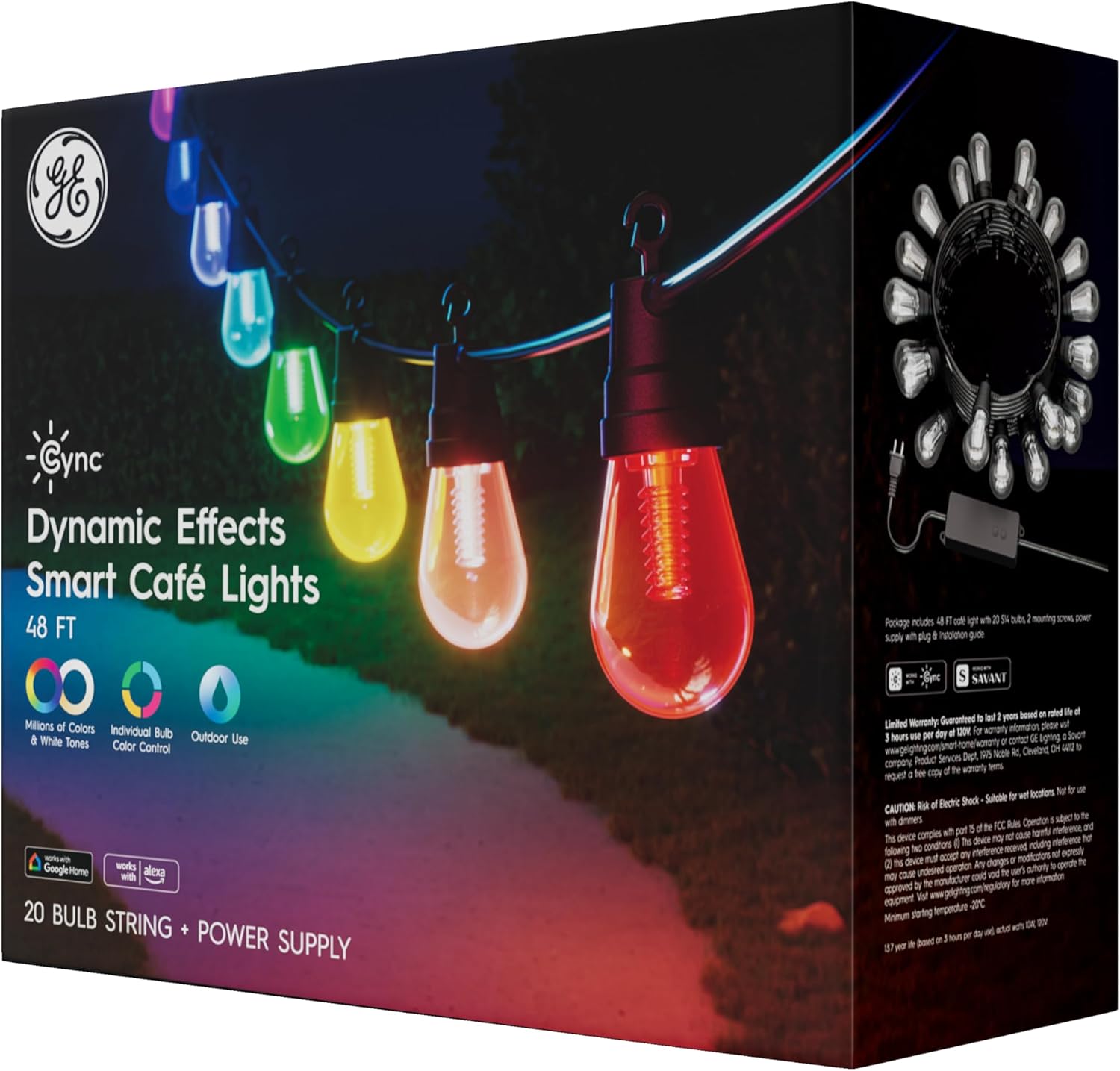
Figure 2: Back of product packaging highlighting key features and contents.
3. Safety Information
Please read all safety instructions before installation and use. Failure to follow these instructions may result in electric shock, fire, or other hazards.
- Outdoor and Wet Rated (IP65): These lights are designed for outdoor use and are resistant to dust and water jets. Ensure all connections are secure to maintain the IP65 rating.
- Power Source: Use only the provided power supply. Do not exceed the maximum connectable length of 96ft (two 48ft strings).
- Installation: Install in a location where the lights will not be subject to physical damage. Do not submerge the lights or power supply in water.
- Maintenance: Disconnect power before cleaning or servicing. Do not attempt to repair damaged components; contact customer support.
4. Setup
4.1 Physical Installation
The cafe lights feature an open hook design for easy hanging. You can install them along decks, fences, pergolas, or trees.
- Plan your desired layout, ensuring the total length does not exceed 96ft if connecting multiple strings.
- Use the provided screws or appropriate outdoor-rated fasteners to secure the string at regular intervals. The open hooks allow for quick attachment.
- Ensure the power supply is placed in a dry location or protected from direct water exposure, even though the lights themselves are wet-rated.
- Plug the power supply into a suitable outdoor-rated electrical outlet.
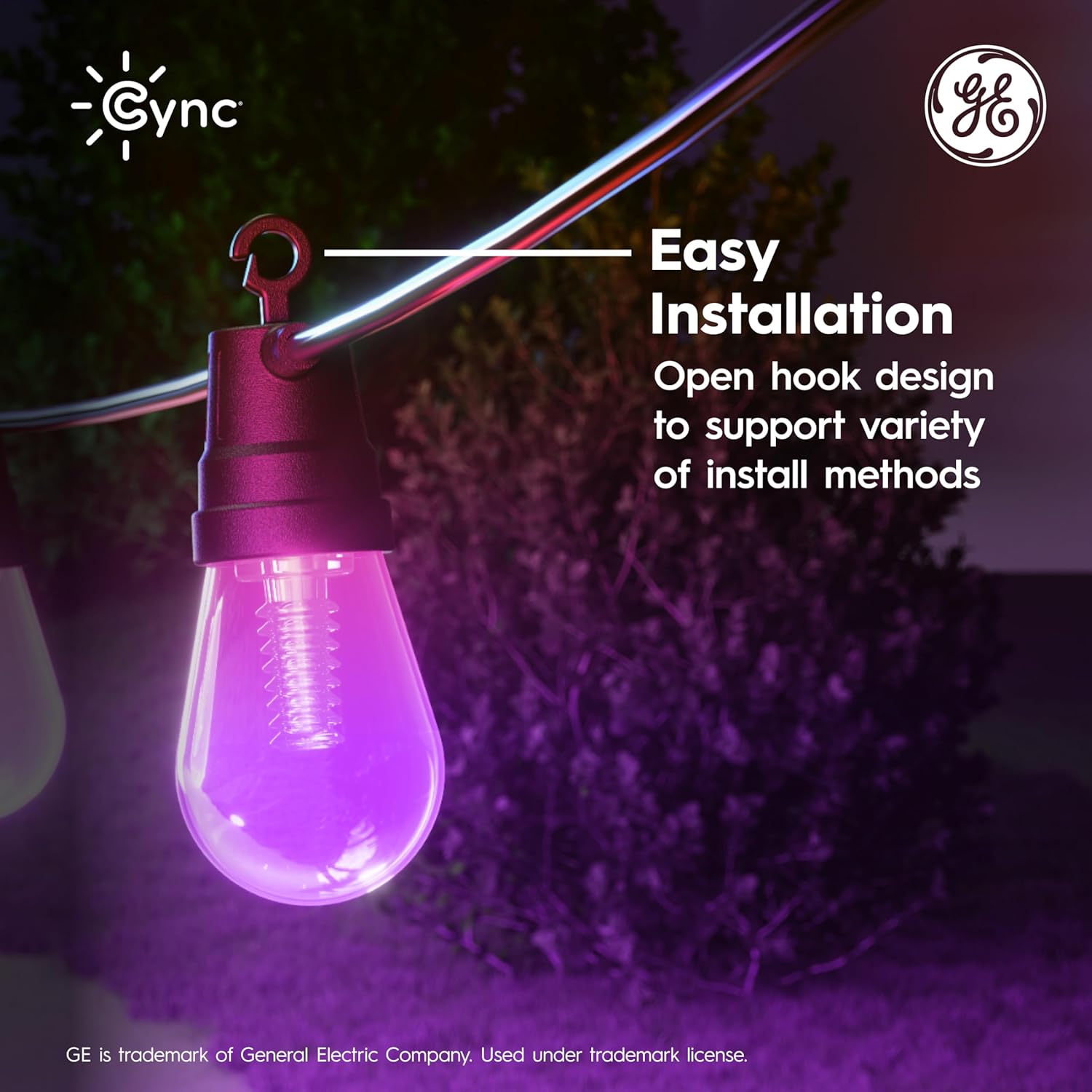
Figure 3: Easy installation with open hook design.
4.2 Cync App Installation & Pairing
To unlock the full smart features, download and set up the Cync app.
- Download the Cync app from the App Store (iOS) or Google Play Store (Android).
- Create an account or log in.
- Follow the in-app instructions to add your new Smart Cafe Lights. Ensure your phone is connected to a 2.4 GHz Wi-Fi network during setup.
- The app will guide you through connecting the lights to your home Wi-Fi network.

Figure 4: Cync app for simplified smart home setup.
4.3 Voice Assistant Integration
The GE Cync Smart Cafe Lights are compatible with Amazon Alexa and Google Assistant for voice control.
- Ensure your lights are successfully paired with the Cync app.
- Open your Amazon Alexa or Google Home app.
- Follow the instructions within the respective app to link your Cync account.
- Once linked, you can use voice commands such as "Alexa, turn on the patio lights" or "Hey Google, change patio lights to blue."
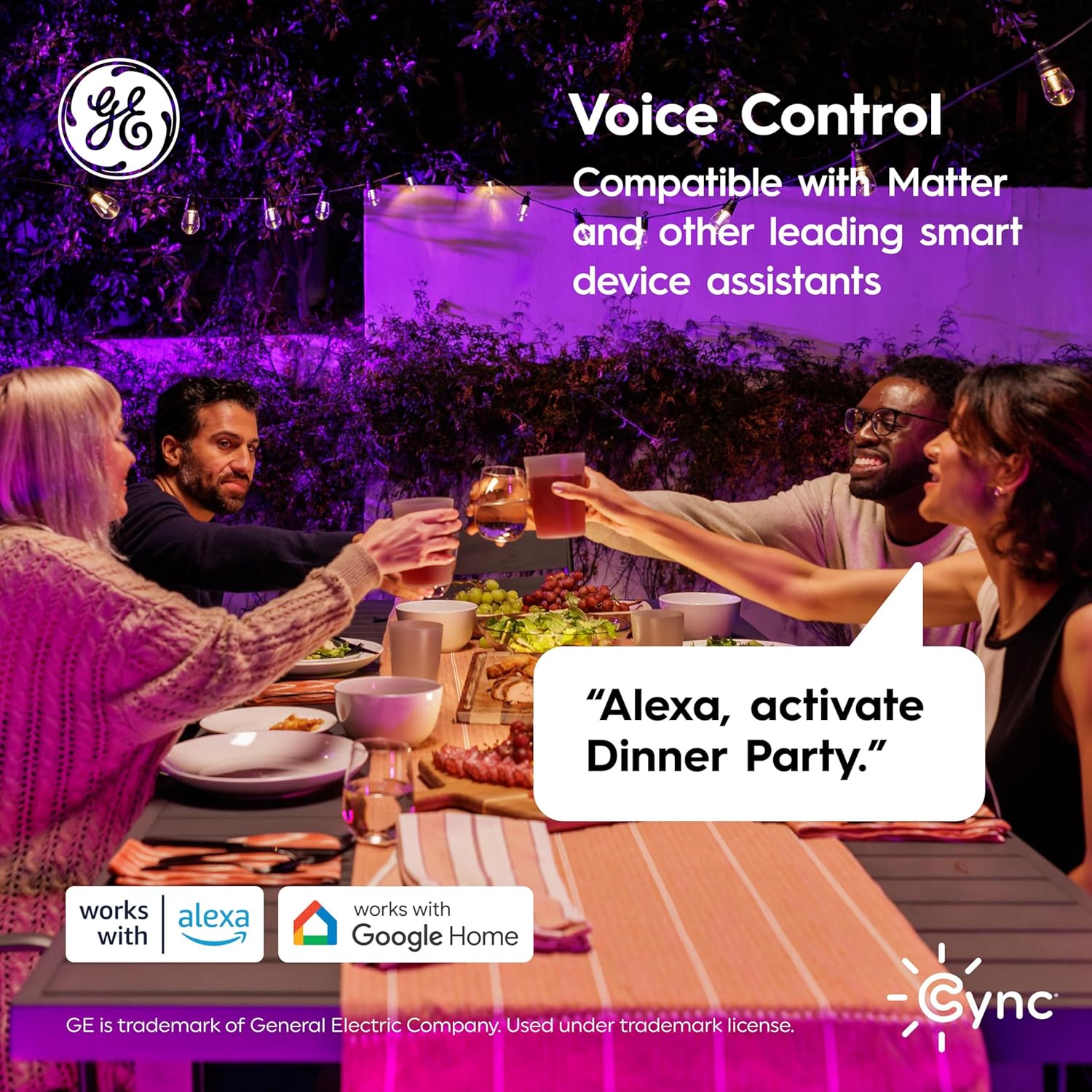
Figure 5: Voice control with Amazon Alexa and Google Assistant.
5. Operating Instructions
Control your Smart Cafe Lights using the Cync app or your preferred voice assistant.
5.1 Color Changing and Brightness
- Millions of Colors: Use the Cync app to select from a wide spectrum of colors to match any mood or occasion.
- Individual Bulb Control: Each LED bulb can be controlled independently, allowing for unique color patterns and effects.
- Brightness Adjustment: Adjust the brightness from 1% to 100% via the app or voice commands.
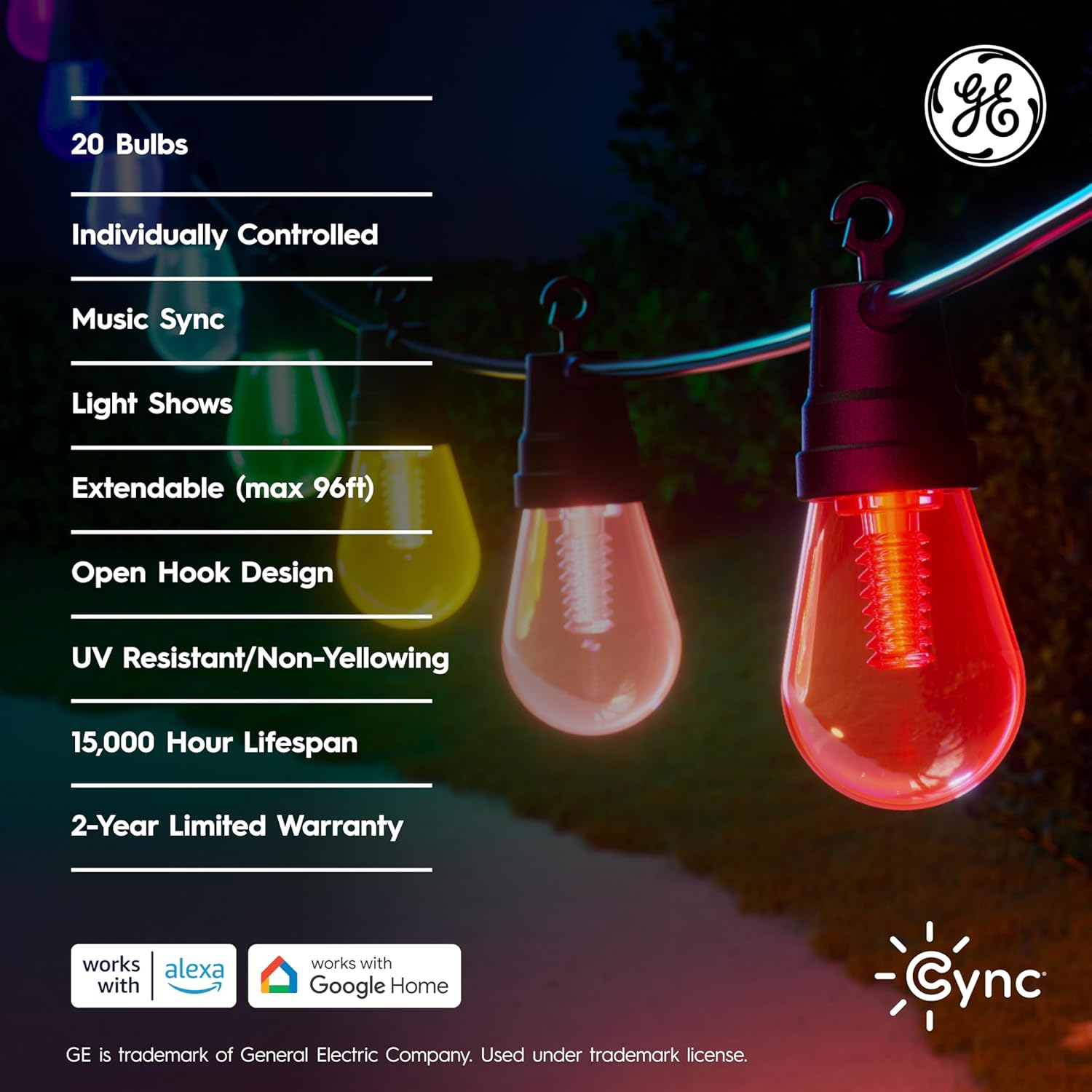
Figure 6: Cync app segment control for individual bulb customization.
5.2 Schedules and Scenes
- Create Schedules: Set your lights to turn on/off automatically at specific times, or to change colors based on the time of day.
- Custom Scenes: Design and save custom lighting scenes for different activities or holidays.
5.3 Dynamic Effects and Music Sync
The Cync app offers dynamic lighting effects and music synchronization features to create an immersive experience.
- Explore pre-set dynamic effects for various occasions.
- Utilize the music sync feature to make your lights react to audio (available only on the Cync app).
Video 1: An overview of the Cync Cafe Lights features and dynamic effects. This video demonstrates various lighting modes and app functionalities.
6. Maintenance
- Cleaning: Ensure the lights are unplugged before cleaning. Wipe bulbs and cables with a soft, damp cloth. Do not use harsh chemicals or abrasive cleaners.
- Bulb Lifespan: The LED bulbs are rated to last 15,000 hours based on 3 hours per day of use. Bulbs are not user-replaceable.
- Storage: If storing the lights for an extended period, ensure they are clean and dry. Store them in a cool, dry place away from direct sunlight.
7. Troubleshooting
If you encounter issues with your GE Cync Smart Cafe Lights, refer to the following common solutions:
- Lights not turning on: Check if the power supply is securely plugged into a working outlet. Ensure the lights are connected to the power supply.
- Connectivity issues (lights offline in app): Verify your Wi-Fi network is active and your phone is connected to a 2.4 GHz network during setup. Try restarting your Wi-Fi router and the lights by unplugging and replugging them.
- Voice control not working: Confirm that your Cync account is correctly linked to your Amazon Alexa or Google Home app. Ensure your voice assistant device is online and within range.
- Inconsistent color or brightness: Check for any physical damage to the bulbs or cable. Ensure the Cync app is updated to the latest version.
- Lights not responding: Perform a factory reset if necessary (refer to the Cync app or online support for specific instructions).
For further assistance, visit the Cync support website or contact customer service.
8. Specifications
| Feature | Specification |
|---|---|
| Model Number | CCF48CDOD/ENS |
| Brand | Cync |
| Item Length | 48 Feet |
| Number of Bulbs | 20 |
| Light Source Type | LED |
| Light Color | Multicolor (Full Color) |
| White Brightness | 220 Lumens |
| Color Temperature | 4000 Kelvin |
| Wattage | 10 Watts |
| Voltage | 120 Volts |
| Indoor/Outdoor Usage | Outdoor |
| Ingress Protection (IP) Rating | IP65 |
| Control Method | App (Cync), Voice (Alexa, Google Assistant) |
| Extendable | Up to 96ft (with additional strings, sold separately) |
| Estimated Lifespan | 15,000 hours |
| Material | Plastic |
| Item Weight | 3.64 Pounds |
| UPC | 043168569965 |
9. Warranty and Support
The GE Cync Dynamic Effects Smart Cafe Lights come with a 2-year manufacturer's warranty. This warranty covers defects in materials and workmanship under normal use.
For warranty claims, technical support, or additional product information, please visit the official Cync website or contact their customer service department. Keep your proof of purchase for warranty validation.


