
1. Introduction
The Shure MXW APX 8 is an advanced 8-channel wireless access point transceiver designed for the Microflex Wireless neXt series. This device integrates built-in IntelliMix DSP, Dante, USB, and analog I/O, providing comprehensive audio networking capabilities for professional environments. This manual provides essential information for the proper setup, operation, and maintenance of your MXW APX 8.
2. Safety Information
Please read and understand these safety instructions before operating the device. Keep this manual for future reference.
- Power Source: Use only the power supply specified by Shure. Ensure the power outlet meets the device's requirements.
- Ventilation: Do not block any ventilation openings. Install in accordance with the manufacturer's instructions.
- Water and Moisture: Do not expose this apparatus to rain or moisture. Do not use near water.
- Cleaning: Clean only with a dry cloth.
- Servicing: Refer all servicing to qualified service personnel. Servicing is required when the apparatus has been damaged in any way, such as power-supply cord or plug is damaged, liquid has been spilled or objects have fallen into the apparatus, the apparatus has been exposed to rain or moisture, does not operate normally, or has been dropped.
3. Product Overview
The MXW APX 8 serves as the central hub for your Microflex Wireless neXt system, managing wireless microphone signals and integrating them into your audio network. It features a compact design with clear status indicators.
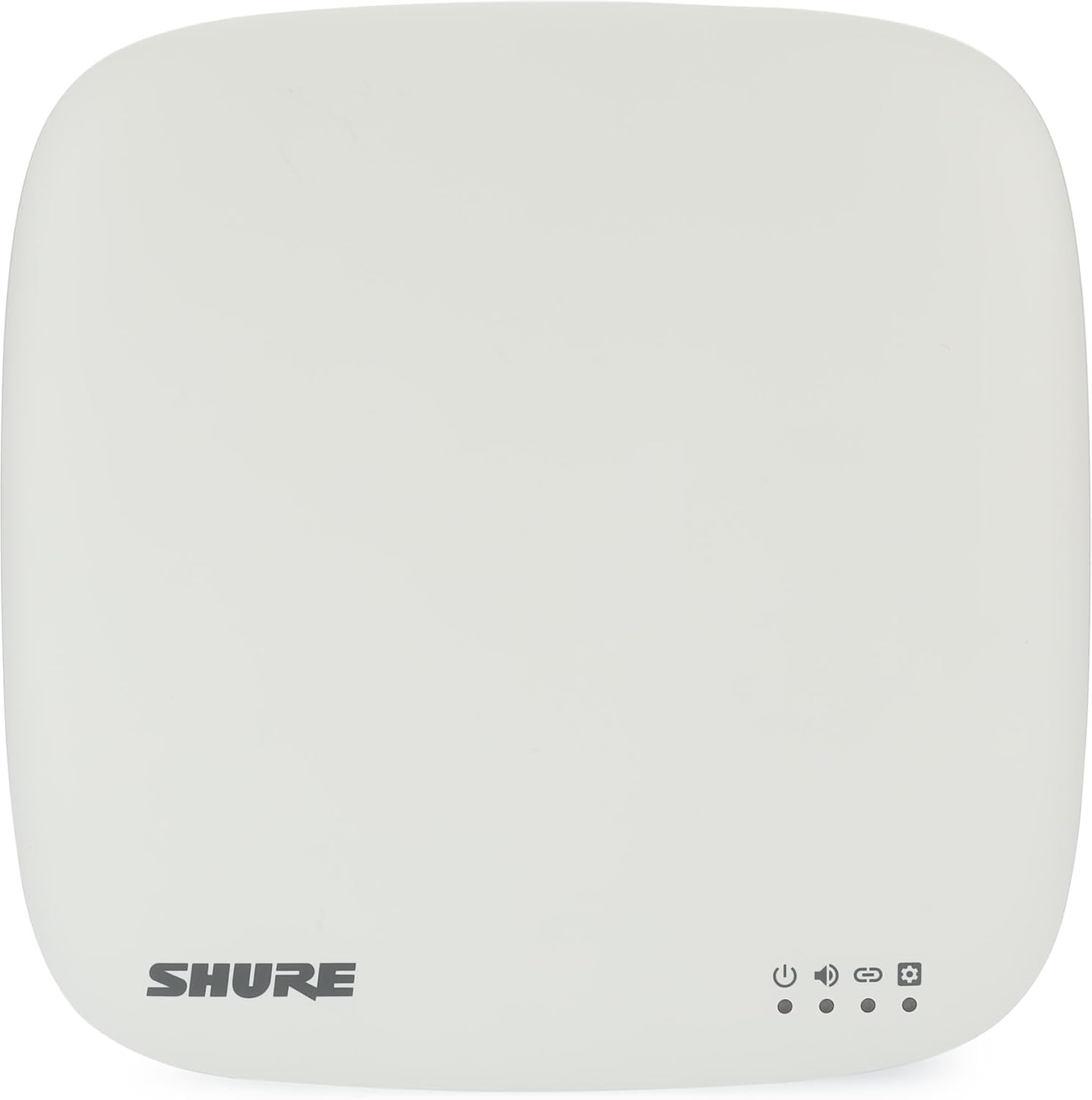
Figure 1: Shure MXW APX 8 Front Panel
This image displays the front of the Shure MXW APX 8, a white, square-shaped device with rounded corners. The 'SHURE' logo is visible in the bottom-left corner. In the bottom-right corner, there are four indicator icons with corresponding LED dots below them: a power icon, an audio icon, a link icon, and a gear/settings icon. These indicators provide visual feedback on the device's status, indicating power, audio activity, network link status, and system configuration status respectively.
Front Panel Indicators:
- Power Indicator: Illuminates when the device is powered on.
- Audio Indicator: Indicates audio signal presence and activity.
- Link Indicator: Shows network connectivity status.
- Status/Settings Indicator: Provides feedback on system status or configuration mode.
4. Setup
Follow these steps to set up your Shure MXW APX 8:
- Mounting: Choose an appropriate location for the access point, ensuring optimal line-of-sight to the wireless microphones and away from potential interference sources. The device can be mounted on a wall or ceiling using suitable hardware (sold separately).
- Power Connection: Connect the provided power supply to the MXW APX 8 and then to a power outlet. The power indicator LED on the front panel should illuminate.
- Network Connection (Dante/Wi-Fi):
- For Dante audio networking, connect an Ethernet cable from the MXW APX 8 to your Dante-enabled network switch.
- For control and configuration, connect the device to your network via Ethernet or configure its Wi-Fi settings as required.
- USB and Analog I/O: Connect any necessary USB devices or analog audio equipment to the respective ports on the MXW APX 8.
- System Configuration: Access the device's web interface or use Shure's control software to configure wireless channels, microphone assignments, IntelliMix DSP settings, and network parameters. Refer to the software documentation for detailed instructions.
5. Operating
Once set up and configured, the MXW APX 8 operates automatically to manage your Microflex Wireless neXt system. Ensure all connected microphones are powered on and within range.
- Wireless Communication: The access point continuously monitors and manages the wireless connections with up to 8 Microflex Wireless microphones.
- Audio Processing: Integrated IntelliMix DSP applies advanced audio processing, including echo cancellation, noise reduction, and automatic mixing, to optimize audio quality.
- Monitoring: Observe the front panel LEDs for quick status checks. The audio indicator will show activity, and the link indicator will confirm network connectivity.
- System Control: Adjust settings and monitor performance through the dedicated control software or web interface.
6. Maintenance
Regular maintenance ensures optimal performance and longevity of your MXW APX 8.
- Cleaning: Periodically wipe the exterior of the device with a soft, dry cloth. Avoid using harsh chemicals or abrasive cleaners.
- Firmware Updates: Check the Shure website regularly for firmware updates. Keeping the firmware current ensures access to the latest features and performance improvements.
- Environmental Conditions: Ensure the device is operated within its specified temperature and humidity ranges to prevent damage.
7. Troubleshooting
If you encounter issues with your MXW APX 8, refer to the following common troubleshooting steps:
- No Power: Ensure the power supply is securely connected to both the device and a working power outlet. Check the power indicator LED.
- No Network Connectivity: Verify Ethernet cable connections. Check network switch status and IP configuration. Ensure the link indicator LED is active.
- No Audio: Confirm that microphones are powered on and paired with the access point. Check audio routing in the control software and verify physical audio connections (Dante, USB, analog).
- Wireless Interference: If experiencing dropouts or poor audio quality, check for potential sources of wireless interference (e.g., Wi-Fi routers, other wireless devices). Adjust access point placement or wireless channel settings if possible.
- System Not Responding: Try power cycling the MXW APX 8. If the issue persists, consult the Shure support resources.
8. Specifications
| Model Name | MXW APX 8 |
| Product Dimensions | 9.34 x 8.67 x 2.98 inches |
| Item Weight | 3.47 pounds |
| Special Features | Dante, IntelliMix DSP |
| Frequency Band Class | Single-Band (Z10 Band: 1,920-1,930MHz) |
| Wireless Communication Standard | 802.11ax |
| Connectivity Technology | Dante, Wi-Fi |
| Security Protocol | WPA2-PSK, WPA3 |
| Number of Ports | 3 (Ethernet, USB, Analog I/O) |
9. Warranty and Support
Shure products are designed for reliability and performance. For warranty information, please refer to the warranty card included with your product or visit the official Shure website. For technical support, product registration, or additional resources, please visit www.shure.com or contact your local Shure representative.


