
1. Introduction
The NDI ND0988 Stud Detector utilizes advanced electronic signals technology to detect the precise location of studs hidden behind walls. This tool is ideal for indoor decoration wiring, installation of electric equipment such as air conditioners and range hoods, and detecting metal in wooden furniture and wood product structures. It offers clear audio and visual indicators to ensure safe drilling and hanging, making it perfect for home improvement tasks like hanging shelves or installing appliances.
2. Product Overview
The NDI ND0988 is designed for user-friendly operation and accurate results. Below are its key features and components.
- Accurate Stud Detection: Locates wooden studs with precision at depths of 12mm, 25mm, and 38mm.
- User-Friendly LCD Interface: Bright backlit LCD screen displays detection strength, battery level, and stud depth indicators.
- Multiple Depth Modes: Three depth settings (0.5", 1.0", and 1.5") adapt to various wall thicknesses.
- Battery Indicator & Power Saving: Features a battery level indicator and automatically shuts down after 2 minutes of inactivity.
- Compact & Durable Design: Lightweight, easy to handle, and built to withstand everyday use.
Product Components

Figure 1: NDI ND0988 Stud Detector with labeled components.
- Backlit LCD: Displays all operational information.
- Power Button: Turns the device on/off.
- Mode Button: Switches between different detection modes (depths).
- Detection Button: Press and hold to initiate scanning.
- Battery Compartment: Houses the AAA batteries.
3. Setup
Battery Installation
The NDI ND0988 requires two AAA batteries (not included). Follow these steps to install them:
- Locate the battery compartment cover on the back of the device.
- Slide the cover open.
- Insert two AAA batteries, ensuring correct polarity (+/-).
- Slide the battery compartment cover back into place until it clicks securely.
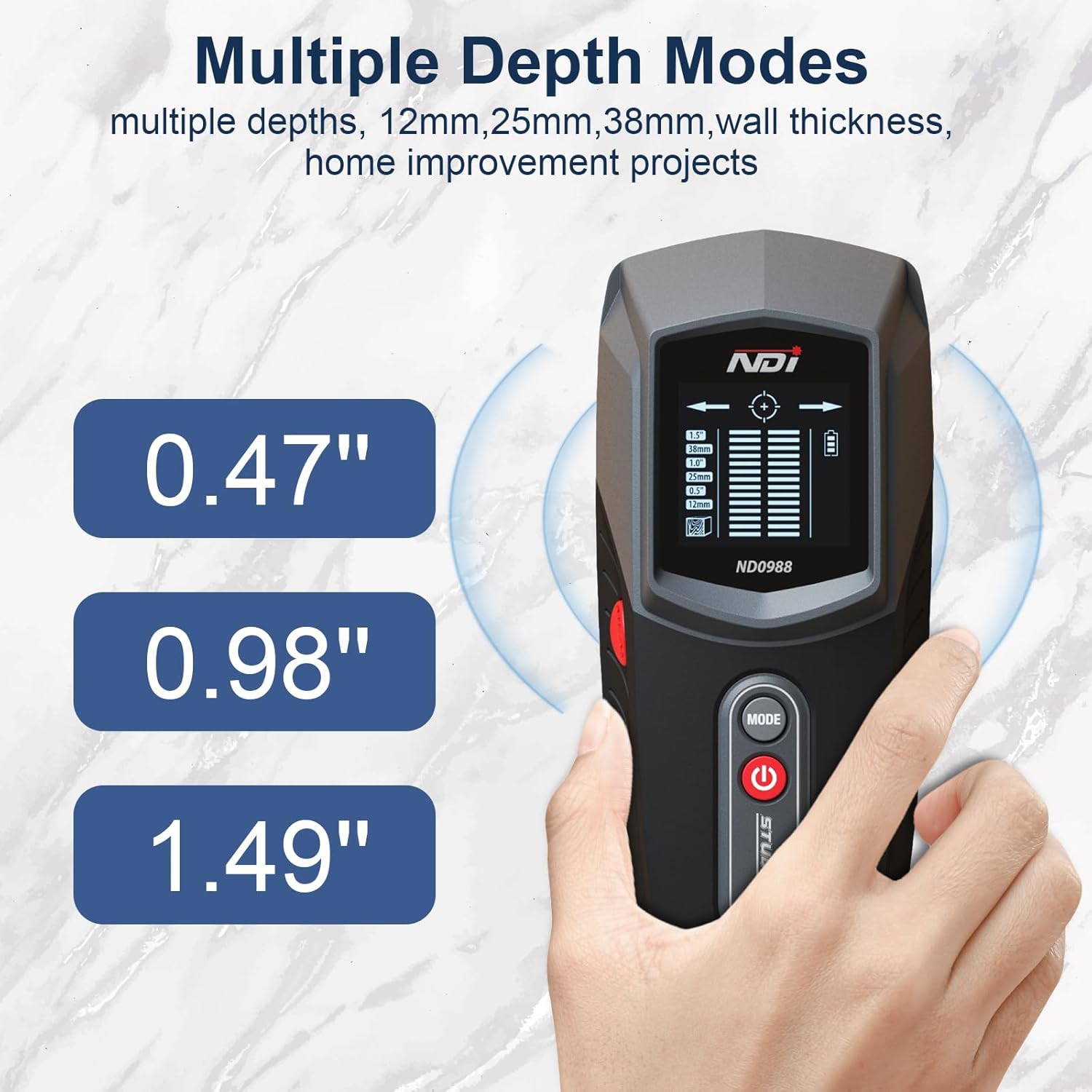
Figure 2: NDI ND0988 Stud Detector.
4. Operating Instructions
Power On/Off
- To Power On: Short press the Power button. The tool will display full information on the LCD screen.
- To Power Off: Long press the Power button until the screen turns off. The device also features an automatic shutdown after 2 minutes of inactivity to preserve battery life.
Mode Selection and Unit Switch
- To Switch Depth Modes: Short press the MODE button to cycle through the available stud detection depths (12mm, 25mm, 38mm).
- To Switch Units: Long press the MODE button to switch between Metric (mm) and Imperial (inches) units.
Stud Detection Procedure
For accurate results, ensure the device is calibrated before scanning.
- Place the detector flat against the wall surface where you intend to scan.
- Press and hold the Detection button (MEAS). The device will calibrate automatically. Wait for the calibration to complete (usually a short beep and stable display).
- Slowly slide the detector horizontally across the surface. Keep the device flat against the wall.
- When a stud is detected, the LCD screen will show signal strength indicators, and an audible beep will sound. Arrows on the display will guide you towards the center of the stud.
- Mark the center of the stud once the display indicates maximum signal strength and a bullseye icon.
- Repeat the scan from the opposite direction to confirm the stud's edges and center for maximum accuracy.
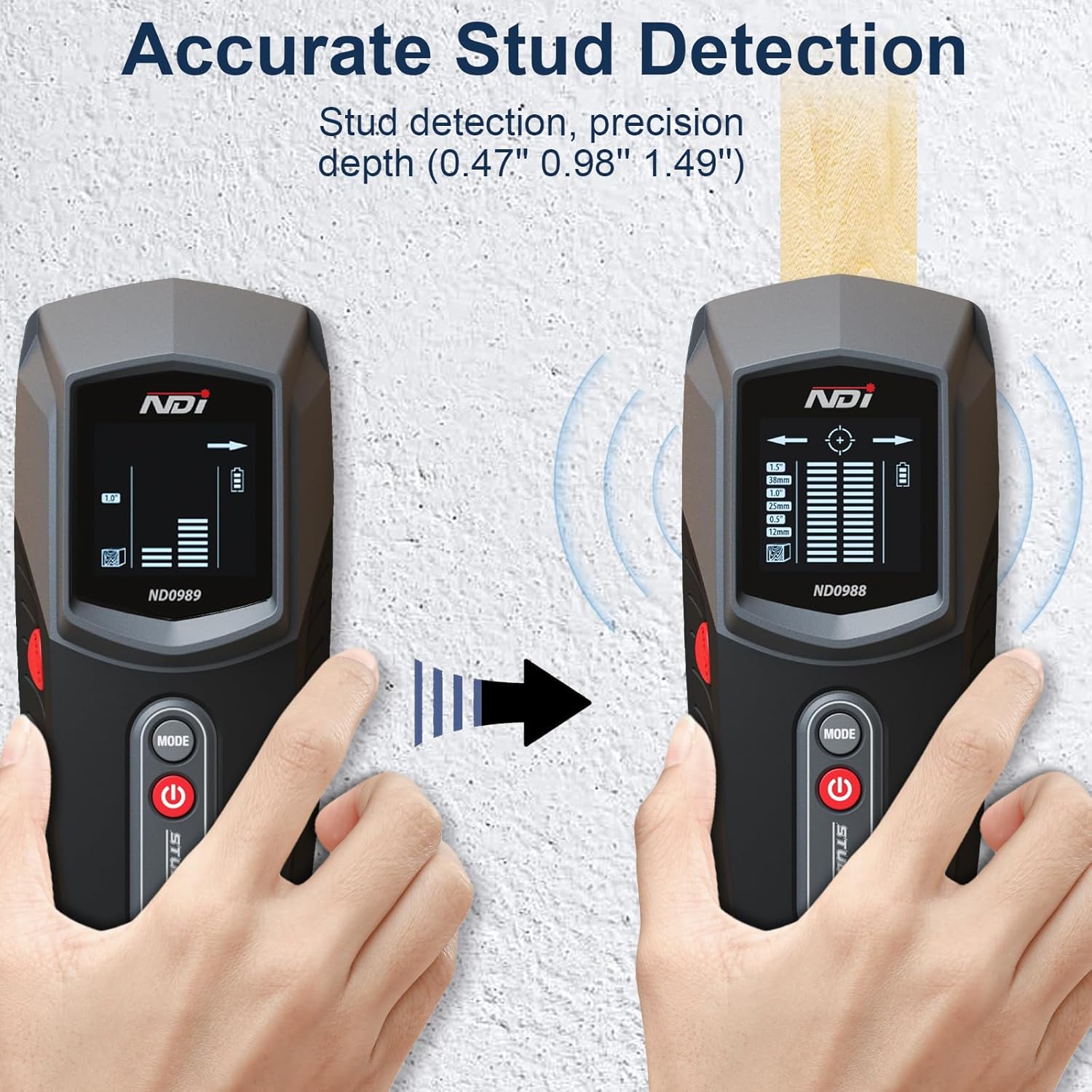
Figure 3: Accurate Stud Detection in progress.
Video 1: Demonstration of NDI ND0988 Stud Detector in action, showing detection of studs behind a wall.
5. Depth Modes
The NDI ND0988 offers three distinct depth modes to accommodate various wall thicknesses and material types:
- Mode 1 (12mm / 0.5"): Ideal for detecting studs closer to the surface.
- Mode 2 (25mm / 1.0"): Suitable for standard wall thicknesses.
- Mode 3 (38mm / 1.5"): For deeper stud detection through thicker materials.
Select the appropriate mode based on your wall's construction for optimal accuracy.

Figure 4: Multiple Depth Modes for versatile scanning.
6. Battery Information
The NDI ND0988 is powered by two AAA batteries. The device includes a battery level indicator on the LCD screen to inform you when the batteries are running low and need replacement. To conserve battery life, the tool automatically shuts down after 2 minutes of inactivity.
Battery Safety Tips
- Always remove batteries when storing the product for extended periods.
- Dispose of used batteries properly according to local regulations.
- Do not expose batteries to high temperatures or direct sunlight.
7. Maintenance
To ensure the longevity and optimal performance of your NDI ND0988 Stud Detector, follow these maintenance guidelines:
- Cleaning: Wipe the device with a soft, dry cloth. Do not use abrasive cleaners or solvents.
- Storage: Store the detector in a cool, dry place away from direct sunlight and extreme temperatures. Remove batteries if storing for an extended period.
- Handling: Avoid dropping the device or subjecting it to strong impacts, as this can damage internal components.
8. Troubleshooting
If you encounter issues with your NDI ND0988 Stud Detector, refer to the following common troubleshooting tips:
- Inaccurate Readings: Ensure the device is properly calibrated by pressing it flat against the wall before scanning. Avoid scanning over wet paint or wallpaper, which can affect accuracy.
- No Detection: Check if the batteries are correctly installed and have sufficient charge. Try switching to a different depth mode. Ensure the device is held flat against the wall and moved slowly.
- Device Not Turning On: Verify that the batteries are new or fully charged and inserted with correct polarity. If the issue persists, replace the batteries.
For further assistance, please contact NDI customer support.
9. Specifications
| Feature | Specification |
|---|---|
| Brand | NDI |
| Model Number | ND0988 |
| Color | Gray |
| Material | Plastic |
| Power Source | Battery Powered (2 x AAA) |
| Item Weight | 8 ounces |
| Product Dimensions | 2.7"L x 1.6"W x 6.4"H |
| Stud Detection Depth | 12mm (0.5"), 25mm (1.0"), 38mm (1.5") |
| Display | Backlit LCD |
| Audio Alerts | Yes |
10. Warranty and Support
NDI products are manufactured to high-quality standards. For information regarding warranty coverage, product support, or to purchase replacement parts, please refer to the contact information provided with your product packaging or visit the official NDI website. Please retain your proof of purchase for any warranty claims.

