
NOBLEX NV OS 1x23 for Glock MOS
NOBLEX NV OS 1x23 Reflex Sight for Glock MOS
Instruction Manual
Introduction
The NOBLEX NV OS 1x23 Reflex Sight is designed for precise target acquisition, specifically optimized for Glock firearms equipped with the Modular Optic System (MOS). Its integrated, flat design allows for simultaneous use of standard mechanical sights (co-witness). This manual provides essential information for the proper setup, operation, and maintenance of your NOBLEX NV OS sight.
What's Included
Upon opening the packaging, please verify that all the following components are present:
- NOBLEX NV OS 1x23 Reflex Sight
- ABS Standby Protection Cap
- Rubber Transport Cap (Silicone Cover)
- Torx Screwdriver
- Lithium Battery CR 1220
- Noblex Optics Cleaning Cloth
- Mounting Screws

Image: The NOBLEX NV OS 1x23 Reflex Sight, a compact black unit with a green-tinted lens and the NOBLEX owl logo.
Specifications
| Feature | Specification |
|---|---|
| Magnification | 1x |
| Objective Lens Diameter | 23 mm |
| Reticle | 4 MOA Green LED Illuminated Dot |
| Parallax Free | 25 Meters |
| Brightness Control | Automatic with Manual Override |
| Battery Type | CR 1220 Lithium |
| Battery Life | Approx. 10,000 hours |
| Waterproofing | IPX7 |
| Housing Material | Aircraft-grade Aluminum |
| Dimensions (L x W x H) | 1.93"L x 1.06"W x 0.87"H |
| Item Weight | 0.9 Ounces |
Setup
1. Battery Installation
The NOBLEX NV OS sight uses a CR 1220 lithium battery. To install or replace the battery:
- Locate the battery compartment on the underside of the sight.
- Use the flat end of the provided installation tool to carefully open the battery cover.
- Insert the CR 1220 battery with the positive (+) side facing up.
- Replace the battery cover and secure it using the installation tool.
2. Mounting on Glock MOS
The NOBLEX NV OS is designed for direct integration with Glock MOS slides. Ensure your Glock model is compatible (not compatible with subcompact models like Glock 43X and 48).
- Ensure the firearm is unloaded and safe.
- Remove the appropriate MOS plate from your Glock slide.
- Align the NOBLEX NV OS sight with the MOS cut on the slide.
- Use the provided mounting screws and Torx screwdriver to securely attach the sight to the slide. Do not overtighten.

Image: The NOBLEX NV OS sight mounted on a Glock MOS slide, showing its low-profile integration and co-witness capability with the iron sights.
Operating Instructions
1. Power On/Off
- To turn on the sight: Briefly press the '+' button.
- To turn off the sight: Press and hold the '-' button for approximately 3 seconds.
2. Brightness Adjustment
The NOBLEX NV OS features automatic brightness control that adjusts to ambient light conditions. You can also manually override this setting:
- To increase brightness: Briefly press the '+' button.
- To decrease brightness: Briefly press the '-' button.
- To reactivate automatic brightness control: Press and hold the '+' button for approximately 3 seconds.
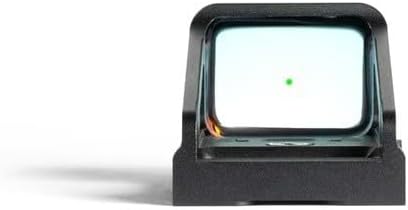
Image: A view through the NOBLEX NV OS sight, showing the clear green 4 MOA dot reticle.
3. Windage and Elevation Adjustment
Adjustments for windage and elevation are located on the sight's body. Use the provided Allen key flathead tool for precise adjustments.
- Windage adjustment: Typically located on the side of the sight.
- Elevation adjustment: Typically located on the top or rear of the sight.
Each click of the adjustment screw corresponds to a specific change in point of impact. Refer to the sight's specifications for precise click values.
Maintenance
1. Cleaning the Lenses
To maintain optimal clarity, regularly clean the objective and ocular lenses:
- Gently brush away any loose dust or debris using a soft lens brush or compressed air.
- Apply a small amount of lens cleaning solution to the provided Noblex optics cleaning cloth.
- Wipe the lens surfaces in a circular motion, starting from the center and moving outwards.
- Avoid using abrasive materials or excessive pressure, which can scratch the lens coatings.
2. Protecting the Sight
When not in use, protect your NOBLEX NV OS sight from dust, debris, and impact:
- Use the included ABS standby protection cap or the full rubber transport cap (silicone cover) to cover the sight. The silicone cover provides a full seal to protect against dust and minor impacts.
- Store the sight in a dry, cool place away from direct sunlight and extreme temperatures.
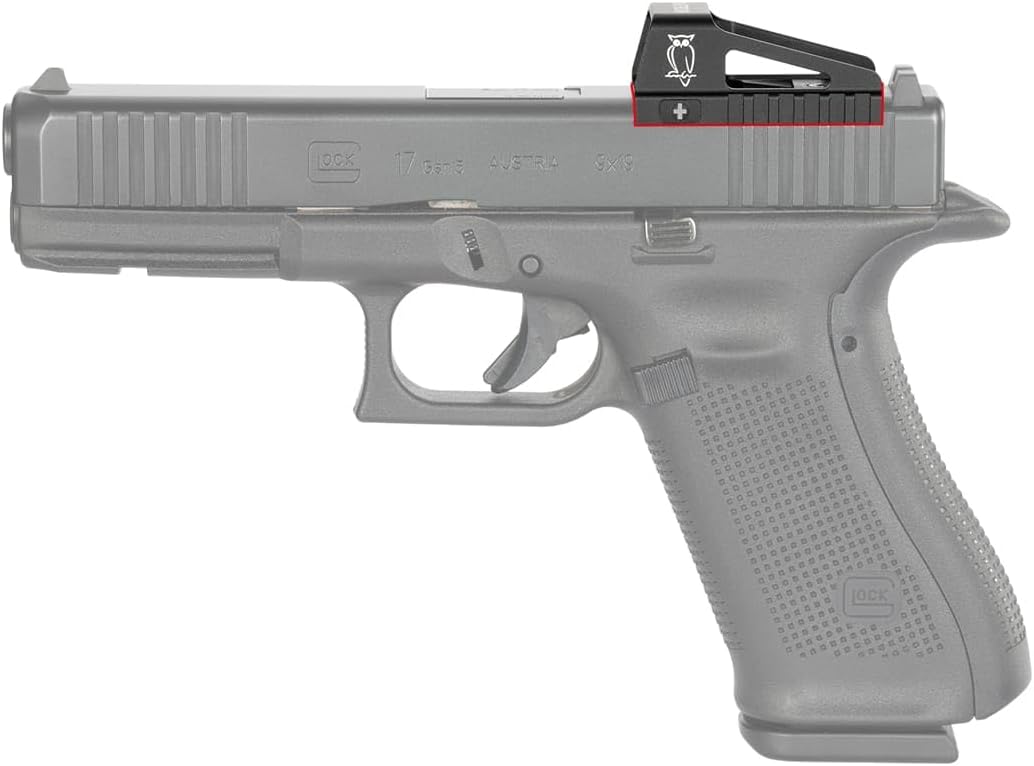
Image: Side view of the NOBLEX NV OS sight, highlighting the NOBLEX owl logo and the compact design.
Troubleshooting
1. Reticle Not Visible or Dim
- Check Battery: Ensure the CR 1220 battery is correctly installed and has sufficient charge. Replace if necessary.
- Adjust Brightness: Manually increase the brightness using the '+' button. If the automatic brightness control is active, try deactivating and manually adjusting.
- Clean Sensor: Ensure the ambient light sensor (if visible) is not obstructed or dirty.
2. Inaccurate Point of Impact
- Zeroing: Perform a proper zeroing procedure at your desired distance (e.g., 25 meters for parallax-free performance).
- Mounting Security: Check that the sight is securely mounted to the Glock MOS slide and that all screws are tightened to the recommended torque.
- Ammunition Consistency: Ensure consistent ammunition is used for accurate zeroing and shooting.
3. Sight Not Turning On
- Battery Check: Verify battery installation and charge. Try a new battery.
- Contact Support: If the issue persists after checking the battery, contact NOBLEX customer support for further assistance.
Warranty & Support
Warranty Information
The NOBLEX NV OS 1x23 Reflex Sight is backed by a 30 Year TAC Warranty. This warranty covers manufacturing defects and ensures long-term reliability of your product. Please retain your proof of purchase for warranty claims.
Customer Support
For any questions, technical assistance, or warranty claims, please contact NOBLEX customer support through their official website or the retailer where the product was purchased. Provide your product model number (NV OS 1x23 for Glock MOS) and serial number (S/N: 2024100617) when contacting support for efficient service.
Related documentsNV OS 1x23 for Glock MOS


Ask a question about this manual
Ask about setup, troubleshooting, compatibility, parts, safety, or missing instructions. Manuals+ will review the question and use this page’s manual context to help answer it.