
IMIKI D2 GREEN
IMIKI XPLORER SCOUT D2 Smartwatch
User Manual
Product Overview
The IMIKI XPLORER SCOUT D2 is a versatile smartwatch designed for both men and women, featuring a vibrant 1.43-inch AMOLED display. It offers seamless Bluetooth connectivity for calls and smart assistant integration, comprehensive health monitoring capabilities including blood oxygen and heart rate tracking, and support for over 100 sports modes. Its robust design is IP68 waterproof, making it suitable for various activities, and it boasts exceptional battery life with fast charging.
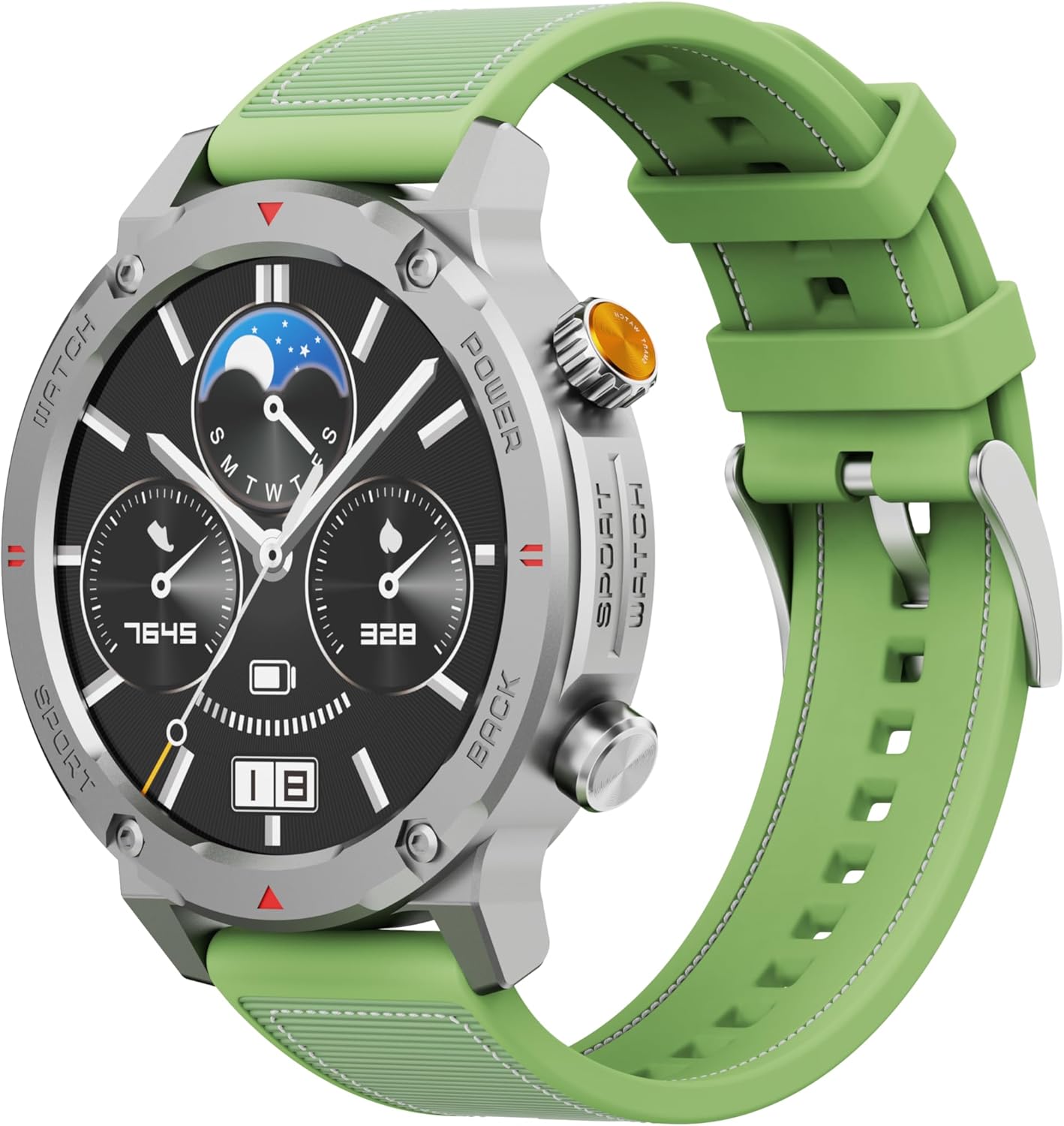
Figure 1: Front view of the IMIKI XPLORER SCOUT D2 Smartwatch with its green strap.
Setup Guide
1. What's in the Box
Upon unboxing your IMIKI XPLORER SCOUT D2 Smartwatch, ensure all components are present:
- IMIKI XPLORER SCOUT D2 Smartwatch
- Charging Cable

Figure 2: The IMIKI XPLORER SCOUT D2 Smartwatch module separated from its bezel and strap, illustrating its modular design.
2. Charging the Smartwatch
Before first use, fully charge your smartwatch. The 400 mAh battery provides up to 30 days of autonomy on a single charge, and it supports fast charging for quick power-ups.
- Connect the charging cable to the charging port on the back of the smartwatch.
- Plug the other end of the cable into a USB power adapter (not included) or a computer's USB port.
- The watch display will indicate charging status. Allow sufficient time for a full charge.

Figure 3: Rear view of the IMIKI XPLORER SCOUT D2 Smartwatch, highlighting the charging contacts and health sensors.
3. Initial Setup and Pairing
To unlock the full potential of your smartwatch, pair it with your smartphone via Bluetooth.
- Download the App: Search for the official IMIKI companion app on the Apple App Store (for iOS) or Google Play Store (for Android) and install it on your smartphone.
- Enable Bluetooth: Ensure Bluetooth is enabled on your smartphone.
- Power On Watch: Press and hold the power button on the smartwatch to turn it on.
- Open App: Launch the IMIKI app on your smartphone and follow the on-screen instructions to add a new device.
- Pairing: Select "IMIKI XPLORER SCOUT D2" from the list of available devices in the app. Confirm the pairing request on both your phone and the smartwatch if prompted.
Once paired, you can customize settings, view health data, and receive notifications directly on your smartwatch.
Operating Instructions
1. Display and Navigation
The IMIKI XPLORER SCOUT D2 features a 1.43-inch AMOLED display with a high resolution of 466x466 pixels, protected by tempered glass. Navigate the watch interface using touch gestures and the physical buttons.
- Swipe Up/Down: Scroll through menus and notifications.
- Swipe Left/Right: Access quick widgets or different watch faces.
- Tap: Select an item or open an application.
- Physical Buttons: Use the side buttons for power on/off, returning to the home screen, or quick access to sports modes.

Figure 4: Close-up of the smartwatch display, illustrating the clear AMOLED screen and various data points.
2. Health Monitoring
The smartwatch is equipped with an optical sensor to monitor key health metrics:
- Heart Rate (HR): Continuously tracks your heart rate throughout the day.
- Blood Oxygen (SpO2): Measures your blood oxygen saturation levels.
- Sleep Quality: Monitors your sleep patterns and provides insights into sleep quality.
Access detailed health reports and historical data through the companion app.
3. Workout Modes
With over 100 integrated sports modes, the XPLORER SCOUT D2 accurately records your exercise statistics. Select your desired activity from the watch's sports menu to begin tracking.

Figure 5: Visual representation of the smartwatch's diverse functionalities, including health tracking and sports modes.
4. Bluetooth Calling and Voice Assistant
The single-chipset Bluetooth 5.3 ensures stable and high-quality connectivity, allowing you to answer calls directly from your wrist. The integrated voice assistant enables hands-free control of your device with simple voice commands.
5. Notifications
Receive real-time notifications for calls, SMS messages, and app alerts directly on your smartwatch. Manage notification settings through the companion app.
6. Water Resistance (IP68)
The IMIKI XPLORER SCOUT D2 is IP68 rated, meaning it is resistant to dust and water. This allows it to withstand splashes, rain, and brief immersion in shallow water. Note: While IP68 rated, it is not recommended for swimming, diving, or high-pressure water activities.

Figure 6: Illustration of the smartwatch's IP68 water resistance and exceptional battery autonomy.
Maintenance
Proper care and maintenance will extend the lifespan of your IMIKI XPLORER SCOUT D2 Smartwatch.
- Cleaning: Regularly wipe the watch and strap with a soft, dry, lint-free cloth. For stubborn dirt, slightly dampen the cloth with water. Avoid using harsh chemicals or abrasive materials.
- Sensor Care: Keep the optical sensors on the back of the watch clean for accurate health monitoring.
- Storage: Store the smartwatch in a cool, dry place away from direct sunlight and extreme temperatures.
- Battery Longevity: To maximize battery life, avoid fully discharging the battery frequently. Charge it before it completely runs out.
- Interchangeable Components: The watch features a removable central case and interchangeable straps (Oyster, Active, Scout styles). Handle these components with care when changing them.

Figure 7: The IMIKI XPLORER series showcasing interchangeable straps and case styles.
Troubleshooting
If you encounter issues with your IMIKI XPLORER SCOUT D2 Smartwatch, try the following solutions:
| Problem | Possible Solution |
|---|---|
| Watch does not turn on. | Ensure the watch is fully charged. Connect it to the charger and wait a few minutes before attempting to power it on again. |
| Cannot pair with smartphone. |
|
| Inaccurate health readings. |
|
| Notifications not received. |
|
Specifications
| Feature | Detail |
|---|---|
| Brand | IMIKI |
| Model Name | IMIKI SMART WATCH XPLORER SCOUT D2 GREEN |
| Item Model Number | D2 GREEN |
| Screen Size | 1.43 Inches |
| Display Type | AMOLED |
| Connectivity Technology | Bluetooth 5.3 |
| Battery Capacity | 400 mAh |
| Average Battery Life | Up to 30 Days |
| Water Resistance | IP68 |
| Health Monitoring | Heart Rate, Blood Oxygen (SpO2), Sleep Quality |
| Workout Modes | Over 100+ integrated modes |
| Special Features | Bluetooth Calling, Voice Assistant, Fast Charging, Removable Central Case, Tempered Glass Screen |
| Compatible Devices | Smartphones (Android and iOS) |
| Item Weight | 68 grams |
| Package Dimensions | 10.5 x 10.5 x 6 cm |
Warranty and Support
For warranty information and customer support, please refer to the documentation included with your purchase or visit the official IMIKI website. Keep your proof of purchase for any warranty claims.
For further assistance, you may also contact the seller or Amazon customer service if purchased through Amazon.
Related documentsD2 GREEN


Ask a question about this manual
Ask about setup, troubleshooting, compatibility, parts, safety, or missing instructions. Manuals+ will review the question and use this page’s manual context to help answer it.