
HOLMES 32510565
HOLMES 36-inch Slim Tower Fan User Manual
Model: 32510565
Introduction
This manual provides detailed instructions for the safe and efficient use of your HOLMES 36-inch Slim Tower Fan. Designed for powerful and customizable airflow, this fan features multiple speeds, operating modes, oscillation, and a programmable timer. Please read this manual thoroughly before operation and retain it for future reference.
Important Safety Instructions
- Read all instructions before using this fan.
- Always unplug the fan before cleaning or servicing.
- Do not operate any fan with a damaged cord or plug.
- Do not run cord under carpeting. Do not cover cord with throw rugs, runners, or similar coverings. Arrange cord away from traffic area and where it will not be tripped over.
- Do not insert or allow fingers or foreign objects to enter any ventilation or exhaust opening as it may cause an electric shock or fire, or damage the fan.
- Do not use outdoors.
- This fan is intended for household use only and not for commercial or industrial use.
- Do not use the fan in wet or damp locations such as bathrooms.
- Ensure the fan is placed on a stable, level surface to prevent tipping.
Package Contents
Verify that all components are present before assembly and operation:
- HOLMES 36-inch Slim Tower Fan Unit
- Fan Base (2 halves)
- Remote Control
- User Manual (this document)
Setup and Assembly
Follow these steps to assemble your tower fan:
- Carefully remove all components from the packaging.
- Snap the two halves of the fan base together. Ensure they are securely connected.
- Align the assembled base with the bottom of the tower fan unit.
- Gently push the fan unit onto the base and twist slightly until it clicks into place, securing the fan to its base.
- Place the fan on a firm, level surface.
- Plug the power cord into a standard electrical outlet.
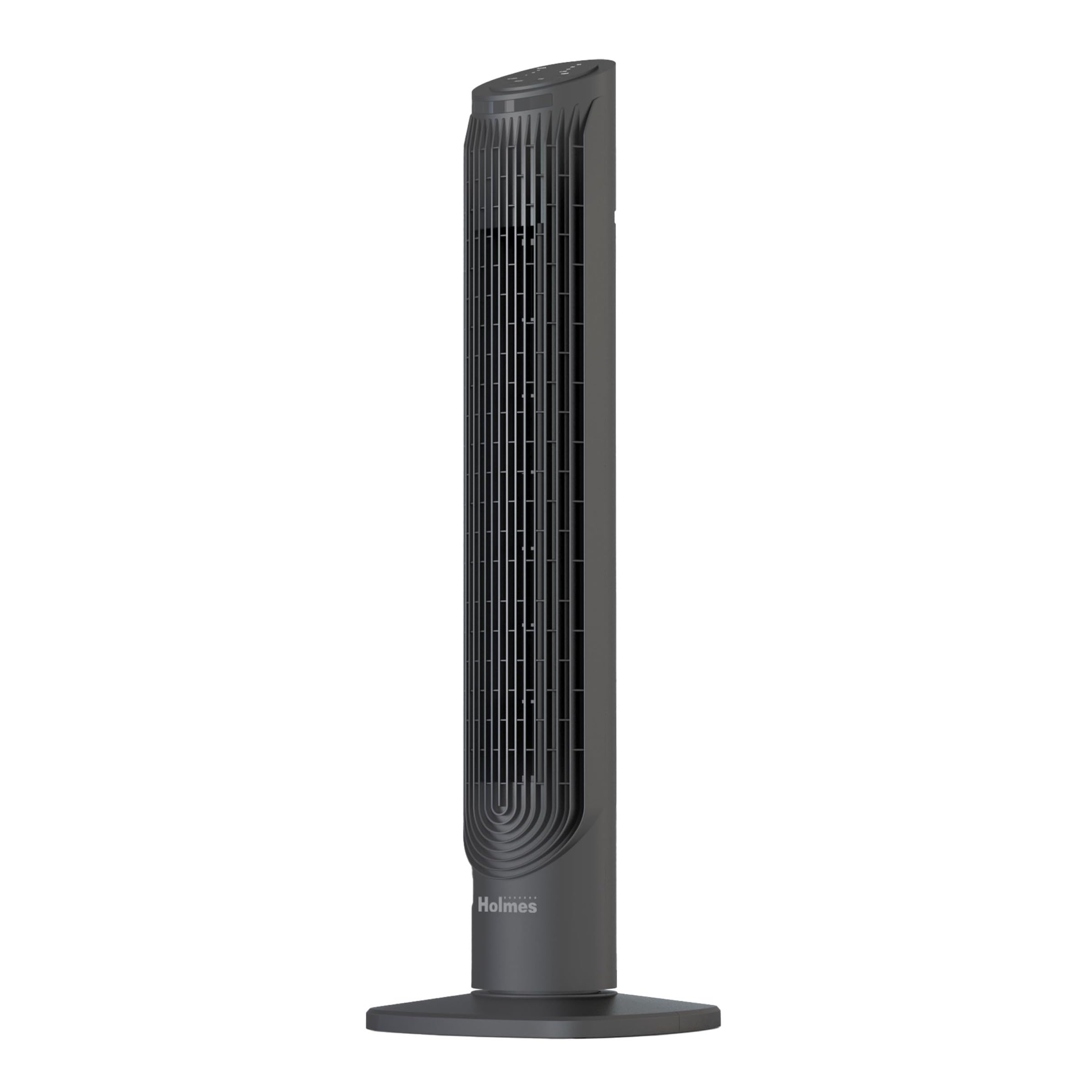
Operating Instructions
Your HOLMES tower fan can be operated using the control panel on top of the unit or the included remote control.
Control Panel and Remote Control
The control panel features buttons for Power, Speed, Mode, Oscillation, and Timer. The remote control duplicates these functions for convenient operation from a distance. The remote can be stored in the integrated slot at the back of the fan.
Power On/Off
- Press the Power button once to turn the fan on.
- Press the Power button again to turn the fan off.
Adjusting Speed
- With the fan on, press the Speed button repeatedly to cycle through the 6 available power levels.
- The current speed setting will be indicated on the control panel display.
Selecting Modes
- Press the Mode button to switch between the 4 available operating modes. These modes may include Normal, Natural, Sleep, and Power Breeze.
- Each mode offers a different airflow pattern for varied comfort levels.
Oscillation Function
- Press the Oscillation button to activate the automatic 80° oscillation feature. The fan will rotate from side to side, distributing air across a wider area.
- Press the Oscillation button again to stop the fan's rotation at the current position.
Setting the Timer
- Press the Timer button to set the fan to automatically turn off after a specified duration.
- Each press of the button will increase the timer setting in half-hour increments, up to a maximum of 8 hours.
- The selected timer duration will be displayed on the control panel.
Maintenance
Regular cleaning ensures optimal performance and extends the life of your fan.
- Always unplug the fan from the power outlet before cleaning.
- To clean the exterior, wipe with a soft, damp cloth. Do not use abrasive cleaners or solvents.
- For internal cleaning, locate the easy-to-remove back grill. Remove any securing screws if present.
- Carefully remove the back grill to access the fan blades and internal components.
- Use a soft brush or vacuum cleaner with a brush attachment to remove accumulated dust and debris from the blades and internal surfaces.
- Once clean, reattach the back grill and secure any screws.
- Ensure the fan is completely dry before plugging it back in and operating.
Troubleshooting
If your fan is not operating correctly, refer to the following common issues and solutions:
| Problem | Possible Cause | Solution |
|---|---|---|
| Fan does not turn on. | No power supply. Fan not plugged in. Power button not pressed. | Check if the power cord is securely plugged into a working outlet. Press the Power button on the control panel or remote. |
| Weak airflow. | Low speed setting. Air intake/output blocked. Dust accumulation. | Increase the speed setting. Ensure nothing is obstructing the fan's vents. Clean the fan's grill and blades as per maintenance instructions. |
| Fan is noisy. | High speed setting. Fan not on a level surface. Internal obstruction. | Reduce the speed setting. Place the fan on a stable, flat surface. Unplug and check for any foreign objects inside the fan. |
| Oscillation not working. | Oscillation function not activated. | Press the Oscillation button to activate the feature. |
| Remote control not working. | Dead batteries. Obstruction between remote and fan. | Replace batteries in the remote control. Ensure a clear line of sight between the remote and the fan's sensor. |
Specifications
- Brand: HOLMES
- Model Name: Holmes 36" CleanBreeze Digital Tower Fan
- Model Number: 32510565
- Dimensions (D x W x H): 10.43"D x 10.43"W x 37.01"H
- Weight: 8.2 Pounds
- Color: Black
- Power Source: Corded Electric
- Number of Power Levels: 6
- Number of Speeds: 3
- Noise Level: 55 Decibels
- Oscillation: 80° Automatic Oscillation
- Timer: Up to 8-Hour Auto Shut-Off
- Control Method: Remote, Button Control
- Material: Plastic
- Certification: ETL Certified
Warranty and Support
This HOLMES 36-inch Slim Tower Fan is backed by a 3-Year Limited Warranty.
For warranty claims, technical support, or replacement parts, please contact the manufacturer, Star Elite Inc., or visit the official HOLMES website. Please have your model number (32510565) and proof of purchase available when contacting support.
For more information, you may visit the HOLMES Store on Amazon.
Related documents32510565


Ask a question about this manual
Ask about setup, troubleshooting, compatibility, parts, safety, or missing instructions. Manuals+ will review the question and use this page’s manual context to help answer it.