
Mibro XPEJ011
Mibro Open-Ear Earbuds User Manual
Model: XPEJ011
Introduction
Thank you for choosing the Mibro Open-Ear Earbuds. These wireless earbuds are designed to provide a comfortable, high-quality audio experience for an active lifestyle. Featuring Bluetooth 5.4 connectivity, a lightweight design, and IPX4 water resistance, they are perfect for sports, commuting, and daily use. This manual will guide you through the setup, operation, and maintenance of your new earbuds.
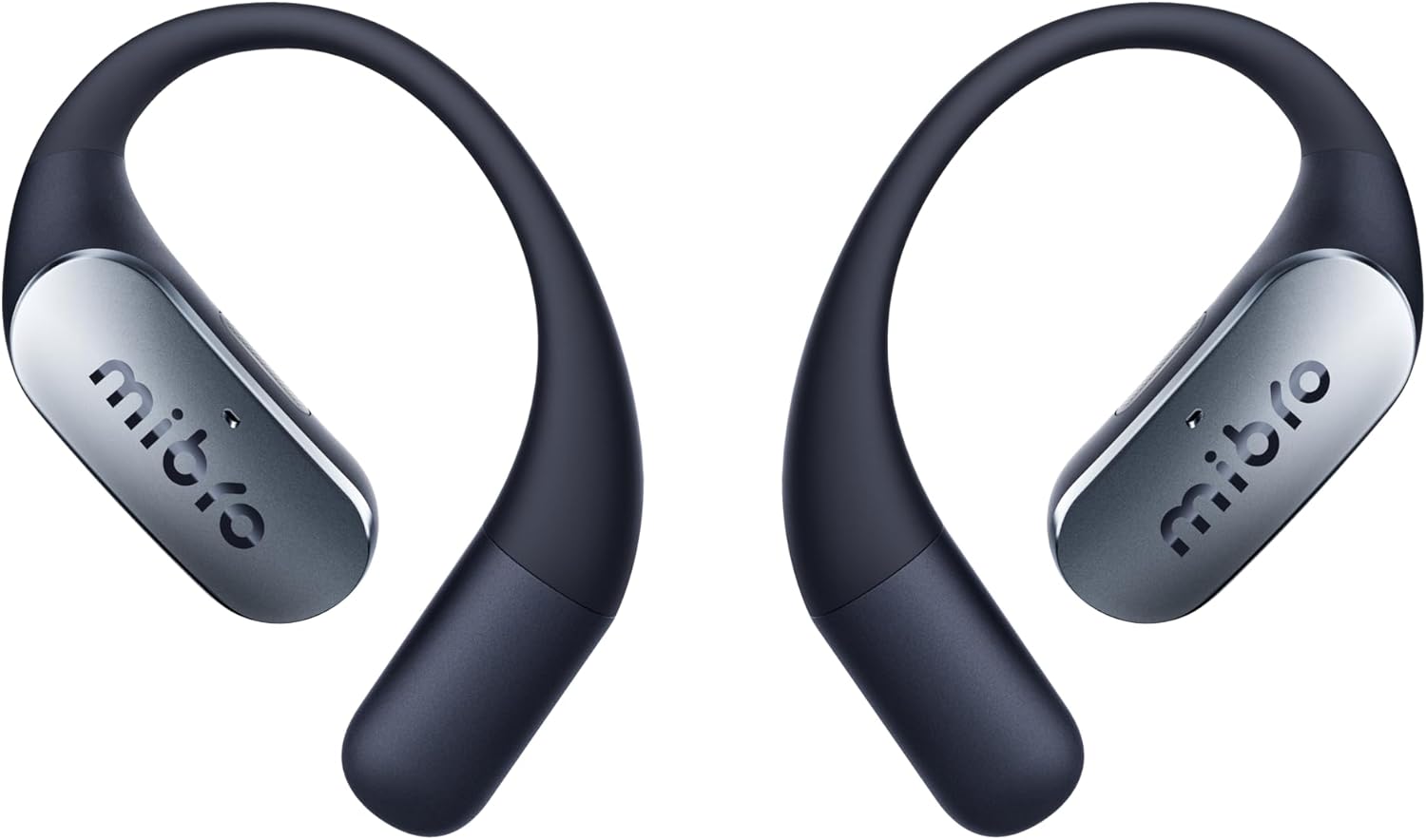
Figure 1: Mibro Open-Ear Earbuds (Model: XPEJ011)
Key Features
- Ultimate Comfort & Lightweight Design: Weighing only 7.2 grams, with a patented Mobius curve-inspired structure and flexible titanium frame with silica coating for a stable, pressure-free fit.
- Hi-Fi Audio with Deep Bass: Equipped with a 0.5mm triple magnet driver and Hammer Bass algorithm for clear, deep bass without distortion.
- Stable Bluetooth 5.4 Connectivity: Dual Bluetooth chip ensures a reliable connection, ideal for gaming and calls.
- Dual Device Connection: Connect simultaneously to two devices (e.g., computer/tablet and smartphone) for seamless switching.
- IPX4 Water Resistance: Designed to be sweat and splash resistant, suitable for athletes and active use.
- Long Battery Life & Fast Charging: Up to 7 hours of continuous music playback (30 hours with charging case). A 10-minute charge provides 2 hours of use.
- Dual Microphone with Noise Cancellation: For clear calls on the go.
Setup
1. Initial Charge
Before first use, fully charge your Mibro Open-Ear Earbuds. Place both earbuds into the charging case. Connect the charging case to a USB power source using the provided USB cable. The indicator lights on the case will show the charging status. A full charge typically takes approximately 1.5 hours.
2. Power On/Off
- Power On: Open the charging case, and the earbuds will automatically power on. Alternatively, press and hold the multi-function button on each earbud for 3 seconds.
- Power Off: Place the earbuds back into the charging case and close the lid. They will automatically power off. Alternatively, press and hold the multi-function button on each earbud for 5 seconds.
3. Bluetooth Pairing
- Ensure the earbuds are powered on and in pairing mode (indicator lights will flash).
- On your device (smartphone, tablet, computer), enable Bluetooth.
- Search for available Bluetooth devices and select "Mibro Earbuds" from the list.
- Once connected, the indicator lights on the earbuds will stop flashing.
- For dual device connection, pair the earbuds with the first device, then disconnect. Pair with the second device. After successful pairing with both, the earbuds can seamlessly switch between them when both Bluetooth connections are active.
Operating Instructions
Music Playback
| Action | Control |
|---|---|
| Play/Pause | Single tap on either earbud |
| Next Track | Double tap on the right earbud |
| Previous Track | Double tap on the left earbud |
| Volume Up | Triple tap on the right earbud |
| Volume Down | Triple tap on the left earbud |
Call Management
| Action | Control |
|---|---|
| Answer/End Call | Single tap on either earbud |
| Reject Call | Press and hold either earbud for 2 seconds |
Voice Assistant
Activate your device's voice assistant (Siri, Google Assistant, etc.) by pressing and holding either earbud for 2 seconds (when not on a call).
Maintenance
- Cleaning: Regularly clean the earbuds and charging case with a soft, dry, lint-free cloth. Do not use harsh chemicals or abrasive materials.
- Storage: When not in use, store the earbuds in their charging case to protect them and keep them charged. Store in a cool, dry place away from extreme temperatures.
- Water Exposure: While IPX4 rated for sweat and splash resistance, do not submerge the earbuds in water. Dry them thoroughly if they get wet.
- Battery Care: To prolong battery life, avoid fully discharging the earbuds frequently. Charge them regularly, even if not used for extended periods.
Troubleshooting
| Problem | Possible Solution |
|---|---|
| Earbuds not powering on | Ensure earbuds are charged. Place them in the charging case and close the lid, then open it again. |
| Cannot pair with device | Ensure Bluetooth is enabled on your device. Make sure earbuds are in pairing mode. Forget the device from your Bluetooth list and try pairing again. Move earbuds closer to the device. |
| No sound or low volume | Check device volume and earbud volume. Ensure earbuds are properly connected. Try playing different audio. |
| Intermittent connection | Move closer to your device. Avoid obstacles between earbuds and device. Ensure no other strong wireless signals are interfering. |
| Charging case not charging | Check the USB cable and power adapter. Ensure the charging port is clean and free of debris. |
Specifications
- Brand: Mibro
- Model Name: Open-Ear Pro
- Item Model Number: XPEJ011
- Connectivity Technology: Wireless
- Wireless Communication Technology: Bluetooth 5.4
- Ear Placement: Open-Ear
- Headphones Form Factor: On-Ear
- Color: Black
- Impedance: 8 Ohms
- Noise Control: Adaptive Noise Cancellation
- Package Dimensions: 15.7 x 9.1 x 3.9 cm; 15 grams
- Batteries: 1 C battery required (included)
- Included Components: Cable, User Manual
Warranty and Support
For warranty information and customer support, please refer to the warranty card included in your product packaging or visit the official Mibro website. You may also contact the seller directly for assistance.
Manufacturer: Mibro
First Available Date: April 5, 2025
Related documentsXPEJ011

Ask a question about this manual
Ask about setup, troubleshooting, compatibility, parts, safety, or missing instructions. Manuals+ will review the question and use this page’s manual context to help answer it.