Introduction
This manual provides detailed instructions for the installation, operation, and maintenance of the 5MNG0Y8 PM18-08P M18 Proximity Switch Sensor. This inductive proximity sensor is designed for reliable non-contact detection of metallic objects.
Safety Information
- Always disconnect power before installation, wiring, or maintenance to prevent electric shock or damage to the sensor.
- Ensure wiring is correct according to the provided diagrams to avoid malfunction or damage.
- Do not exceed the specified voltage and current ratings.
- Avoid installing the sensor in environments with excessive vibration, extreme temperatures, or corrosive gases.
- This product is intended for industrial control applications.
Package Contents
The package typically includes:
- 10 x PM18-08P M18 Proximity Switch Sensors
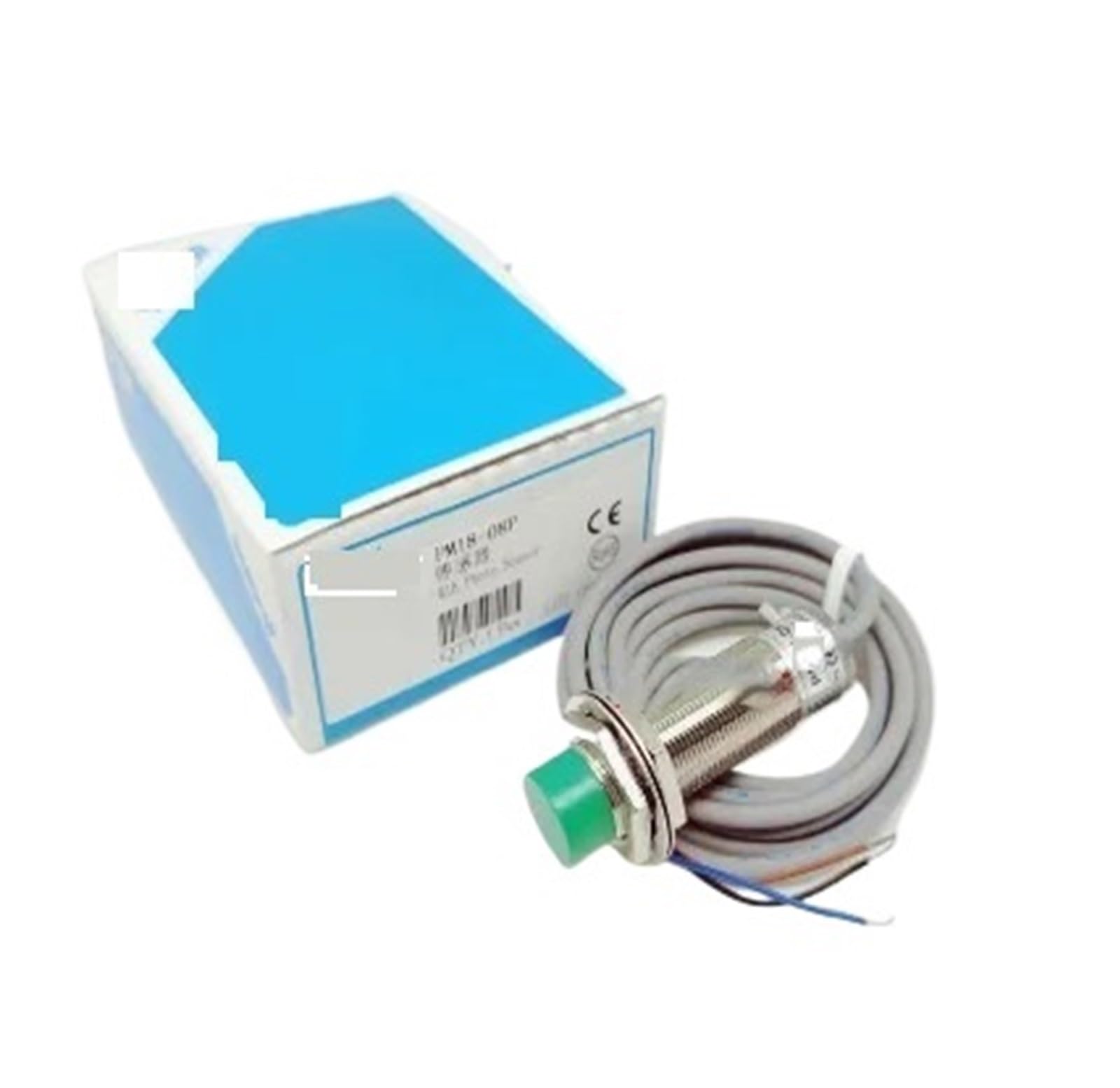
An image showing a single PM18-08P M18 Proximity Switch Sensor, illustrating its cylindrical shape and wiring.
Product Overview
The PM18-08P is an M18 cylindrical inductive proximity sensor with a PNP output. It is designed to detect the presence of metallic objects without physical contact. When a metallic object enters its detection field, the sensor's output changes state, providing a signal to connected control systems.
Key Features:
- Inductive Detection: Detects metallic objects.
- M18 Cylindrical Design: Standard industrial size for easy mounting.
- PNP Output: Provides a positive voltage signal when activated.
- Non-Contact Operation: Reduces wear and tear, suitable for high-speed applications.
Setup
1. Mounting
The M18 sensor features a threaded body for secure mounting. Use appropriate mounting brackets and nuts (not included) to fix the sensor in the desired position. Ensure the sensing face is clear of obstructions and positioned correctly relative to the target object.
- Mount the sensor firmly to prevent movement or vibration.
- Maintain the specified sensing distance from the target object for optimal performance.
- Avoid mounting multiple inductive sensors too close to each other to prevent mutual interference. Refer to the manufacturer's guidelines for minimum separation distances if available.
2. Wiring
The PM18-08P sensor typically uses a 3-wire configuration for PNP output. Refer to the following common wiring diagram:
| Wire Color | Function | Connection |
|---|---|---|
| Brown | Power Supply Positive (+) | Connect to +VDC (e.g., +12V, +24V) |
| Blue | Power Supply Negative (-) | Connect to 0V / Ground |
| Black | Output Signal | Connect to PLC input or load (e.g., relay, indicator light) |
Important: Ensure the power supply voltage matches the sensor's operating voltage range. Incorrect wiring can damage the sensor or connected equipment.
Operating Instructions
Once properly mounted and wired, the PM18-08P sensor operates automatically. When a metallic object enters the sensor's detection field, the internal oscillator's amplitude changes, triggering the output circuit.
- Detection: The sensor detects all types of metals (ferrous and non-ferrous). The sensing distance may vary depending on the type and size of the metal object.
- PNP Output: For a PNP output sensor, the black output wire will switch to a positive voltage (close to +VDC) when a metallic object is detected. When no object is detected, the output remains low (0V or open).
- Indicator LED: Many proximity sensors include an LED indicator that illuminates when an object is detected, providing visual confirmation of operation.
Adjust the sensor's position relative to the target object to achieve the desired sensing distance and reliable detection.
Maintenance
The PM18-08P proximity sensor is designed for low maintenance. Regular checks can help ensure long-term reliable operation.
- Cleaning: Keep the sensing face clean and free from dirt, dust, metal shavings, or other debris that could interfere with detection. Use a soft, dry cloth for cleaning. Do not use abrasive cleaners or solvents.
- Inspection: Periodically inspect the sensor and its wiring for any signs of physical damage, loose connections, or corrosion.
- Mounting Security: Ensure the sensor remains securely mounted and has not shifted position.
Troubleshooting
| Problem | Possible Cause | Solution |
|---|---|---|
| Sensor not detecting objects. |
|
|
| Sensor output is always ON or always OFF. |
|
|
| Intermittent detection. |
|
|
Specifications
| Feature | Detail |
|---|---|
| Model Number | PM18-08P (5MNG0Y8) |
| Sensor Type | Inductive Proximity Sensor |
| Output Type | PNP |
| Housing Size | M18 Cylindrical |
| Detection Distance | Typically 8mm (may vary based on target material and size) |
| Operating Voltage | (Not specified, common range is 10-30VDC) |
| Output Current | (Not specified, common range is 100-200mA) |
| Response Frequency | (Not specified, common range is 500Hz - 1kHz) |
| Connection | 3-wire |
| Package Dimensions | 1.18 x 0.79 x 0.39 inches |
| Item Weight | 1.76 ounces |
| Manufacturer | 5MNG0Y8 |
Note: Specific operating voltage, output current, and response frequency may vary. Refer to the product's individual labeling or packaging for precise values.
Warranty and Support
For warranty information and technical support, please refer to the seller's policies or contact the manufacturer directly. Keep your purchase receipt for any warranty claims.
For further assistance, you may contact the seller "Huixiao Network Technology" via the Amazon platform.