
1. Introduction
Thank you for choosing the CTOLITY 400W Portable Foldable Solar Panel. This manual provides essential information for the safe and efficient operation, setup, and maintenance of your solar panel. Please read this manual thoroughly before use and retain it for future reference.
This solar panel is designed to convert sunlight into electrical energy, providing a portable and sustainable power source for various applications, including camping, RV trips, outdoor activities, and emergency power backup. Its foldable design and high efficiency make it a versatile solution for off-grid power needs.
2. Safety Instructions
- Do not attempt to modify or disassemble the solar panel. Unauthorized modifications can lead to damage, electric shock, or fire, and will void the warranty.
- Keep the solar panel away from fire, heat sources, and flammable materials.
- Avoid exposing the solar panel to corrosive substances or extreme temperatures.
- Ensure all connections are secure and correct before operating the device. Incorrect connections can cause damage to the solar panel or connected devices.
- Do not step on or place heavy objects on the solar panel.
- Handle the solar panel with care to prevent physical damage.
- Keep out of reach of children.
- While the panel is IP65 waterproof, avoid submerging it in water. Protect the connection box from heavy rain or prolonged moisture.
3. Package Contents
Verify that all items are present in your package:
- CTOLITY 400W Portable Foldable Solar Panel (SP400-1)
- 4-in-1 Charging Cable (with XT60, 5525, and MC4 connectors)
- User Manual
4. Product Overview
Key Features:
- High-Efficiency 400W Solar Panel: Features a 23% conversion rate for optimal sunlight energy capture.
- Foldable & Portable Design: Easy to transport and set up for outdoor and emergency use.
- IP65 Waterproof & Dustproof: Constructed with waterproof Oxford cloth and PET lamination for durability in various outdoor conditions.
- Adjustable Kickstand: Allows for optimal angling towards the sun to maximize power generation.
- Universal Compatibility: Equipped with a 4-in-1 cable (XT60, 5525, MC4) for compatibility with most portable power stations.
- Intelligent Chip Technology: Protects devices from over-current, over-voltage, and short-circuit.
Components:
- Solar Panel Modules: The main power-generating surfaces.
- Adjustable Kickstands: Integrated stands for positioning the panel.
- Connection Box: Contains the output ports and intelligent chip.
- Carrying Handle: For easy transport when folded.
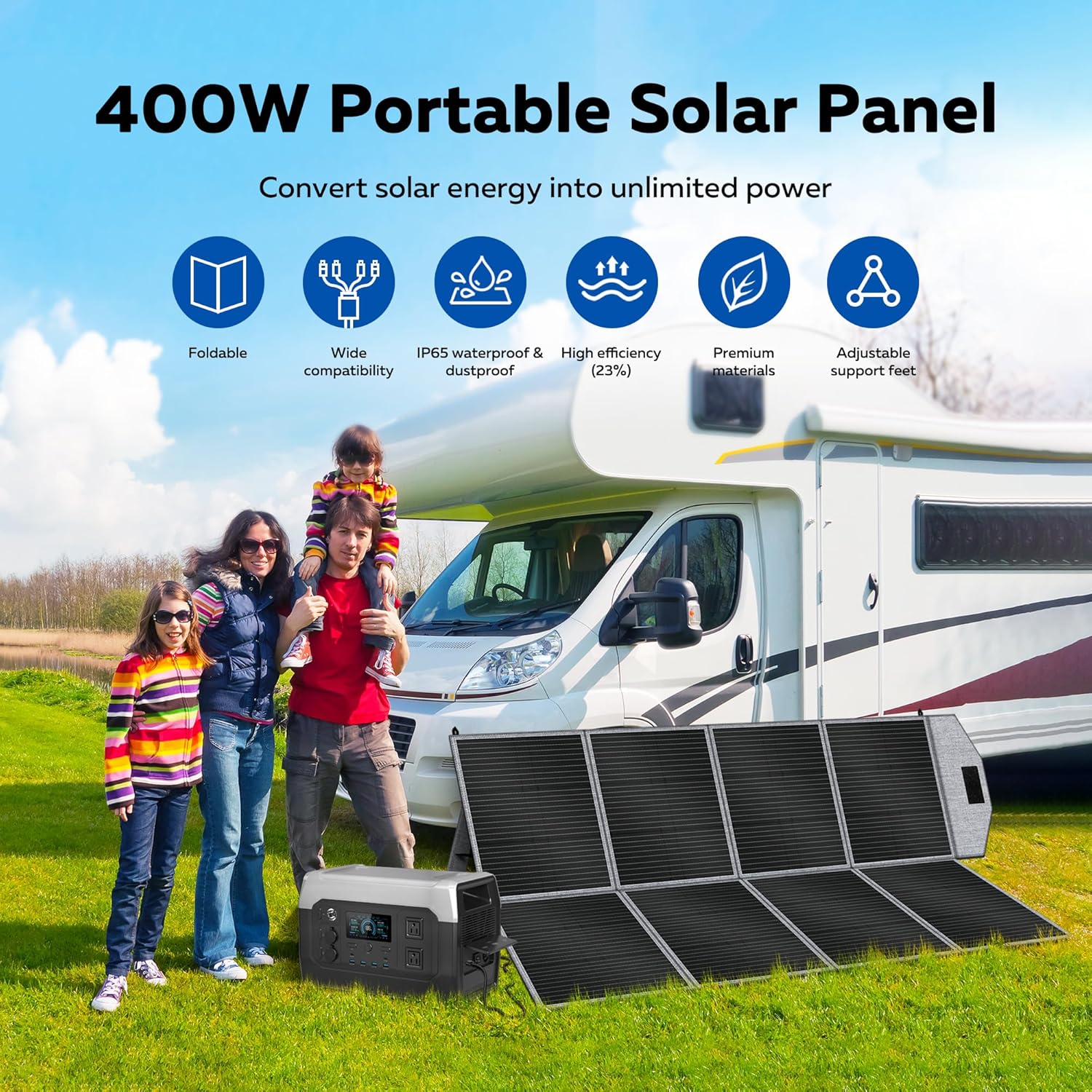
Image: The CTOLITY 400W Portable Solar Panel unfolded next to a family and an RV, demonstrating its use in an outdoor setting.

Image: A diagram illustrating the layered construction of the solar panel, highlighting the PET, EVA, Monocrystalline cells, and PCB for high conversion efficiency.
5. Setup
Unfolding the Solar Panel:
- Place the folded solar panel on a flat, stable surface.
- Carefully unfold the panels until they are fully extended.
- Locate the adjustable kickstands on the back of the panel. Extend them to support the panel.
Positioning for Optimal Sunlight:
- Position the solar panel in direct sunlight, ensuring no shadows fall on its surface.
- Adjust the kickstands to angle the panel directly towards the sun. The optimal angle will vary depending on your location and the time of day. Experiment with angles (e.g., 40°, 50°, 60°) to maximize power output.

Image: The solar panel with its adjustable kickstands set at various angles (40°, 50°, 60°), alongside close-up views demonstrating its IP65 waterproof and dustproof properties.
Connecting to a Power Station:
- Identify the appropriate connector on the 4-in-1 charging cable for your power station (XT60, 5525, or MC4).
- Plug the charging cable into the output port of the solar panel's connection box.
- Connect the other end of the cable to the DC input port of your portable power station.
- Ensure the input voltage of your power station supports 40V to utilize the 400W solar panel effectively.

Image: A diagram illustrating the universal connection capabilities of the solar panel, showing the 4-in-1 cable with XT60, 5525, and MC4 connectors, compatible with various portable power stations.

Image: Step-by-step assembly instructions demonstrating how to connect the solar panel's 4-in-1 cable to a power station's DC input.
Video: A demonstration of unfolding the CTOLITY 400W solar panel, connecting the cables, and setting it up for use.
6. Operating Instructions
Once the solar panel is set up and connected to your power station, it will begin charging automatically when exposed to sufficient sunlight. The intelligent chip technology will manage the charging process, protecting your devices.
- Monitor Charging: Check your power station's display to confirm that it is receiving power from the solar panel.
- Adjust Position: For continuous optimal charging, periodically adjust the panel's angle to follow the sun's movement throughout the day.
- Auto-Reboot Feature: The panel adapts quickly to changing light conditions. If sunlight is temporarily interrupted, the panel will automatically resume charging once sufficient light is available, eliminating the need for manual adjustments.

Image: Visual representation of the solar panel's folded and unfolded dimensions, along with its weight, emphasizing its portability.
7. Maintenance
- Cleaning: Regularly clean the surface of the solar panels with a soft, damp cloth to remove dust, dirt, or debris. A clean surface ensures maximum sunlight absorption and efficiency. Do not use harsh chemicals or abrasive materials.
- Inspection: Periodically inspect the panel for any signs of damage, such as cracks, frayed cables, or loose connections. Address any issues promptly.
- Storage: When not in use, fold the solar panel and store it in a dry, cool place away from direct sunlight and extreme temperatures. Ensure it is clean and dry before storage.
8. Troubleshooting
- No Power Output:
- Ensure the panel is in direct sunlight and not shaded.
- Check all cable connections to ensure they are secure and correctly plugged in.
- Verify that your power station's input port is functioning correctly.
- Confirm that your power station supports the 40V input from the solar panel.
- Low Power Output:
- Adjust the panel's angle to face the sun directly.
- Clean the panel surface to remove any dirt or dust that may be obstructing sunlight.
- Cloudy weather or low sun angle (early morning/late afternoon) will naturally result in lower output.
- Connection Issues:
- Ensure you are using the correct adapter from the 4-in-1 cable for your specific power station.
- If connections do not fit, contact CTOLITY customer support for assistance.
9. Specifications
| Specification | Value |
|---|---|
| Brand | CTOLITY |
| Model Number | SP400-1 |
| Material | Monocrystalline Silicon |
| Maximum Power | 400 Watts |
| Maximum Voltage | 40 Volts |
| Efficiency | 23% High Efficiency |
| Product Dimensions (Unfolded) | 83.5"L x 1.4"W x 47.2"H |
| Folded Dimensions | 22.8" x 20.5" x 2.2" |
| Item Weight | 26.5 pounds (12 kg) |
| Special Features | Foldable, Portable, IP65 Waterproof |
| Included Components | Solar Panel |
10. Warranty and Support
CTOLITY products are manufactured to high-quality standards. For warranty information, please refer to the documentation provided with your purchase or contact CTOLITY customer support directly.
If you encounter any issues or have questions regarding your CTOLITY 400W Portable Foldable Solar Panel, please contact our customer support team for assistance. Our team is dedicated to providing reliable support.
For the latest information and support, please visit the official CTOLITY website or refer to your purchase platform for contact details.
