
XHDATA D221+D608WB
XHDATA D221+D608WB Radio User Manual
Model: D221+D608WB | Brand: XHDATA
Introduction
This manual provides detailed instructions for the XHDATA D221 NOAA Weather Radio and the XHDATA D608WB Emergency Radio. These devices are designed to provide reliable radio reception across multiple bands, including weather alerts, and offer essential features for daily use and emergency preparedness.

Product Overview
XHDATA D221 NOAA Weather Radio
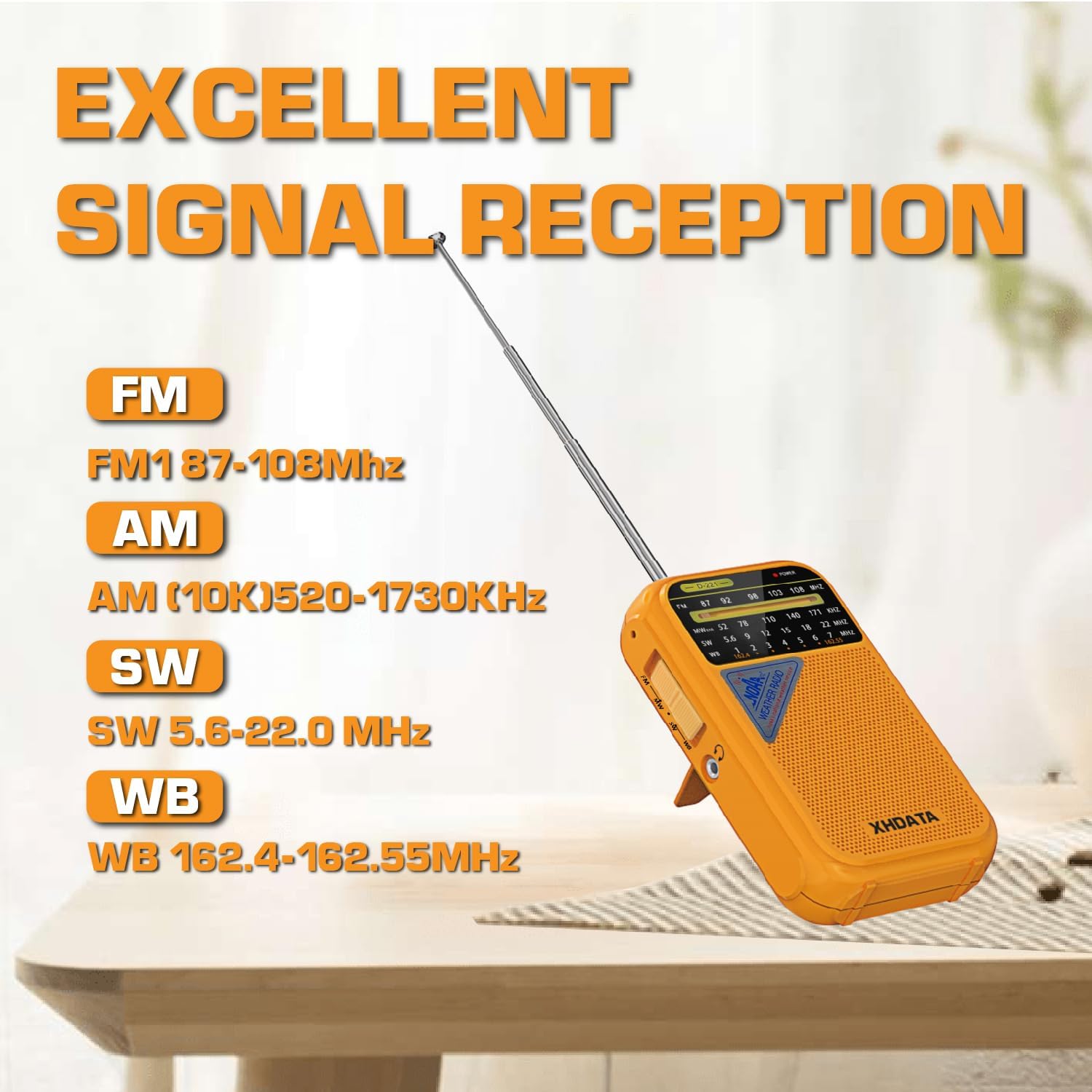
- Frequency Bands: FM: 87-108MHz; AM: 520-1730KHz; SW: 5.6-22.0MHz; WB: 162.40-162.55MHz.
- Reception: High quality FM AM shortwave radio with dedicated weather band.
- Technology: DSP chips for improved radio reception.
- Weather Alerts: Receives 7 NOAA weather channels for the latest alerts.

XHDATA D608WB Emergency Radio
- Frequency Bands: FM: 64-108MHz; AM: 520-1710KHz/522-1620KHz; SW: 1711-29999KHz.
- Display: Clear LCD display for easy tuning.
- Reception Enhancement: Equipped with DSP chip and a 42cm long antenna for enhanced reception sensitivity.
- Audio Playback: Bluetooth MP3 playback capability.
- Power Options: Multiple charging options including USB, Solar, and Hand Crank.
- Lighting: Integrated flashlight with three-level brightness and a reading lamp.
- Emergency Function: SOS alarm function for emergencies.

Setup
Powering the D221 Radio
The D221 radio operates on 2 AA batteries (not included). To install, open the battery compartment located on the back of the radio and insert the batteries, ensuring correct polarity as indicated inside the compartment. Close the cover securely.
Powering the D608WB Radio
The D608WB radio comes with a built-in 3000mAh rechargeable battery. Before first use, it is recommended to fully charge the battery using one of the following methods:
- USB Charging: Connect the provided USB charging cable to the radio's USB port and to a standard USB power adapter (not included) or a computer's USB port.
- Solar Charging: Place the radio with its solar panel facing direct sunlight. This method is ideal for maintaining charge or for emergency charging.
- Hand Crank Charging: Extend the hand crank handle and rotate it clockwise or counter-clockwise at a steady pace. This method generates power for the radio and its functions.

Operating Instructions
D221 Radio Operation
- Power On/Off: Locate the power switch on the side of the radio and slide it to the 'ON' position to turn on the radio, and 'OFF' to turn it off.
- Band Selection: Use the band switch to select your desired frequency band: FM, AM, SW (Shortwave), or WB (Weather Band).
- Tuning: Rotate the tuning dial to scan for and select radio stations. For optimal reception, especially on FM and SW bands, fully extend the telescopic antenna.
- Volume Control: Adjust the volume dial to your preferred listening level.
- NOAA Weather Band: When the WB band is selected, the radio will access the 7 NOAA weather channels, providing continuous weather alerts and information.
- Earphone Jack: For private listening, plug 3.5mm earphones into the earphone jack.

D608WB Radio Operation
- Power On/Off: Press the power button to turn the radio on or off.
- Band Selection: Press the "BAND" button to cycle through FM, AM, SW, and NOAA weather alert bands. The selected band will be displayed on the LCD screen.
- Tuning: Use the tuning buttons (e.g., V+/V-) to scan for stations or manually adjust the frequency. The LCD display will show the current frequency.
- Volume Control: Adjust the volume using the dedicated volume buttons.
- Flashlight/Reading Lamp: Press the designated button to activate the flashlight or reading lamp. The flashlight typically offers three brightness levels.
- SOS Alarm: In an emergency, press the SOS button to activate a loud alarm and flashing light for signaling.
- Bluetooth/MP3: Refer to the specific instructions for Bluetooth pairing with your device and playing MP3 files from compatible storage (if applicable).

Maintenance
- Cleaning: Keep the radios dry and clean. Use a soft, slightly damp cloth to wipe the exterior. Avoid using harsh chemicals or abrasive cleaners.
- Storage: Store the radios in a cool, dry place away from direct sunlight and extreme temperatures.
- Battery Care (D221): If the D221 radio will not be used for an extended period, remove the AA batteries to prevent potential leakage and damage to the device.
- Battery Care (D608WB): To maintain the health and longevity of the D608WB's internal battery, it is recommended to charge it periodically, even if the radio is not in regular use.
Troubleshooting
| Problem | Possible Cause | Solution |
|---|---|---|
| No power / Radio does not turn on. | D221: Batteries depleted or incorrectly inserted. D608WB: Internal battery depleted. | D221: Replace AA batteries with fresh ones, ensuring correct polarity. D608WB: Charge the internal battery using USB, solar, or hand crank. |
| Poor radio reception / Static. | Antenna not fully extended; Weak signal area; Interference from other electronics. | Fully extend the telescopic antenna. Reposition the radio to a location with better signal. Move away from devices that may cause interference. |
| No sound from speaker. | Volume is too low; Earphones are connected (D221); Speaker malfunction. | Increase the volume. Disconnect earphones if plugged in. If the issue persists, contact customer support. |
| D608WB flashlight/lamp not working. | Internal battery is too low. | Charge the radio's internal battery using any of the available methods. |
| D608WB Bluetooth not connecting. | Bluetooth not enabled on your device; Radio not in pairing mode. | Ensure Bluetooth is enabled on your external device. Refer to the D608WB's specific instructions for entering Bluetooth pairing mode. |
Specifications
XHDATA D221 NOAA Weather Radio
- Frequency Range:
FM: 87-108MHz
AM: 520-1730KHz
SW: 5.6-22.0MHz
WB: 162.40-162.55MHz - Power Source: 2 x AA Batteries (not included)
- Tuner Technology: SW, FM, WB, AM
XHDATA D608WB Emergency Radio
- Frequency Range:
FM: 64-108MHz
AM: 520-1710KHz / 522-1620KHz
SW: 1711-29999KHz - Battery: 3000mAh (internal, rechargeable)
- Charging Methods: USB, Solar Panel, Hand Crank
- Features: Bluetooth MP3 Playback, Flashlight (3-level brightness), Reading Lamp, SOS Alarm
- Antenna Length: 42cm (telescopic)
- Display Type: LCD
- Compatible Devices: Headphone, Speaker

Related documentsD221+D608WB


Ask a question about this manual
Ask about setup, troubleshooting, compatibility, parts, safety, or missing instructions. Manuals+ will review the question and use this page’s manual context to help answer it.