
1. Introduction
Thank you for purchasing the Lamshaw Magnetic Replacement Charger for Lucyd Lyte Smart Glasses LCD006. This product is designed to provide a convenient and reliable charging solution for your smart glasses. Please read this manual carefully to ensure proper use and maintenance of your charger.
2. Product Overview
The Lamshaw Magnetic Replacement Charger features a magnetic 2-pin connector for secure attachment to your Lucyd Lyte Smart Glasses and a standard USB-A plug for power input. The cable is designed for durability and efficient charging.

Figure 2.1: Charger Cable Features
This image highlights the key components and design aspects of the charging cable, including the pure copper probes for stable conduction, flexible PVC cable for easy storage, strong magnetic attraction for secure connection, and durable ABS+PC material. It also indicates the cable's resilience to bending and its sturdy cord design, ensuring safe charging.
- Magnetic Connector: Features two magnetic pins for easy and secure connection to your smart glasses.
- USB-A Plug: Standard USB connector for power sources like wall adapters, power banks, or computer USB ports.
- Durable Construction: Made with ABS+PC material and a flexible PVC cable for longevity and ease of use.
- Built-in Chip: Designed to prolong the service life of your smart glasses during charging.

Figure 2.2: Magnetic Connectors and USB Plug
This image provides a detailed view of the two magnetic charging connectors, each with two gold-plated pins, and the standard USB-A plug. This illustrates the interface for connecting to both the smart glasses and a power source.
3. Setup
Setting up your Lamshaw Magnetic Replacement Charger is straightforward:
- Identify the charging port on your Lucyd Lyte Smart Glasses LCD006.
- Connect the magnetic 2-pin end of the charger cable to the charging port on your smart glasses. The magnetic attraction will help guide it into place.
- Insert the USB-A plug of the charger cable into a compatible USB power source (e.g., a USB wall adapter, computer USB port, or power bank).
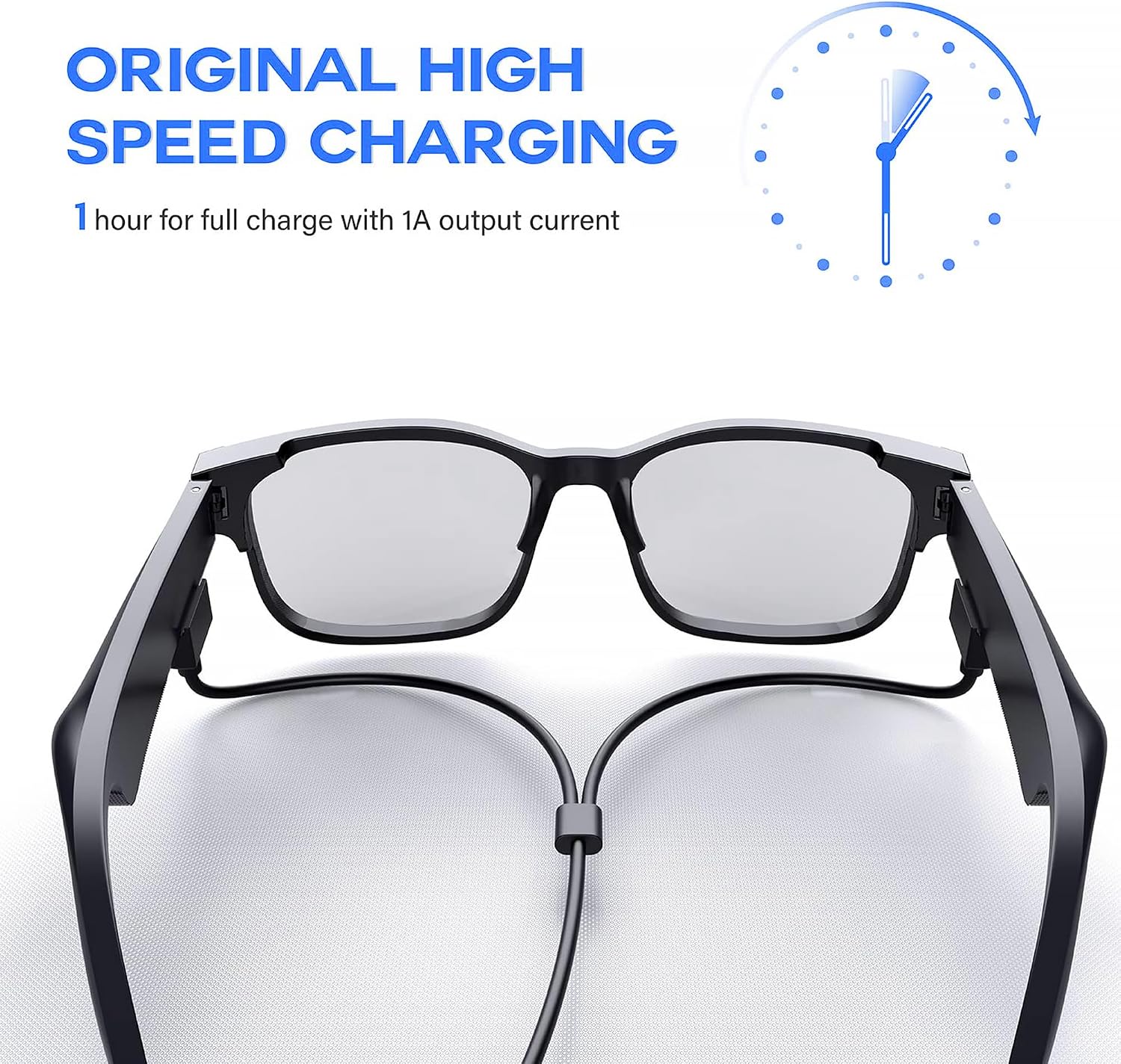
Figure 3.1: Connecting the Charger to Smart Glasses
This image shows the magnetic charger cable properly connected to a pair of Lucyd Lyte Smart Glasses, demonstrating how the device is charged. It also highlights the high-speed charging capability, indicating a full charge in approximately one hour with a 1A output current.
4. Operating Instructions
Once connected, your smart glasses should begin charging automatically. Observe the charging indicator on your smart glasses (if available) to confirm charging status.
- Charging Time: A full charge typically takes approximately 1 hour with a 1A output current.
- Safe Charging: The charger is equipped with a built-in smart IC and multi-protection systems to ensure safe charging, including protection against over-charge, short-circuit, and temperature fluctuations.

Figure 4.1: Safe Charging Features
This image illustrates the safety features integrated into the charger, including protection against over-charging, short-circuits, and excessive temperatures. These features ensure the longevity and safety of both the charger and the smart glasses during overnight charging.
5. Maintenance
To ensure the longevity and optimal performance of your charger:
- Keep the magnetic contacts clean and free from dust or debris. Use a soft, dry cloth to wipe them if necessary.
- Avoid bending or kinking the cable excessively, especially near the connectors.
- Store the charger in a cool, dry place when not in use.
- Do not expose the charger to water or extreme temperatures.
6. Troubleshooting
If you encounter issues with your charger, please refer to the following common solutions:
- Smart Glasses Not Charging:
- Ensure the magnetic connector is securely attached to the smart glasses.
- Verify that the USB-A plug is fully inserted into a working power source.
- Try a different USB power source (e.g., a different wall adapter or computer USB port).
- Check the magnetic contacts on both the charger and the smart glasses for any obstructions or damage.
- Slow Charging:
- Ensure your USB power source provides sufficient output (recommended 1A).
- Avoid using USB hubs or unpowered USB ports, which may provide insufficient current.
7. Specifications
| Feature | Detail |
|---|---|
| Brand | Lamshaw |
| Model Number | 1 |
| Compatible Devices | Lucyd Lyte Smart Glasses LCD006 |
| Connector Type | 2-Pin Magnetic |
| Cable Type | USB-A |
| Maximum Voltage | 5 Volts (DC) |
| Special Feature | Lightweight, Built-in Smart IC for Multi-Protection |
| Item Weight | 0.03 Kilograms (1.16 ounces) |
| Indoor/Outdoor Usage | Indoor |
| Package Contents | 2 x Magnetic Replacement Charger Cables |
8. Warranty and Support
Warranty: Specific warranty information for this product is not provided in the available documentation. Please refer to the retailer's return policy or contact the manufacturer directly for warranty details.
Customer Support: For any questions, concerns, or technical assistance, please contact Lamshaw customer support through the retailer's platform or their official website (if available).