
ZOHAN EP02-LV
ZOHAN Shooting Ear Buds User Manual
Model: EP02-LV
Brand: ZOHAN
Introduction
The ZOHAN EP02-LV Shooting Ear Buds are designed to provide advanced hearing protection, sound amplification, and wireless communication for various demanding environments, including shooting ranges, hunting, and industrial settings. These lightweight earbuds combine Bluetooth 5.4 connectivity, active noise suppression, and TSC (Tactical Sound Control) environmental awareness to enhance your experience while safeguarding your hearing.
Safety Information
- Always ensure ear tips are properly seated to achieve optimal noise reduction.
- Do not expose the earbuds or charging case to extreme temperatures or direct sunlight for prolonged periods.
- Keep out of reach of small children to prevent choking hazards from small parts.
- Avoid disassembling the device, as this may void the warranty and cause damage.
- Use only the provided charging cable and a compatible power adapter.
Package Contents
Verify that all items are present in your package:
- ZOHAN EP02-LV Earbuds (1 pair)
- Charging Case (1)
- Spare Eartips (3 pairs: S, M, L)
- Spare Ear Covers (2 pairs: S, M, L)
- USB-C Charging Cable (1)
- User Manual (this document)

Image: Contents of the ZOHAN EP02-LV package, including earbuds, charging case, various ear tips, USB-C cable, and user manual.
Product Overview
Familiarize yourself with the main components of your ZOHAN EP02-LV Ear Buds.
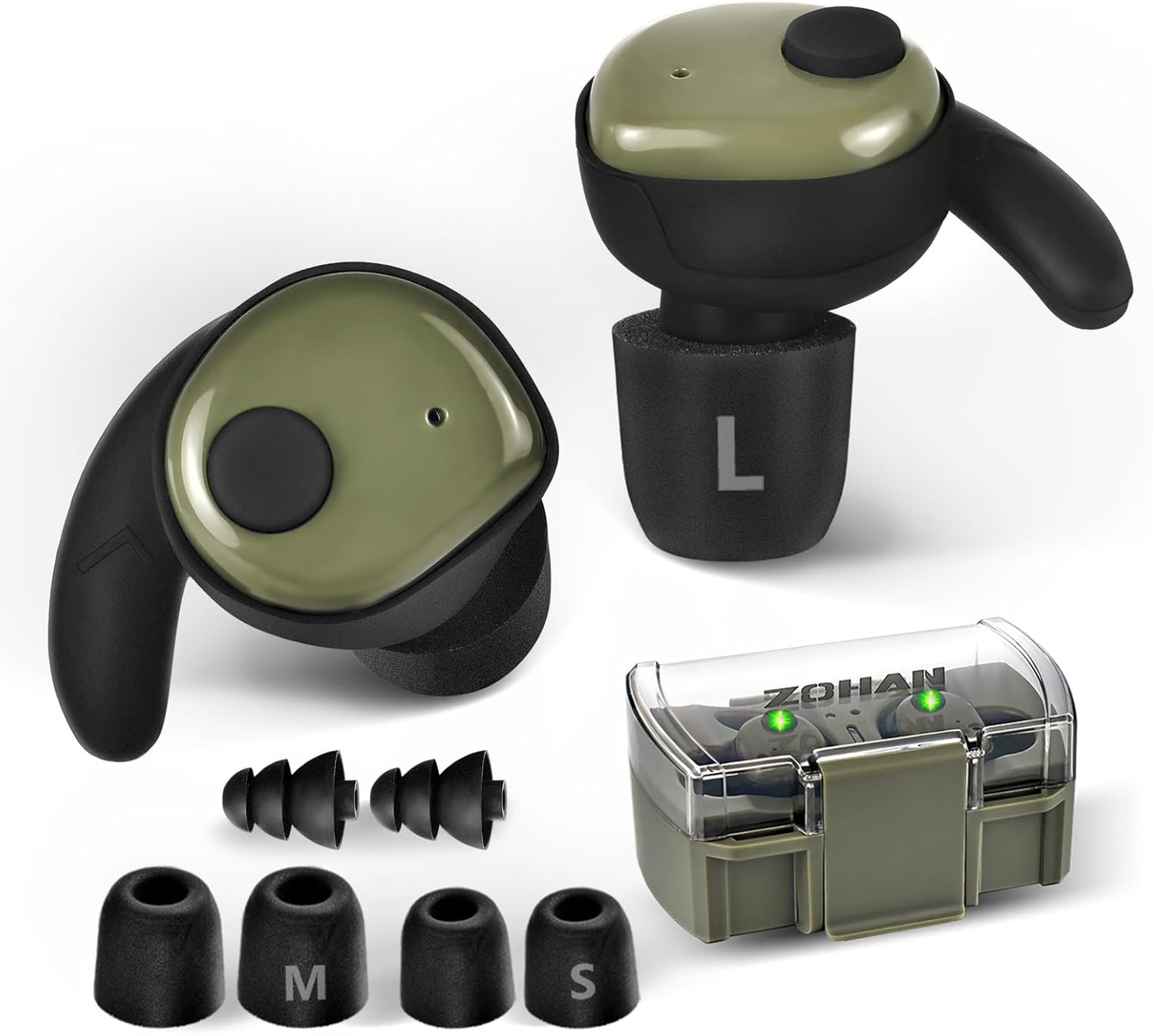
Image: A pair of ZOHAN EP02-LV earbuds, showing the left earbud with a large 'L' on its foam tip, and the charging case with indicator lights. Various sizes of ear tips are also displayed.
Earbud Components:
- Earbud Body: Contains the electronic components and battery.
- Touchscreen/Control Surface: For managing music, calls, and power.
- Sound Pickup Hole: Microphone for environmental sound amplification and calls.
- Ear Cover: Provides a secure fit within the ear.
- Ear Tips: Foam tips available in S, M, L sizes for comfort and noise isolation.

Image: A detailed view of an earbud disassembled into its main parts: the earbud body, ear cover, and ear tip, alongside different sized ear tips (S, M, L).
Setup
1. Charging the Earbuds and Case
Before first use, fully charge the earbuds and the charging case. The case provides multiple charges for the earbuds.
- Place the earbuds into the charging case, ensuring they are correctly seated.
- Connect the USB-C charging cable to the charging port on the case and plug the other end into a USB power source.
- Indicator lights on the case will show charging status. A full charge takes approximately 1.5 hours.

Image: ZOHAN EP02-LV earbuds placed inside their transparent charging case, with green indicator lights visible, suggesting they are charging or fully charged.
2. Fitting the Ear Tips
Proper fit is crucial for both comfort and effective noise reduction. Experiment with the included S, M, and L ear tips to find the best seal for your ears.
- Gently twist and pull to remove the current ear tip.
- Select a new ear tip size and push it onto the earbud nozzle until it clicks securely into place.
- Insert the earbuds into your ears, twisting slightly to ensure a snug and comfortable fit.

Image: A comparison showing the thickness of ZOHAN's ear tips versus thinner, less comfortable ear tips from other brands. Below, an earbud is shown with its ear cover and various ear tip sizes (S, M, L) are displayed.
3. Powering On/Off and Bluetooth Pairing
The earbuds automatically power on when removed from the charging case and power off when returned.
- Power On: Remove both earbuds from the charging case. They will automatically enter pairing mode.
- Bluetooth Pairing: On your device (smartphone, tablet, etc.), enable Bluetooth and search for "ZOHAN EP02-LV" in the list of available devices. Select it to connect.
- Power Off: Place both earbuds back into the charging case. They will automatically disconnect and begin charging.
- Manual Wake/Pairing: If earbuds are in sleep mode (after 5 minutes of disconnection), triple-tap the touchscreen on either earbud to wake them and re-enter pairing mode.

Image: An illustration highlighting the Bluetooth 5.4 connectivity and touch controls of the ZOHAN EP02-LV earbuds. It shows a finger touching the earbud's surface, indicating touch control functionality.

Image: A diagram illustrating the out-of-range disconnection behavior of the earbuds, showing automatic disconnection beyond 10m/33ft and automatic reconnection within 5 minutes if back in range.
Operating Instructions
1. TSC (Tactical Sound Control) Environmental Awareness
The TSC mode amplifies subtle environmental sounds while protecting against harmful loud noises. This allows for improved situational awareness.
- Activating TSC: The earbuds typically activate TSC mode automatically upon power-on.
- Adjusting Amplification Levels: The EP02-LV offers 4 levels of sound amplification. Refer to the touch control section for specific gestures to cycle through these levels.
- Level 1 (300 Hz): Ideal for low-frequency environments.
- Level 2 (500 Hz): Suitable for outdoor hunting in dense forests or brush.
- Level 3 (700 Hz): Recommended for open-field shooting or tactical training.
- Level 4 (1.0 kHz): Best for precision shooting or competitive scenarios.
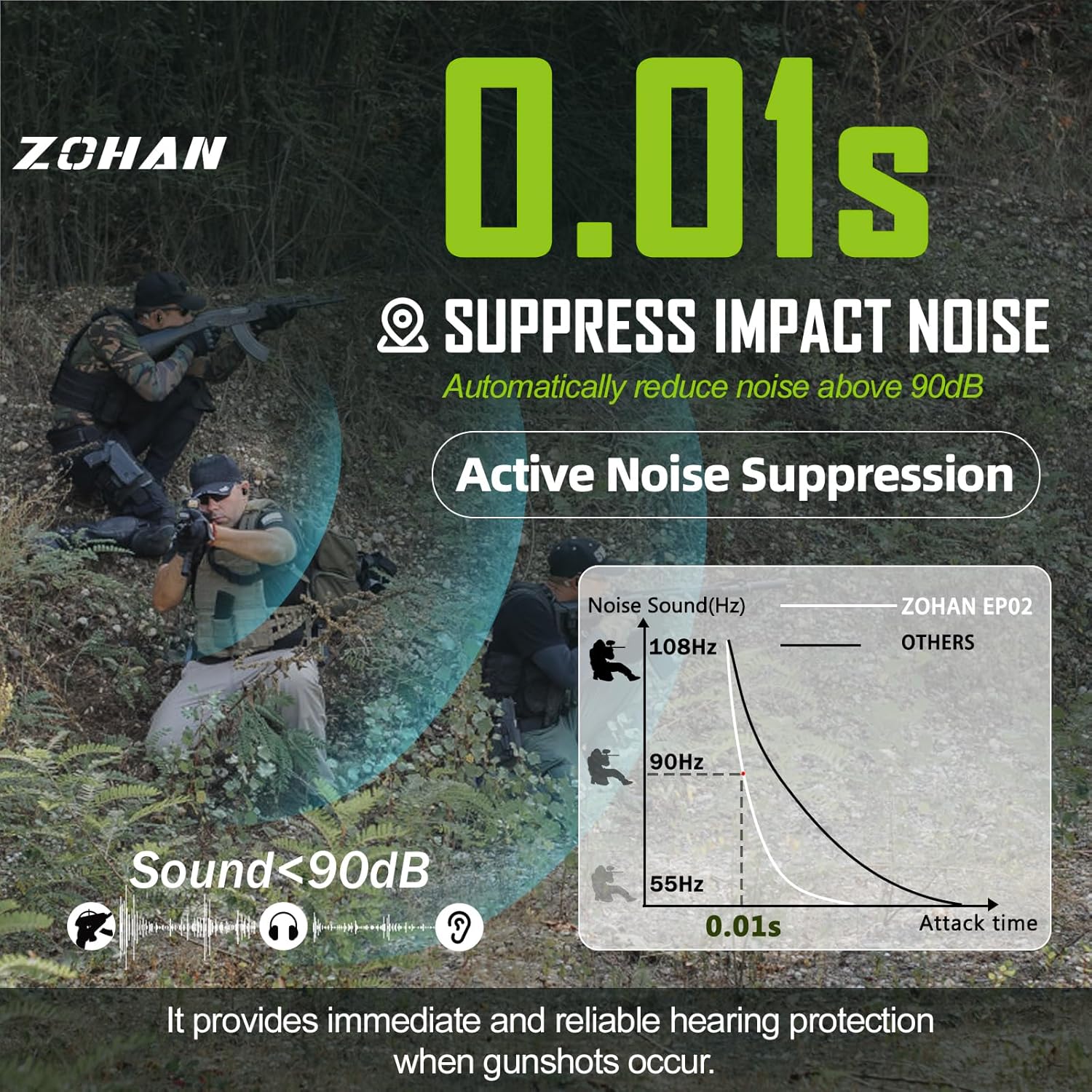
Image: A diagram illustrating the 4 levels of sound amplification (300 Hz, 500 Hz, 700 Hz, 1.0 kHz) provided by the earbuds for different environmental conditions, with two hunters in a field.
2. Active Noise Suppression
The earbuds feature active noise suppression that automatically reduces impact noise above 90dB within 0.01 seconds, protecting your hearing from sudden loud sounds like gunshots.
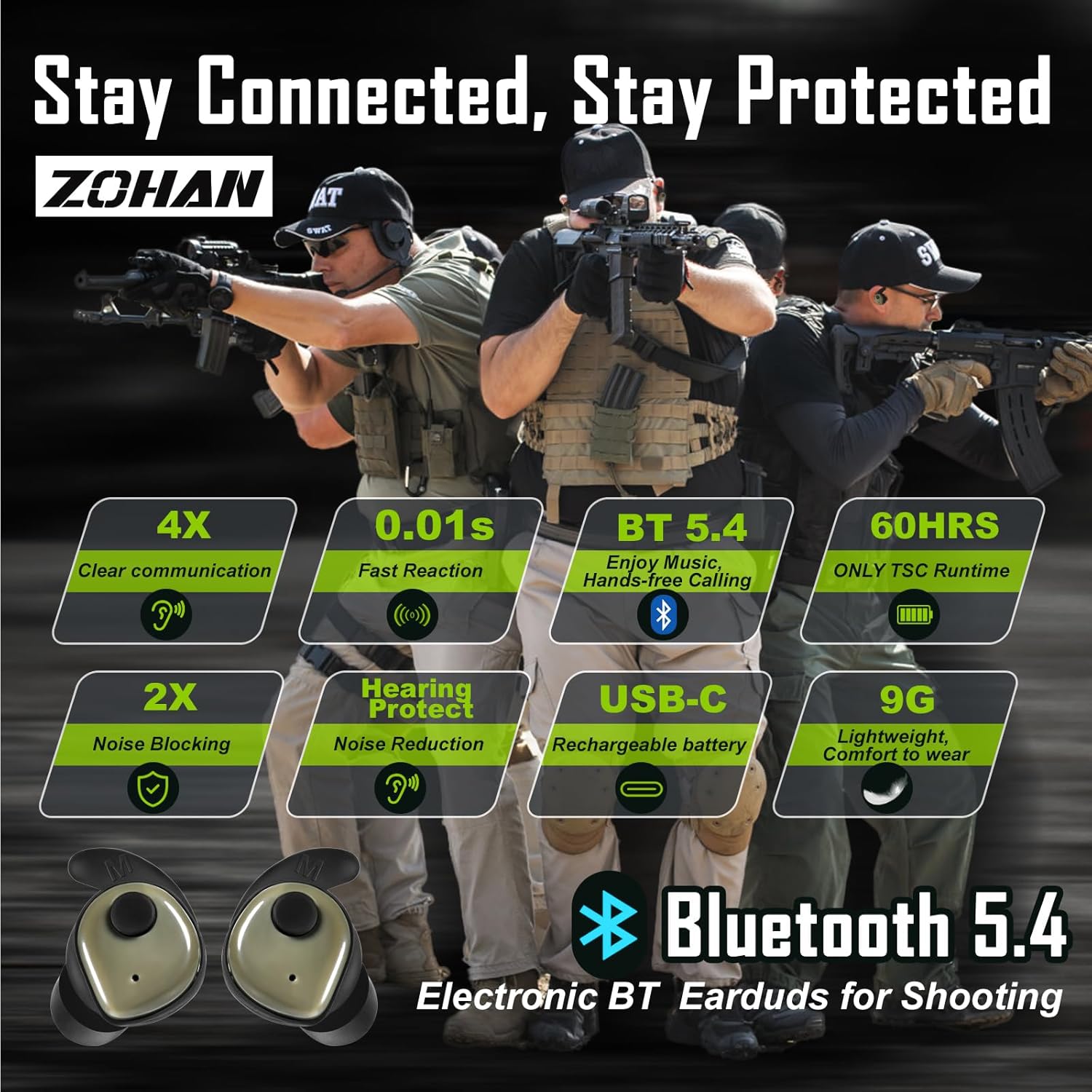
Image: A graphic demonstrating the 0.01-second impact noise suppression feature, showing how the earbuds reduce sounds above 90dB, with a graph comparing ZOHAN EP02's fast attack time to others.
3. Bluetooth Functions (Music & Calls)
Once paired, you can use the earbuds for wireless audio streaming and hands-free calls.
- Music Playback: Control play/pause, skip tracks using the touch controls.
- Hands-free Calls: Answer, end, or reject calls directly from the earbuds. The built-in microphone ensures clear communication.
- Dual-Device Pairing: The earbuds support connecting to two devices simultaneously.
4. Touch Controls
The earbuds are controlled via intuitive touch gestures on the outer surface.
| Action | Gesture |
|---|---|
| Power On | Remove from charging case |
| Power Off | Place into charging case |
| Wake from Sleep / Re-enter Pairing Mode | Triple-tap touchscreen |
| Play/Pause Music | Single-tap (Left or Right earbud) |
| Next Track | Double-tap (Right earbud) |
| Previous Track | Double-tap (Left earbud) |
| Answer/End Call | Single-tap (Left or Right earbud) |
| Reject Call | Long press (Left or Right earbud) |
| Adjust TSC Amplification Level | Specific button press or tap sequence (refer to quick start guide for exact sequence if not specified here) |
Note: The right earbud acts as the master unit and may drain faster during extended use.
Maintenance
- Cleaning: Regularly clean the earbuds and charging case with a soft, dry cloth. Do not use harsh chemicals or abrasive materials.
- Ear Tips: Remove and clean ear tips periodically with mild soap and water. Ensure they are completely dry before reattaching.
- Storage: When not in use, store the earbuds in their charging case to protect them and keep them charged. Store in a cool, dry place.
- Water Resistance: The earbuds are waterproof, but the charging case is not. Avoid submerging the case in water.
Troubleshooting
If you encounter issues with your ZOHAN EP02-LV Ear Buds, try the following solutions:
| Problem | Solution |
|---|---|
| Earbuds not charging | Ensure earbuds are correctly seated in the charging case. Check the charging cable and power source. Clean charging contacts if necessary. |
| Only one earbud working | Place both earbuds back into the case, close the lid, wait a few seconds, then remove them. Ensure both are charged. Re-pair with your device. |
| Cannot pair with device | Ensure Bluetooth is enabled on your device. Make sure earbuds are in pairing mode (triple-tap to wake if in sleep mode). Forget the device in your Bluetooth settings and try pairing again. Ensure earbuds are within 33ft/10m of the device. |
| Poor sound quality / Noise reduction ineffective | Ensure ear tips are the correct size and provide a snug seal. Clean ear tips and earbud nozzles. Check for obstructions in the sound pickup holes. |
| Earbuds disconnect frequently | Ensure you are within the Bluetooth range (up to 35ft/10m in open space). Avoid physical obstructions between earbuds and device. Fully charge earbuds. |
Specifications
| Feature | Detail |
|---|---|
| Model Name | EP02-LV |
| Noise Control | Adaptive Noise Cancellation, Active Noise Suppression (0.01s reaction time) |
| Connectivity Technology | Wireless (Bluetooth 5.4) |
| Bluetooth Range | Up to 35ft (10m) in open space |
| Battery Life (TSC Mode) | Up to 60 hours (with charging case) |
| Battery Life (BT + TSC Mode) | 4-5 hours per charge |
| Charging Time | Approx. 1.5 hours (earbuds + case) |
| Charging Port | USB Type-C |
| Weight (each earbud) | Approx. 9g |
| Water Resistance Level | Waterproof (earbuds only) |
| Frequency Range | 20Hz - 20,000Hz |
| Impedance | 50 Ohm |
| Material | Ultra-soft Ergonomically Ear Tips, ABS Shell |
Warranty and Support
ZOHAN provides a satisfaction service for its products. If you have any questions or require assistance with your ZOHAN EP02-LV Ear Buds, please contact ZOHAN customer service. They are available to provide solutions and support 24 hours a day.
For more information or to contact support, please visit the official ZOHAN store or contact details provided with your purchase documentation.
Note: Specific warranty terms and conditions may vary. Please refer to the warranty card included in your package or the official ZOHAN website for detailed information.
Ask a question about this manual
Ask about setup, troubleshooting, compatibility, parts, safety, or missing instructions. Manuals+ will review the question and use this page’s manual context to help answer it.