Introduction
The Airiton AI-300 is a state-of-the-art 4G Push-to-Talk Over Cellular (POC) two-way radio designed for seamless and extensive communication. This device leverages 4G networks to provide an unlimited communication range, officially supporting coverage up to 5000 miles, making it suitable for various environments from urban areas to remote locations.
Equipped with advanced noise-cancelling microphones, the AI-300 ensures crystal clear audio quality, facilitating effective communication even in noisy environments. Its durable and sturdy design, made from high-quality materials, provides shockproof and drop-resistant performance, capable of withstanding daily wear and tear and harsh conditions.
The AI-300 comes with an annual SIM card, offering unlimited high-speed data services for one year without platform fees, ensuring continuous connectivity. It supports various call functions including single, group, and mass calls, enhancing its versatility for individual and team communications.
Package Contents
Upon opening your Airiton AI-300 package, please verify that all the following items are included:
- 2 x Airiton AI-300 Radio Body
- 2 x Battery (12V, pre-installed)
- 2 x Type-C USB Charger
- 2 x Headset
- 2 x Belt Clip
- 2 x Hand Strap (Lanyard)
- 1 x User Manual

Image: All components included in the Airiton AI-300 package.
Product Features
- Unlimited Communication Range: Utilizes 4G POC technology for nationwide coverage up to 5000 miles, supporting 2G/3G/4G networks. FCC Certified (FCC ID: 2BM2J-BQ-300).
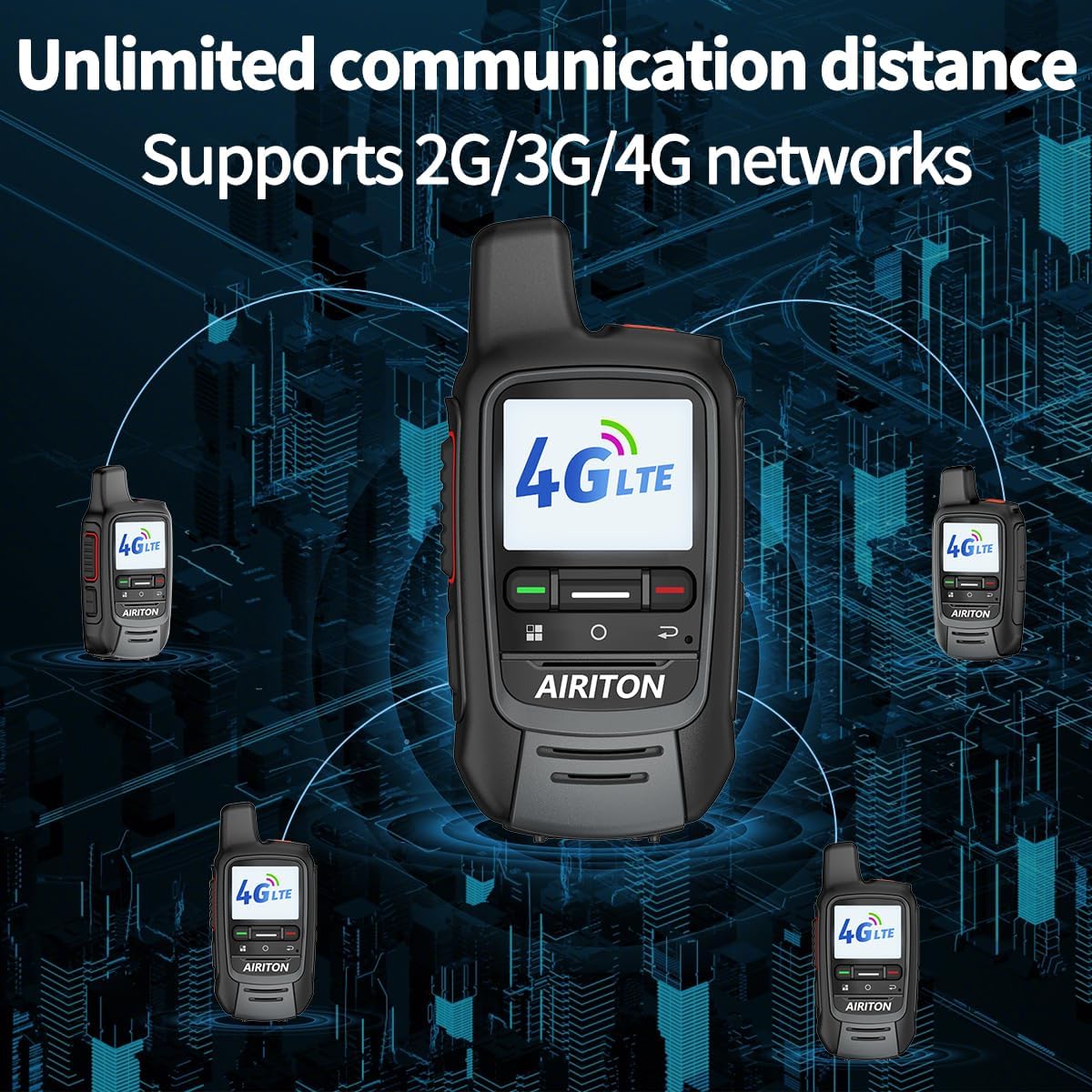
Image: Visual representation of the AI-300's unlimited communication distance via 4G networks.
- Annual SIM Card Included: Enjoy one year of unlimited high-speed data service. The SIM card is pre-installed for immediate use. Renewal options are available after the first year.
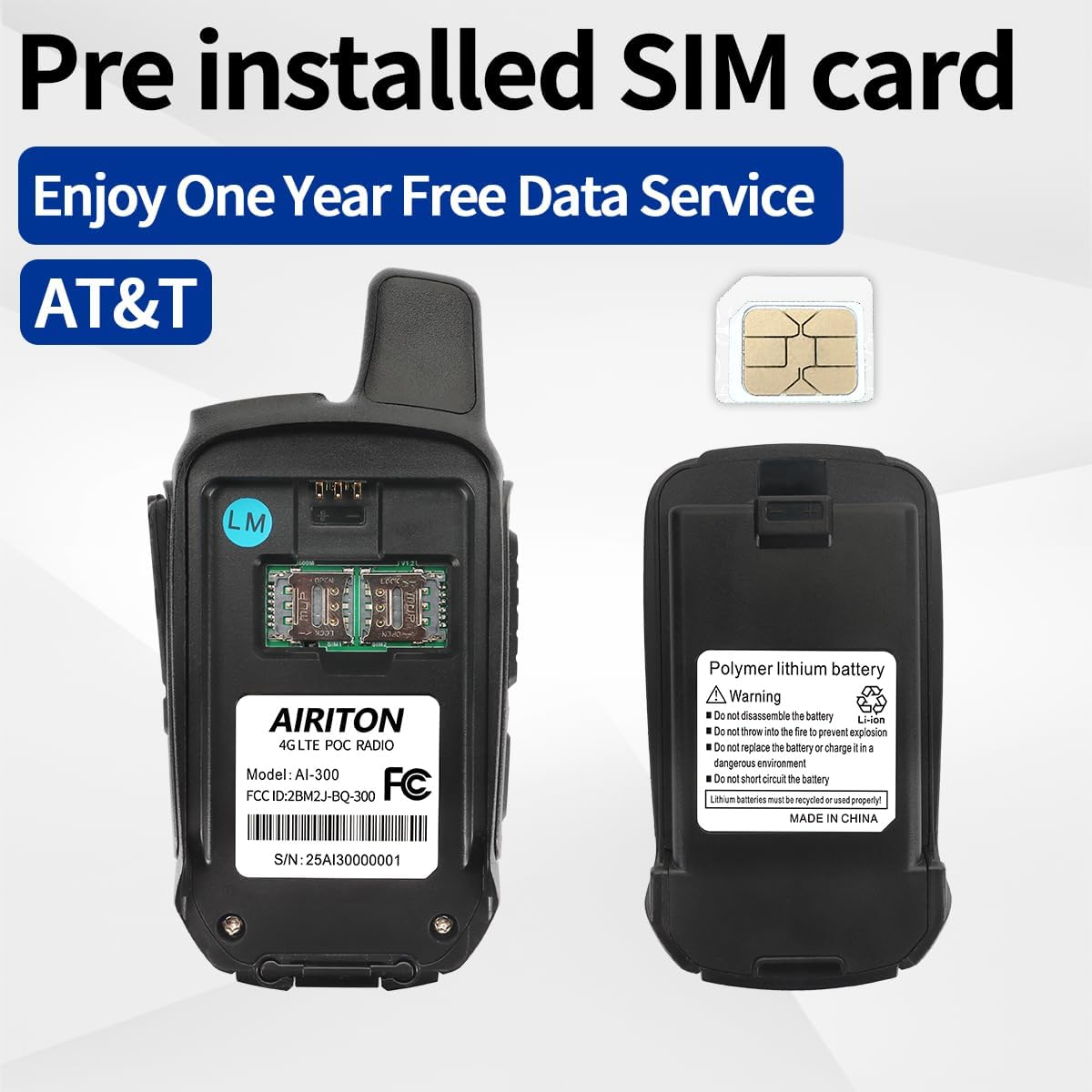
Image: The pre-installed SIM card and battery compartment of the AI-300.
- Durable and Sturdy Design: Constructed with high-quality, shockproof, and drop-resistant materials to withstand harsh environments and daily use.
- Clear Audio with Noise Cancellation: Equipped with advanced noise-cancelling microphones for crystal clear sound quality in any environment.
- Versatile Call Functions: Supports single calls (one-on-one), group calls (free group communication), and mass calls (call all members).
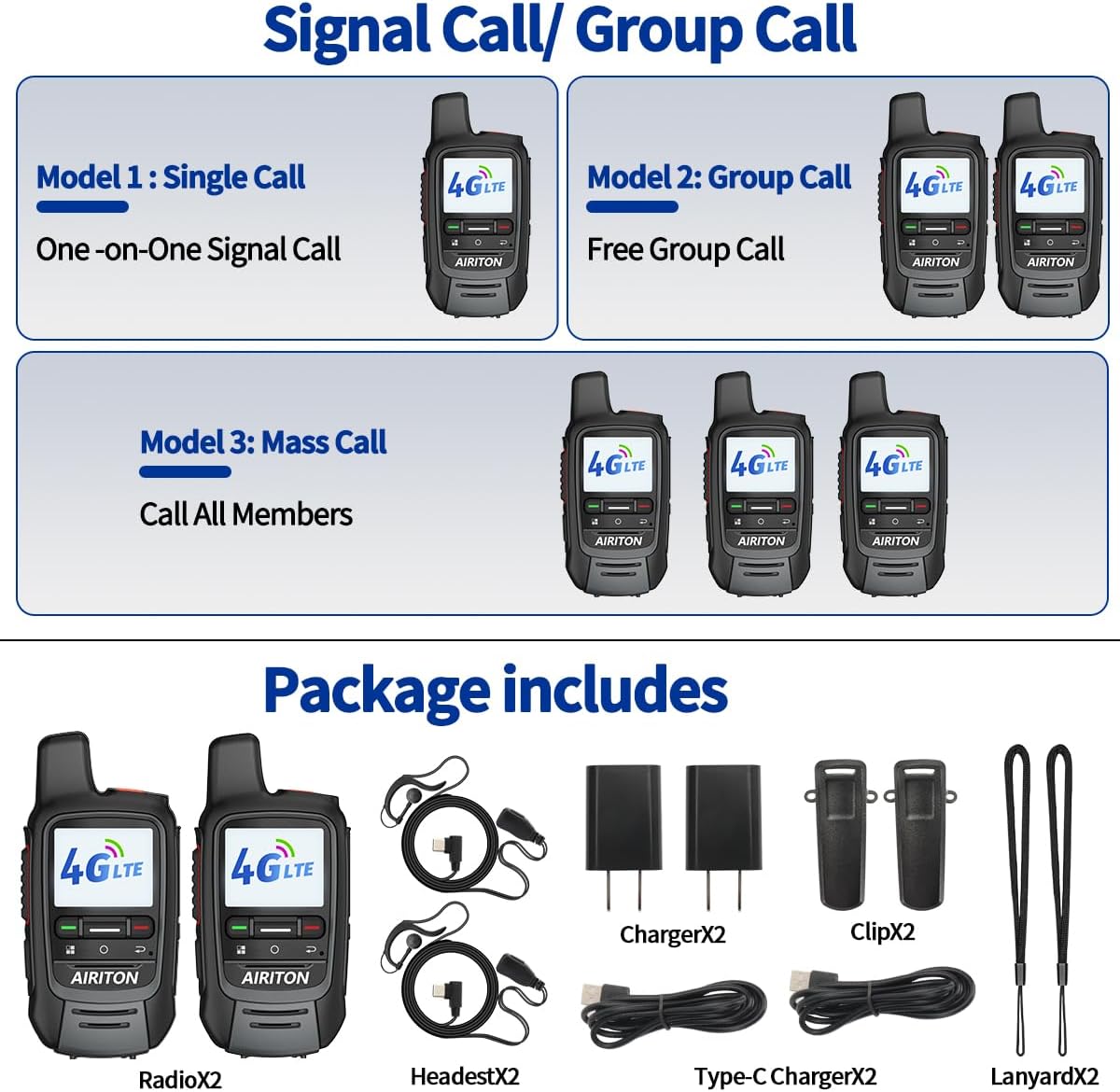
Image: Explanation of single, group, and mass call modes.
- Type-C Charging: Convenient and fast charging via a Type-C USB port.

Image: The AI-300's LCD display and Type-C charging capabilities.
- Compact and Comfortable Size: Designed for easy handheld grip and simple operation.
Setup Guide
1. Initial Battery and SIM Card Check
The Airiton AI-300 radios come with batteries and SIM cards pre-installed. Before first use, ensure the battery is securely seated in its compartment. The SIM card is already active for one year of service upon receipt.
2. Charging the Device
Connect the provided Type-C USB charger to the charging port on the side of the radio. Plug the charger into a standard wall outlet or a compatible USB power source. The charging indicator light will show the charging status. A full charge is recommended before initial use.
3. Powering On/Off
To power on the radio, press and hold the Power button (usually located on the top or side) until the screen illuminates. To power off, press and hold the Power button again until the device shuts down.
4. Initial Pairing (for multiple units)
For purchases of two radios, they are typically pre-set with default settings and should pair automatically upon power-on. If you purchase more than two radios and require them to be paired for group communication, please contact Airiton customer service with the serial numbers of your devices. They will provide technical guidance for pairing.
Operating Instructions
Image: Key operational buttons and ports on the Airiton AI-300.
1. Push-to-Talk (PTT) Button
The large button on the side of the radio is the Push-to-Talk (PTT) button. Press and hold this button to transmit your voice. Release the button to listen for incoming transmissions.
2. Volume Adjustment
Use the "Volume Up" and "Volume Down" buttons (located below the PTT button) to adjust the listening volume. The current volume level may be displayed on the LCD screen.
3. Menu Navigation
The "Menu" button allows access to various settings and options on the radio. Use the navigation buttons (if present, or volume buttons) to scroll through menu options and the "OK" or "Select" button to confirm selections.
4. Making Calls
- Single Call: For one-on-one communication, select the desired contact from your contact list (if available) or initiate a direct call.
- Group Call: To communicate with a pre-defined group, select the group from your group list. All members within that group will receive your transmission.
- Mass Call: This function allows you to broadcast a message to all connected radios within your network.
Refer to the on-screen interface for specific instructions on selecting call types and contacts.
Maintenance
1. Cleaning
To clean the radio, use a soft, damp cloth. Do not use harsh chemicals, solvents, or abrasive cleaners, as these can damage the device's surface or internal components. Ensure the charging port and other openings are free of dust and debris.
2. Battery Care
To prolong battery life, avoid fully discharging the battery frequently. Charge the battery regularly, even if the radio is not in constant use. Store the radio and battery in a cool, dry place away from direct sunlight and extreme temperatures.
3. Storage
When storing the radio for extended periods, ensure it is powered off and the battery is partially charged (around 50%). Store it in a protective case to prevent physical damage.
Troubleshooting
| Problem | Possible Cause | Solution |
|---|---|---|
| No Power | Battery is depleted or not properly installed. | Charge the battery. Ensure the battery is correctly inserted and secured. |
| No Signal / Cannot Communicate | Out of 4G network coverage area; SIM card issue; radios not properly paired. | Move to an area with 4G network coverage. Verify SIM card is active. If multiple radios, ensure they are correctly paired (contact customer service if needed). |
| Poor Audio Quality / Static | Weak signal; environmental interference; microphone obstruction. | Move to an area with stronger 4G signal. Ensure microphone is clear of obstructions. |
| Noticeable Communication Delay (Lag) | Network latency; high network traffic. | This can sometimes occur due to network conditions. Ensure you have a stable 4G connection. If persistent, contact customer support. |
| Radio Not Charging | Faulty charger or cable; charging port damage. | Try a different Type-C cable and charger. Inspect the charging port for damage. |
Specifications
| Feature | Detail |
|---|---|
| Model Number | AI-300 |
| Brand | Airiton |
| Tuner Technology | 4G POC (Push-to-Talk Over Cellular) |
| Number of Channels | 200 |
| Batteries | 2 x 12V batteries (included) |
| Item Weight | 1.28 pounds (approx. 0.58 kg) |
| Package Dimensions | 8.39 x 7.17 x 2.56 inches (approx. 21.3 x 18.2 x 6.5 cm) |
| Color | Black |
| Special Feature | Long Range, Rechargeable |
| Water Resistance Level | Not Water Resistant |
| FCC Certification | FCC ID: 2BM2J-BQ-300 |
Warranty and Support
Warranty Information
Please note that this product does not come with a manufacturer's warranty as per the provided specifications. For any issues or concerns, please refer to the return policy of your retailer.
Customer Support
Airiton provides dedicated customer service to assist with any inquiries or technical guidance you may need. For assistance with pairing multiple devices, troubleshooting, or any other product-related questions, please contact Airiton customer service. They offer all-day customer service replies to ensure your satisfaction.
For specific contact details, please refer to the information provided at the point of purchase or on the official Airiton website.


