
NEWORK FreeChat 101
User Manual: Bluetooth Conference Speakerphone
Model: NEWORK FreeChat 101
Introduction
Thank you for choosing the NEWORK FreeChat 101 Bluetooth Conference Speakerphone. This device is designed to provide clear, high-quality audio for your conference calls, online meetings, and personal communication. With its 360° voice pickup, noise reduction technology, and versatile connectivity options, the FreeChat 101 ensures seamless and efficient communication in various environments. Please read this manual carefully to understand the product's features and ensure optimal performance.
Package Contents
Please verify that all items are included in your package:
- NEWORK FreeChat 101 Speakerphone x 1
- Portable Bag x 1
- USB-C Cable x 1
- User Manual x 1
Product Overview
The NEWORK FreeChat 101 features an intuitive design with easily accessible controls and advanced audio technology.

Figure 1: NEWORK FreeChat 101 Speakerphone - Top View
This image displays the top surface of the speakerphone, highlighting the call answer/end button, volume down, microphone mute, volume up, Bluetooth pairing, and power buttons. The device has a dark gray fabric grille and a silver-colored rim.

Figure 2: 360° Voice Pickup Feature
This graphic emphasizes the speakerphone's ability to pick up voices from all directions within a 5-meter range, ensuring clear audio for all participants in a conference call.
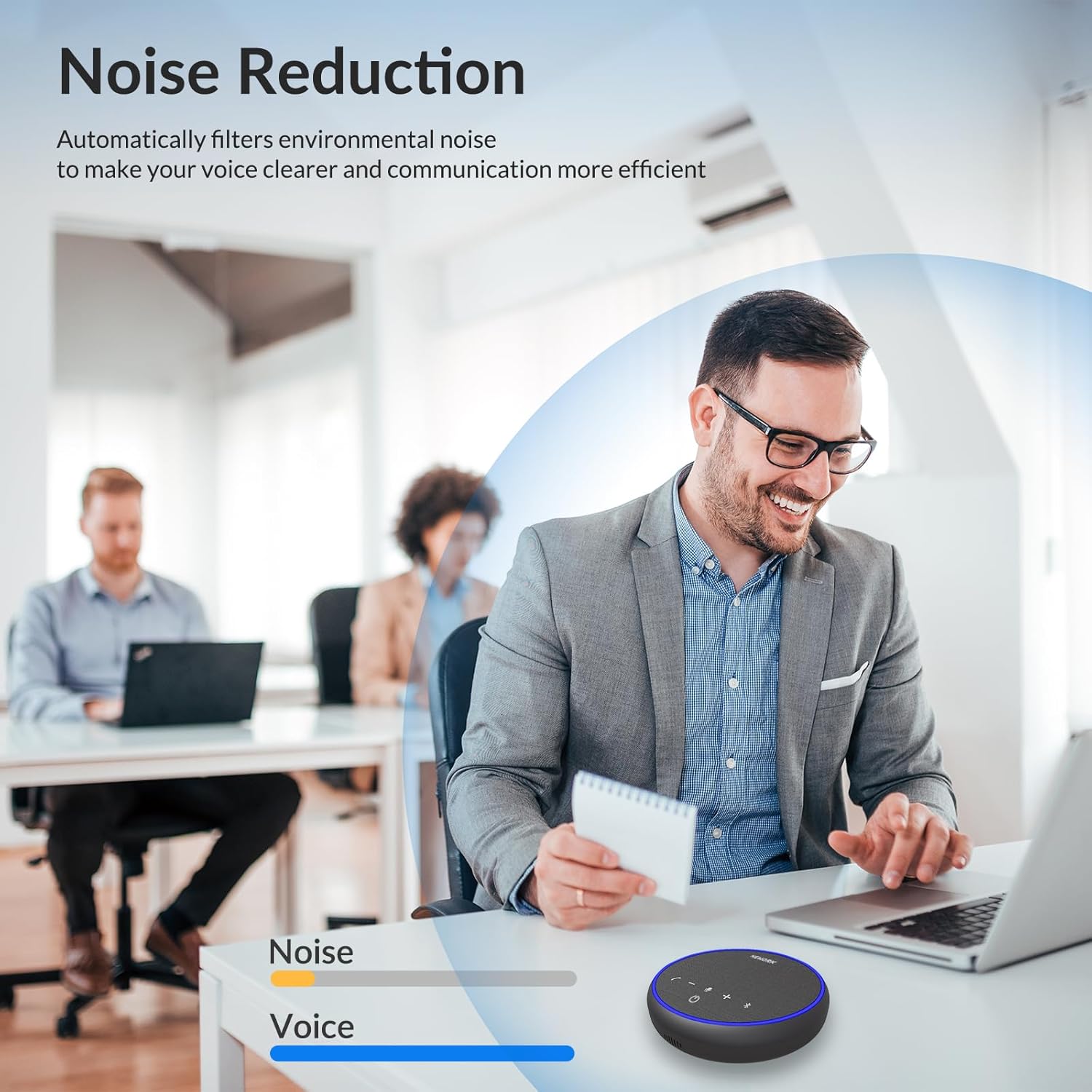
Figure 3: Noise Reduction Technology
The image illustrates how the speakerphone's advanced noise-cancelling microphones filter out background sounds, making voices clearer during calls, even in noisy settings.

Figure 4: Extended Battery Life
This graphic highlights the speakerphone's 12-hour continuous talk time, supported by its 2600mAh rechargeable battery, and a 3-hour charging time.
Setup
1. Charging the Speakerphone
Before first use, fully charge the speakerphone using the provided USB-C cable. Connect the USB-C end to the speakerphone's charging port and the other end to a USB power adapter (not included) or a computer's USB port. The indicator light will show charging status.
2. Connecting to a Device
The FreeChat 101 offers two primary connection methods: USB-C and Bluetooth.

Figure 5: Connection Options
This image visually represents the flexibility of connecting the speakerphone either directly via a USB-C cable to a laptop or wirelessly via Bluetooth to a smartphone or other compatible device.
USB-C Connection (Plug & Play)
- Connect the provided USB-C cable to the USB-C port on the speakerphone.
- Plug the other end of the USB-C cable into an available USB-C port on your computer (desktop or laptop).
- The speakerphone will be automatically recognized by your operating system (Windows, macOS, Linux) and ready for use without needing additional drivers.
Bluetooth Connection
- Ensure the speakerphone is powered on.
- Press and hold the Bluetooth button (Bluetooth icon) on the speakerphone until the indicator light flashes blue, indicating it's in pairing mode.
- On your device (smartphone, tablet, computer), go to Bluetooth settings and search for new devices.
- Select "NEWORK FreeChat 101" from the list of available devices.
- Once connected, the indicator light will turn solid blue.
Operating Instructions
Power On/Off
- To power on, press and hold the Power button (power icon) for 2 seconds.
- To power off, press and hold the Power button (power icon) for 2 seconds.
Call Management
- Answer/End Call: Press the Call button (phone icon) once.
- Reject Call: Press and hold the Call button (phone icon) for 2 seconds.
Volume Control
- Volume Up: Press the Volume + button (plus icon).
- Volume Down: Press the Volume - button (minus icon).
Microphone Mute/Unmute
- Press the Microphone button (microphone icon) once to mute or unmute the microphone. The indicator light will change to reflect the mute status.
Universal Compatibility
The NEWORK FreeChat 101 is compatible with a wide range of operating systems and video conferencing applications, ensuring broad usability for your communication needs.
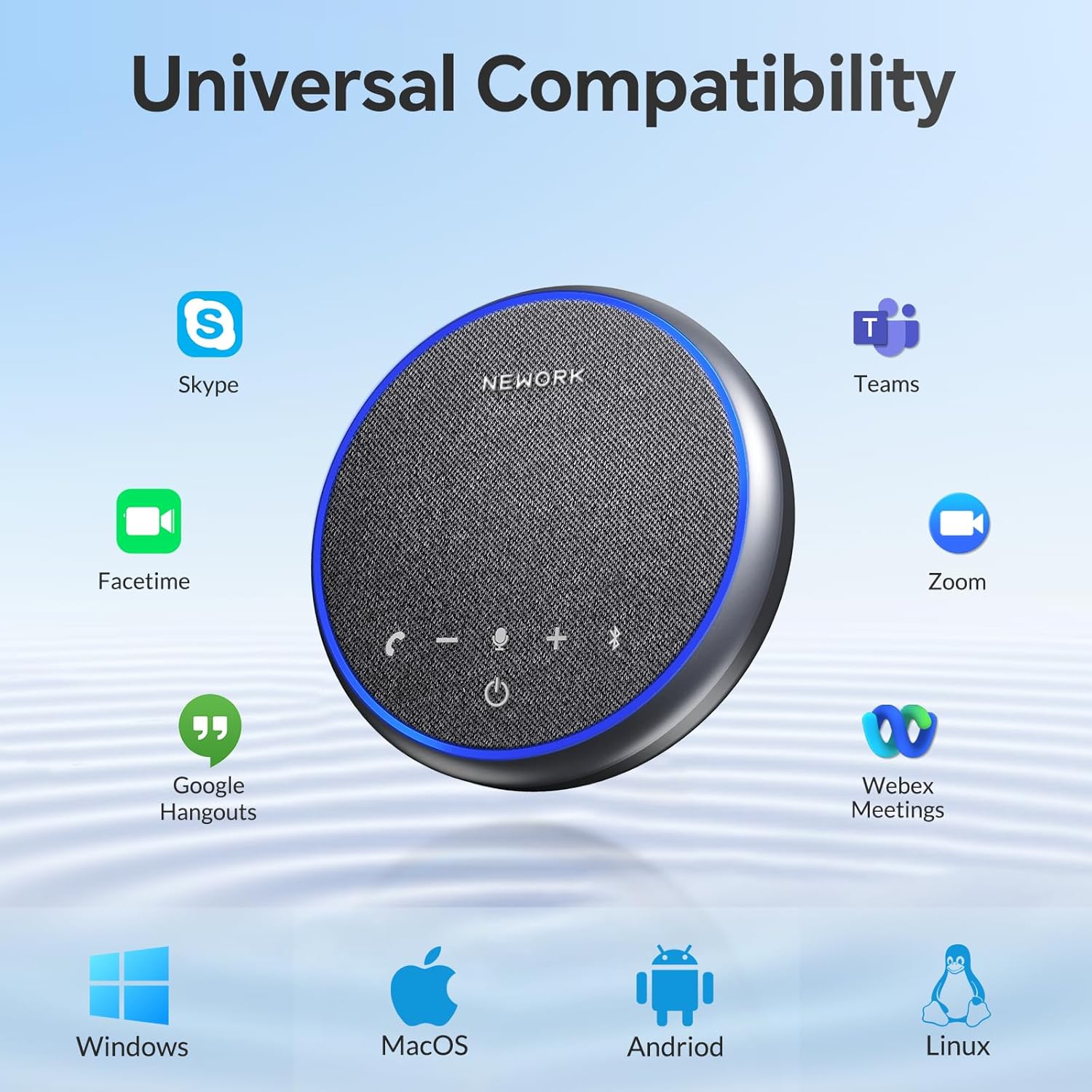
Figure 6: Broad Compatibility
This image displays the speakerphone's compatibility with Windows, macOS, Android, and Linux operating systems, as well as popular applications like Skype, Facetime, Google Hangouts, Zoom, Teams, and Webex Meetings.
Maintenance
- Cleaning: Use a soft, dry cloth to clean the surface of the speakerphone. Do not use liquid cleaners or aerosols.
- Storage: When not in use for extended periods, store the speakerphone in its portable bag in a cool, dry place away from direct sunlight and extreme temperatures.
- Battery Care: To prolong battery life, avoid fully discharging the battery frequently. Charge the device regularly, even if not in active use.
- Avoid Water: The device is not waterproof. Keep it away from water and other liquids.
Troubleshooting
| Problem | Solution |
|---|---|
| Device does not power on. | Ensure the battery is charged. Connect the speakerphone to a power source using the USB-C cable and try again. |
| No sound from the speakerphone. | Check the volume level on both the speakerphone and your connected device. Ensure the speakerphone is selected as the audio output device in your computer's or smartphone's sound settings. |
| Microphone is not picking up sound. | Ensure the microphone is not muted (check the microphone mute button and indicator light). Verify that the speakerphone is selected as the input device in your application's audio settings. |
| Bluetooth connection issues. | Ensure the speakerphone is in pairing mode (flashing blue light). Turn off and on Bluetooth on your device. Forget the device in your Bluetooth settings and re-pair. Ensure the speakerphone is within the 10-meter Bluetooth range. |
| Echo or poor sound quality. | Reduce the volume if it's too high. Ensure the speakerphone is placed on a stable surface and not too close to walls or reflective surfaces. The noise reduction feature should minimize background noise. |
Specifications
| Feature | Detail |
|---|---|
| Brand | NEWORK |
| Model Name | FreeChat 101 |
| Material | Plastic |
| Speaker Type | Multimedia |
| Speaker Maximum Output Power | 3 Watts |
| Audio Output Mode | Stereo |
| Number of Microphones | 3 |
| Connectivity Technology | Bluetooth, USB |
| Wireless Communication Technology | Bluetooth |
| Bluetooth Range | 10 Meters |
| Battery Life | 12 Hours |
| Charging Time | 3 Hours |
| Battery Type | 1 Lithium Polymer (included) |
| Item Weight | 300 Grams (10.6 ounces) |
| Product Dimensions | 5.12 x 5.12 x 1.38 inches |
| Color | Gray |
| Controller Type | Button |
| Control Method | Voice |
| Recommended Uses | For Computers, For Music Players, For Smartphones or Tablets |
| Compatible Devices | Desktop, Laptop, Smartphone, Tablet |
| Indoor/Outdoor Usage | Indoor, Outdoor |
| Is Waterproof | False |
| Warranty Type | Limited |
Portability
The NEWORK FreeChat 101 is designed for maximum portability, making it an ideal companion for business trips, remote work, or any situation requiring high-quality audio on the go. Its compact and lightweight design allows it to fit easily into bags and backpacks.

Figure 7: Portable Design
This image highlights the speakerphone's lightweight and compact form factor, showing how easily it can be carried in a bag for convenience during travel or daily commutes.
Warranty and Support
The NEWORK FreeChat 101 comes with a limited warranty. For detailed warranty information, please refer to the warranty card included in your package or visit the official NEWORK website. If you encounter any issues or have questions regarding your speakerphone, please contact NEWORK customer support for assistance.
For further assistance, please visit the NEWORK Store on Amazon.
Related documentsFreeChat 101

Ask a question about this manual
Ask about setup, troubleshooting, compatibility, parts, safety, or missing instructions. Manuals+ will review the question and use this page’s manual context to help answer it.