
1. Product Overview
The Dreo HM717S Smart Humidifier is designed to provide optimal humidity levels in large rooms up to 600 sq. ft. It features both warm and cool mist options, smart control via the DREO app, and voice assistant compatibility. The large 8-liter water tank ensures extended operation.

Figure 1: Dreo HM717S Smart Humidifier with accompanying mobile app interface.
2. Setup Instructions
2.1 Unboxing and Initial Placement
- Carefully remove all packaging materials from the humidifier and its components. Ensure all protective tapes and cardboard inserts are removed from the base unit and water tank.
- Place the humidifier on a flat, stable, and water-resistant surface at least 6 inches (15 cm) away from walls and furniture. Avoid placing it directly on carpet or near heat sources.
2.2 Water Tank Filling
- Remove the top cover of the humidifier.
- Lift the water tank by its handle.
- Fill the tank with clean, cool tap water. Do not exceed the maximum fill line indicated on the tank. Distilled or demineralized water is recommended to prevent white dust.
- Optionally, insert a Dreo Demineralization Cartridge (sold separately) into the designated slot in the water tank to reduce mineral buildup.
- Place the filled water tank back onto the humidifier base, ensuring it is seated correctly. Replace the top cover.
2.3 Power Connection
- Plug the power cord into a standard electrical outlet. The display will illuminate.
2.4 App and Voice Assistant Connection
To utilize smart features, connect your humidifier to the DREO app.
- Download the DREO app from your device's app store.
- Ensure your smartphone's Wi-Fi (2.4GHz only) and Bluetooth are enabled.
- Open the DREO app and follow the on-screen instructions to add your device.
- Once connected, you can link the DREO app to Alexa or Google Home for voice control.
Video 1: Instructions on how to install the internal components of the water tank for the Dreo HM717S humidifier.
Video 2: Guide on connecting the Dreo HM717S Smart Humidifier to the DREO mobile application.
3. Operating Instructions
3.1 Power On/Off
Press the power button on the control panel or use the DREO app to turn the humidifier on or off.
3.2 Mist Modes and Output
- Warm Mist: Select warm mist for faster humidification and comfort in cooler environments. The humidifier can reach 133°F in approximately 8 minutes.
- Cool Mist: Select cool mist for general humidification, suitable for plant care and skincare.
- Mist Output: The humidifier offers a maximum mist output of 550 ml/h, distributing mist up to 40 inches tall and 4 inches wide for efficient room coverage. Adjust mist levels (1-3) via the control panel or app.
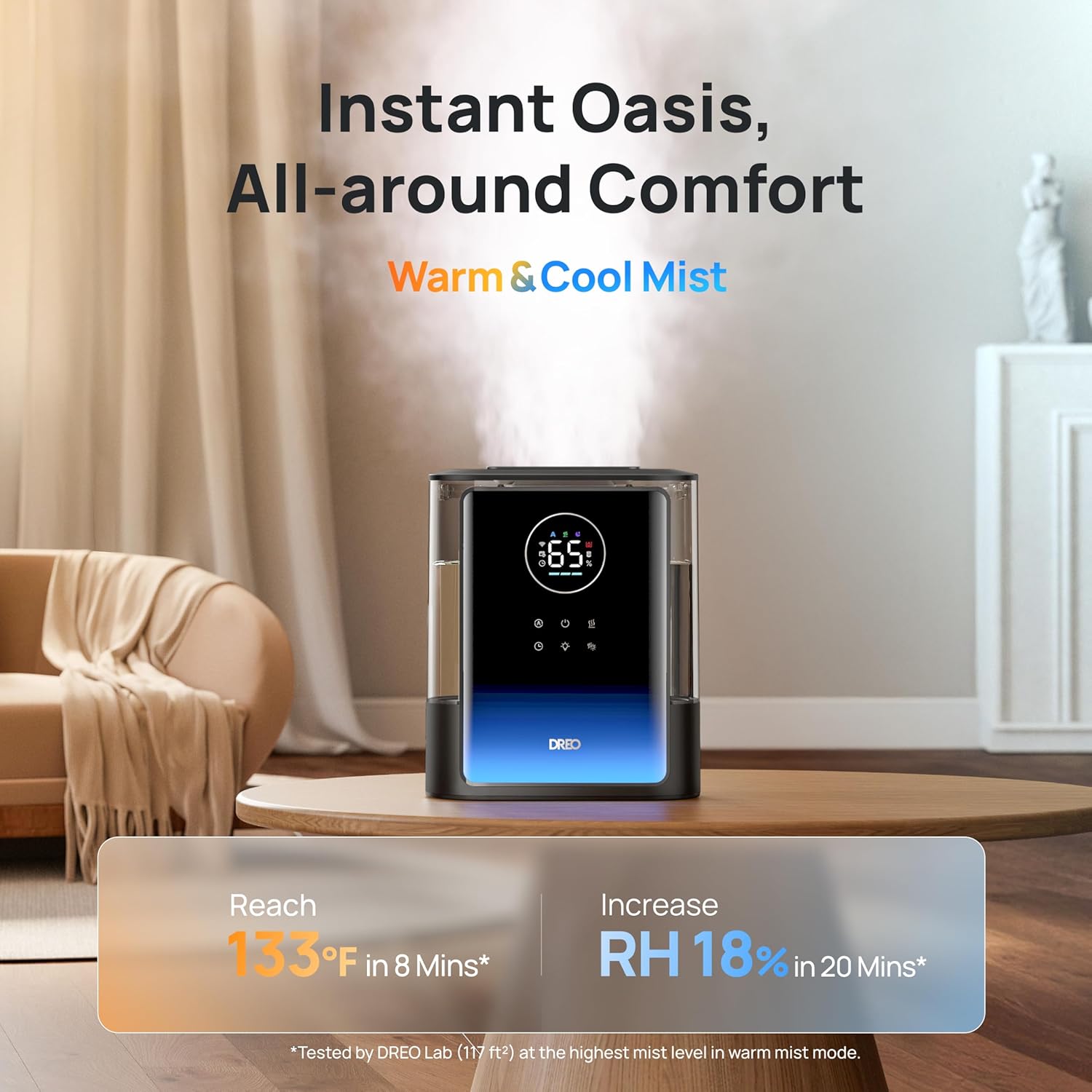
Figure 2: The Dreo HM717S humidifier providing both warm and cool mist for all-around comfort.
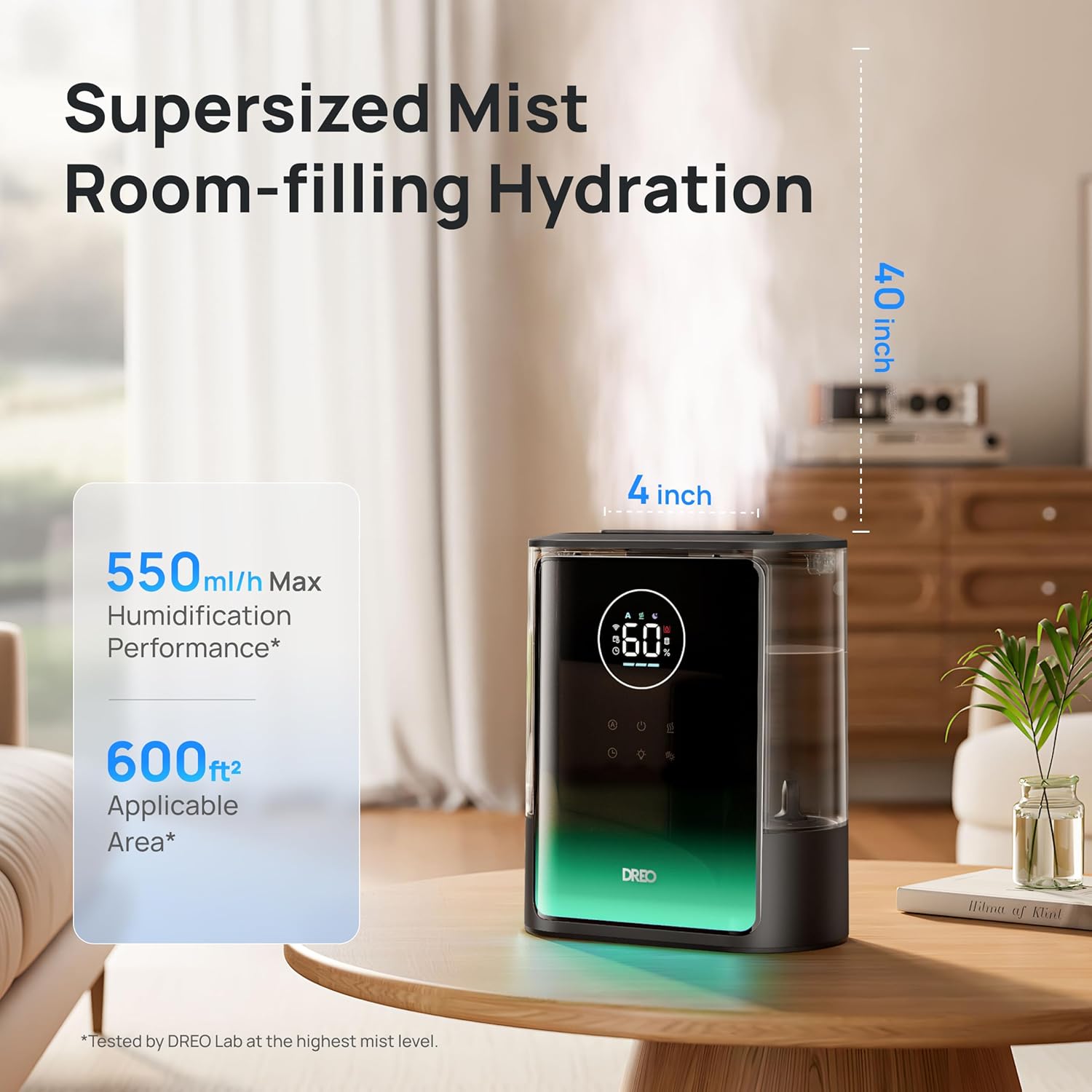
Figure 3: The humidifier's supersized mist output, reaching up to 40 inches tall and 4 inches wide.
3.3 Humidity Control
- High-Precision Humidistat: The built-in humidistat maintains your desired humidity level within a 5% tolerance.
- Auto Mode: Activate Auto Mode for the humidifier to automatically adjust mist output to maintain a consistent humidity level.
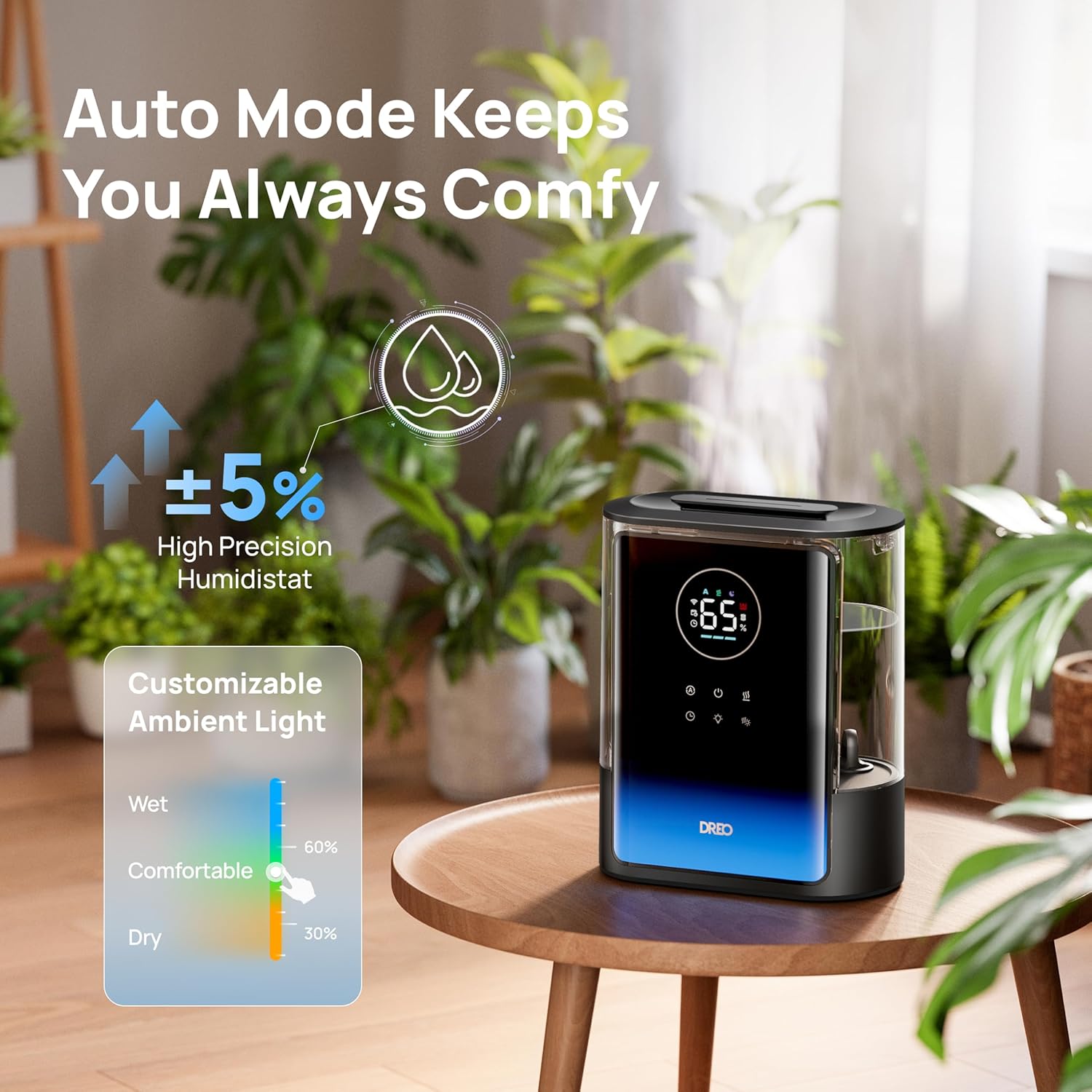
Figure 4: The humidifier's auto mode feature, maintaining precise humidity levels.
3.4 Extended Runtime and Quiet Operation
- The 8-liter water tank provides up to 80 hours of continuous operation, reducing the frequency of refills.
- Operates at a low noise level of 28dB, ensuring undisturbed sleep or work.
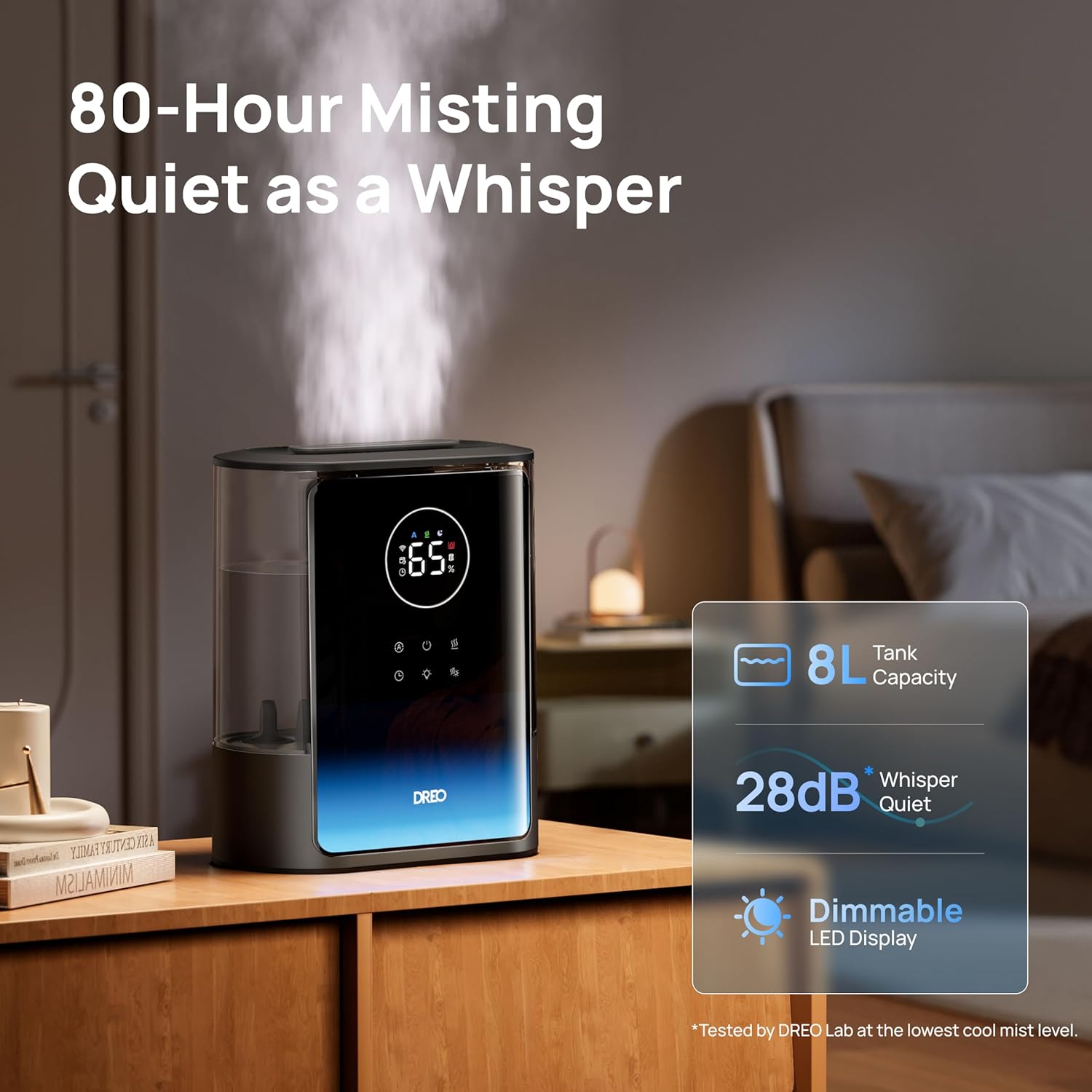
Figure 5: The humidifier's quiet operation and long runtime, ideal for bedrooms.
3.5 Additional Features
- Ambient Light: Customize the ambient light color and brightness via the DREO app to suit your preference.
- Essential Oil Diffuser: The humidifier includes a dual aroma tray for diffusing essential oils. Place a few drops of essential oil onto the aroma pad in the tray. Do not add essential oils directly into the water tank.
- Timer: Set a timer for automatic shut-off after a specified duration.
- App Control: Monitor real-time humidity, set schedules, and view usage reports through the DREO app.
- Voice Control: Compatible with Alexa and Google Home for hands-free operation.
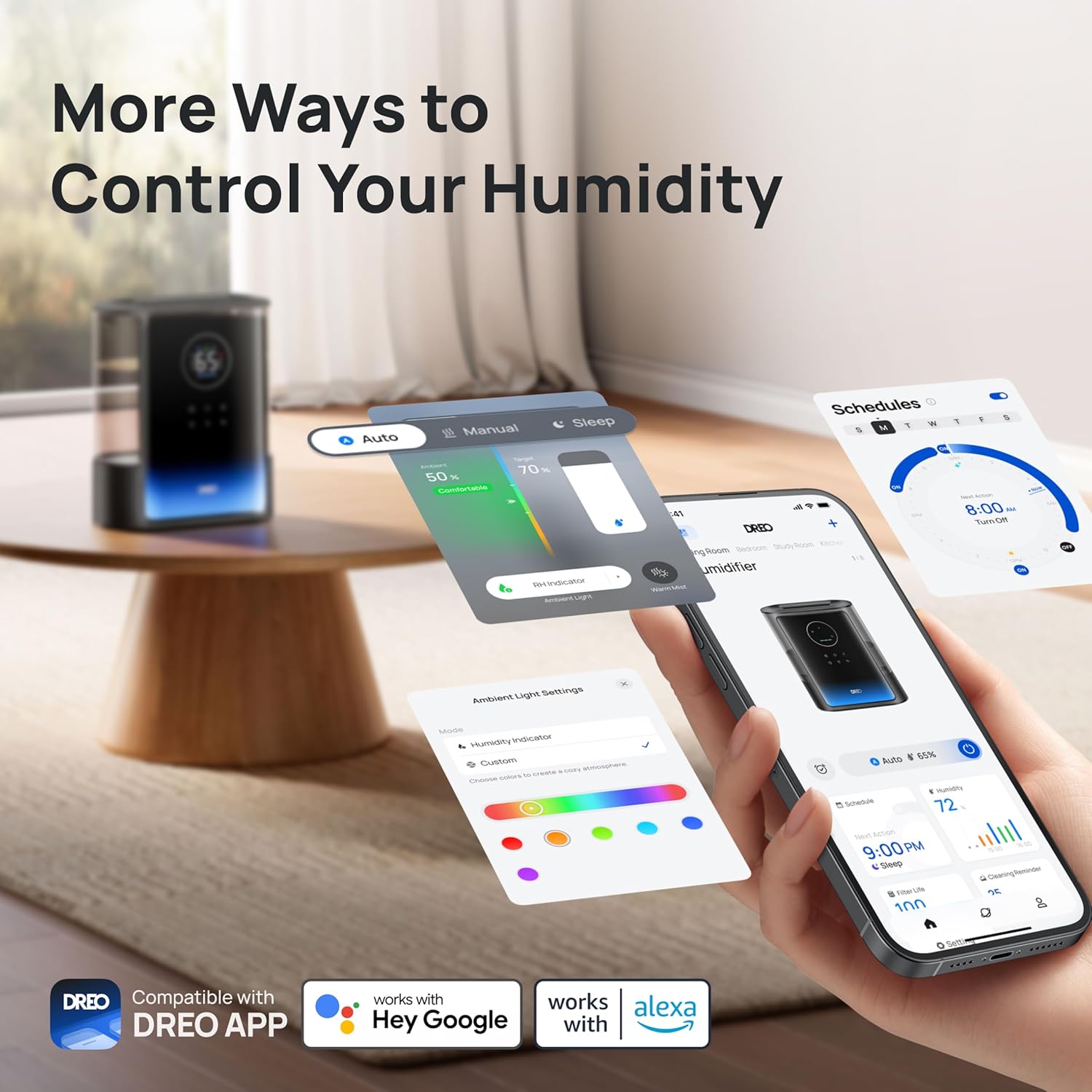
Figure 6: Multiple control options for the humidifier, including the DREO app and voice assistants.
Video 3: Overview of the Dreo 8L Warm and Cool Mist Humidifier 717S features and operation.
4. Maintenance
4.1 Cleaning
Regular cleaning is essential for optimal performance and hygiene.
- Unplug the humidifier before cleaning.
- The humidifier features a modular design, allowing for easy disassembly of the water tank and base for thorough cleaning.
- Use the included cleaning brush to remove any mineral deposits or residue from the water tank and mist outlet.
- Wipe down all surfaces with a soft, damp cloth. Do not immerse the base unit in water.
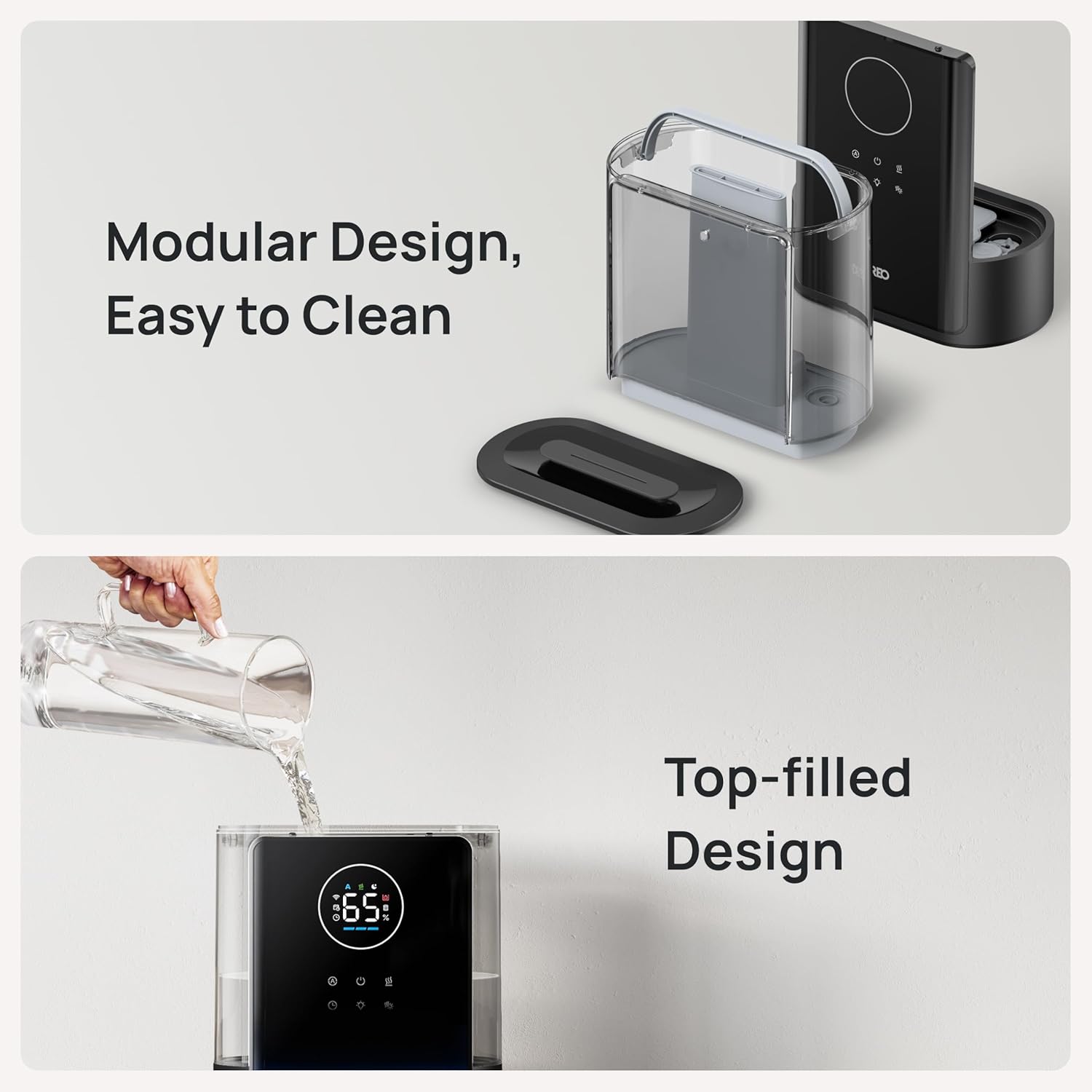
Figure 7: The humidifier's modular and top-filled design facilitates easy cleaning and refilling.
4.2 Cartridge Replacement
If using demineralization cartridges, replace them as recommended by the manufacturer or when the DREO app indicates a replacement is due. Search for 'Dreo Demineralization Cartridge' to purchase new cartridges.
5. Troubleshooting
If you encounter issues with your humidifier, refer to the troubleshooting guide within the DREO app. If the connection to the app fails, use the 'Feedback' function in the DREO app for assistance.
6. Specifications
| Brand | Dreo |
| Model Name | DR-HHM007S |
| Capacity | 8 Liters |
| Floor Area Coverage | 600 Square Feet |
| Operation Mode | Ultrasonic |
| Special Features | Adjustable Humidity Control, Aroma Diffuser, Digital Display, Night Light, Removable Tank |
| Product Dimensions | 6.73"D x 12.01"W x 14.45"H |
| Item Weight | 6.93 Pounds |
| Included Components | 8L Humidifier x1, Aroma Pad, Cleaning Brush, User Manual |

Figure 8: Dimensions of the Dreo HM717S Smart Humidifier.
7. Warranty and Support
For detailed warranty information and customer support, please refer to the full user manual included with your product or visit the official Dreo website. You can also contact customer service via the 'Feedback' function in the DREO app.


