
BrickSoul 21351 Upgraded Design Version
BrickSoul Light Up Kit for Lego 21351 Tim Burton's Nightmare Before Christmas Building Set
Model: 21351 Upgraded Design Version
1. Introduction
This instruction manual provides guidance for installing and operating your BrickSoul Light Up Kit, designed specifically for the Lego 21351 Tim Burton's Nightmare Before Christmas Building Set. This kit enhances your Lego model with brilliant illumination and a cable-hiding design for a professional display. Please note that the Lego 21351 building set is not included with this light kit.
2. Safety Information
- Recommended for ages 14 and up.
- The light kit operates on a stable 5V low-voltage system.
- All components are crafted from high-quality, safety-tested materials.
- Avoid exposing components to excessive force or moisture.
3. Package Contents
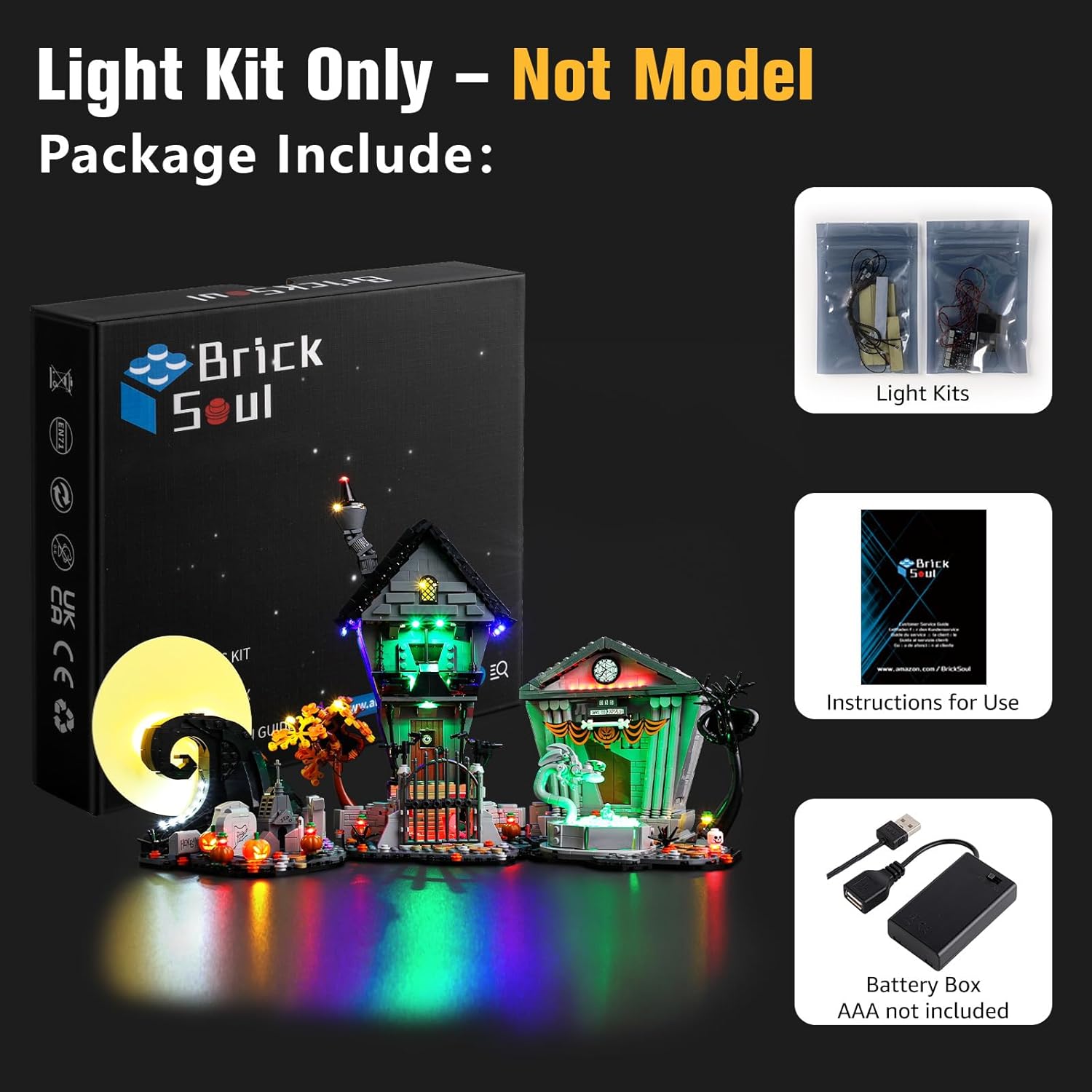
Verify that all items listed below are present in your package:
- LED Light Kit components (various lights and connection wires)
- USB Power Cable
- Battery Box (requires 3 AA batteries, not included)
- Instruction Guide (for accessing digital instructions)
4. Setup and Installation
The BrickSoul Light Up Kit features an upgraded design with cable-hiding technology and pre-measured spacing to ensure a clean and integrated look. Detailed installation instructions are provided digitally to guide you through each step.
4.1 Accessing Digital Instructions
To ensure the most up-to-date and comprehensive guidance, installation instructions are provided via online video or PDF. Locate the QR code or link in the included instruction guide to access these resources. You will typically need to input the product model number (21351) to find the correct guide.

4.2 General Installation Principles
- Preparation: Ensure your Lego 21351 set is fully assembled before beginning the light kit installation.
- Component Identification: The light kit includes clearly numbered light bags that correspond to specific steps in the digital instructions.
- Cable Management: Utilize the pre-routed internal channels and snap-on connectors to integrate wires seamlessly within the Lego structure. This minimizes visible wiring and maintains the aesthetic integrity of your model.
- Gentle Handling: Apply gentle pressure when connecting components to avoid damage.


4.3 Installation Video Overview
For a visual demonstration of the light kit's effects and general installation approach, please refer to the video below. This video showcases the illuminated model and provides context for the detailed digital instructions.
Video 4.1: A demonstration of the BrickSoul Light Up Kit installed on the Lego 21351 set, showcasing the various lighting effects and overall appearance.
5. Operating Instructions
Once installed, your BrickSoul Light Up Kit can be powered using one of two methods:
- USB Power: Connect the included USB cable to a 5V USB power adapter (not included) and then to the light kit's power input.
- Battery Power: Insert 3 AA batteries (not included) into the battery box and connect the battery box to the light kit's power input.
The high-quality LEDs emit a soft, non-glaring glow, designed to highlight the details of your Lego model effectively.

6. Maintenance
- Cleaning: Use a soft, dry cloth to gently wipe dust from the light components and wires. Avoid using liquid cleaners.
- Battery Replacement: If using battery power, replace all 3 AA batteries when the lights dim or cease to function. Ensure correct polarity when inserting new batteries.
- Storage: If storing the light kit for an extended period, disconnect the power source and remove batteries from the battery box.
7. Troubleshooting
- Lights Not Working:
- Check power source: Ensure USB cable is securely connected to a working adapter or that batteries are correctly inserted and charged.
- Inspect connections: Verify all light components and wires are firmly connected to the expansion boards.
- Dim Lights:
- If using batteries, replace them with fresh ones.
- Ensure the power source provides sufficient and stable 5V output.
- Flickering Lights:
- Check for loose connections at the expansion boards or between individual light components.
- Ensure wires are not pinched or damaged within the Lego structure.
If you encounter issues not covered here, please refer to the detailed online instructions or contact customer support.
8. Specifications
| Brand | BrickSoul |
| Model Number | BS-21351-cv |
| Compatible Lego Set | 21351 Tim Burton's Nightmare Before Christmas Building Set |
| Light Source Type | LED |
| Power Source | Battery Powered (3 AA batteries, not included) or USB (5V adapter, not included) |
| Light Color | Multicolor |
| Material | Acrylonitrile Butadiene Styrene |
| Item Weight | 4.6 ounces |
9. Warranty and Support
BrickSoul is committed to customer satisfaction. This product comes with a 1-year hassle-free support period. We provide responsive customer support to swiftly resolve any questions or issues you may encounter.
For assistance, please contact BrickSoul customer service through the platform where you purchased the product or refer to the contact information provided in your product packaging.
Related documents21351 Upgraded Design Version

Ask a question about this manual
Ask about setup, troubleshooting, compatibility, parts, safety, or missing instructions. Manuals+ will review the question and use this page’s manual context to help answer it.