
Introduction
Thank you for choosing the choosmo Variable Speed Pool Pump. This manual provides essential information for the safe installation, operation, and maintenance of your new pool pump. Please read these instructions thoroughly before use and retain them for future reference.
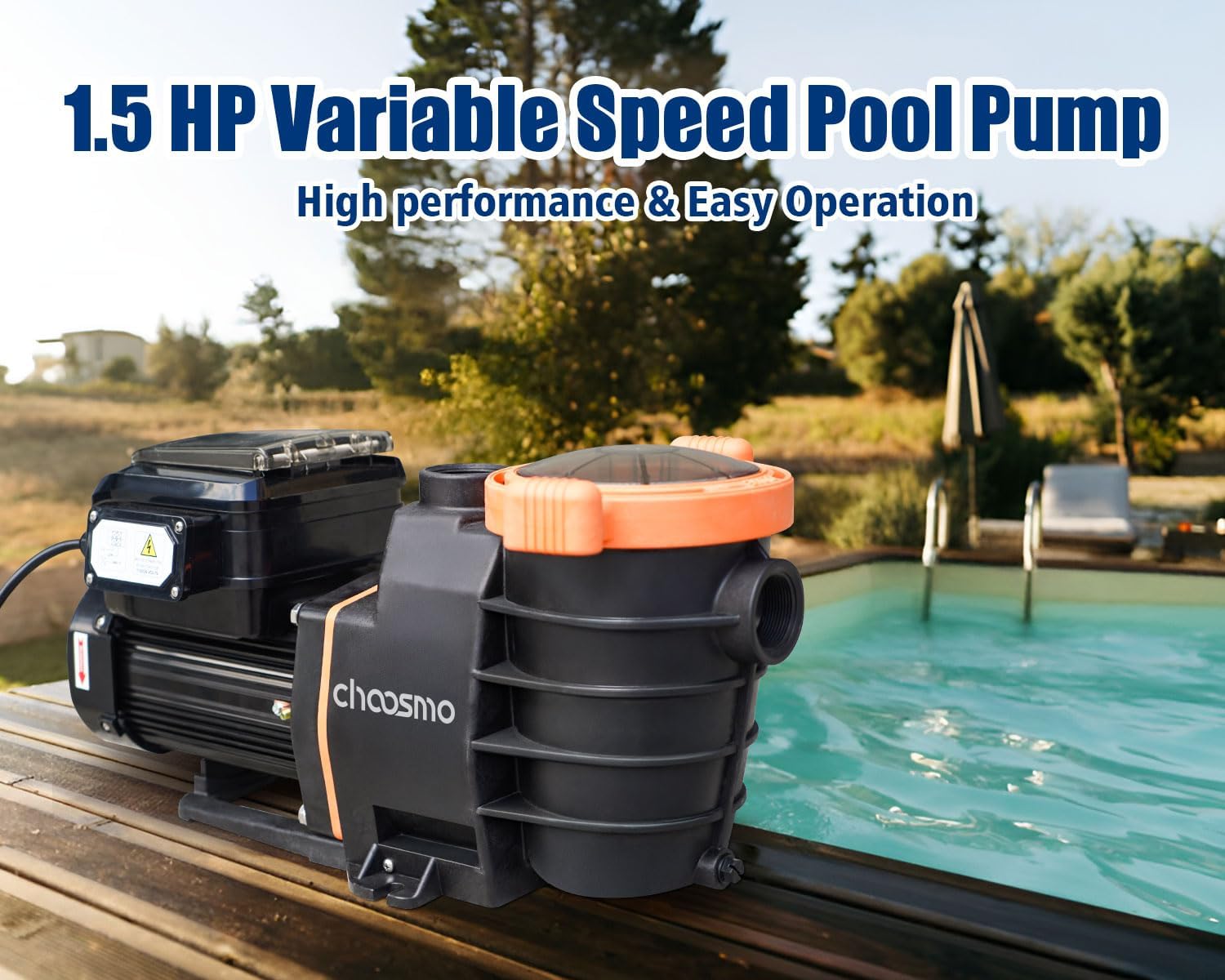
This 1.5HP variable speed pump is designed for inground swimming pools, offering high performance with dual voltage compatibility (115V/230V) and flexible control via a panel or mobile application. Its durable construction ensures longevity and efficient water circulation.
Important Safety Instructions
WARNING: Failure to follow these instructions can result in severe injury or death.
- Always disconnect power to the pump before performing any service or maintenance.
- Installation must be performed by a qualified professional and in accordance with all local and national electrical and plumbing codes.
- Ensure the pump is installed on a solid, level foundation that can support its weight.
- Do not operate the pump if it is damaged or has exposed electrical wiring.
- Keep children and unauthorized persons away from the pump and its controls.
- Ensure proper ventilation around the pump to prevent overheating.
- Do not run the pump dry. Always ensure the pump is primed with water before starting.
- The maximum water temperature for operation is 104 ℉ (40 ℃).
Product Components
The choosmo Variable Speed Pool Pump package includes the following items:
- choosmo Variable Speed Pool Pump (1.5HP)
- 2 x 2" Adapters
- Instruction Manual

The pump comes with 4 adapters (2 male threaded, 2 female threaded) and O-rings to ensure secure, leak-free connections to 1.5-inch plumbing tubes.
Setup and Installation
1. Placement
Position the pump on a firm, level surface as close to the pool as possible to minimize friction loss in the suction line. Ensure adequate drainage and ventilation around the pump.
2. Plumbing Connections
Connect the pump to your pool's plumbing system using the provided 2-inch adapters. Ensure all connections are tight and sealed with appropriate thread sealant to prevent leaks. The pump is compatible with both sand and cartridge filter systems.

3. Electrical Wiring
The pump supports dual voltage operation (115V/230V). Ensure the pump is wired correctly for your electrical supply. This procedure should only be performed by a qualified electrician. The pump includes a 6-foot power cord.

4. Priming the Pump
Before starting the pump for the first time, or after cleaning the filter basket, it is crucial to prime the pump. Remove the clear lid of the filter basket and fill the basket with water until it reaches the suction pipe level. Replace the lid securely. This ensures the pump does not run dry, which can cause damage.
Operating Instructions
The choosmo Variable Speed Pool Pump can be operated via its integrated control panel or through a mobile application.
1. Control Panel Operation
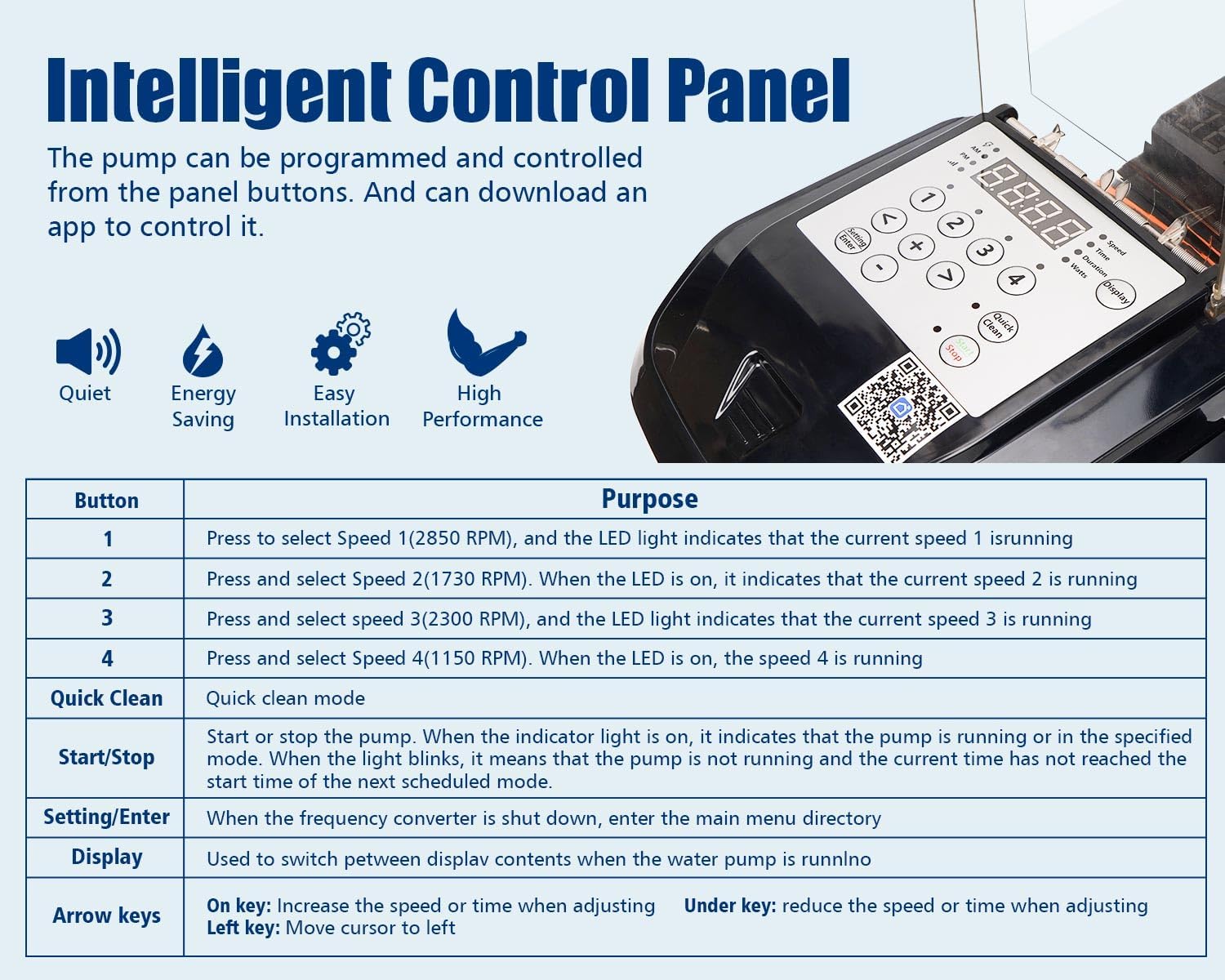
The intelligent control panel allows for direct programming and adjustment of pump speeds and schedules.
| Button | Purpose |
|---|---|
| 1 | Press to select Speed 1 (2850 RPM). The LED light indicates that Speed 1 is running. |
| 2 | Press to select Speed 2 (1730 RPM). The LED light indicates that Speed 2 is running. |
| 3 | Press to select Speed 3 (2300 RPM). The LED light indicates that Speed 3 is running. |
| 4 | Press to select Speed 4 (1150 RPM). The LED light indicates that Speed 4 is running. |
| Quick Clean | Activates quick clean mode. |
| Start/Stop | Starts or stops the pump. When the indicator light is on, the pump is running or in the specified mode. If the light blinks, the pump is not running, and the current time has not reached the start time of the next scheduled mode. |
| Setting/Enter | When the frequency converter is shut down, use to enter the main menu directory. |
| Display | Used to switch between display contents when the water pump is running. |
| Arrow keys | Up key: Increase speed or time when adjusting. Down key: Reduce speed or time when adjusting. Left key: Move cursor to left. |
2. APP Control Operation
The pump can also be controlled remotely via a mobile application, offering convenient access to pump settings, real-time data, and advanced features from your smartphone or tablet. Scan the QR code on the control panel to download the app.
The app allows you to:
- Turn the pump On/Off.
- Adjust pump speed (RPM).
- Set operating schedules.
- Monitor pump status.
Maintenance
Regular maintenance ensures the longevity and efficient operation of your choosmo pool pump.
1. Filter Basket Cleaning
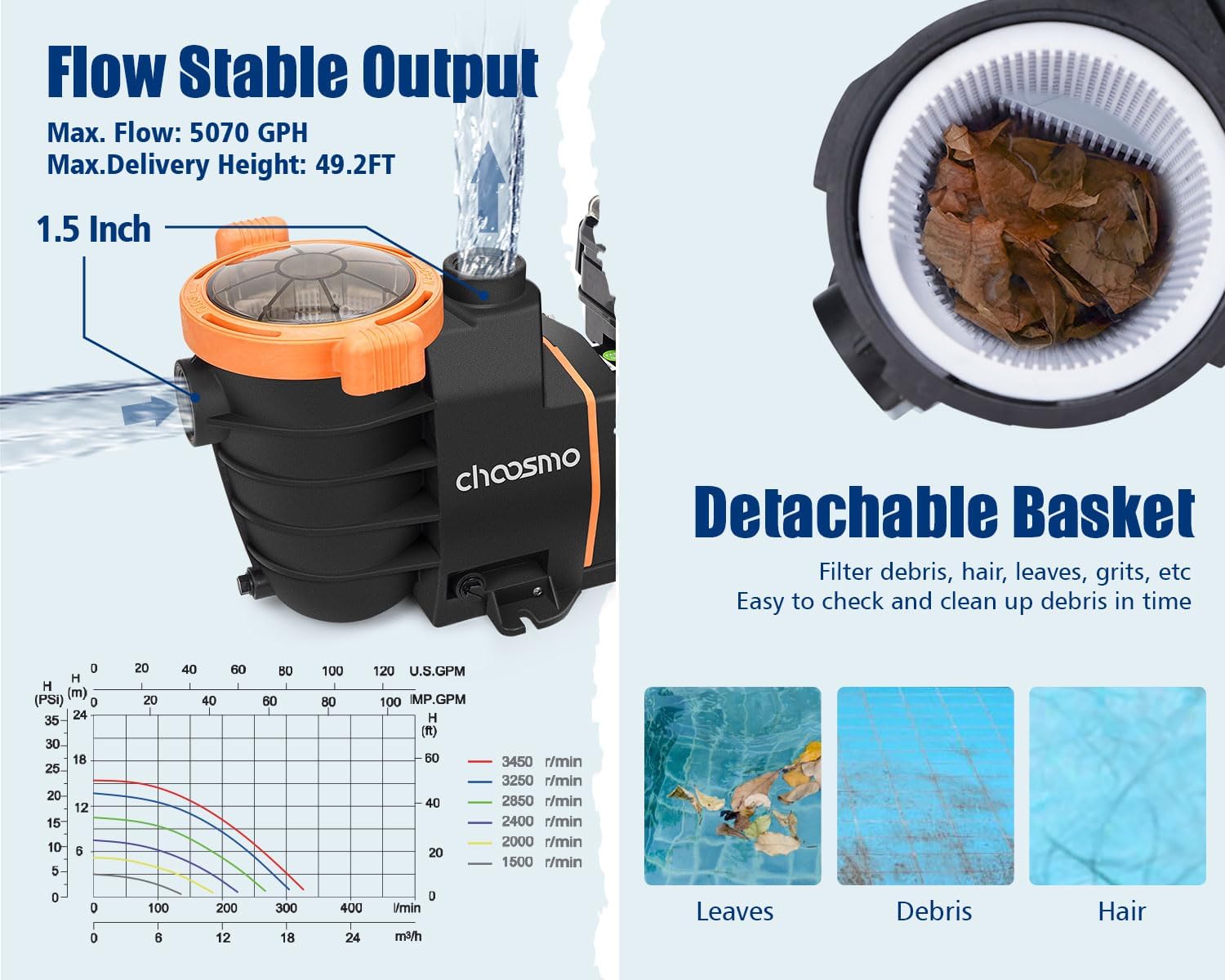
The extra-large filter basket collects leaves and debris, preventing them from entering the pump impeller. Regularly check the transparent lid to see when the basket needs cleaning. A clogged basket reduces pump efficiency.
- Turn off the pump and disconnect power.
- Rotate the clear lid counter-clockwise to remove it. The lid has hand grips for easy removal.
- Lift out the filter basket.
- Empty all debris from the basket and rinse it thoroughly with water.
- Inspect the O-ring on the lid for cracks or wear. Replace if necessary.
- Place the clean basket back into the pump housing.
- Fill the basket with water to prime the pump.
- Replace the lid, ensuring the O-ring is properly seated, and tighten clockwise until secure. Do not overtighten.
- Reconnect power and restart the pump.
2. General Cleaning
Wipe down the exterior of the pump with a damp cloth as needed to keep it free from dirt and dust. Avoid using harsh chemicals or abrasive cleaners.
3. Winterization
In areas subject to freezing temperatures, the pump must be properly winterized to prevent damage. Consult a pool professional for specific winterization procedures for your region.
Troubleshooting
This section addresses common issues you might encounter with your choosmo Variable Speed Pool Pump.
| Problem | Possible Cause | Solution |
|---|---|---|
| Pump does not start | No power supply; tripped circuit breaker; motor overload; faulty wiring. | Check power connection and circuit breaker. Allow motor to cool if overloaded. Verify wiring with a qualified electrician. |
| Pump runs but no water flow | Pump not primed; clogged filter basket; closed valves; air leak in suction line. | Prime the pump. Clean the filter basket. Open all necessary valves. Check for and seal any air leaks in the suction plumbing. |
| Low water flow | Clogged filter basket; dirty pool filter; low water level in pool; pump running at too low a speed. | Clean filter basket. Backwash or clean pool filter. Ensure adequate pool water level. Increase pump speed via control panel or app. |
| Excessive noise or rattling | Air leak in suction line; cavitation (pump running dry); loose motor components; debris in impeller. | Check for air leaks and seal. Ensure pump is properly primed. Check and tighten the four screws on the blade cover over the motor on the back of the pump (as per user feedback). Disconnect power and inspect impeller for debris. |
| App control issues | Poor Wi-Fi connection; app not properly configured; outdated app version. | Ensure strong Wi-Fi signal. Reconfigure app connection. Update app to the latest version. |
If you encounter issues not listed here or if solutions do not resolve the problem, please contact customer support.
Product Specifications
| Feature | Detail |
|---|---|
| Brand | choosmo |
| Model Number | CMP 2540-230V |
| Horsepower | 1.5 HP |
| Voltage | 115V/230V AC |
| Frequency | 50/60Hz |
| Input Current | 8.4/4.2 Amp |
| Max Input Watts | 950 W |
| Speed Range | 1000-3450 RPM |
| Max Flow Rate | 5070 GPH (85 Gallons Per Minute) |
| Maximum Lifting Height | 49 Feet |
| Maximum Water Temperature | 104 ℉ (40 ℃) |
| Control Mode | Panel Button Operation / APP Operation |
| Material | Commercial grade reinforced thermoplastic (Plastic) |
| Color | Black |
| Product Dimensions (L x W x H) | 23.3" x 8.6" x 11.5" |
| Item Weight | 19.8 Pounds |
| Included Components | 2pcs x 2" Adapter, Pool Pump |
Warranty and Support
choosmo provides worry-free after-sales service for this product. The product has undergone 100% manufacturer testing to ensure quality. If you have any questions, concerns, or require assistance, please contact choosmo customer support. We are committed to providing the best possible service.
Please refer to your purchase documentation or the choosmo official website for specific warranty terms and contact information.