
1. Introduction
Thank you for choosing the NEOHIPO SA20 Stereo Receiver & Amplifier. This manual provides essential information for the safe and efficient operation of your new home audio system. Please read it thoroughly before use and keep it for future reference.
What's in the Box?
- NEOHIPO SA20 Amplifier Unit x1
- Remote Control x1
- User Manual x1

2. Product Overview
The NEOHIPO SA20 is a compact yet powerful 2.1 channel stereo receiver and amplifier designed for various home audio applications. It features Bluetooth 5.0 for wireless streaming, multiple input options, and comprehensive sound controls.
Front Panel Controls

- Power Switch: Turns the unit ON or OFF.
- USB/SD Socket: For playing media from USB drives or SD cards.
- Player Control Buttons: (MODE, BT, STOP, CH-, AUTO, CH+) For media playback and FM radio tuning.
- Master Volume Control: Adjusts the overall output volume.
- Microphone Inputs (MIC1, MIC2): 1/4 inch jacks for connecting microphones.
- MIC Volume: Adjusts the volume of the connected microphones.
- Echo: Controls the echo effect for microphones.
- Balance: Adjusts the left/right channel balance.
- Bass: Adjusts the low-frequency audio output.
- Treble: Adjusts the high-frequency audio output.
- Input Selector: Rotary knob to select audio input source (CD/AUX, DVD, MP3/BT).
Rear Panel Connections
- FM Antenna: Connection for FM radio antenna.
- Audio Input (DVD, CD): RCA stereo inputs for external audio devices.
- Output (Line Out): RCA stereo output for connecting to other audio equipment.
- Speaker Output (L+R 4-8Ω Horns-Speakers): Binding posts for connecting passive speakers.
- Power Cable: Connects the unit to an AC power outlet.
3. Setup Guide
3.1 Connecting Speakers
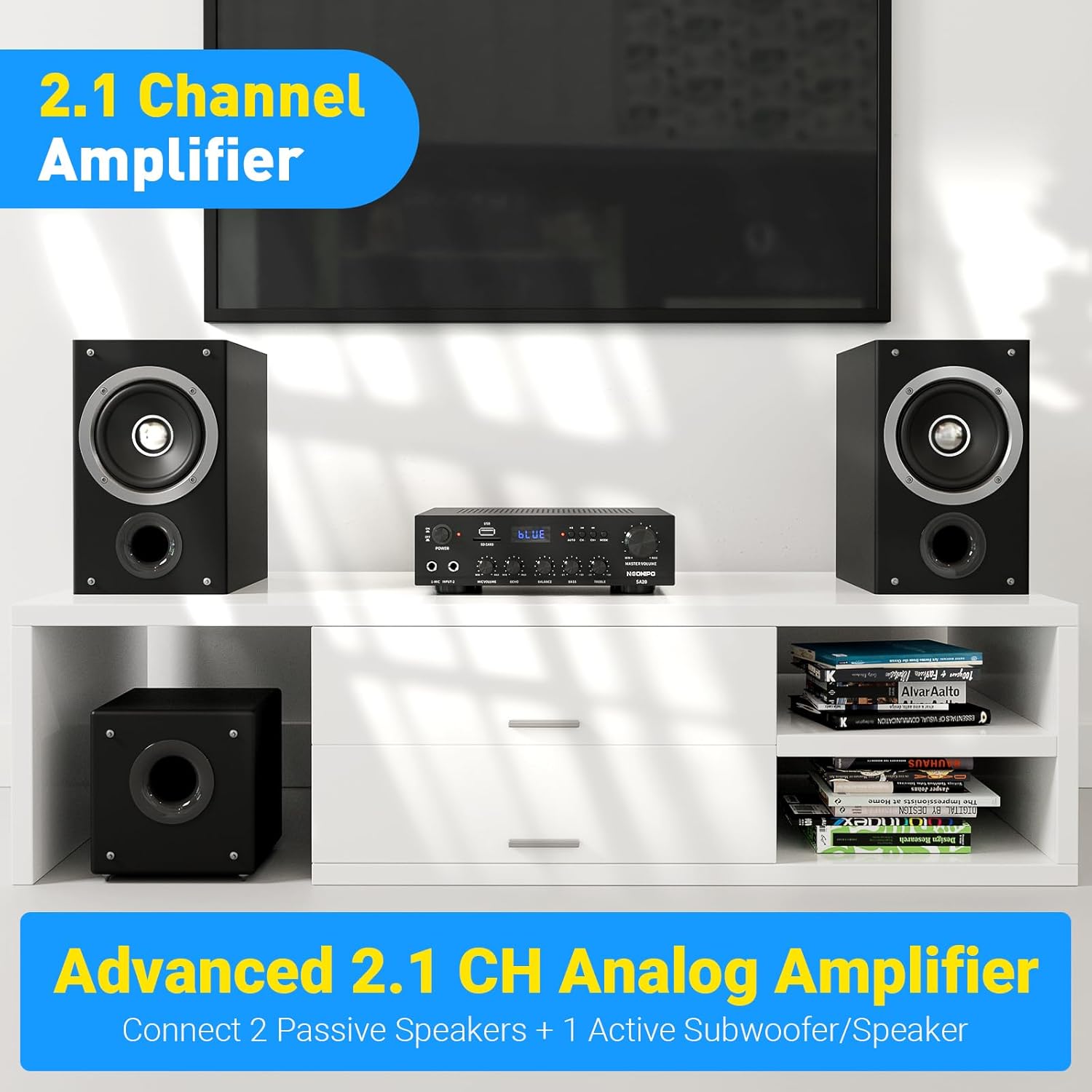
The SA20 amplifier supports a 2.1 channel setup, allowing connection of two passive speakers and one active subwoofer or speaker.
- Ensure the amplifier is turned OFF and unplugged from the power outlet.
- Connect your passive speakers to the "SPEAKER OUTPUT" binding posts on the rear panel. Match the positive (+) terminal of the amplifier to the positive (+) terminal of the speaker, and the negative (-) to the negative (-).
- For a 2.1 channel setup, connect an active subwoofer or speaker to the "RCA OUT" port on the rear panel.
3.2 Connecting Audio Sources
The SA20 offers multiple ways to connect your audio devices:
- RCA Inputs (DVD, CD): Use RCA cables to connect devices like DVD players, CD players, or other audio sources to the corresponding "AUDIO INPUT" ports on the rear panel.
- USB/SD Card: Insert a USB flash drive or SD card (up to 64GB) into the front panel slots for direct media playback.
- Bluetooth 5.0: For wireless connection with smartphones, tablets, or other Bluetooth-enabled devices.
- FM Radio: Connect the FM antenna to the "FM ANTENNA" port on the rear panel for radio reception.
- Microphones: Plug 1/4 inch microphones into the "MIC1" or "MIC2" jacks on the front panel.

3.3 Power Connection
After all audio connections are made, plug the power cable into the "POWER INPUT" on the rear panel and then into a suitable AC power outlet.
4. Operating Instructions
4.1 Power On/Off
Press the Power Switch on the front panel to turn the amplifier ON or OFF. The display will illuminate when the unit is powered on.
4.2 Input Source Selection
Rotate the Input Selector knob on the front panel to choose your desired audio source (CD/AUX, DVD, MP3/BT). For USB/SD or Bluetooth, you can also use the "MODE" button.
4.3 Volume and Tone Control
- Master Volume: Use the large Master Volume Control knob to adjust the overall sound level.
- Bass/Treble: Adjust the Bass and Treble knobs to customize the low and high frequencies of your audio.
- Balance: Use the Balance knob to adjust the audio distribution between left and right channels.
4.4 Bluetooth Pairing
- Select "MP3/BT" as the input source using the Input Selector or "MODE" button until "BLUE" appears on the display.
- On your Bluetooth-enabled device (e.g., smartphone), search for available devices and select "SA20" to pair.
- Once paired, you can stream audio wirelessly to the amplifier. The Bluetooth 5.0 ensures a stable connection within 40 feet (10 meters).

4.5 USB/SD Card Playback
Insert a USB flash drive or SD card (up to 64GB) into the respective slots on the front panel. The amplifier will automatically switch to USB/SD mode and begin playback. Use the Player Control buttons (CH-, AUTO, CH+) to navigate tracks.
4.6 Microphone and Karaoke Function
Connect up to two microphones to the "MIC1" and "MIC2" inputs. Use the MIC Volume knob to adjust microphone levels and the Echo knob to add a reverberation effect for karaoke.

4.7 Remote Control Operation
The included remote control allows for convenient adjustment of various functions from a distance, including power, input selection, volume, and track navigation.
5. Key Features
- Compact & Powerful: Delivers 500W+500W peak power (76W+76W rated) in a compact design.
- 2.1 Channel Output: Supports two passive speakers and one active subwoofer for enhanced audio.
- Bluetooth 5.0 Connectivity: Stable wireless audio streaming up to 10 meters.
- Multiple Input Sources: RCA (DVD, CD), USB, SD card, FM radio, and dual microphone inputs.
- Comprehensive Audio Controls: Adjustable Master Volume, MIC Volume, Echo, Bass, Treble, and Balance.
- Karaoke Functionality: Dual microphone inputs with echo control for singing.
- Remote Control: Full-function remote for convenient operation.

6. Troubleshooting
| Problem | Possible Cause | Solution |
|---|---|---|
| No power | Power cable not connected; Power switch off; Outlet malfunction. | Ensure power cable is securely plugged in. Turn power switch ON. Test outlet with another device. |
| No sound output | Incorrect input source selected; Volume too low; Speaker wires loose/incorrectly connected; Mute activated. | Select correct input source. Increase Master Volume. Check speaker wire connections. Ensure unit is not muted. |
| Bluetooth not connecting | Amplifier not in Bluetooth mode; Device too far; Device already connected to another unit. | Switch amplifier to "BLUE" mode. Move device closer to amplifier. Disconnect device from other Bluetooth units. |
| Microphone not working | Microphone not plugged in; MIC Volume too low; Microphone faulty. | Ensure microphone is fully plugged into MIC1/MIC2. Increase MIC Volume. Test with another microphone if available. |
| Sound distortion | Volume too high; Input signal too strong; Speaker impedance mismatch. | Lower Master Volume. Reduce input signal level from source device. Ensure speakers match 4-8Ω impedance. |
7. Specifications
| Feature | Detail |
|---|---|
| Brand | NEOHIPO |
| Model Number | D9-CA-SA20115 |
| Product Dimensions | 21D x 20W x 9.5H Centimetres |
| Item Weight | 700 Grams |
| Output Power | 1000 Watts (Peak), 76W+76W (Rated) |
| Surround Sound Channel Configuration | 2.1 |
| Connectivity Technology | Bluetooth 5.0, DAC, RCA |
| Compatible Devices | Speakers, Subwoofer, Smartphone, Tablet, iPad, iPhone, Computer |
| Input Interfaces | 1*RCA IN, 2*Microphone IN, 1*USB IN, 1*SD card slot IN, 1*BT 5.0/FM radio antenna IN |
| Output Interfaces | 1*RCA OUT (for 2.1 channel subwoofer), Speaker Outputs |
| Control Method | Remote, Manual Knobs |
8. Maintenance
- Cleaning: Use a soft, dry cloth to clean the exterior of the amplifier. Do not use liquid cleaners or solvents.
- Ventilation: Ensure the ventilation openings on the unit are not blocked to prevent overheating.
- Storage: If not in use for an extended period, unplug the unit and store it in a cool, dry place.
- Avoid Moisture: Keep the amplifier away from water, excessive humidity, and direct sunlight.
9. Warranty & Support
The NEOHIPO SA20 Stereo Receiver & Amplifier comes with a 1-Year Trade-In Warranty. For any service or support inquiries, please refer to the manufacturer's contact information or consult qualified service personnel.
Manufacturer: Neohipo
Manufacturer Contact Information: NEOHIPO